Desert Online General Trading LLC
Dubai, United Arab Emirates
Desert Online General Trading LLC
Dubai, United Arab Emirates
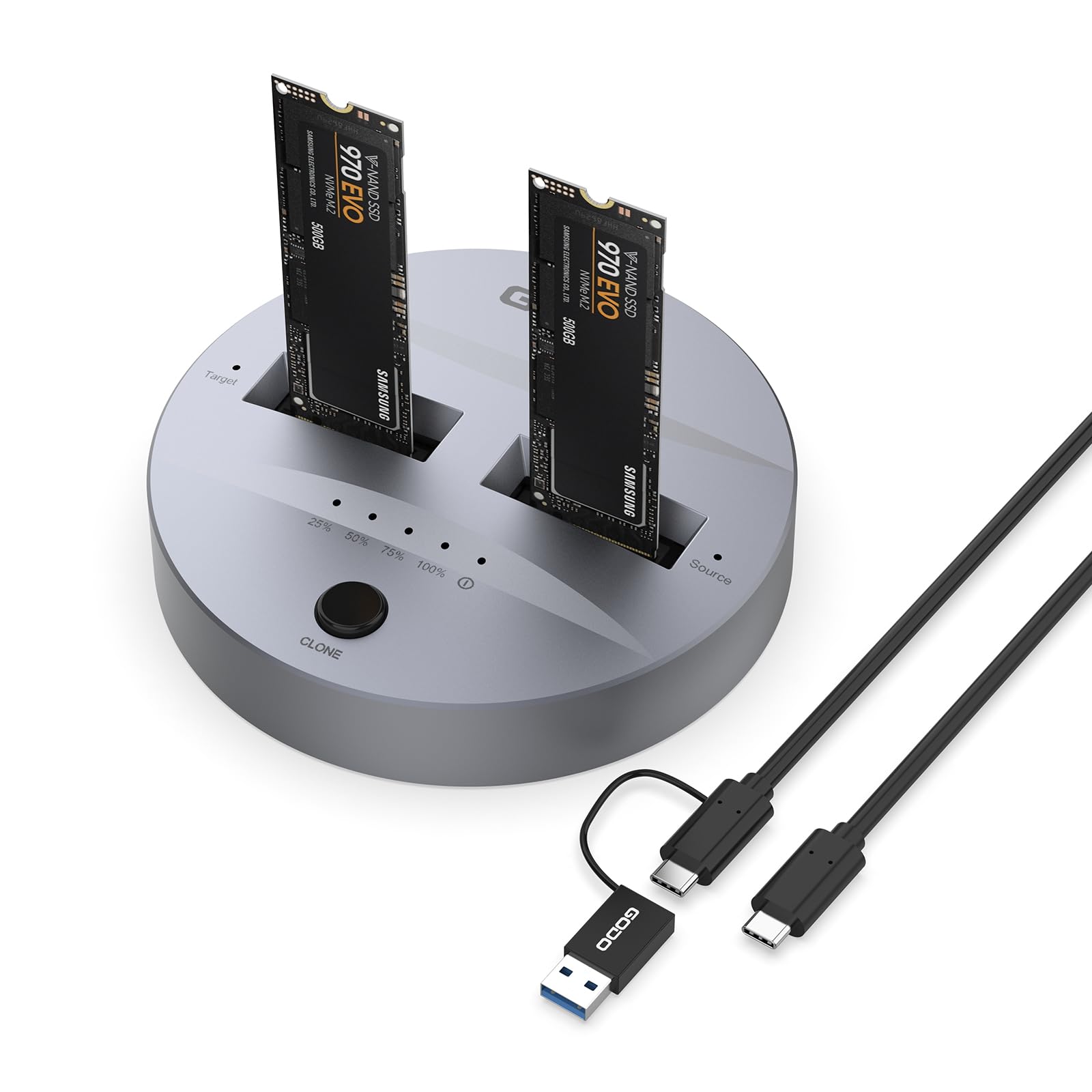
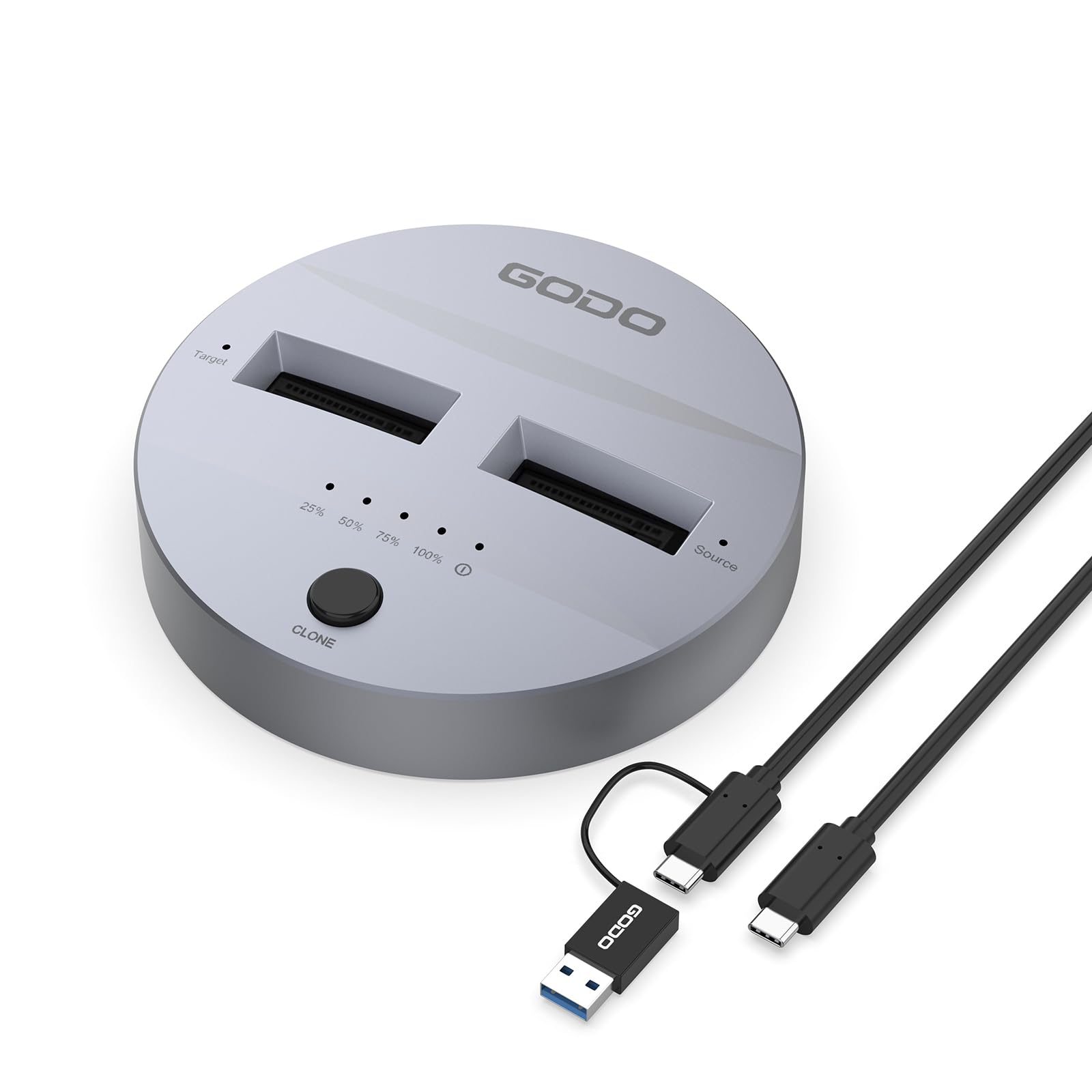


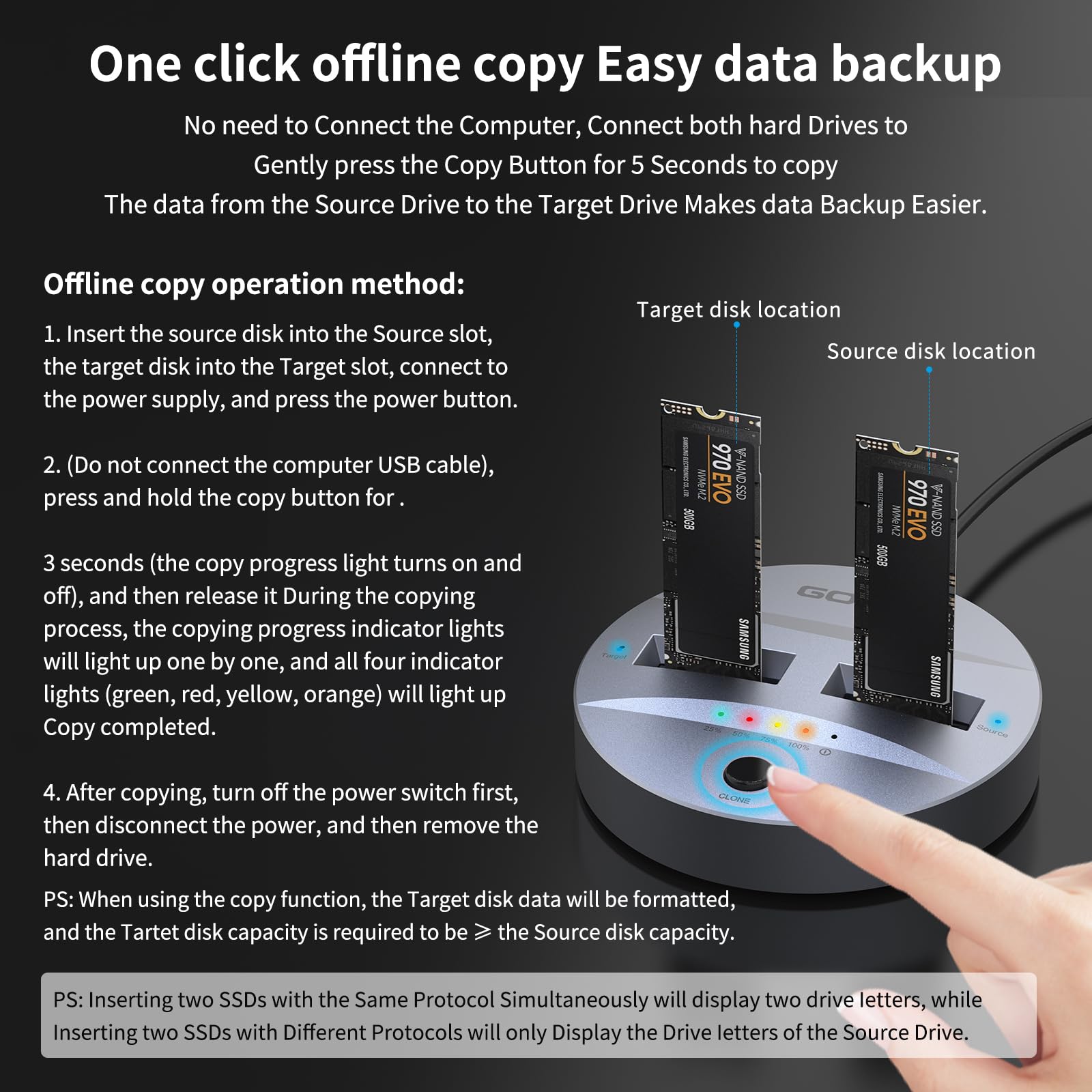
🚀 Clone, Connect, Conquer – The Ultimate M.2 SSD Powerhouse
The GODO NVMe/SATA M.2 Duplicator Dual-Bay Docking Station is a sleek, tool-free aluminum enclosure designed for professional-grade offline cloning and high-speed data transfer. Supporting M.2 SSD sizes from 2230 to 22110 and both NVMe and SATA protocols, it delivers up to 10 Gbps via USB 3.1 Gen2 Type-C. With one-key cloning, LED status indicators, and compatibility across Windows, Mac, Linux, and popular devices, it’s the perfect solution for fast, reliable SSD duplication and data management up to 4TB capacity.


| Item Weight | 0.37 Kilograms |
| Compatible Devices | Dell Latitude 7370 |
| Hard Disk Form Factor | 22 Millimeters |
| Max Number of Supported Devices | 2 |
| Data Transfer Rate | 10 Gigabits Per Second |
| Manufacturer | Dong Guan Shi Gang Da Dian Zi You Xian Gong Si |
| Item model number | DK01-NVMe/SATA |
| Item Weight | 13.1 ounces |
| Product Dimensions | 3.14 x 0.69 x 0.69 inches |
| Item Dimensions LxWxH | 3.14 x 0.69 x 0.69 inches |
| ASIN | B0CR371Q1Y |
| Date First Available | December 28, 2023 |
D**1
works well
Worked very well. I had another one that when I tried to use i t drive didn't show up on my computer, but this one worked perfectly.
A**R
Perfect Enclosure, Great Value, Excellent Customer Serivce
Works perfectly, with great packaging, instructions and customer support. More importantly, I have not had the kind of tech support from any company like I had with GODO. I initially purchased the wrong type of enclosure (my drive is a Sata but I ordered an NVME-PCI-E enclosure). I thought it was defective and I returned it to amazon. A couple days later GoDo contacted me and sent me a free replacement to try again. Had the same issue so then they started trouble shooting with me and I sent pictures and they figured it out. Recommended the GODO RGB M.2 NGFF/SATA SSD External Enclosure, which is very cool, works perfectly, plus I like the lights!
J**N
Does that it was designed to do.
Does what I was needing it to do. I like the rubber tip for holding the SSD in place when installing. Don't have to worry about an annoying screw. Reads both NVME and SATA drives at satisfactory speeds.
A**N
Avoid!
What a mess this was. DID NOT WORK online or offline and both the included booklet & the website did nothing to help, most everything was in Manderin I think. My PC, my friends PC, and my Wife's MAC laptop had no idea if this was plugged in or not. I'm afraid to buy an item like this again now! Shame
K**Y
Slower than expected write and read speed due to the included USB 4/TB4 cable
Pro:The design is nice and compact but that's pretty much where it ends.Neutral:This enclosure uses active cooling. The fan runs constantly. This can be a problem if you desire a quiet environment.Con:The included cable is not up to spec. I am getting speed ranging from 2200 Mb/s - 2800 Mb/s read and write with a Samsung 980 PRO 2TB drive on a Mac. Switching to a known good TB3 cable gave me write speed of 3100 Mb/s and read speed of 3000 Mb/s. The device also disconnects and reconnect randomly.
B**K
Heatsink wont fit, works well with standard m2.
It looks great and feels like its quality built, heavy duty, however the only fall back i have seen so far is pretty big. you cannot get a drive with a heatsink on it to fit, you can take off the heatsink as was used as a workaround, so long as samsung hasnt Hard Painted the screws to allow you to take off the heatsync, and purchasing a small extension will just make it look bad and maybe not work. SOOO, if your using a heatsync and dont want to void your warranty...look for something that has a flush port not recessed. I gave it 4 for look and quality build, now if they only gave a small extender it would be fine.as for the duplication process I took my new 2tb 990 pro and my 1tb 990 plus with my boot os on it and duped it to my 2tb, it worked great, a bit confusing because the first light is green for 25% then the second light turns red for 50% third light Yellow for 75% and then Orange for 100% but the lights are a bit confusing and alarming as well you dont want to see red yellow or orange when your duping something but everything turned out very well..the unit gets VERY HOT so if you have a little fan to keep the cards cooler while duping that would probably be a good idea, almost too hot to touch after duplication. also you can do it stand alone, you dont have to connect it to the computer. but i guess it acts as a hub also once you dont need it for duplicating.Update: I was cloning my M2SSD in my computer to this device with the usb connection to another m2 SSD , at first i thought the device or the software were causing problems and freezing but i realized using Easeus Disc copy it copies sector by sector on system or Disk copies, so it is not stalled or frozen it just takes about 1hr 45 mins to complete so dont stop your copy. it will get done, I tried it twice and both copies were fine.
K**N
Very fast USB4 thunderbolt enclosure.
As I look at the reviews tied to this listing none are for the USB4 thunderbolt enclosure. The enclosure is solid aluminum with a fan that does a good job keeping the unit warm. High speed ssds run hot with their lightning fast speed. The enclosure does its job. Using a WD 850x.Attached is the speed recorded by Black Magic on my Mac Min M2.
2**R
Low speed, runs hotter than competitiors, DOES NOT WORK WITH MAC
This looked very promising. It has ASMEDIA chip and a cooling fan. It can accommodate double sided SSD. I installed the same drive that I tried with another enclosure. First I updated the enclosure firmware. With a Windows machine, I reached a maximum speed of 1500GBps. The other enclosure reached 2200. With the GODO enclosure the temp reached 60C. With the other enclosure the drive reached max 57C.Next I connected it to a Macbook Pro M1 Pro. The drive did not mount on the desktop, even though it was formatted with exFAT. It did not even show up in Disk Utility. I tried with the supplied cable and with a more expensive cable, and it still did not show up. I could hear the fan, so the enclosure was definitely powered up.Another observation: with the ASMEDIA firmware app, the status of the drive showed up as Gen3x1. With the other enclosure it showed up as Gen3x2. The SSD was Corsair MP510 PCIE Gen 3.Bottom line: the price was great, but the performance is disappointing.
Trustpilot
1 week ago
1 month ago