Desert Online General Trading LLC
Dubai, United Arab Emirates
Desert Online General Trading LLC
Dubai, United Arab Emirates





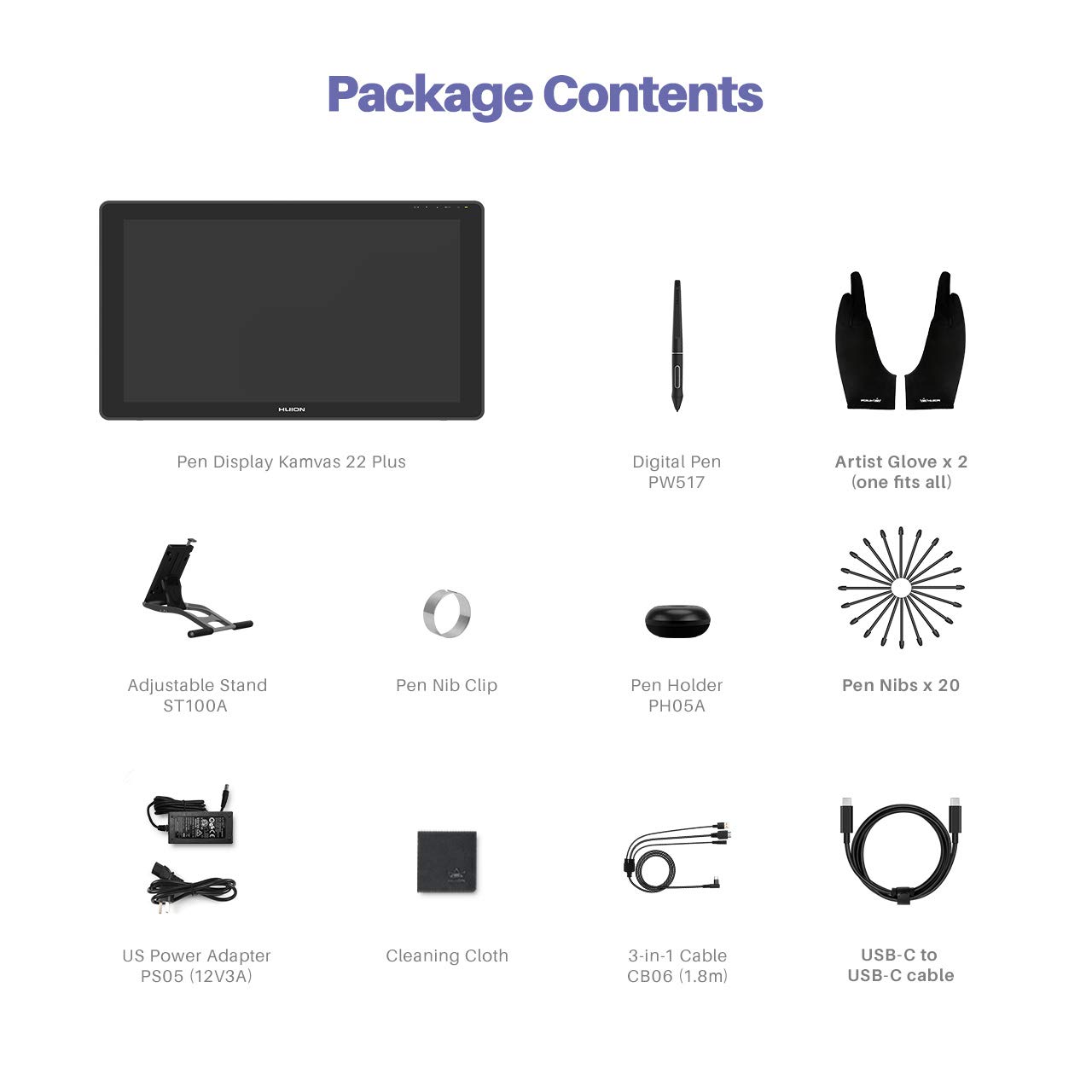
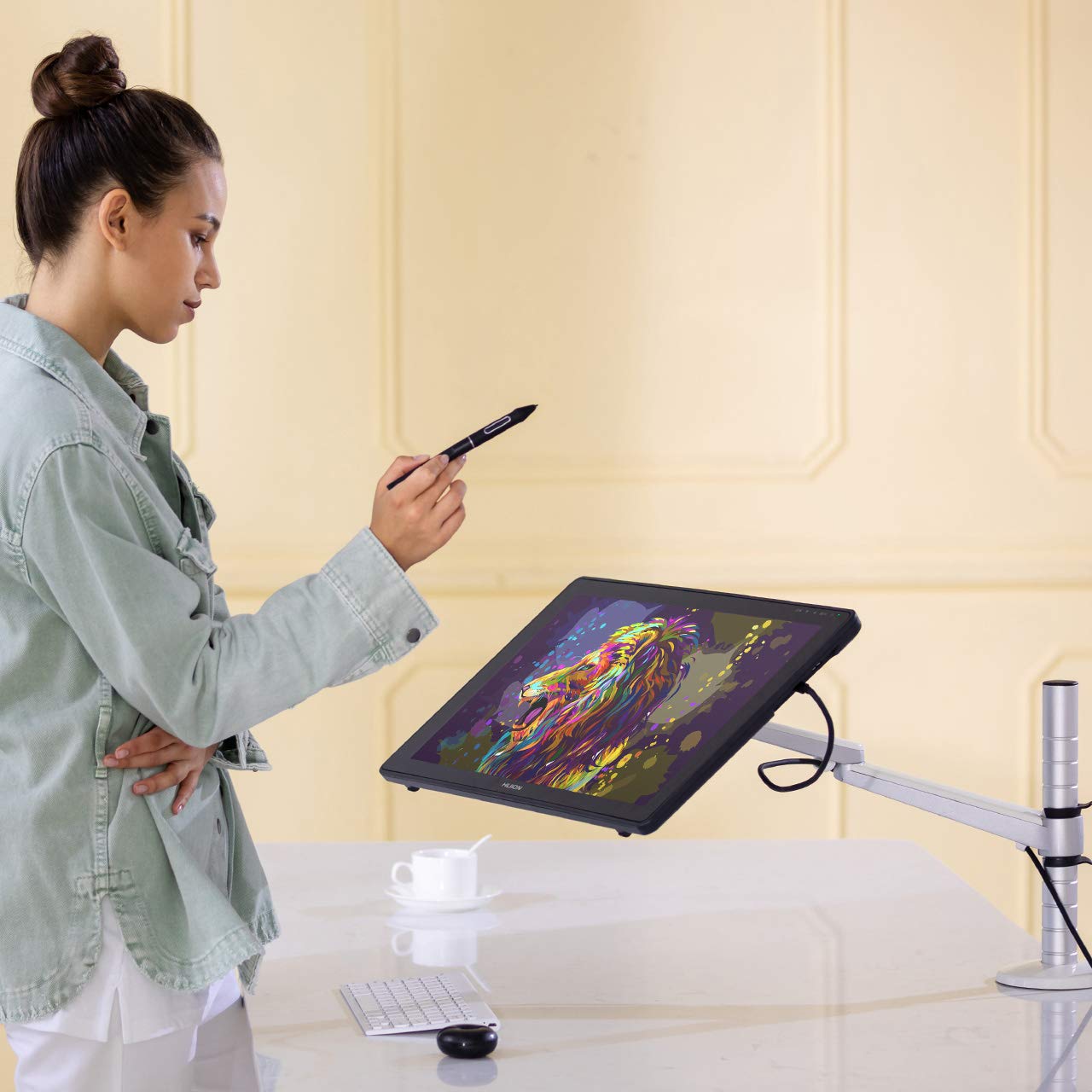
🎉 Elevate Your Art Game with the Kamvas 22 Plus!
The HUION KAMVAS 22 Plus is a cutting-edge graphics drawing tablet featuring a 21.5" full laminated screen with anti-glare technology, 140% sRGB color gamut, and a battery-free stylus with 8192 levels of pressure sensitivity. Compatible with Mac, Windows, and Android devices, it’s perfect for artists, educators, and professionals alike, making it an essential tool for digital creativity and collaboration.


| Color | Black |
| Active Surface Area | 476.6 x 268.1mm |
| Item Dimensions L x W | 12.72"L x 21.46"W |
| Item Weight | 3.9 Kilograms |
| Screen Size | 21.49 Inches |
| Specific Uses For Product | Teaching, Editing, Animation, Designing, Gaming, Drawing, Painting, Writing |
| Display Type | LCD |
| Compatible Devices | Laptop, Desktop, Tablet, Smartphone |
| Native Resolution | 1920x1080 |
| Operating System | Windows 7 or later, MAC OS 10.12 or later, Linux unbuntu, Android 6.0 or later |
| Additional Features | Quantum Dot, USB-C Connection, Full Lamination with Anti-Glare Glass, PenTech 3.0 |
| Connectivity Technology | HDMI, USB-C to USB-C Cable |
| Pressure Sensitivity | 8192 Levels |
P**.
Great product! Arrived on time!
This is my third one of these tablets, but first time with this seller. Arrived on time in perfect condition (it was new). Works perfectly.
J**R
You can't go wrong with this one!!!
Adding this as my start into the digital graphic space, and this is by no means a starter tablet for graphics. It is robust with a lot of power for this medium. You can use as a beginner and definitiely as a pro. The price point is excellent, when compared to the higher end graphic boards and also considering what you get for the price. I did extensive comparing by watching various Youtube videos of professional artist comparing different brands like Wacom and Art Pen and for me the Huion brand surfaced on top, based on price when considering what you get for the price you pay. I run the tablet using my laptop, but I have also connected my iPad Pro to it and it works just fine. I complimented it with the Wacom Express Key Remote for Cintiq & Intuos Pro (ACK411050), which allows me to do a lot of the short-key keyboard functions remotely and seamlessly. I tried PhotoShope, Fresco, Clip Art Studio, which all worked very well. I wish that Procreate would work on the tablet as well but that software is strictly for the Ipad and Iphone market.All-in-all, as stated already this is well worth the purchase. Check out the Youtube videos on its capabilities, you will be glade you did!!!
J**
I made the right choice!!!!?!!!!.
I had a hard time choosing between this and a competitor with hotkeys on both sides around the same price.And after weeks of youtube videos and online reviews going over the pros and con's it came down to, Screen quality and safe for my eyes.I try to set it up late last night not a good idea. Thinking the screen isn't that good. Wow, maybe I should have gone with the cheaper version but my eyes were just not having it, I decided to call it a night and went to bed thinking I had a lemon.I woke up, and in good light and with fresh mind and eyes, I sat down and adjusted 3 things on the 22 plus and im amazed its perfect and better than my Lenovo FHD9i.I made a good choice but I will update periodically with anything that comes up.For me this is the right choice but for you, well,....... that's up to you.
T**I
1080 only so good
After years of use it’s good but wish I could afford an upgrade 1080p is only so good.But was worth it better then expected coming from wacom
G**M
Great Upgrade and for the price, is no brainer, you wont regret it!
I am obsessed with this thing! i use it almost everyday now. I work as a graphic designer and when I'm working remotely from home, I can use this monitor for work and switch to the pen when I'm editing images and using the adobe programs. Super easy to set up and i didn't really need to calibrate the pen right out of the box but i did anyways just to avoid anything weird happening. if your thinking on upgrading from a smaller screen or from a drawing tablet (this was my situation) this is a great upgrade, I think the screen feels better than paper, you can see the space between the tip of the pen and the cursor but its very minimal and i really didn't noticed until like 4 days in, so don't even worry about that and the responsiveness is great too. i have 0 issues and extremely happy with this purchase.
R**R
An excellent board
I've had this drawing board for more than two years now, never a problem, even using the first pen nib out of the box. The surface is smooth, but that's what you have on a graphics tablet, I just got used to it rather than wear down nibs trying to recreate a paper feel. colors, brightness, definition all great, more than enough pen sensitivity. Dimensions are perfect, not too large nor small. Excellent graphics tablet, especially at the modest price.
H**A
It served me well.
I've have the tablet for about 3 years now, And Suddenly it just stopped working, No matter how many different cables I've used. What System i put it on, What driver version I've used. Its done. The only thing it is good for now is as a second or third monitor. Support is Hard as hell to get in contact with, And im way past warranty So Buy at your own risk .It was a very superb tablet the years it has served me none the less
E**N
Super great quality and well worth the money!
The laminated screen is amazing and the pen writes exactly as if you were drawing on paper. The pen doesn't need to be charged so that's a huge plus. It's very easy to connect to a Macbook and has great color quality. I would definitely recommend this drawing tablet!
Trustpilot
2 weeks ago
1 week ago