Desert Online General Trading LLC
Dubai, United Arab Emirates
Desert Online General Trading LLC
Dubai, United Arab Emirates


🎮 Game On, Anytime, Anywhere!
Full description not available
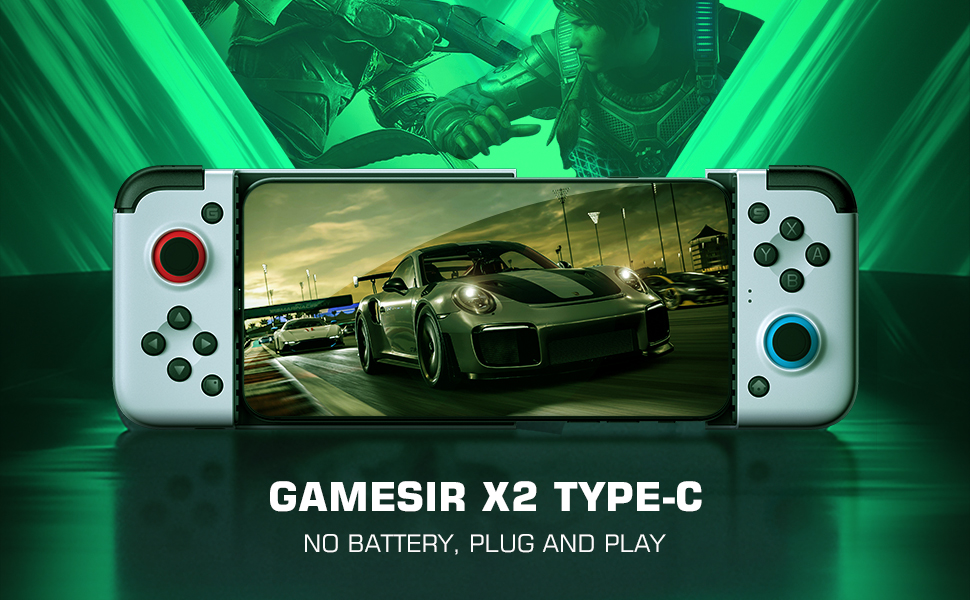




| Brand | GameSir |
| Item model number | 8499277 |
| Hardware Platform | Android |
| Operating System | Android |
| Item Weight | 0.352 ounces |
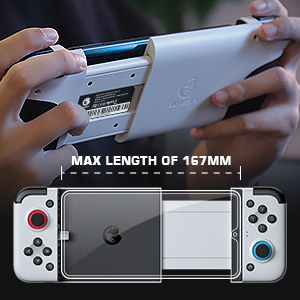
| Product Dimensions | 7.99 x 4.17 x 2.17 inches |
| Item Dimensions LxWxH | 7.99 x 4.17 x 2.17 inches |
| Color | X2 Type-C |
| Power Source | Battery Powered |
| Voltage | 0.01 Volts |
| Batteries | 1 Lithium Polymer batteries required. (included) |
| Manufacturer | GameSir |
| Language | English |
| ASIN | B08HC8XMMN |
| Country of Origin | China |
| Is Discontinued By Manufacturer | No |
| Date First Available | September 7, 2020 |
W**T
Good device for using a gaming phone or any phone at that. .
Easy to use. Plug your phone into the USB c port and your off. Charge also while using the game sir. I can't say anything bad about it. Its a good purchase if you want your phone game emulators to be used with a controller instead of touch screen. 😁
A**R
Check your accessibility settings
Solid unit. Well made with nice responsive buttons and sticks. But it took me a long long time to get it fully working. If you have Android 11 you may encounter a bug that prevents the gamesir registering.Go to your accessibility settings and turn everything off, including any accessibility permissions you have granted to apps such as AnyDesk (which was my issue).It's a bug that has been submitted to the Google bug reporting website but at present there is no resolution, other than disabling all accessibility options. Magnifying glass, text to speech, volume controls, power button to end call... To use this gamepad you have to turn it all off. Sucks. But that's the workaround until it gets sorted.Hopefully this will save people some frustration and time if they encounter the same issue as it's hard to find the solution online 😊
M**!
Sturdy
Seemed sturdy, only returned as it is doesn't work with ps remote play.
J**S
Stay away
Last Gamesir I will buy. Very little use because of compatibility with games/phones and when checking it yesterday the right trigger doesn't work. Quick Google and it appears to be very common issue with gamesir controllers.
M**O
Turn your phone into a handheld console with this
If you're into emulators and Android games that support a joypad this is about as good as it gets no battery to charge it connects via usb c connector which swivels up and down and opening the clam shell and enclosing phone it feels like a true handheld console only with my old phone the one plus 7 in truly powerful enough to run everything up to PS2 and GC almost perfectly. The phone drives the joypad yet uses less power than a Bluetooth connection at 2mah although it has buttons for a dpad this works well all round a great piece of kit that needs little set up most button combos are ready to go on games when plugged in.
C**O
Excellent Built quality and feedbacks.
The joystick is powered by your phone and check whether your regular game supports joystick play before the purchase.Pros:Excellent Built qualityGood feedback button clicksGrips well in hands (rubbers are a nice touch)Good L1&2 and R1&2 positionFlexible joystick connectorCons:Wish it was a more portable size.Like many this type of joysticks, you may need to remove your phone case when using it.
N**A
Damaged packaging, preowned?
Product purchased as a gift. The product works as intended but it arrived with the packaging very damaged so much so the recipient questioned if it was pre-owned
C**D
Almost there - the one glaring issue is a lack of audio passthrough
I had an old phone (OnePlus 7T) which I wanted to convert into a handheld gaming system. For that purpose, the GameSir X2 works well. It's comfortable, the sticks are awesome and the buttons and triggers have a robust click to them that is very satisfying.My only issue is the lack of audio passthrough. The same also applies to this device's competitor, the Razer Kishi, but it is a huge oversight on both manufacturer's parts.Even if GameSir don't want to include a 3.5mm audio jack on the device, they could at least have allowed audio passthrough over the USB-C port. That way we could buy a USB-C to 3.5mm dongle or cable and have lag-free audio to our headphones that way.Alas, with this controller you are stuck with Bluetooth audio, which by default on most Android configurations is laggy. If your headphones and device support aptX of some variant, chances are you are good to go and won't notice any lag. But if either of your devices don't support aptX then Android is likely to default to the SBC codec, which adds noticeable lag when playing games. There are ways to force another compatible codec, which may improve audio quality and lag, but you'll need to go into your device's developer options to enable those.About my only other issue with this device, while not a big flaw, is a bit of an own goal. And that's the lack of a built-in battery. I have no idea how much space is in these devices, but should there be space to include a battery it'd be ideal if GameSir included one in a future iteration. Gaming will drain your devices battery, so it makes sense to give it as much juice as possible while playing. A built in battery to augment your device's would be a big help.Some people may take issue with the button layout, which opts for the Nintendo style. That may actually work in your favour if you're using this to play emulators of Nintendo systems. I'm not (I use this to play PC games streamed to my device), but since I am well-versed in both Nintendo and Sega/Microsoft style button layouts I adjusted easily. But it's something to take in mind as your muscle memory may drive you crazy if you can't find a way to switch the buttons around (FYI, Moonlight PC Game Streaming app allowed me to switch the X-Y and A-B buttons to replicate the Sega/Microsoft layout, so if that's your use-case you don't need to worry about this).
Trustpilot
1 month ago
3 weeks ago