
DOWNLOAD THE APP


Customer Services
Copyright © 2025 Desertcart Holdings Limited
DOWNLOAD THE APP

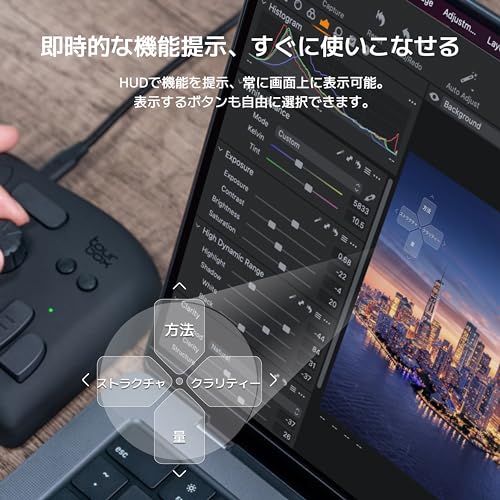
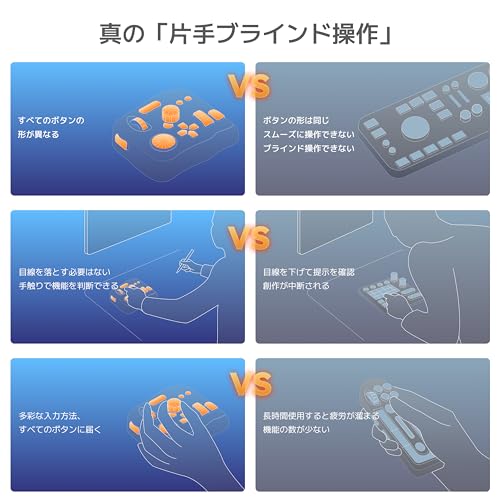


🎨 Elevate your creative workflow—one hand, endless control.
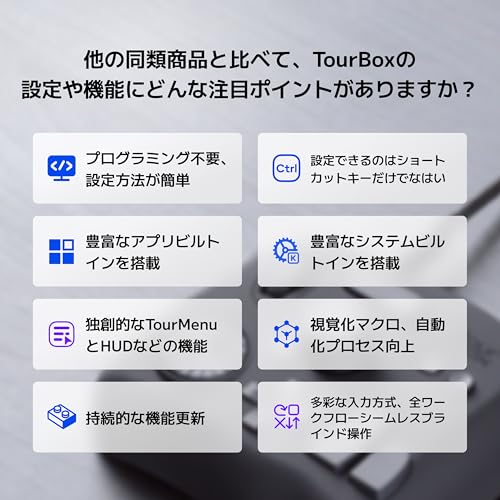
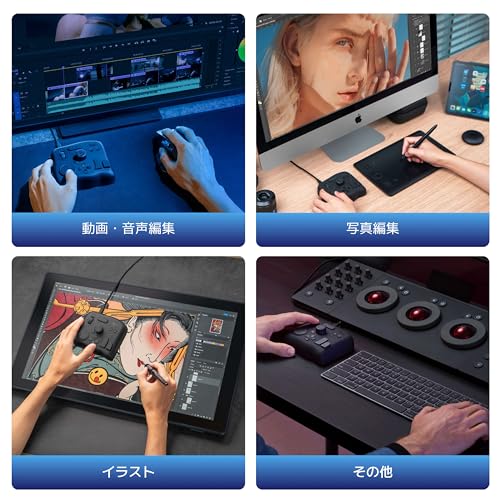
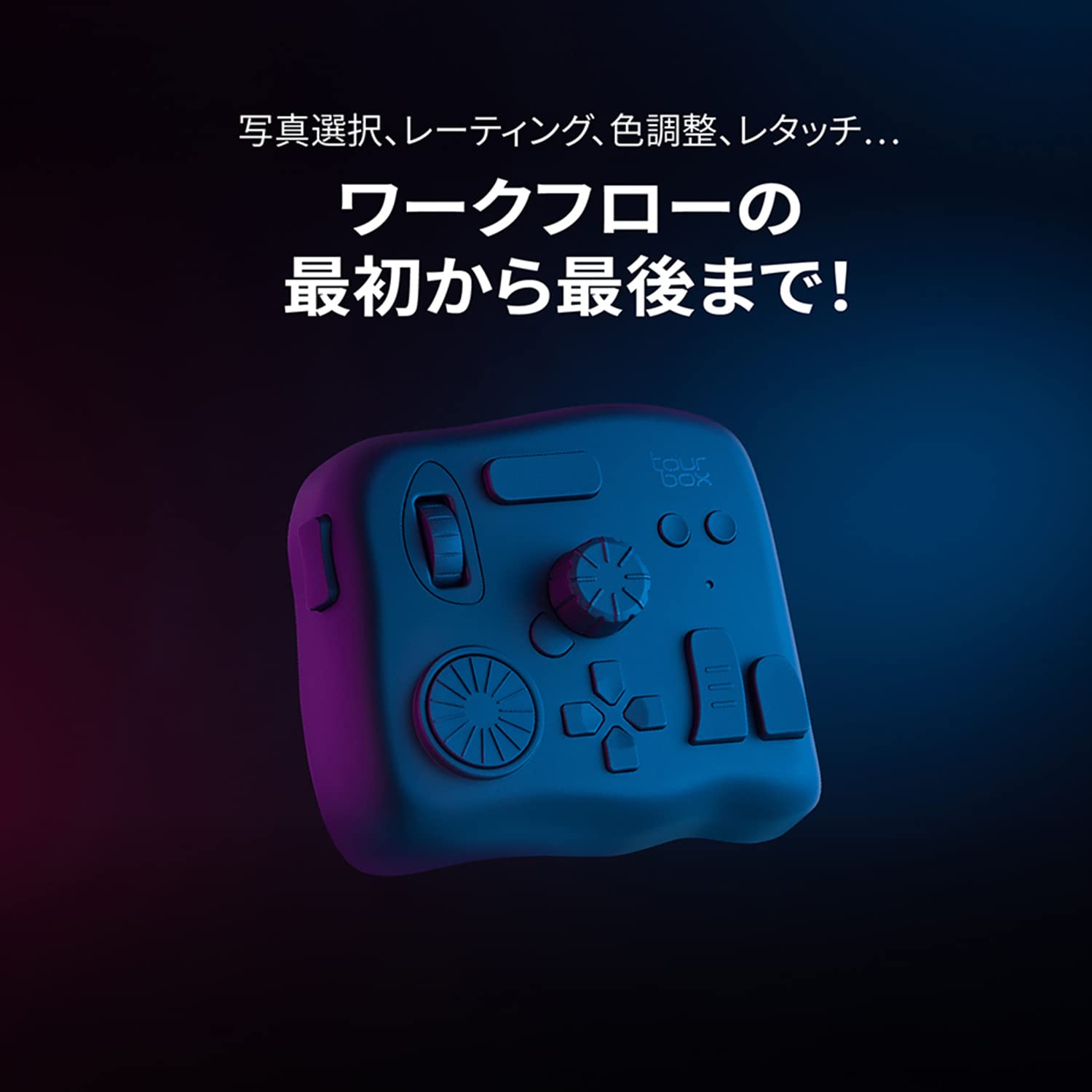
The TourBox NEO is a wired, left-hand controller designed for creative professionals using Mac or Windows. Featuring 11 customizable buttons, a knob, scroll, and dial, it supports over 100 shortcut inputs to streamline illustration, video editing, and design workflows. Its ergonomic, skin-friendly design enables blind one-handed operation, boosting productivity by 40%. Auto-switching presets and broad software compatibility make it an indispensable tool for artists and editors seeking precision and speed.









| ASIN | B08HCV1JGB |
| Amazon Bestseller | #3,532 in Computers ( See Top 100 in Computers ) #10 in Computer Graphics Tablets |
| Batteries Included | No |
| Batteries Required | No |
| Color | Black |
| Customer Reviews | 4.4 4.4 out of 5 stars (1,127) |
| Date First Available | October 5, 2020 |
| Included Components | TourBox Neo Controller |
| Item Weight | 370 Grams |
| Manufacturer | TourBox Tech Inc. |
| Material | polycarbonate abs |
| Package Weight | 0.98 Kilograms |
| Product Dimensions | 17 x 4 x 14 cm; 370 g |
| Size | キャリーケースなし |
非**開
エクセルでしか使わないけど便利。エクセル、パワポ、ワードなどでは、クルクル回すツマミの使い道がないのが残念ですが、ボタンが沢山あって使いみちが多い。 ヘッドアップディスプレイで登録した操作方法を確認できるからボタンを覚えなくてよく便利
S**I
さいとうなおきさんが紹介していたので購入しました。キーボードだとペンタブの位置と重なってしまうので、このサイズ感はちょうどいいです。絵を描いている時のストレスが減りました。 パソコンや環境が変わってもTourBoxコンソールののデータだけ移動しておけば同じように使えるので重宝しています。 マウスホイールの硬さが緩くて、少し触れるだけで動いてしまうので個人的にはもう少し硬い方が好きです。 また、日本語入力にした時にTourBoxのボタンが使えなくなってしまい、英語入力に戻すのも少し手間だと感じるのでドライバ側でアップデートしてもらえると嬉しいです。
有**人
✅ 機能性・操作性 TourBox NEOは、左手用デバイスとしてショートカット操作やカスタマイズが豊富で、画像編集や動画編集、クリエイティブ作業が格段に効率化されます。ボタンやダイヤルの反応も良く、思い通りに操作できます。 ✅ デザイン・耐久性 コンパクトで手にフィットするデザイン。高級感のある質感で、長時間作業しても疲れにくいです。耐久性もしっかりしているので安心して使えます。 ⚠️ 少し気になる点 • 慣れるまで操作が複雑 初めて使う場合、ボタン配置やカスタマイズに慣れるまで少し時間がかかります。 • 価格はやや高め 性能は十分ですが、コストを気にする方には少し負担かもしれません。 ⸻ 💡 総評 左手デバイスで作業効率を上げたいクリエイターにおすすめ。慣れるまで少し時間はかかりますが、操作性と機能性は十分満足できる製品です
Y**A
設定は、大変ですが慣れると時間短縮出来るし使い勝手が変わる!イラスト制作には必須なアイテム!
A**ー
TourBox Lite からのステップアップ。 作業時間は確実に短くなるので買って損はないと思う。
零**型
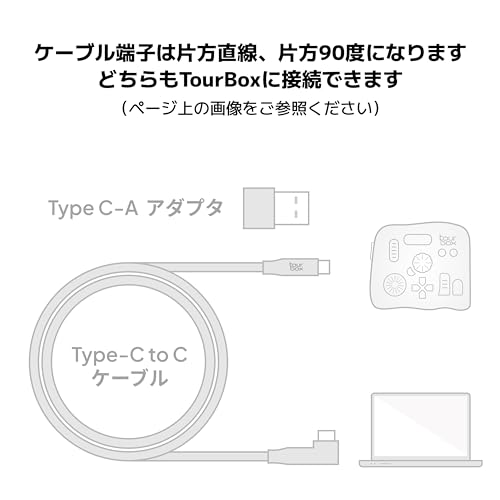
開封してからセッティング中にタイプCのケーブルからUSBのAに変換するアダプタが無い事に気付きました YouTubeで開封動画を見るに本来タイプCケーブルに接続された状態で袋に入っているよう Amazonには返品しか選択肢がないので メーカーのホームページからLINEによる質問で対応して頂きアダプタのみ送っていただきました 品物はセッティングと設定したボタン配置を覚えるのに手間取っていますが良さそうです
A**ー
イラスト・アニメ制作・動画編集で主に使用しました。 1年ほど使用しましたが、もうこれがないと作業できない体になってしまいました。 ○良かった点 ・ボタンの押し心地やダイヤル・ホイールの回し心地も良い塩梅です。 ・ボタンやダイヤルの数が多く種類も豊富。配置も良い感じです。 ・有線接続なのでバッテリー持ちを気にしなくていい。 ・専用アプリが使いやすく、使用するソフトごとにプリセットを登録できる。 ・ボタンを2つ同時押しが設定できる。ダブルクリックも設定できる。 ・ケーブルがL字なので邪魔になりにくい。 ○ちょっといまいちな点 ・指紋が目立つ。(掃除しないとテッカテカです) ・ボタンの同時押しが最大で2個。(3つ同時押しも登録出来たら嬉しいです・・・) ・ちょっとお高い。(でも長いこと使えるなら全然あり)
A**ー
◇おすすめ出来る人 ・片手デバイスを初めて使う 特に、複数ボタンの組み合わせをTourBoxのワンボタンに割り当てられるので そういったショートカットを多用するなら強力。 ・使っているソフトのキーマップに不満があり、一部を外出しデバイスに割り当てたい いまどきキーマップをカスタム出来ないソフトの方が少ないが、 不便だったりキーが足りない場合にTourBoxで補うことができる。 ・机にスペースの余裕がほしい 有線ではあるが、パームレストとか余計なものがなく小さいので場所を取らない。 これらのことに数万出せて、未知の耐久性にも目をつぶれるのならおすすめ。 ◇おすすめ出来ない人 ・既に片手デバイスを使っていて、そこまでの不満を持っていない TourBoxにしたらさらに早くなるんじゃないかと思ったが幻想だった。 ブラインドで素早く全機能を使えるというのは誇大広告だと感じた。 手のポジションを変えることなく指先だけずらして操作できるようになっていて欲しかったが、 実際にはそうではなく、いくつかのボタンはどう置いても遠かったり、無理なポーズになってしまうため 手の位置から動かす必要があって、そうなると画面内のボタンを押すのと大差ない。 自分は左手キーボードから乗り換えようとしてこれを試したが、 もともとワンボタンのショートカットを多く使うことも手伝って、 慣れたとしても作業が劇的に早くはならないだろう。 キーボードなら壊れる心配もないし、今後もそちらをメインにする予定。 こうした人は買い換えるにしても、今と同じタイプの方が安いならそっちを選んだほうが良い。
M**0
What a great little gadget. I've been using it for a couple of weeks now with resolve,(edit and color page mostly.) photoshop, illustrator, and abelton. Works like a charm . I would buy again but maybe the upgrade with haptic feedback
E**I
افظل جهاز تحكمي ومريح عملا هو هذا الجهاز الجبار ، افادني كبرامج الرسم ، اشترها ولا تترددوا
E**L
Far cheaper compared to the expensive Davinci Resolve speed editor and simple to use and far smaller in size. I've had now issues with this and am using the current newest firmware as of December 21st, 2025. I only use this connected by USB 3.0 or better. I use with for Windows 11 Davinci Resolve edit page for very fast cuts, trims, scrolling footage as well as setting in and out points. Only negative I can think of is that I need the software always running in the background in order to use.
A**9
I recently purchased the TourBox NEO Quick Key Tools for Creators and I am blown away by how much it has improved my workflow. With its 14 customizable shortcut keys, I can easily access my most-used tools and functions, saving me time and increasing my productivity. The TourBox NEO also offers over 100 customization options, allowing me to fine-tune the device to fit my specific needs. The software interface is user-friendly and intuitive, making it easy to set up and customize. One of the things I love most about the TourBox NEO is its compact size. It's small enough to fit comfortably on my desk without taking up too much space, but still provides all the functionality I need as a content creator. Overall, I highly recommend the TourBox NEO Quick Key Tools for Creators to anyone looking for a reliable and efficient way to streamline their workflow. It's a game-changer for anyone who wants to work faster and more efficiently. Cons - While the TourBox NEO offers a lot of customization options for creators, there are some cons that potential buyers should be aware of before making a purchase. Firstly, the device can take some time to set up and get used to. The customization options are extensive, but this can also make it overwhelming for some users. The device can also be bulky and take up a significant amount of desk space, which may be an issue for those with limited workspace. Additionally, the TourBox NEO may not be compatible with all software programs, which limits its versatility for certain creators. Some users have also reported issues with the device not functioning properly or disconnecting from the computer. Overall, while the TourBox NEO offers many customization options for creators, it may not be the best fit for everyone. Potential buyers should consider their workspace limitations and software compatibility before making a purchase.
B**Z
Comprei o TourBox Neo como uma alternativa mais barata ao SpeedEditor do Davinci Resolve. Mas estava preocupado se ele seria capaz de cumprir bem essa tarefa. E depois que consegui configurá-lo corretamente, ele não só conseguiu, como superou minhas expectativas! Ele é altamente personalizável através do software TourBox Console, permitindo a configuração de atalhos simples (com 4 opções de atuação) e também a combinação de teclas, mas principalmente possibilitando um ajuste fino (com 3 níveis de intensidade do Scroll, do Knob e do Dial), funcionando muito bem no Davinci Resolve, seja para navegar nas Timelines frame a frame ou um para um movimento mais acelerado, e ele consegue fazer isso de maneira fluida e natural. Ele também é capaz de exibir um HUD em overlay exibindo os atalhos configurados caso seja necessário. O tamanho é compacto, e o design é versátil, e o acabamento é agradável, podendo ser utilizado tanto com a mão esquerda quanto com a direita conforme a preferência. Além disso ele tem a vantagem de poder ser utilizado em diversos cenários não se limitando ao programa A, B ou C, e ainda tem a opção de alternar entre perfis automaticamente. Recomendo utilizar com um apoio de pulso para ficar nivelado e mais confortável para longos períodos de uso. Obs: estou utilizando no Win11 v.24H2 e a versão do TourBox Console é a v5.7.4 Pontos Negativos: os cliques não são silenciosos e são um pouco duros, mas nada demais. esse modelo não possui Bluetooth, ficando limitado a utilização com fio.
Trustpilot
3 days ago
2 weeks ago