
🖼️ Elevate your prints to gallery status—because your art deserves nothing less.
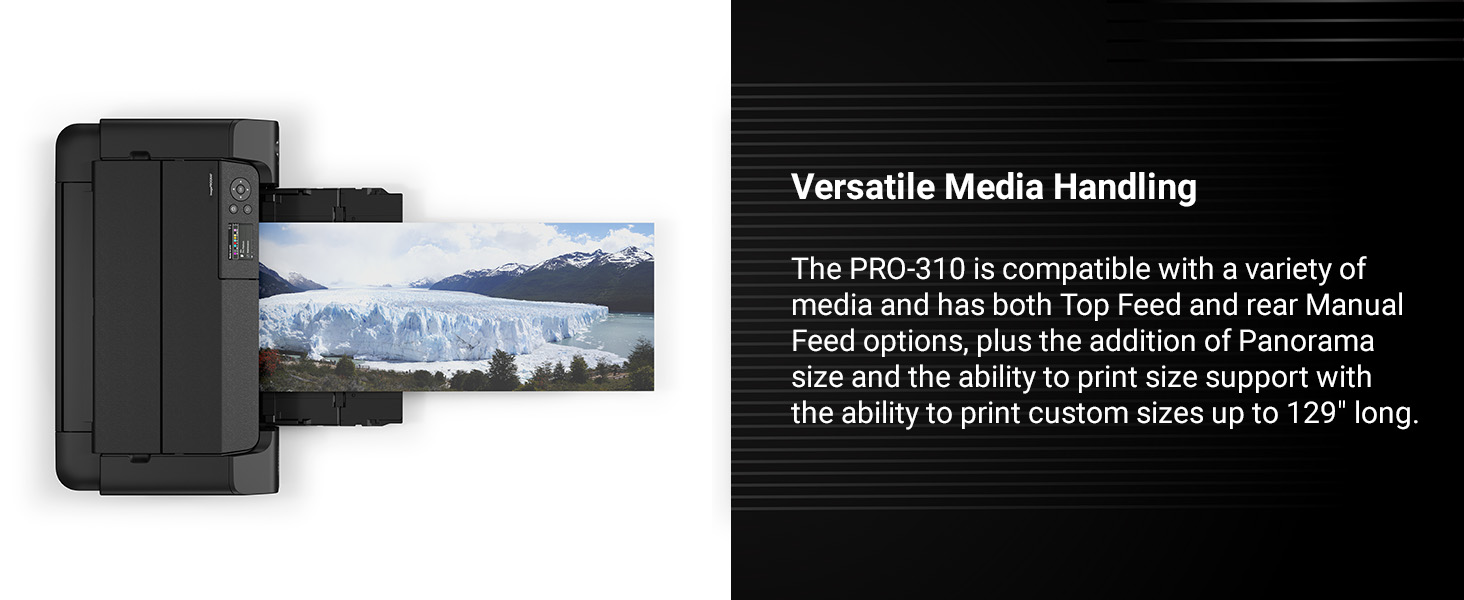
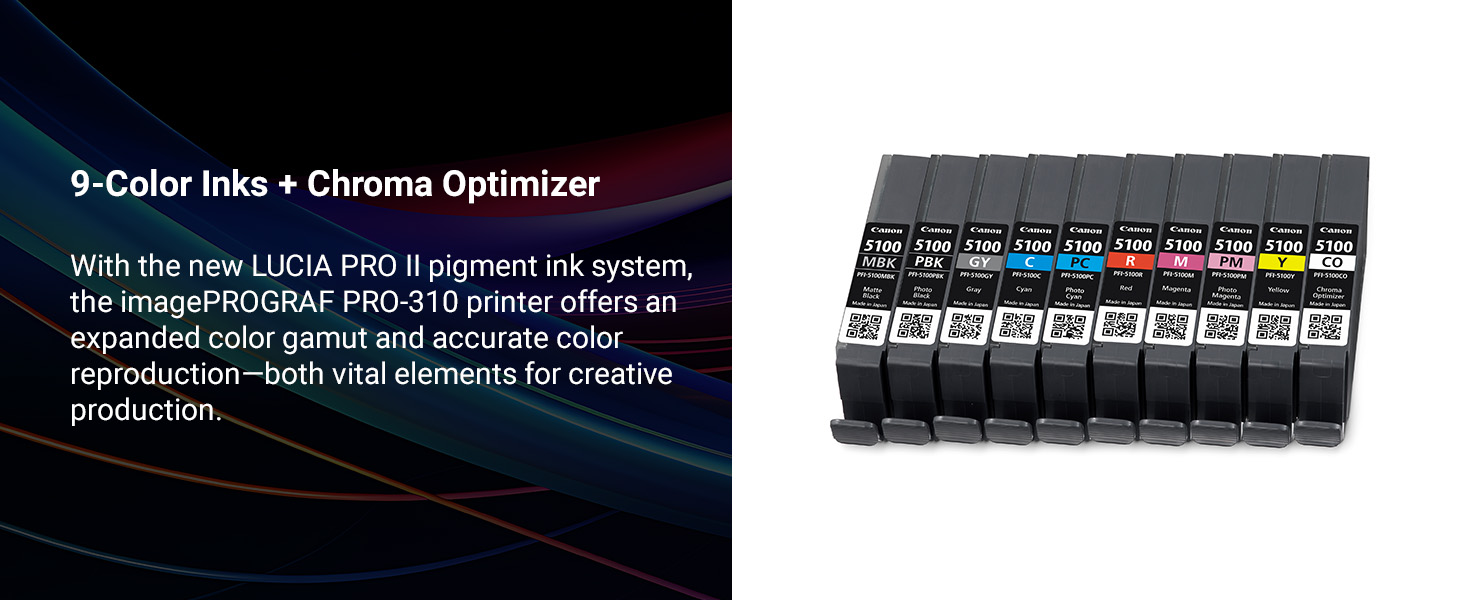
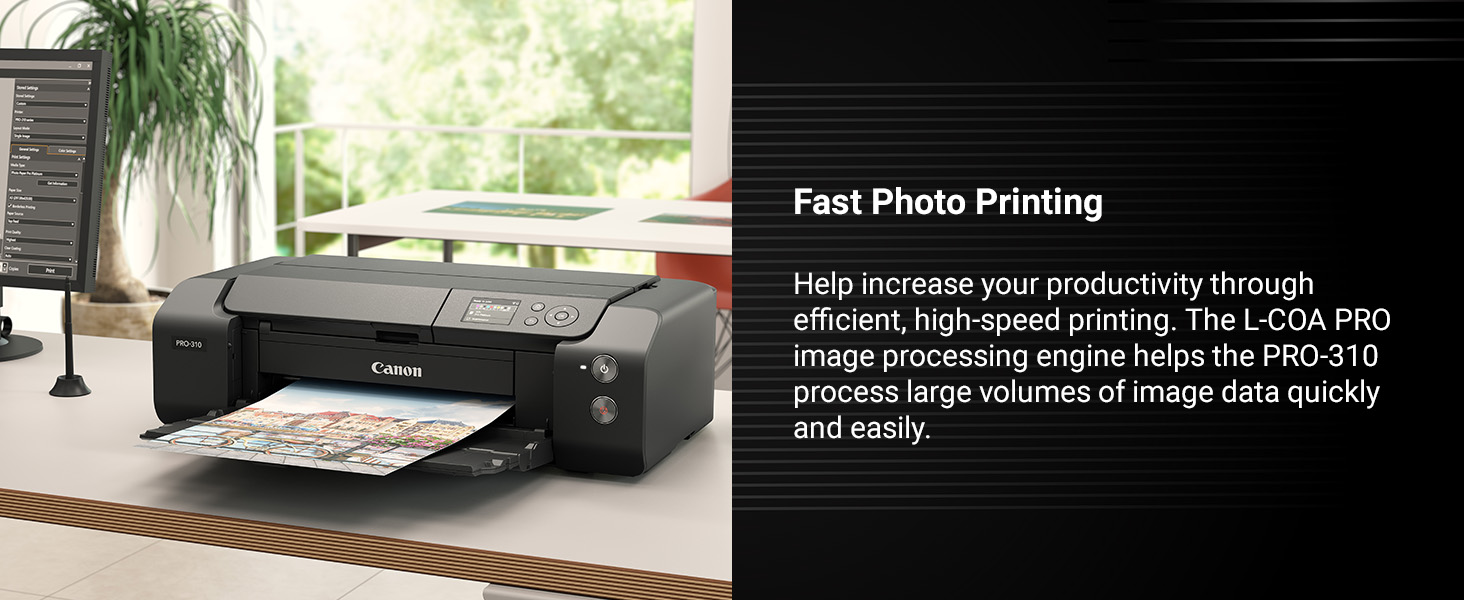
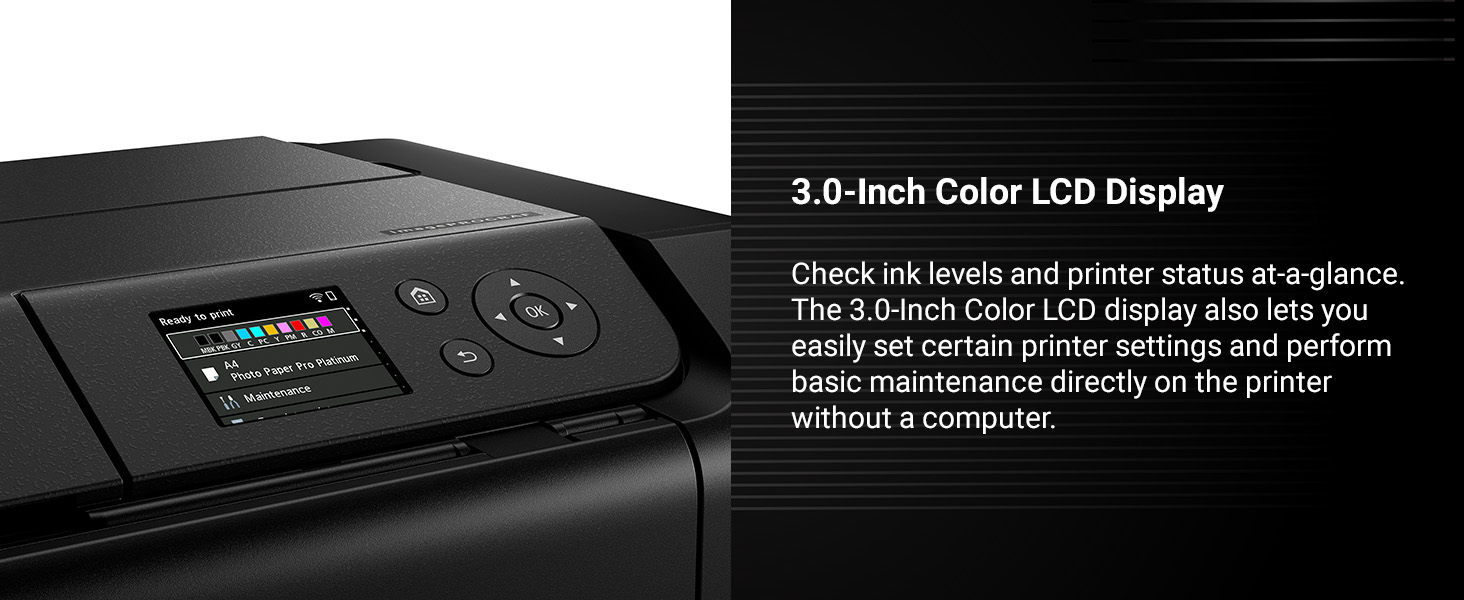
The Canon imagePROGRAF PRO-310 is a professional 13-inch wireless inkjet photo printer featuring a 9-color plus Chroma Optimizer pigment-based ink system for exceptional color accuracy and gloss uniformity. It includes a 3.0-inch color LCD for easy monitoring, uses Matte Black ink for enhanced black density, and incorporates an anti-clogging system for reliable performance. Designed for photographers and artists demanding gallery-quality prints with a compact footprint, it supports a wide range of media sizes up to 13” x 19” and integrates seamlessly with Canon’s professional print software.








| ASIN | B0DSQP2FX6 |
| Additional Printer functions | Print Only |
| Best Sellers Rank | #26,275 in Office Products ( See Top 100 in Office Products ) #15 in Desktop Photo Printers |
| Customer Reviews | 4.1 4.1 out of 5 stars (418) |
| Date First Available | January 30, 2025 |
| Dual-sided printing | No |
| Duplex | Simplex |
| Hardware Interface | Ethernet, USB |
| Included Components | Inkjet Cartridges, Paper |
| Ink Color | Black |
| Item Weight | 31.6 pounds |
| Item model number | 6858C002 |
| Manufacturer | Canon |
| Max Copy Speed (Black & White) | 2 ppm |
| Max Input Sheet Capacity | 100 |
| Max copy resolution black-white | 1200 dpi |
| Max copy resolution color | 1200 x 1200 |
| Maximum Black and White Print Resolution | 1200 x 1200 dpi |
| Maximum Color Print Resolution | 1200 x 1200 dpi |
| Maximum Media Size | A4 |
| Model Series | imagePROGRAF PRO |
| Print media | Paper (plain) |
| Printer Ink Type | Pigment-based, Matte Black |
| Product Dimensions | 28.7"D x 18.6"W x 14.04"H |
| Sheet Size | 3.5” x 3.5” (Square), 3.5” x 5”, 4” x 6”, 5” x 5” (Square), 5” x 7”, 7” x 10”, 8” x 10”, Letter (8.5” x 11”), Legal (8.5” x 14”), 10” x 12”, 11” x 17” (Ledger), 12” x 12” (Square), 13” x 19” (A3+), 210×594mm (Panorama Size), Custom (up to 13” x 129”) |
| UPC | 013803384604 |
| Warranty Type | Limited |
D**.
Upgrade from Epson SC P600
Over the past 20 years I've gone through two Epson 13" photo printers: a R3000 and a SC P600. Both died due to ink clogs. Not wanting this to happen again, my research led me to the Canon Pro-300. It has a much shorter ink path from cartridge to print head than Epson, and the print head is easily removable. Hopefully this will result in less clogging for an infrequently used printer. Compared to my old Epson SC P600, the Pro-300 is smaller, lighter, easier to feed thicker fine art paper, allows creating custom paper names for 3rd party papers, and has separate printheads for photo and matte blank ink, avoiding having to switch inks. I know the Epson SC P700 has many of these features, but I've had it with Epson. So far I've printed on Canon glossy photo paper, as well as Hahnemühle Photo Rag, Photo Rag Baryta, and Photo Silk Baryta. Prints were all beautiful! The Hahnemühle-supplied ICC profiles and AM1X (used to configure paper in Media Configuration Tool) files work well. The Media Configuration Tool used to manage 3rd party papers is extremely clunky to use. It force-updates the printer and prompts to update the driver with every change you make. I would much prefer it made no changes until given a "save" command. But fortunately, you won't have to use it very often. Once a 3rd party paper is configured, you can use it from both the printer's LCD display as well as from your computer as if it was a first party Canon paper. I really like the Canon Professional Print & Layout Software. It has plug-ins for both Lightroom and Photoshop, and I find it much easier and more intuitive to use than Lightroom's Print module. Setup of the printer is time-consuming (took me about an hour) but straightforward. The LCD display shows you pictorially what has to be done at each step. The PRO-300 is a great printer and I recommend it!
B**N
Produces professional quality prints
Delivered today and it is big which I already knew. Was hesitant considering the price however this was an investment for my photography business along with personal use. So far me and my wife are very impressed by the quality of the prints with just the paper that came in the box. I set it up via WiFi and the process was straight forward. The print speed is what I expected and the ink usage so far is what I expected. The available Canon software works just fine. The ink is expensive. I intend to offset that with being able to sell prints directly to my clients. After seeing the results I have no regrets. My wife can't wait to be able to print all kind of pictures of our family.
A**.
Easy to set up, use and make great prints with.
I hesitated purchasing the older Pro-300 and I'm glad I did. I got this newer model the Pro-310 on sale for the same price I'd have paid for the older one. This printer arrived very well packaged with nary a mark on the box. Canon did well packaging the printer, inks and assorted included items to avoid damage. It was in pristine condition and had a clear plastic bag with handles strong enough pull the printer out of the box safely and easily. I'm new to printing, and this is my first photo printer. Set up was a breeze with the concise, clear set up instructions. I took my time to avoid screwing anything up and in the hopes of getting great results right off the bat with my first print. And so it was. From unboxing to making my first print took about an hour to an hour and twenty minutes give or take. Once I got the printer connected to my 5G wifi network (has worked flawlessly) I used Canon's Pro Print & Layout software to make my first print and the print is excellent. I use Adobe Lightroom Classic (LRC) to manage and edit my images via an M1 MacBook Pro connected to a calibrated (RGB) Eizo monitor. I've printed two A3+ and about fourteen letter sized prints all of which came out very, very close to how the image looks on my monitor in brightness and color. I have my monitor calibrated to 90 cd/m2 to avoid prints that are darker than intended with great results so far. I've only used Canon paper so far with the associated ICC profiles and couldn't be happier. I have also printed directly from LRC's print module and via Canon's Pro Print & Layout LRC plug-in. Both of which yielded similarly great print results. I'd consider myself a bit of a pixel peeper/perfectionist when it comes to my images and prints and I have not been disappointed thus far. As I'm new to printing, I'm fairly sure that with more practice, and as I learn more about making great "fine art" (whatever that is), high quality prints I may be able to get even better results down the line. I'm having fun, too! Printing my own images has been a joy. The Canon paper I've bought so far, A3+ Pro Platinum, letter size Pro Platinum and Pro matte, has been reasonably priced but new inks will hurt a little bit when that time comes. So, with two A3+ prints and about fourteen letter sized prints done, the inks the lowest level inks, PBK and GY are still at about 65% full. All has gone well so far and I hope it stays that way. Great printer. Great prints.
L**4
Terrible printer with limiting software
Purchased as a replacement for the Pro-100 printer. This machine is absolutely awful. It's slower than the older model, has more limitations in the driver, and has a worse user interface. Oh, and it's twice the price. This machine might be ok as an occasional photo printing toy, but it can't handle serious production work at all. My first Pro-100 printed over 15k greeting cards before it had feeding issues, the second Pro-100 made it to 9k cards. This 310 is giving me trouble after less than 200. The driver software has silly limitations in regards to custom sizes, something that was never a problem with older models. Instead of being able to open the top and replace an ink cartridge when one runs out now you have to press a button to tell it you want to replace one, wait while it makes noise for a minute, then once you open the top you have to press a different button to confirm that yes, I'm standing here with the lid open because the printer wants a cartridge replaced. Just awful. I genuinely don't know what to do with this thing, I have over 500 cards to finish for a client and this machine is failing to feed after the first 25. I wish I could afford to toss it in a dumpster.
L**J
La mejor calidad de impresión de todas las impresoras que he tenido, imprime tan nítido que las letras pequeñitas de un letrero de fondo que salió en una foto, lo pude leer con una lupa. Los colores fieles a los de mi pantalla, no gasta tan rápido la tinta como pensé, es algo lenta pero por la calidad lo vale. Un solo detalle que no sé si es de la impresora, no he podido lograr que complete una actualización que me indica como pendiente, no sé si es por fallas de conexión de internet o en soporte de la misma impresora. Por lo demás estoy encantada.
M**.
I love this printer! It was really easy to set up and the quality of the prints are amazing. It comes with some Canon papers for you to try but I love using it with fine art papers. The quality is top-notch.
S**Y
Très bonne achat
M**S
Tiene una calidad increíble, buena conectividad y las tintas no son caras (es mejor importarlas de USA)
H**O
El producto es lo que esperaba, ahora lo que espero es mi comprobante de compra mi factura y no he tenido respuesta
Trustpilot
2 weeks ago
2 days ago



