
DOWNLOAD THE APP


Customer Services
Copyright © 2025 Desertcart Holdings Limited
DOWNLOAD THE APP
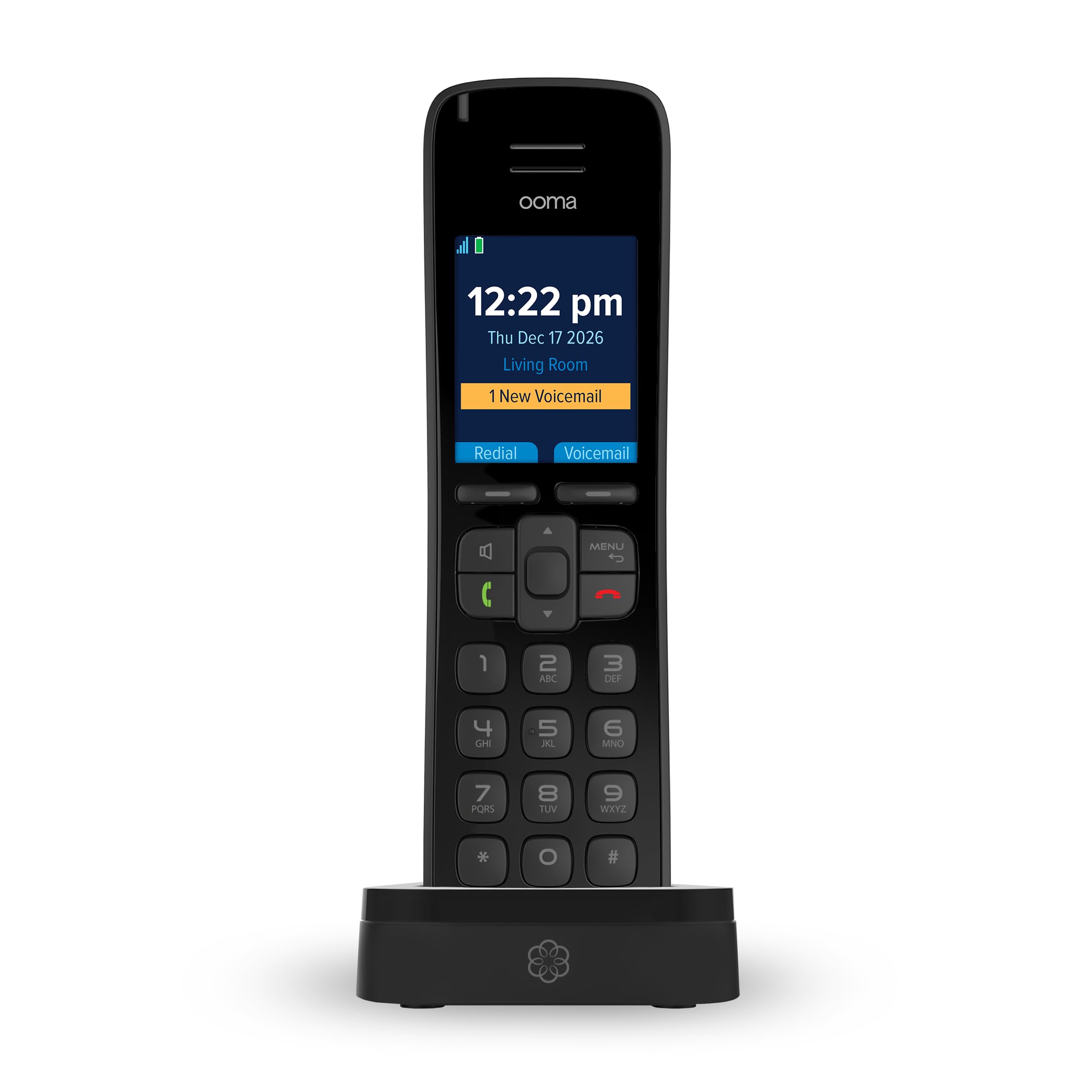
📞 Elevate your home calls with HD clarity and seamless smart syncing!
The Ooma HD3 Handset is a sleek, cordless VoIP phone designed exclusively for the Ooma Telo system. Featuring a vibrant 2-inch color screen, HD voice quality for crystal-clear calls, and a robust 10-hour talk time, it enhances your home phone experience. With online contact syncing and support for multiple handsets, it’s the perfect upgrade for professionals seeking reliable, high-quality home communication.


| ASIN | B078H4FHGJ |
| Batteries | 2 AAA batteries required. (included) |
| Best Sellers Rank | #36,832 in Office Products ( See Top 100 in Office Products ) #9 in VoIP Phones |
| Date First Available | January 15, 2018 |
| Is Discontinued By Manufacturer | No |
| Item Weight | 4 ounces |
| Item model number | HD3 |
| Manufacturer | Ooma, Inc. |
| Product Dimensions | 1.2 x 1.9 x 6.9 inches |
W**R
Works seamlessly with the OOMA Telo Air. Nice phone!
Well, it's a cordless phone; so how great can it be? It's pretty great. I have used OOMA for about 6 years now and I always had a 3-phone Panasonic cordless system connected to my OOMA Telo by a phone cord. That setup worked; but I was having problems on occasion when I would pick up a call; it would hang up. I was going to buy another cordless phone system until I saw this OOMA HD3 handset and I thought.... why not? I was hoping that the HD3 would seamlessly integrate with my OOMA Telo and would give me a better experience overall. Well, it met my expectations. I did replace the cheap rechargeable batteries with the Panasonics that another reviewer suggested. I figured it made sense because manufacturers typically ship with the lowest grade batteries available; the Panasonics are working. But let's talk about the phone: 1. It is very similar to form and fit as most cordless phones on the market. No real surprises here. The buttons and menus are what you would expect and what you are likely used to. 2. It connected effortlessly to my OOMA Telo Air. Just press a button on the Telo and make a selection on the phone and they paired immediately. Very easy. 3. I tested this on a call with a family member who I normally talk to. They remarked that the clarity of the call on their end was very clear; much better than when I was using the Panasonic system. Everything was great on my side as well. 4. I can now check my OOMA voicemail on my phone with a click of a button. I had to go online or to my OOMA Telo for voicemail with my old phones. 5. I can easily update my contact list (telephone directory) online at my OOMA account and they show up on the phones contact list; something I couldn't figure out before with a regular phone. There may even be other good features that I haven't discovered yet. But the bottom line is that this phone integrates very well into the OOMA Telo and OOMA system, making for a frustration-free experience. The range seems to be quite good as well. I do think that the price point for the single phone (approximately $50) is a bit steep; I think it should be offered lower. But there is a price to pay for convenience...I understand that. I will probably purchase another if I catch a sale; but one is good for me now. If you are new to OOMA or thinking about OOMA service in lieu of a telephone landline....do it! You will save SO MUCH money in the long run for a small initial investment. My recommendation for a new OOMA user is to buy the OOMA Telo VoIP Home Phone system with three HD3 handsets (TELO3HD3); that is a pretty good deal at $149.99 and will give you everything you need for whole house coverage and a good experience. I am personally happy that I found OOMA and made the decision to switch years ago; it has probably saved me nearly $5000 over the six years that I have had the service.
6**7
Nice looking device that integrates with features of the Ooma Telo - see notes on pairing after software upgrade
I got 4 HD3 handsets to go along with my new Ooma Telo Air 2. I wasn't even aware the Ooma supported cordless DECT-type phones when I bought it. A nice plus. Just a few things to watch for when you setup a new HD3 phone. Put in batteries in and the phone was ready to be paired with the device. Press and hold the page key on the back of the Telo to initiate pairing. No problem. The device paired in a few seconds. The message on the phone said the device needed a software upgrade and to place it on its charging cradle. The software upgrade took a few minutes with the phone displaying upgrade progress. So far so good. The phone rebooted itself and started looking for the base unit. Looking... Looking... I let the phone look for about 10 minutes and nothing was happening. What to do? The fix for this issue is pretty easy. It involves making the Ooma Telo and the phone forget about each other so they can be paired again. Connect an ethernet cable between your home computer and the HOME port on the back of the Ooma Telo. This gives you access to the Telo's web-based maintenance page by entering a web address in a browser of 172.27.35.1. In the maintenance page, click on the "DECT" section and a list of registered cordless handsets appears. Click the "Remove" button for the handset and refreshed the web page. I had to do this remove option twice to get it to remove the device. On the phone handset, press the "Menu" button and select "Unregister Device" option. This makes the handset forget its original pairing and a message appears requesting for the phone to be paired with an Ooma Telo. Using the Ooma Telo web page, you can press the "Register Device" button to pair again with the phone. This time the pairing only took a few seconds to pair. With that all done, you can disconnect the ethernet cable from the Ooma Telo and you're all set.
L**K
Easy integration, more expensive than I thought it would be.
One of our old handsets started malfunctioning so we decided to replace it. I thought the old handsets were around $30. We are always on the fence as to whether or not to just complete get rid of our land line so when a replacement handset is more expensive than I think the discussion starts again. This connected to our system very easily which is essential. Overall it works well.
J**0
The greatest flaw with Ooma was always the lack of a great handset. I had the previous versions of this handset and the volume was never loud enough and the range poor. Ofcourse, you can always plug in your existing home phone.. but the wireless hand sets i had never quite works well with the Ooma. This time they nailed it. This great handset has excellent volume, is much lighter than a cell phone so it doesn't exhaust your arm, has great functionality and a nicely lit screen. It also has great range. i have the Ooma base station in the basement on the opposite side of the house and the handset still picks up the signal no problem.
A**R
The Ooma System is amazing (and quite inexpensive)! It costs me $17.00 per Month and I have free calling to anywhere in North America...and, I also have second phone number as a part of the package. I would buy it all again!!
K**T
Sound quality is better than a regular home phone handset. My old one use to echo with the VOIP, but with this it is clear. I find the buttons on the handset rather confusing. I think once I get use to them, it will be better.
1**K
When the phone is charged up it works great but once the batteries drain completely it's like the phone needs a reboot and I have to flip the batteries around before placing on the charging cradle to make them recharge on the cradle - otherwise just a blank screen and no charging. If I let the batteries totally discharge with the handset off the cradle, they won't recharge unless I do this routine. If I leave the phone on the cradle after each use, it is not an issue but who remembers to take the phone back to the cradle---might as well have a cord!
J**Y
This is our second set, the old one was 5 yrs old so it was time for a change. Great unit, work like a glove, OOMA was easily reachable to re-set our account and keep the same number.\, that was important. Plug it in, everything works fine.
Trustpilot
1 week ago
4 days ago