
DOWNLOAD THE APP


Customer Services
Copyright © 2025 Desertcart Holdings Limited
DOWNLOAD THE APP

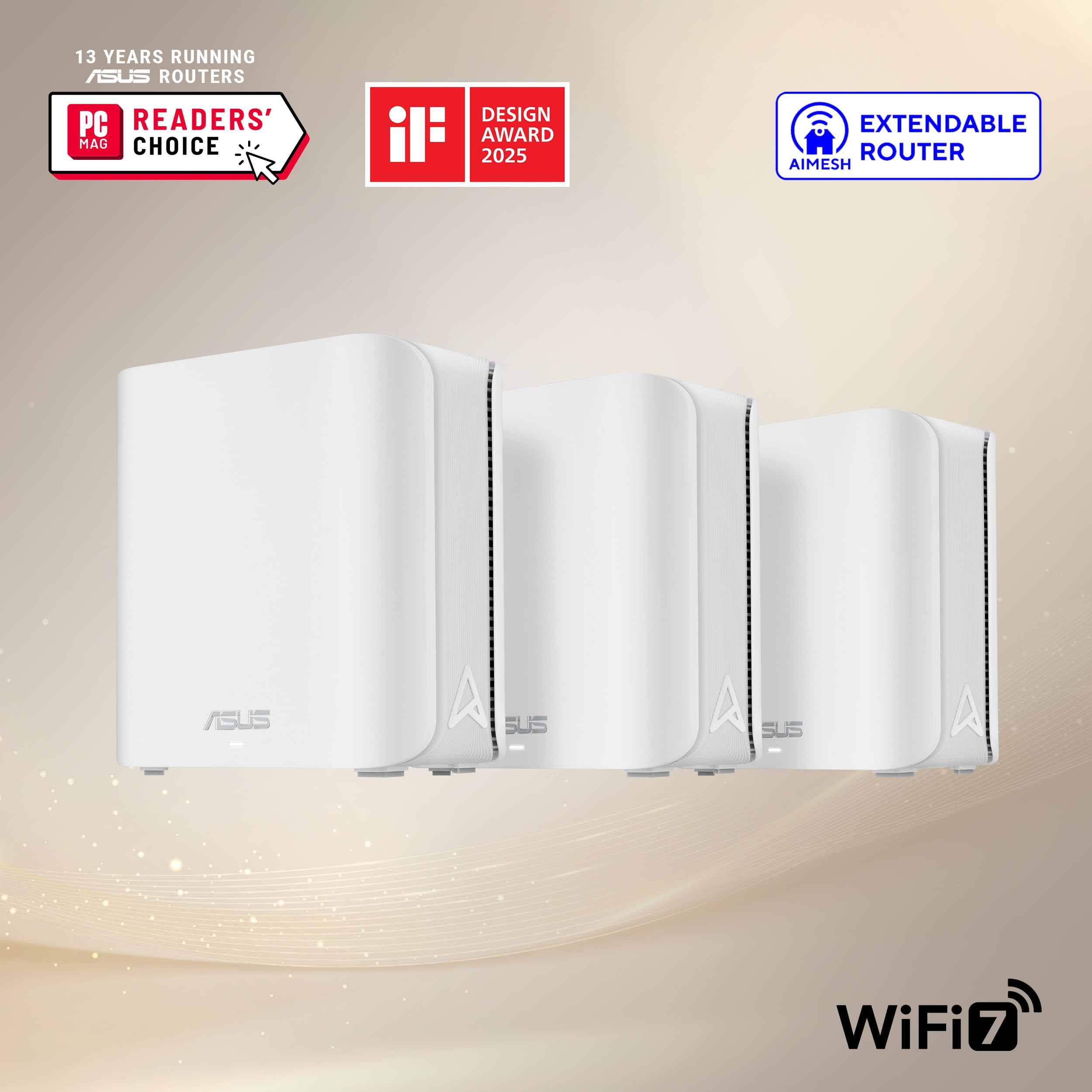


🌐 Elevate your home network to WiFi 7 — because buffering is so last decade!
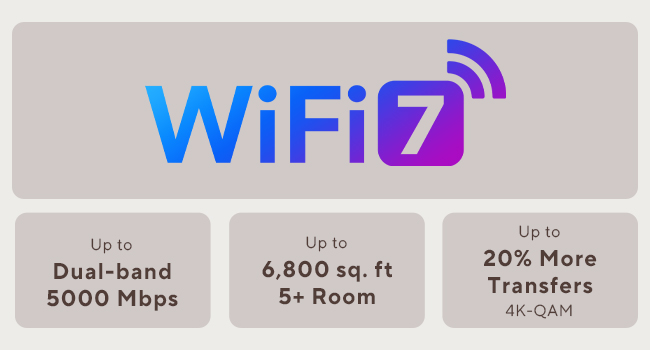
The ASUS ZenWiFi BD5 Dual-Band WiFi 7 Mesh system delivers cutting-edge wireless speeds up to 5000 Mbps across a 5000 sq.ft area using advanced AiMesh technology. Featuring dual 2.5G Ethernet ports, four internal antennas, and a powerful quad-core CPU, it ensures seamless, secure, and high-performance connectivity. With built-in commercial-grade security, parental controls, and smart home SSIDs, it’s designed for the modern connected professional seeking reliable, future-ready home networking.



| ASIN | B0DHW9Q7GL |
| Antenna Location | Business, Gaming, Home |
| Antenna Type | Internal |
| Best Sellers Rank | #22,760 in Electronics ( See Top 100 in Electronics ) #113 in Whole Home & Mesh Wi-Fi Systems |
| Brand | ASUS |
| Built-In Media | BD5 2 pack Router, Power adapter, Quick start guide, RJ45 cable, Warranty card |
| Color | WHITE |
| Compatible Devices | Personal Computer, Smart Television, Smart Thermostat, Smartphone, Tablet |
| Connectivity Technology | Power adapter, RJ45 Cable, Wi-Fi |
| Control Method | App, Touch |
| Controller Type | App Control, Push Button |
| Coverage | 5000 Square Feet |
| Customer Reviews | 3.5 out of 5 stars 83 Reviews |
| Data Transfer Rate | 2882 Megabits Per Second |
| Frequency | 5 GHz |
| Frequency Band Class | Dual-Band |
| Has Internet Connectivity | Yes |
| Has Security Updates | Yes |
| Is Modem Compatible | No |
| Item Dimensions L x W x H | 5.5"L x 2.8"W x 5.5"H |
| Item Height | 5.5 inches |
| Item Weight | 1.2 Pounds |
| LAN Port Bandwidth | 2500 Mbps |
| Manufacturer | ASUS |
| Model Name | BD5 (W-2-PK) |
| Model Number | BD5 (W-2-PK) |
| Number of Antennas | 4 |
| Number of Ports | 2 |
| Operating System | Mac, Windows |
| Other Special Features of the Product | AiProtection, VPN, WPS Security, Alexa Compatible, Network standard: WiFi 4 (802.11n), WiFi 5 (802.11ac), WiFi 6 (802.11ax), WiFi 7 (802.11be), IEEE 802.11a, IEEE 802.11b, IEEE 802.11g, IPv4, IPv6, Whole-Home Mesh, Wirelss Router, AiMesh Node, Access Point Mode |
| Router Firewall Security Level | High |
| Router Network Type | Hybrid (Wired & Wireless) |
| Security Protocol | AiProtection, VPN, WPS, Let's Encrypt, DNS-over-TLS, Security Scan, Firewall, WPA/WPA2/WPA3-Personal, WPA/WPA2-Enterprise |
| Special Feature | AiProtection, VPN, WPS Security, Alexa Compatible, Network standard: WiFi 4 (802.11n), WiFi 5 (802.11ac), WiFi 6 (802.11ax), WiFi 7 (802.11be), IEEE 802.11a, IEEE 802.11b, IEEE 802.11g, IPv4, IPv6, Whole-Home Mesh, Wirelss Router, AiMesh Node, Access Point Mode Special Feature AiProtection, VPN, WPS Security, Alexa Compatible, Network standard: WiFi 4 (802.11n), WiFi 5 (802.11ac), WiFi 6 (802.11ax), WiFi 7 (802.11be), IEEE 802.11a, IEEE 802.11b, IEEE 802.11g, IPv4, IPv6, Whole-Home Mesh, Wirelss Router, AiMesh Node, Access Point Mode See more |
| UPC | 197105627802 |
| Warranty Description | 3 year |
| Wireless Communication Standard | 802.11.be, 802.11ac, 802.11ax, 802.11g, 802.11n |
| Wireless Compability | 802.11.be, 802.11ac, 802.11ax, 802.11g, 802.11n |
M**K
Amazingly good mesh access points
This is a really good mesh system, and a good value. With the 3 pack, it covers at least 4000 square feet, including through walls, with nearly full signal everywhere on the 2.4ghz network. It's easy to set up - just find the IP address and log in. There is an app, but it never forces you to use it. I am using a wired backhaul with gigabit fiber, and I get ~300mbit up and down over 2.4ghz and about 700mbit over 5ghz using wifi 6E (I don't have any wifi 7 devices yet). I get the full gigabit using the wired port. These do support connecting with each other wirelessly though, and with wifi7 and the ability to use double the channel width, I'd imagine they would do a pretty good job even without the backhaul; although I didn't test that. The web based management console is quite nice too. I was able to diagnose a long standing issue with my wired network using the built in diagnostics, which was an extra bonus. These can also be used as a router, and it has a lot of features like VPN, etc. in that mode, but I needed to use them as access points due to my ISP. If you are in the market for a router though, skip it and just get the 3 pack of these since it's cheaper and you get way more range. The only downside is that they only give you two Ethernet ports - one for backhaul and one for a single device. That's easily remedied by connecting a cheap 5 port switch to the device port though, and I'd rather do that than have to pay a higher price for each of these. These are night and day better than my old Linksys mesh access points (which were terrible in every way), and I am so glad I upgraded to these.
J**T
Constant disconnections, compatibility issues, 3-4 daily reboots required to make this system usable
Terrible product overall. These were easy to setup and the WiFi coverage was sufficient but that is where my positive experience stopped. Speed was extremely variable compared to my aging Orbi system that I was trying to replace. After a reboot speed was great, then after 10-15 minutes it would slow tremendously. Nodes were constantly disconnecting/going offline. The whole system needed to be rebooted 3-4 times a day to remain usable. I’m very disappointed in the functionality and performance of Asus mesh networks after trying both this system and a higher end version. Not to mention the ongoing compatability issues with many of my products. I returned the system and for now I’m sticking with my much older Orbi system as it has bullet proof reliability, good speed, and zero compatibility issues. Hopefully asus can work out their issues in future versions since on paper this product should have been awesome.
J**N
Good range, poor documentation, limited support for older devices
Setup was a bit rough. Initially I was unable to connect to the primary over HTTP. After resetting the unit, I was able to connect, but after following the instructions the secondary was trying to use wireless to connect to the primary, even though both were connected to the LAN via ethernet. The next day, I found the buried menu page with the switch to use ethernet backhaul. That should be the default behaviour if it's plugged in to ethernet and can reach the primary via the ethernet port. It should at the very least be easier to find. Maybe put it on the same menu page as "backhaul priority". But it's working pretty well now. Legacy (IoT) mode does not support all older devices. Specifically, Slim Devices Squeezebox 2/3 does not work at all. Squeezebox Radio needs the "community firmware" upgrade in order to connect reliably. It doesn't seem like there should be an issue, since both devices support WPA2 security, and the legacy mode of the ZenWiFi is supposed to support WPA2/WPA3.
A**D
Great Low-cost WiFi7 Router, I Only Wish It Had More Ethernet Ports
It's a low-cost WiFi7 router with the familiar Asus management tools. Works great and I don't have any issues with it. The one thing keeping it from a 5-star review is the low number of Ethernet ports, but you get what you pay for and a cheap network switch easily fixed that issue.
D**D
Underrated, Good Performer when On Sale, Web Config! 2gbit/s NAT capable
I am giving this mesh router setup five stars because the interface is great for power users, the setup is very simple, and Asus generally makes good home network gear. This device has been far more stable than what I've seen from the reviews - maybe a new revision, or the firmware bugs are fixed? For what it's worth, my setup has all APs and the router connected over the wired backhaul. This is the best way to connect them - otherwise, you are likely to get far lower throughput. HUUGE PLUS: You DON'T need an app, and an app is never required to set up these access points and router! It's suggested, but there is no need at all. The web configurator does it all. On the latest firmware as of today, I haven't had any issues really, apart from needing to set the default gateway on DHCP. The reason for this is because I had some 6ghz-only access points set up, but they kept taking over because it wasn't set. I can saturate my 2 gigabit/s internet connection over Ethernet, and over WiFi I get about 1050 to 1300mbps within about 20ft on the access points over 5ghz on a 2x2 client (S25 Ultra). So, yes, it works fine. I did buy it during the sale for a returned unit that wasn't used for half the price, so for THAT price, it is a fantastic deal. When on sale for $250 or less, it's also quite decent. The included picture is for the speed over Ethernet - the device is capable of NAT (network address translation) at the speed of a 2gb Fiber connection at the least. No one seems to ever include this in reviews...
M**N
Disappointing Reliability Despite Wired Backhaul
I bought the ASUS ZenWiFi BD5 (WiFi 7, 3-pack) hoping for seamless coverage in my 2400 sq ft home. On paper, the specs looked amazing: dual 2.5G ports, high speeds, and WiFi 7. In reality, the experience was frustrating. Even with a wired backhaul, I ran into major connectivity issues. One of the nodes would completely disrupt browsing and texting when clients connected to it, forcing me to unplug it just to regain basic network functionality. The “AI Mesh” seems overly aggressive — it kept moving devices to nodes with weaker signals or otherwise breaking the connection. While the hardware is sleek and the WiFi speeds can be impressive, the mesh management and stability fall short, especially for anyone who wants a “set and forget” network. If you rely on your network for work, streaming, or smart home devices, this system may cause more headaches than it solves. In short: great specs, poor reliability. For me, sticking with a wired-backhaul setup using enterprise-style APs (like Ubiquiti UniFi) would have been far more stable. Pros: Fast WiFi 7 speeds (when it works) 2.5G ports per node Stylish design Cons: AI Mesh often breaks connectivity even on wired backhaul Devices can get kicked to weaker nodes Unreliable for critical devices or messaging apps Firmware/mesh logic feels unfinished Overall, I regret the purchase and caution anyone needing a reliable home network.
D**B
Easy to set up a mesh system and runs fast
I had 2 BD5 units already set up after my super expensive Asus gaming router died after one year on the job. Bought this extra unit to place at the other end of the house to get faster speeds in the computer room, which is at the other side of the house. Mesh set up was easy, just plug in, use the app on your phone or iPad to find the units and the app does the rest. Use the optimize function in the app and it will set the units to their optimum settings. One suggestion, the wireless ID will only show two available names…the one you assign a name to and the same name with ioT attached…use the ioT one, it’s faster if you have WiFi 7 units. If you only have WiFi 5 or 6 units to connect, experiment and use Speed Test to see which one is faster. For me, on WiFi 7 computers, the *****ioT name was faster by a mile. I am getting over 1Gbps on units close to the router, i.e. same or next room location, and 500Mbps on my two computers across the house. This doubled my previous speeds. Your speed will vary based on your internet provider speeds and the distance of your attached units from the mesh nodes.
V**O
Do not buy the bd5. It’s so much more trouble than it’s worth.
I love love love asus for the xt8. No fuss no muss. It just worked with the occasional update. Then it got hit by lightening. Not asus’s fault. Time to buy a new one. I thought, i’ll upgrade. I bought the asus BD5. The worst idea EVER! It has been a problem ever since i bought it. Box has a slip in it that says STOP! Call us before you return this item. So you call 3 times and the system puts you on hold and it clicks off at the 15 minute mark each time. You email and they say to call. They also say it’s the internet cable company’s fault. You change every cable 10x and still doesn’t work. You go through the setup at least a dozen times. Then it suddenly works and you have no idea why. Your only tools are a reboot, reset, an unwound paperclip and soooooooo much time watching lights. Signal strength says connection Great! with the xt8 Signal strength says connection ok or poor with the bd5 when it works. BTW - both units are in the same exact place they were before. Bd5 says update available. So you update and get the red light. No internet connection. Then you get the white light which means all good. No it does not because when you go to the app you get the orange bar that says “unable to connect to the internet” Value for money - no value at all. I would give ZERO stars if that were an option. These are paperweights that sometimes give you wireless internet. Context Lived with xt8 for 3 years, no issues. Pretty much set it and forget it. Living with bd5 since june 2025 and thoroughly regret the purchase. Now i’m gonna take my paperclip, reset the whole thing again and cross my fingers. Maybe i’ll have wireless internet again one day. The moral of this story is….. Do not buy the bd5. It’s so much more trouble than it’s worth.
Trustpilot
4 days ago
1 month ago