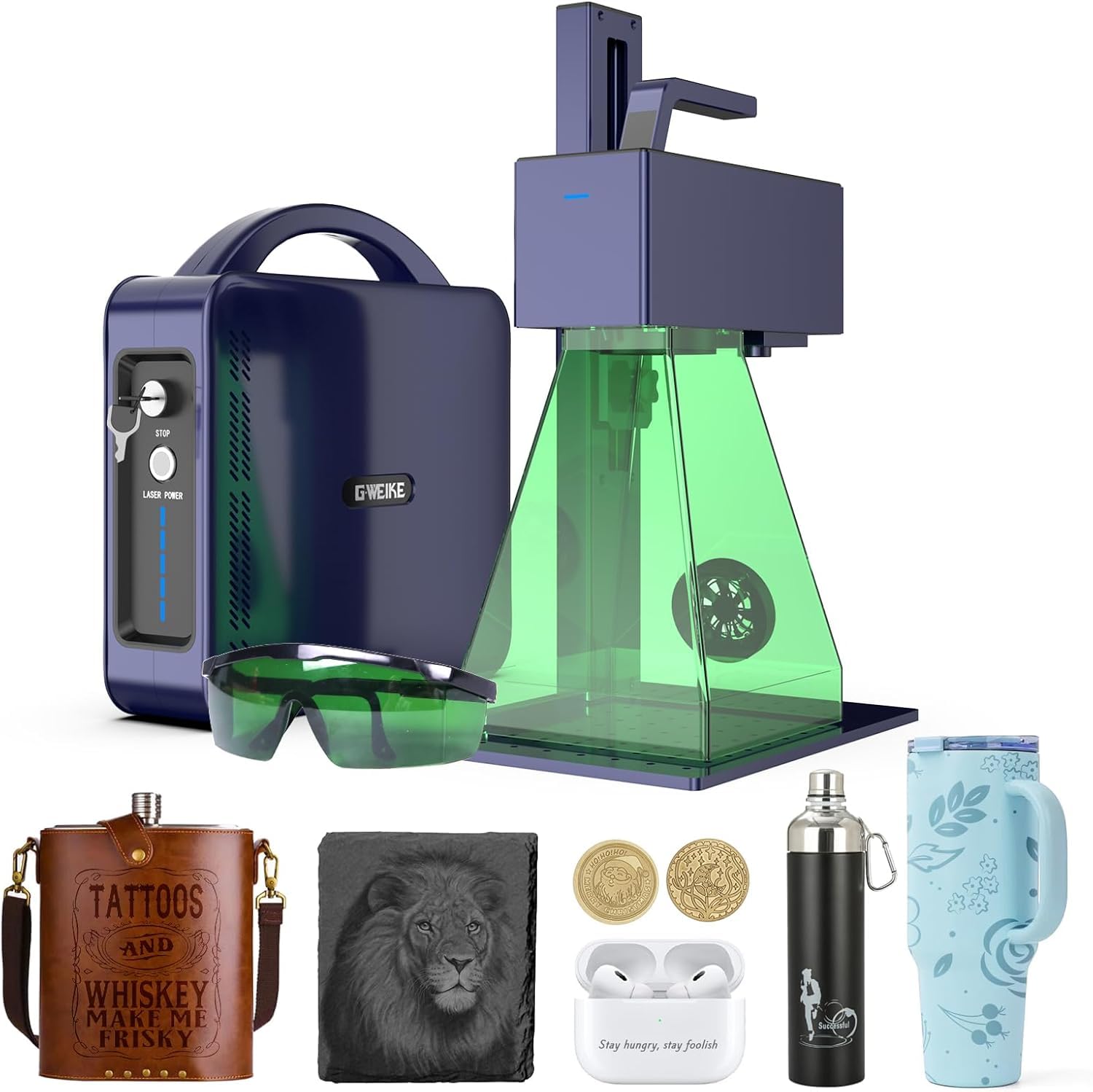
⚡ Elevate your craft with speed, precision, and color — don’t just mark it, make it iconic!
The GWEIKE G2 Pro 30W Fiber Laser Engraver is a powerhouse machine designed for professionals seeking ultra-fast, high-precision engraving with a 150x150mm working area. Featuring 3D deep engraving, over 90 color options, and a portable, user-friendly design, it supports WiFi and USB connectivity with advanced software compatibility. Safety features and outstanding customer support make it a top choice for jewelry, metal, leather, and custom marking projects.


| ASIN | B0DQTM2YSJ |
| Best Sellers Rank | #370,340 in Arts, Crafts & Sewing ( See Top 100 in Arts, Crafts & Sewing ) #1,049 in Jewelry Making Engraving Machines & Tools #5,891 in Craft Cutting Tools |
| Customer Reviews | 4.1 4.1 out of 5 stars (12) |
| Date First Available | December 18, 2024 |
| Item model number | GWEIKE G2 Pro/Max |
| Manufacturer | GWEIKE |
| Product Dimensions | 17.2 x 10.1 x 21.2 inches |
K**H
Gweike G2 Pro 30 watt
For a 30 watt fiber laser this is a darn good buy. I've been using it for a few days and am very impressed. I had been using a OLM3 10 watt diode laser that really does work good, but the fiber is so much better and faster for engraving/marking on metal. The main use for a laser is marking logo, name, etc on the knife blade since I do custom knives. The laser has a free GLaser software package that works for the laser. The learning curve for GLaser is pretty steep and could do with a better tutorial, both written and YouTube video. LightBurn ver 1.7 and newer also support the laser but that comes with a $200 price tag. I'm not sure which software I'll use longterm, I'm still on the 30 day trial version of LB. Tech support for the Gweike G2 Pro is outstanding, very responsive to emails. I was told by aftermarket sells that If you're a user of WhatsApp they will setup a group so you can contact tech support 24/7 to help with any facet of issues you might have. One big thing that would help is a chart of settings for different materials i.e. Stainless Steel, brass, copper, etc for simple engraving of text. They have a chart for Vector Graphics, and pictures, but those don't seem to be suitable for simple text. My biggest single issue was getting a driver for Windoz - there should be a link on the website under support that clearly says "USB windows driver" - I guess the same driver would work for all the different fiber lasers? I finally found the driver on the included flash drive, but it was an .exe file named something totally unrelated to the Gweike G2 laser. Once I figured that out, it was an easy connection. Yep, this got a bit long winded - but it's a good buy. Ken H>
G**.
Excellent Machine and Outstanding Customer Support!
am extremely satisfied with this product. The machine works perfectly, the build quality is impressive, and the performance is even better than expected. What truly makes this brand stand out is the customer support — fast, friendly, and very knowledgeable. They guided me through every question I had and made the whole experience smooth and easy. I really appreciate how committed they are to helping their customers. It’s rare to find a company that provides this level of service. I highly recommend this brand and their products — definitely worth 5 stars!
G**M
Its fast for a small light weight compact unit
I gave four stars due to the G2 pro manual is weak when it comes to that it has no user guide in it on how to navigate through the system window. I had to watch lots of videos on u-tube and learn it all myself. other than that, it should have a grid chart with specs in the manual on using different materials. it has no button in the laser window to pick what material I'm engraving on when making a guide grid. but the laser engraver does everything it says it can do and fast once I got laser secrets light burn library from Etsy for $26.
K**S
Good product, Bad technical assistance
It was a great price so I couldn’t resist. I have both LightBurn Pro and EZCad I use for my laser engravers. Could not get this product to work with either software. It only worked with the GLaser software that came with it. I tried emailing technical support and got a response to use WhatsApp. Tried contacting them on WharsApp but the connection wouldn’t go through. I replied to the email saying I couldn’t get through on WhatsApp. A week later I get an email telling me to contact them on WhatsApp. Needless to say I returned it as I do not want to deal with such a disorganized technical support that doesn’t listen to its clients. I’m sure the device works great but if I have to use a third (not very useful) software to use it, I’m not interested.
H**Y
Awesome
Very easy to use with the GLaser app, highly recommended. Super fast and easy to figure out
R**S
Looked good but did not work
I bought this laser for a small business impressed by what it could do . After having it for two weeks I have had nothing but problems with it, it does not work with the software included doe not connect to it own wifi connection. Light burn the software I tried won't work with it unless I want to fork out another $ 200.00 for the pro version. No tech support the links included are no long valid
B**B
Great compact fiber laser.
First off, I want to mention how great the customer service is. It’s fast and reliable. I’m new to lasers so it took me some time to understand how they worked. This is probably because I mostly use it for rocks and stuff. But I’m amazed by how something so compact can pack so much power.
C**S
Love, love
I love this laser engraver!! I have not had but a couple of weeks. I use the GLaser software that came with. Can use straight from your cellphone. I have bought lightburn but having issues connecting to it. Still working on. I love the engraver and is a learning curve which is great!!
Trustpilot
2 months ago
2 weeks ago



