
🚀 Compact Powerhouse: Elevate Your Workspace, Effortlessly.
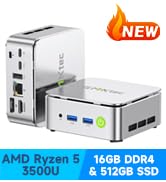
The GMKtec Mini PC G3 Plus packs a punch with its Intel Twin Lake N150 quad-core processor, 16GB DDR4 RAM, and 512GB PCIe NVMe SSD, delivering fast and reliable performance for office, business, and light entertainment. Dual 4K HDMI outputs, WiFi 6, Bluetooth 5.2, and 2.5GbE Ethernet ensure versatile connectivity, while its upgraded cooling system maintains quiet operation in a sleek, compact chassis. Ideal for professionals seeking a powerful yet space-saving desktop solution.
















| ASIN | B0DN51KD9D |
| Best Sellers Rank | #352 in Computers & Accessories ( See Top 100 in Computers & Accessories ) #6 in Mini Computers |
| Brand | GMKtec |
| Card Description | Integrated |
| Chipset Brand | Intel |
| Color | Lush Green |
| Computer Memory Type | DDR4 SDRAM |
| Customer Reviews | 4.4 4.4 out of 5 stars (1,446) |
| Date First Available | November 15, 2024 |
| Flash Memory Size | 16 GB |
| Graphics Card Ram Size | 16 GB |
| Graphics Coprocessor | Intel Graphics 1000MHz |
| Hard Drive | 512 GB PCIe 3.0 M.2 2280 NVMe/ M.2 2242 SATA |
| Hard Drive Interface | PCIE x 16 |
| Hard Drive Rotational Speed | 7200 |
| Hardware Platform | PC |
| Item Dimensions LxWxH | 4.49 x 4.17 x 1.65 inches |
| Item Weight | 12.6 ounces |
| Item model number | G3 Plus |
| Max Screen Resolution | 3840x2160 Pixels |
| Memory Speed | 3200 MHz |
| Number of Processors | 4 |
| Number of USB 3.0 Ports | 4 |
| Operating System | 11 Pro |
| Processor | 3.6 GHz Intel_Mobile_CPU |
| Processor Brand | Intel |
| Product Dimensions | 4.49 x 4.17 x 1.65 inches |
| RAM | 16 GB DDR4 |
| Screen Resolution | 3840 x 2160 |
| Series | G3 PLUS |
| Standing screen display size | 75 Inches |
| Wireless Type | 2.4 GHz Radio Frequency, 5 GHz Radio Frequency, 802.11a/b/g/n/ac, Bluetooth |
C**R
Started out great, really impressive, then it died, but customer support was excellent
For the first 24 hours, I was really impressed. Really snappy performance, 8 GB of RAM was plenty for simple tasks, and the SSD was capacious at 256 GB, considering the price. The inclusion of Windows Pro made the box almost free! However, after updating to Windows 11 Build 22H3, during the process of applying updates, the computer locked up. After 60 minutes with the computer no longer visible on the network and the keyboard and mouse non-responsive, pulled the power cord. Upon restoring power and turning on the computer, the PC was stuck for hours at the spinning circle during boot. Two more power-cycles and Windows repair interface appeared. Selected Windows Reset, Local Source (wouldn't work with cloud source), Windows began resetting. However, after a restart, computer back to the infinitely spinning circle. :-( If this had proved reliable, I'd have bought a dozen or more as remote monitoring PCs for client networks. But given that I've had good luck with the similarly priced AWOW models, I will not be investing any more money or time in the GMKTek offerings. Update 01-07-2024 ----------------------- Fortunately, GMKTek provides a download for a Windows 11 re-installation ISO. With this and leveraging a fair amount of knowledge of Windows installation options, was able to re-image the SSD. Unfortunately, the product key is invalidated and I had to use a spare Windows 10 product key to re-activate Windows. Unfortunate the GMKTek hasn't worked out the same relationship with Microsoft that Dell has, whereby any Windows 11 ISO used to load Windows onto a Dell OptiPlex results in an automatically activated Windows 11 installation. Bottom line is that after recreating and updating all apsects of the re-installed Windows 11 OS, the PC is back to running normally. I know to steer clear now of some driver updates. The PC has been running for about 36 hours and I'll post an update if that changes in the near future. When this PC works, it represents a great value for the money in terms of hardware specs and a Windows 11 license. However, taking into account the time issue remediation takes and the expertise required, the TCO (total cost of ownership) rises significantly. If I never have to do brain surgery on this device again, I'll still feel the cost was justified based on the performance of this sub-$200 device. P.S. I now make a complete image backup before running/installing ANY updates so I can simply restore the image backup rather than running into yet another Windows 11 re-installation process and the requirement to use/purchase another Windows product key. P.P.S. The WIndows 11 re-installation ISO download was 11 GB and was not a standard Windows 11 installation ISO. This had to be burned to a flash drive (I used a 16 GB USB3 model; I used Rufus to create the bootable UEFI flash drive) and then the GMKTek PC booted with it. Upon boot, I was faced with a terminal window and a couple of choices. The one I chose led to an image/sysprep process that fortunately got the PC bootable once again with Windows 11 Pro. P.P.P.S. Highly recommended --> As soon as you boot the device for the first time, find a tool such as ProduKey by NirSoft and extract and save the Windows 11 product key. Ideally (although I didn't have a chance to test), this key would work if a re-install was ever required. The other option, that I was waiting for until the PC was fully updated, is to create an image backup using any number of tools, including the image backup tool in Windows. Thus, if any of your update processes results in a non-bootable PC, you can simply re-image from the backup and avoid having a non-activated instance of Windows 11. Update 01-12-2024 ----------------------- Vendor reached out proactively and offered some assistance, although I'd resolved the corrupt Windows 11 issue independently. However, that level of customer support is remarkable considering the price of this product and the lack of such support from other vendors with much pricier offerings. Due to this, upgrading the rating to four stars. Update 01-13-2024 ----------------------- Customer support proactively reached out and provided a product key so I could activate Windows 11 and free up my personal product key. GMKtec's proactive reaching out to a customer with issues is almost unparalleled in my experience over 40 years, so despite the issues I encountered, I'm raising my review to five stars. For a product this inexpensive but with excellent performance, providing this level of customer support is laudable.
A**Y
Good for clone hero(and can apparently run raceroom!!)
I got this for my clone hero setup. I occasionally use it for minor computer functions but mostly just clone hero. I should've gotten the one with bigger storage for barely more money but overall this works really well, I was easily able to navigate everything to add the games, and all the songs from the original games with lots of space left. Haven't used it for other games because I'd quickly run out of space. Overall works perfect for clone hero though. Edit: I've now had it for several months. When playing clone hero don't expect crazy high fps. Fps with everything else turned off and settings good is 250-300. That's with no video background also. With a video background it's 150-200 fps. It also randomly slows down and then fast forwards or straight up skips a little. It's usable but a little frustrating when you start to get really good. Id definitely like to have something with more storage and definitely ram because this RAM is showing that just having CH open uses 100% of RAM. Now to the computer aspects. It works totally fine as a normal computer, but gets slow when you start adding other apps. I couldn't use high power computer games and even mobile ones sometimes froze. It also really slowed down opening tabs and stuff and just navigating anything is a little slow. It still works fine but it could definitely use a little more space and processing power. Second edit: I recently started sim racing and was running it on my laptop since I don't have an actual PC, and just for the heck of it I downloaded raceroom on this thing and hooked up my g29 and... It's running pretty much as well as it does on my $1k laptop. I have switched over my setup to this instead because it's easier and runs it basically as well, and basically never crashed, whereas my laptop crashed frequently. This mini PC is way too good for its price. Overall still a good little PC you can use anywhere, and for the price really is remarkable. Yes I have complaints but I will not be reducing my stars because for the price it performs better than I expected. My update is more to let other clone hero players, or people buying this to game, that you probably want a little more than what this has. Although the price is unbeatable if you get it on sale. I got mine for about $120. (After second update this is less true. For most games this does underperform and you'll want something better. But it randomly is really really good at certain games. It runs clone hero AND raceroom better than my main computer. Originally was 4 stars but will now be 5 stars)
T**E
It works as advertised
I have various Windows 10 devices that are not upgradeable to Windows 11 so I purchased this with the intention of making this my new anchor Windows PC (I'm primarily a Mac user) and I plan on only using it for basic word processing, web browsing, and activities better suited to the Windows world. This is a preliminary rating as I received this device just yesterday. Packaging was professional and set up/personalization straight forward using a USB wireless Logitech Key/Mouse. Bluetooth setup for my Harman Kardon speaker and other bluetooth devices failed (wouldn't recognize anything discoverable) so I next began the lengthy process of Windows updating (actually still happening) and the bluetooth issue resolved itself somewhere along the way. So, beyond the bluetooth issue, this mini PC has been flawless, speedy, quiet, and has gotten only mildly warm during operation. I ran 5 YouTubes videos simultaneously as a test without issues. The system says it is running Windows 11 Pro, it has 475GB of storage (512 was advertised), 16GB memory, and the N150 chip. I'm on Google Fiber and my speed check was something like 400+ down/300+ up from the opposite side of the house from the router. I have NOT yet checked the other ports (USBs/HDMI/LAN). I'm not a computer geek so I can only share my 'user' experience as I compare this with my other devices (Macs/Chromebooks/Windows) and there have been no discernible performance issues. Wrapping up, so far, and comparing price vs. performance, I am happy with my purchase.
H**T
Aus der Beschreibung geht nicht hervor, dass man ein US-Netzteil bekommt. Das passt hier nicht in die Steckdose.
A**R
small size high quality
H**S
Really good PC for the price,
A**R
nice PC - needs SD card slot and a USB-C port, decent speed for daily tasks. worth purchasing for kids and home use.
L**S
Ótimo produto esta atendendo minha expectativas troquei meu pc antigo de 12 anos por este compacto e moderno
Trustpilot
2 weeks ago
2 days ago



