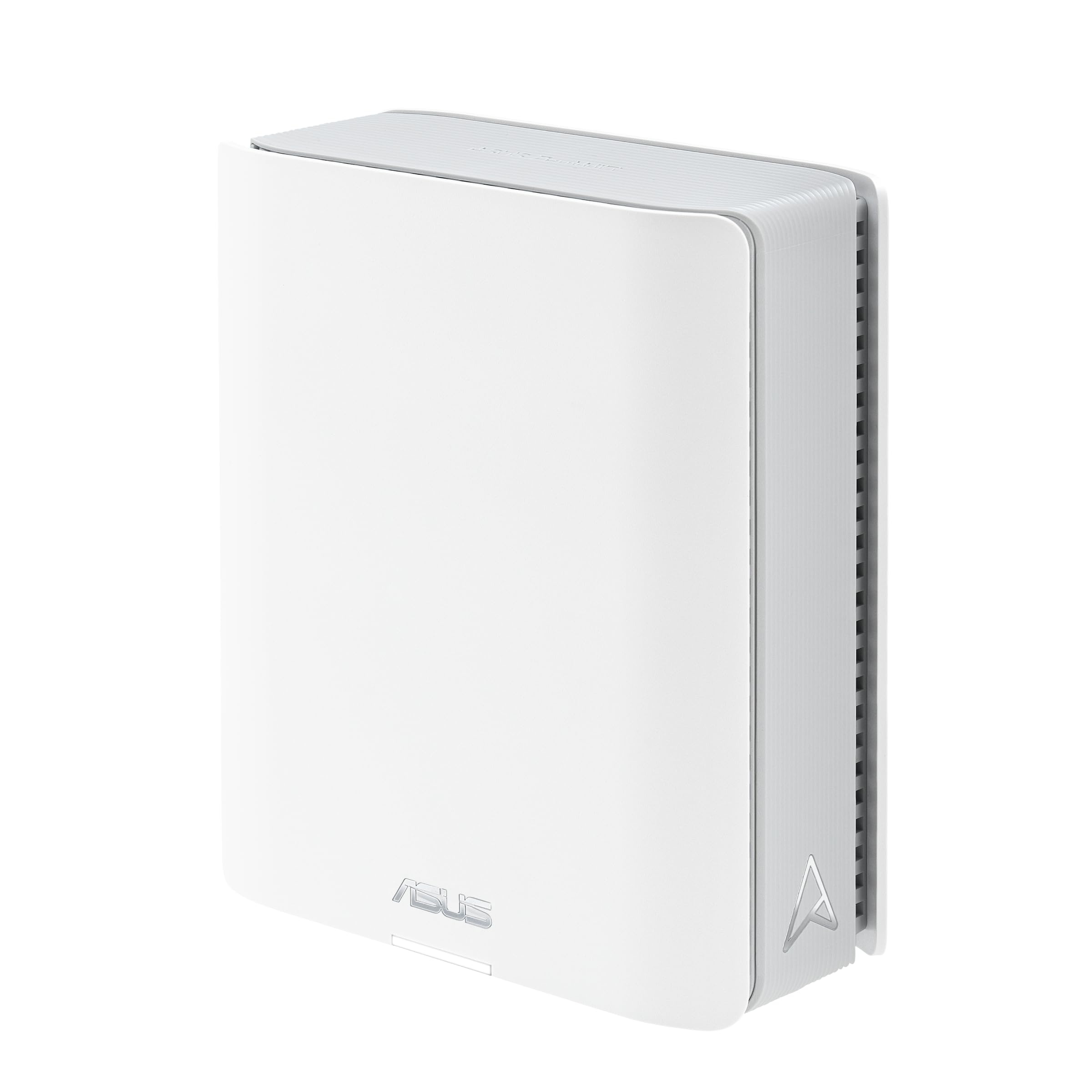
🚀 Elevate your home network to WiFi 7 — speed, coverage, and security redefined!
The ASUS ZenWiFi BT8 is a cutting-edge tri-band WiFi 7 mesh router delivering up to 14 Gbps speeds with 7 internal antennas and AiMesh technology for seamless whole-home coverage up to 5900 sq.ft. Featuring dual 2.5G Ethernet ports, advanced security with AiProtection Pro, parental controls, and VPN support, it’s designed for demanding millennial professionals who need ultra-reliable, high-speed connectivity for gaming, streaming, remote work, and smart home integration.


| ASIN | B09T8ZKC2H |
| Antenna Location | Gaming, Home |
| Antenna Type | Internal |
| Best Sellers Rank | 6,074 in Computers & Accessories ( See Top 100 in Computers & Accessories ) 28 in Whole Home & Mesh Wi-Fi Systems |
| Box Contents | ROUTERS, WARRANTY CARD, SET-UP GUIDE |
| Brand | ASUS |
| Brand Name | ASUS |
| Colour | Pack 1 - 280m² |
| Compatible Devices | Gaming Console, Personal Computer, Printer, Security Camera, Smart Television, Smart Thermostat, Smartphone, Tablet |
| Compatible devices | Gaming Console, Personal Computer, Printer, Security Camera, Smart Television, Smart Thermostat, Smartphone, Tablet Compatible devices Gaming Console, Personal Computer, Printer, Security Camera, Smart Television, Smart Thermostat, Smartphone, Tablet See more |
| Connectivity Technology | Ethernet |
| Control Method | Touch |
| Controller Type | App Control |
| Country of Origin | China |
| Coverage | 3000 sq. ft. |
| Customer Reviews | 4.2 out of 5 stars 178 Reviews |
| Data Transfer Rate | 8643 Megabits Per Second |
| Frequency | 6 GHz |
| Frequency Band Class | Tri-Band |
| Frequency band class | Tri-Band |
| Has Internet Connectivity | Yes |
| Has Security Updates | Yes |
| Is Modem Compatible | No |
| Item Dimensions L x W x H | 15.8L x 7.1W x 18.6H centimetres |
| Item Weight | 0.85 Kilograms |
| Item height | 18.6 centimetres |
| LAN Port Bandwidth | 2500 Mbps |
| Manufacturer | ASUS |
| Maximum Upstream Data Transfer Rate | 8643 Megabits Per Second |
| Model Name | ZenWiFi BT8 (1pk) |
| Model Number | ZenWiFi BT8 (1pk) |
| Model name | ZenWiFi BT8 (1pk) |
| Number of Antennas | 7 |
| Number of Ports | 4 |
| Operating System | ASUSWRT |
| Other Special Features of the Product | AiProtection Pro, Parental Controls, VPN, Smart AiMesh, Advanced Network & Security Technologies |
| Product Warranty | 1 Year Manufacturer |
| Router Firewall Security Level | Tall |
| Router Network Type | Tri-band |
| Security Protocol | WPA2, WPA3 |
| Special feature | AiProtection Pro, Parental Controls, VPN , Smart AiMesh, Advanced Network & Security Technologies |
| Wireless Compability | 802.11.be |
| Wireless communication standard | 802.11.be |
J**H
BQ16 Wi-Fi 7 Router Review – A True Powerhouse for Fibre Connections
After years of testing high-end routers and networking gear for both home and professional use, I can confidently say that the BQ16 Wi-Fi 7 router is a breakthrough product. It not only outperformed my trusted ASUS GT-AX6000 but also did so in real-world scenarios that matter most: multi-wall coverage, wireless backhaul performance, and consistent VPN handling. Bought in January 2025 and now running the latest firmware as of March 2025, this device is nothing short of exceptional. The setup was straightforward and impressively fast. Using the BQ16 app, available on both Android and iOS, I had the entire mesh system up and running in under 10 minutes. The app walked me through every step intuitively, from placing nodes to optimising channels. Firmware updates were applied seamlessly during the setup, and the app has since been reliable for monitoring traffic, toggling features like QoS, and managing connected devices. In my household, I tested the router with a combination of devices: a MacBook Pro M1 (2021), a Dell XPS 15 (2023), iPad Air 5th Gen, iPhone 15 Pro, Samsung Galaxy S22 Ultra, Pixel 7, and several IoT smart devices like a Philips Hue Bridge and Google Nest Hubs. The BQ16 handled all connections effortlessly. Coverage was nothing short of jaw-dropping. My house is a detached, two-floor brick home with thick internal walls, and traditionally, getting reliable signal in the attic and back garden has been a challenge. I used a two-unit BQ16 setup with wireless backhaul, and the secondary unit was placed in a room three walls away from the main router. Despite the challenging layout, I was able to connect my main workstation via Ethernet to the backhaul unit, which in turn used Wi-Fi 7 to communicate with the primary router. The result? Full gigabit speeds, zero lag, and not a single drop during extended work sessions, video editing, or remote desktop usage. What sets this system apart is how well it handles WireGuard VPNs. On my GT-AX6000, enabling WireGuard would cut my 940 Mbps fibre connection nearly in half, hovering around 400-450 Mbps regardless of which server I used. With the BQ16, I enabled WireGuard client mode through the web interface, linked it to my favourite secure VPN provider, and tested it across multiple endpoints. The difference was astounding: I consistently achieved 880-930 Mbps while connected to VPN servers across Europe. The performance hit was minimal and within expected ranges, making this router ideal for security-focused users or remote workers who rely on encrypted connections. During tests, I ran speed benchmarks on every floor, including areas previously plagued by dead zones. My iPhone 15 Pro showed 920 Mbps download in the living room (main router location), 850 Mbps in the kitchen, and 700 Mbps in the attic. Even the garden office, situated 12 metres away through two brick walls, received a solid 450 Mbps. Streaming 4K content, cloud backups, and Zoom calls all worked concurrently without bottlenecks. Apple and Android devices seamlessly roamed between nodes with no noticeable handoff delays. My MacBook Pro performed flawlessly with sustained download speeds and no interruptions, even while moving between floors. Similarly, the Dell XPS laptop never struggled with latency, even when gaming on a 240Hz monitor connected to a dock via the backhaul LAN. The router's default settings were excellent out of the box, but I delved deeper to explore more advanced configuration options. Manual channel selection, beamforming tweaks, and VPN kill-switch integration were all present. More importantly, despite pushing every setting to its limit, I encountered zero crashes or instability. The BQ16 remained rock solid under stress testing. I researched potential issues mentioned by other users, such as rare backhaul connection drops or app pairing bugs. I discovered these can usually be resolved by disabling DFS scanning during initial setup, ensuring the same firmware version across both nodes, and restarting both units post-synchronisation. Once that was done, I never had to touch it again. I can safely say this is one of the few mesh systems where 'set it and forget it' truly applies. File transfers between local devices, such as moving raw photo folders from my MacBook to a NAS, were also extremely fast. The internal QoS prioritised Zoom and Teams calls perfectly, even while large downloads were running in the background. The 6GHz band, typically the bottleneck in Wi-Fi 6E routers due to lack of client support or interference, is well utilised here. My Pixel 7 and Galaxy S22 Ultra both leveraged Wi-Fi 7, and the connection was crisp, responsive, and consistently fast. I saw no disconnections or signal drops, even during extended gaming or streaming sessions. When it comes to the 2.5GHz band, I was particularly surprised by how well the BQ16 performed compared to the GT-AX6000. While 2.5GHz is usually slower and more congested due to device load and interference, the BQ16 managed to maintain more stable throughput and better range. In areas like the garage and utility room—where the GT-AX6000 would drop to sub-50 Mbps or disconnect entirely—the BQ16 kept a consistent 120-150 Mbps with lower ping jitter. This makes it perfect for low-priority smart devices that need reliable background access. On the 5GHz band, which is typically where premium routers shine, the BQ16 delivered far more consistent speeds across distance and barriers. With the GT-AX6000, I would often see a noticeable speed decline once I crossed two internal walls. The BQ16, however, retained high throughput even three rooms away, achieving over 900 Mbps on my iPhone 15 Pro in the furthest bedroom. Its beamforming and signal shaping seem better optimised, with devices showing less fluctuation in speed tests over time. This consistency translated into smoother 4K streaming, cloud file access, and stable low-latency gaming. I also appreciate how slim the units are and how silent they remain. There's no noisy fan, and the heat management appears to be passive yet effective. Even after extended operation in an enclosed media unit, the chassis was barely warm. To wrap it up, the BQ16 is an elite performer. It is rare to find a router that not only matches premium models on specs but actually beats them in real-world usability, especially with VPN usage and multi-wall mesh configurations. If you're coming from a high-end Wi-Fi 6 or 6E model like the GT-AX6000 and are considering the leap to Wi-Fi 7, this router will make that transition feel long overdue. Whether you're a remote worker, a gamer, or a demanding home user with dozens of devices, the BQ16 delivers on every front with confidence and consistency.
D**2
WOW! Immpressive bit of kit
5.0 out of 5 stars - Stellar Wi-Fi 7 Speeds on 5GHz with a Single BQ16 Unit recently purchased a single ASUS ZenWiFi BQ16 to upgrade my home network and leverage its Wi-Fi 7 capabilities with my gigabit internet connection, and I’m thoroughly impressed. Setup was incredibly easy using the ASUS Router app—up and running in under 10 minutes. Even with just one unit, it covers my 2,000 sq.ft home with no dead zones.I haven’t tried the 6GHz band yet, as my devices are primarily on the 5GHz band, but the speeds are still fantastic. On my 1 Gbps fibre connection, I’m getting 850-900 Mbps download and upload speeds when connected via the 10Gbps Ethernet port. Wirelessly, on the 5GHz band, I’m hitting 600-700 Mbps at 15 feet and around 400-500 Mbps at 40 feet through a couple of walls. These speeds handle 4K streaming, online gaming, and large file transfers effortlessly.The 10Gbps port and three 1Gbps ports offer great flexibility for wired connections, and the AiProtection Pro security features are a solid bonus without any subscription fees. The price (£430 for a single unit) is steep, but for the cutting-edge Wi-Fi 7 performance and reliability on a gigabit connection, it’s a worthwhile investment.Highly recommend the ZenWiFi BQ16 for anyone with a high-speed internet plan looking for fast, reliable Wi-Fi without needing a full mesh system yet. Can’t wait to test the 6GHz band with future device upgrades!
P**L
Excellent WiFi 7 router
Just got the BQ16 set up and running today, and boy am I impressed. Upgrading from an older XT8 system. Initial setup was pretty painless, but make sure you power up both nodes (make sure they’re in the same room, a few metres apart) before you get going. Forgetting to do that means that the app doesn’t set everything up in one go, and you’ll have to add the node later. I found this to be a very painful process, especially given the main router had upgraded its own firmware, but not that of the satellite. After a small bit of messing around, everything was up and running! Coverage is excellent, and speeds that finally make full use of the Gigabit Internet access I pay through the nose for. About 829mbps, run on an iPhone 16 Pro, 1 room away from the router. Love the IoT network functionality, and the ability to create other Wireless networks if you need it. There’s even Alexa integration if you want to turn Guest Wifi on and off by voice. Mobile app is excellent, and allows you full control of the device without needing to log in to the somewhat complex Web UI. If you’re a power user, you’ll still probably want to use the Web UI. So far, the mesh is very stable and I am super happy. Previous Asus mesh systems have been known to be a little unstable through the first few firmware iterations, but everything seems to be fine so far. Definitely recommend
A**R
Good value with good performance
Speed and stability are very good, not required to reset nor restart after one moth. Setting interface is not difficult to use, I am not en expert on networking but a few steps for security are necessary and its easy to complete those steps. Wireless covering is good enough for me. Rebuilding or improving satellite connection is faster than my old Netgear 752, usually in 1 minute or less. The biggest connection issue I faced was my Brother aio printer, which could not connect to any password-protected SSID. Hence I opened the 2.4Ghz network but protecting the 2.4Ghz network with white access list, to take my printer to internet.
F**S
Awful system
Truly awful. Yes it's very fast WiFi but getting all of your devices to connect and stay connected is another matter. I will never touch Asus again!!
P**K
Great WiFi throughput, very reliable software.
This is a high-quality product, beautifully designed, wonderfully packaged and highly performant. It unboxes like an Apple product, it's so well-balanced and specification-wise it ticks all the boxes: 1) Four WiFi radios - one for 2.4GHz, two for 5GHz and one for the newly opened 6GHz band. There is an Asus BQ model which has dual 6GHz radios at the expense of one of the 5GHz radios, but I chose the configuration above for a specific reason: WiFi 7 client devices (phones/tablets/laptops) are still relatively scarce in the market and will remain so for the next few years. Only WiFi 7 client devices and WiFi 6E devices can access the 6GHz band. The case for WiFi 6E is compelling in the US (twice the WiFi 7 spectrum allocation) but less so in the UK or EU. Moreover, the higher the frequency, the shorter the range of the WiFi radio wave. So 6GHz clients will likely fall back to the 5GHz or 2.4GHz bands unless they're really close to the access point, BUT those clients will still use the WiFi 7 protocol with all its advantages over WiFi 5/6/6E. 2) Each of the four radios can support 4 concurrent transmissions and receptions (4x4 + 4x4 + 4x4 + 4x4). 3) It supports the newly available WiFi 320MHz channel bandwidth on 6GHz, which is crucial because dual-radio WiFi 7 routers can't! This is one aspect that enables WiFi 7's highest speeds. 4) MLO (multi-link operation) - bonding 2.4GHz + 5GHz + 6GHz channels together for enormous speeds, a feature new to WiFi 7. 5) MRU (multi-resource unit support) - this is where the improvements in latency come from in WiFi 7. 6) 4K QAM operation - when really close to the router (<3m), this new addition contributes to the BE19000 rating of this router. This feature is only available on WiFi 7. 7) Dual 10Gbps ethernet ports! 8) USB 3.0, 2 additional 1Gbps LAN ports, a mobile app, and a well thought-out web user interface. It's spectacular! 9) You can turn the LED off in settings. 10) It supports Asus proprietary WiFi mesh protocol (AiMesh), meaning you can have one of these devices wired into your existing broadband router, and a second or third elsewhere in your home. It doesn't need an ethernet cable to connect to your router because the two (or more) BQ16s will connect to each other over WiFi. That's how you get whole-home WiFi without loads of ethernet cables everywhere. Please note: When you receive one of these, the first thing you MUST do is update its firmware. The WiFi 7 standard is new, and all vendors are rushing products to market. These products will have been on the manufacturing production line 2-3 months ago, then sea-shipped (most likely) from China (adding another 4-6 weeks). The software installed in the factory WILL have been superseded by a much more stable version, simply because the OEM has had more test time and issues reported from early adopters. Important setup steps: Do the firmware upgrade using an ethernet cable BEFORE any real customisation of the device's config. Do not create the AiMesh network until you've completed the firmware update. Update each BQ16 individually, one at a time, then perform a factory reset, then set up the AiMesh if needed (my home network is all 10Gbps, so I connect each of my two BQ16s into 10Gbps ethernet ports). I've been running BQ16s since August 2024, and with my M3 MacBook Pro (WiFi 6E), I can achieve ~1100Mbps on an Ookla Speedtest over WiFi, that’s the full speed of my broadband. These units are spectacular, and when Asus brings out their WiFi 8 variants, I'll probably upgrade to those at some point, and no Asus didn't pay me for this review or send me free units to review (though I wish they had).
R**B
ASUS ZenWiFi BQ16 Router
As close to perfect as you can get, I'm a big fan of Asus routers. Fast, easy to set up and it works faultlessly. Everything connects every time and a number of obscure communication issues have gone when I started using it. Mine is in a mesh with a garden router (BD4) which so far works faultlessly. I have 25 clients and the app makes it easy to manage this network, which I occasionally adjust to make it work better for me. I have 6 networks set up (of which 4 are currently in use). A fast network, a slow network (for 1 old device), an IOT network and a guest network and each does a specific job. For example the guest network only allows internet (no connection to my NAS drives and similar things) whereas the fast network only allows WiFi5 or 6 via WPA3 (highest security). BD16 routers are expensive and overkill for most but its the best router I have ever used and I expect it will outlive my needs.
M**G
Inconsistent
I purchased this based on some reviews i'd read. The set-up was pretty easy out of the box, but after a week of using i returned as really it made no improvement to my set-up. Stating 4500ft coverage is totally incorrect. In a 3 bed bungalow (not very big) some devices struggled with intermitted connectivity even though thr app suggested signal strength was good, our TV buffering all the tme. I tweaked a few settings as per some forums, but still not joy. So for now i'll just stick to the generic Eero mesh.
Trustpilot
2 weeks ago
1 week ago



