
DOWNLOAD THE APP


Customer Services
Copyright © 2025 Desertcart Holdings Limited
DOWNLOAD THE APP

🚀 Elevate your coding game with BenQ’s 4K clarity and eye-care innovation!
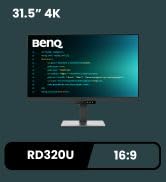
The BenQ RD320U is a 32-inch 4K UHD monitor tailored for professionals who demand precision and comfort. Featuring a Nano Matte panel with a 2000:1 contrast ratio, it delivers vivid colors and deep blacks while minimizing glare. Its advanced eye-care technologies—including Night Hours Protection and customizable MoonHalo backlighting—ensure reduced eye strain during extended use. With 90W USB-C power delivery and coding-optimized display modes, this monitor is engineered to enhance productivity and streamline your workspace.




| ASIN | B0DFD2Q8F1 |
| Best Sellers Rank | #10,588 in Electronics ( See Top 100 in Electronics ) #421 in Computer Monitors |
| Brand | BenQ |
| Color | Metal Grey |
| Customer Reviews | 4.4 4.4 out of 5 stars (162) |
| Date First Available | August 27, 2024 |
| Item Dimensions LxWxH | 28 x 23 x 10.2 inches |
| Item Weight | 34.2 pounds |
| Item model number | RD320U |
| Manufacturer | BenQ |
| Max Screen Resolution | 3840 x 2160 Pixels |
| Number of USB 2.0 Ports | 2 |
| Product Dimensions | 28 x 23 x 10.2 inches |
| Screen Resolution | 3840x2160 |
| Series | RD320U |
| Standing screen display size | 32 Inches |
A**A
Winning the production game
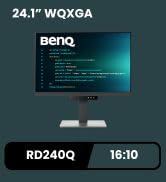
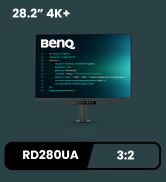
Everything works. No errors. No dead pixels. The RD280U/RD280UA 28.2" is the only high resolution monitor that has a 3:2 aspect ratio, aside from the (discontinued) Huawei MateView that had the same specs. It's becoming a winner for serious work, programming, media, multitrack production. It took a day or so to visually adapt. I'm using it as a middle monitor in a three monitor setup. FYI: 1. You should have enough depth on your desk to place it further back for a comfortable field of focus. 2. You need a DisplayPort cable if you're not using USB-C for display. It's an odd oversight by BenQ. To use the monitor in full native 3840x2560 resolution 60 Hz, you have to use the DisplayPort or USB-C connection. You can't use the HDMI port because it's HDMI 2.0 which lacks the bandwidth for full resolution at 60Hz. The odd part is that BenQ provides cables for all of these USB connections and HDMI, but not the DisplayPort cable. No problem. Get a DisplayPort 1.4 cable. The cable I got from UGREEN is perfect, 6.6 ft, braided, on sale for $7: https://www.amazon.com/dp/B088GQM9CV --- OR --- Alternatively, if you don't have a DisplayPort on your GPU, but your GPU has an HDMI 2.1 port, get a "DisplayPort 1.4 to HDMI 2.1" cable. 3. LED lights under it, in front, and in back can all be turned off, as you'd expect. Turn them off by hitting the toggle button (the middle button underneath) > Coding Booster > Function Bar > Power Key LED and the LED Indicator. MoonHalo settings are nearby. 4. Yes, the speaker sound is expectedly bad. That's fine. No one buys monitors for the speakers. If it meant making the monitor rim smaller, I'd assume they not include it. On the other hand, it's a nice rudimentary backup selling point for sound, alerts, talk radio streaming. 5. The adjustable MoonHalo is a genius add. Very handy to help eyes when you're in a darker area. I keep mine on all the time now with the 270 option. Nice adjustable glow as the sun sets. 6. I was hesitant, thinking the extra grey bulk and notch at the bottom of the monitor would be distracting. I prefer pure black and uniformity, no weird notches, no flashy branding. Luckily, when you start using it, it mostly fades out of sight in contrast to the illuminated screen, both in daylight and night. 7. To do firmware upgrades using the Display Quickit software, make sure your USB upstream cable (included) is plugged in and into the computer, with no other USB cables in the monitor, along with your DisplayPort cable, as the software will tell you: it only tells you all that just before an OK click initiates the attempt. The firmware upgrade takes a few minutes. Or, if you're using USB-C, I think that's all you need as the connection. 8. 60 Hz isn't a problem whatsoever. Games will be fine for most casual folks. Video is good. Negativity surrounding 60Hz could be justified if your life is more focused on gaming, but then you're probably reducing your resolution anyway to achieve more frames and choosing a smaller monitor. If or when monitors in 3:2 go to 120Hz+, yes, that'll be great too, and I'm sure it will boost sales. That's probably no time soon. Even so, serious productivity, dragging windows, scrolling browser pages, reading, writing, production, and the like doesn't require higher refresh rates. The vast portion of your time spent interacting and reading is in the continual pauses between dragging and scrolling. You won't notice a deficit. It's good. 9. BenQ, if you're reading this: - Keep making 3:2 monitors. - Also make 16:10 monitors with the same or better DPI at the 27/28" range. There are no serious 16:10 monitors on the market larger than the 24-inchers. I think most people would find 16:10 to be the sweet spot for general computing for work and entertainment. BenQ appears to have the only 24" 16:10 monitor with a higher resolution, also part of this "programming" product line: RD240Q. Great. Yet I've been using 24-inch 16:10 monitors for 17+ years. There's a crazy huge gap in the market that would buy every larger high resolution 16:10 monitor in sight. I'm not alone. - Remove extra stuff at the bottom of the monitor, the notch. Make rims uniform and black, not grey. I took a chance and found it's not a serious problem in practical use, but I prefer the cleanest look. If it means removing speakers, do so. Or do both. People are capable of choosing their own speakers or soundbars. - Linux. Hire Linux developers. Make all Linux software you produce open source. Take a serious presence in the Linux game. Calling yourself a "programming monitor" and not supporting Linux in your added software is a miss. You can run the monitor normally in Linux. It's just that the optional BenQ software (Display Pilot 2 and Display Quickit) that provides a GUI to tweak settings and firmware upgrades (settings you can still access through physical controls) doesn't run on Linux. Not a deal breaker. I hope to see more 3:2 monitors and larger 16:10 monitors in even higher resolution. Meanwhile, RD280U is a winner.
W**.
It's great! Just not perfect.
I have an M2 MacBook for work, and for some reason they only support one external display. I thought if I could only have one it may as well be a good one, and here we are. The Good: - It reeks of effort and thought, which is very nice to see for a change. - It's just a good monitor – the colors are vivid, the contrast is sharp, resolution is lovely, the menu isn't a chore to operate, the speakers are pretty ok, and 5ms response time is good when it's other weird-shaped competitor – the DualUp – is only 1440p, more expensive, and has a like 12ms response time iirc. - Of course I __adore__ the 3:2 aspect ratio. - Benq support is very helpful and responsive. - The most I have to say against it are nitpicks from the rather steep price. The Nitpicks: - This is the best monitor ever made... for $500, $550 even I'd genuinely have zero complaints. $660+tax? Not so much. The price is rather steep, and while some of that can be excused for its unique nonstandard ratio, they stop it from being "perfect". - Refresh rate: Why 60hz? I get not having a super high refresh rate, but I feel at this price a solid 90 hz for smoother animations would be nice. - The light on the back of the device is probably great if you're up against a wall, but my setup has the back of my monitor facing into the living room. The light kinda hurts to look at directly when it's on. This would be 'whatever', but it's easy to accidentally turn it on when futzing with the thing. I'd love an option to just disable it outright. 3. The KVM is kinda jank. Computers still detect it as a display even when the monitor is switched to a different input. Support says this isn't expected behavior though so hopefully this won't be an issue after I find time to go through the debugging ordeal. On the whole, very good monitor and as I upgrade the rest of my workstation I'll probably be getting at least one more Benq item if this is anything to go by. If you're doing a lot of text heavy stuff day-in and day-out, this still is probably the best youre gonna get.
C**G
Great product
When I got my hands on this new monitor made just for us programmers, I was pretty excited to give it a whirl. The first thing that caught my attention is its cozy design and handy eye care features which are perfect for those late-night code sessions. Clarity: coding on this device so far is a comfortable experience. Text is razor-sharp, especially with the "coding mode" activated. The contrast is good which makes your code clear. They've added light and dark modes to suit various preferences, catering to all tastes—even those quirky coders who rock a white background. Just a simple press of the button beneath the monitor and voila. And let's not forget those cute little buttons on the part below the monitor. Eye care: the night hour function (not sure if I make it right). It can adjust the brightness to very dark and save my eyes from hurting during late-night coding sessions. BenQ is renowned for its eye-care functions, and I can personally vouch for it. Also, about the 16:10 aspect ratio. It's not everyone's usual setup, but this allows more lines of code without constant scrolling. But I really wish they had a bigger size of this monitor. Overall, this monitor meets my expectations for a coding monitor. It connects smoothly with my MacBook Air m2 and goes well with my screenbar. The things I wish for would be a larger version, higher resolution, and a more chic design (maybe make it in white?) and I'll make another purchase.
I**O
I was looking for a monitor for my WFH setup as I feel my old monitor BENQ EX278Q is just dull and uninspiring. This product mainly interest me due to programmer focused low blue light and the 16:10 ratio. After using it for 2 nights here is my short review. The build quality is solid and feels really premium and the stand installation is really easy. Using the `Coding - Light Theme` Color mode, the colors and contrast on this monitor is surprisingly much better than my old one despite the lower 300 brightness (versus 400 nits), motion clarity is also surprisingly better and motion has less blur, which makes gaming experience much enjoyable despite the slower response rate. In term of it's software: Benq provided Display Pilot2 seems broken in Mac Sequoia, where it detects the monitor native resolution to be 2560x1440 as opposed to 2560x1600, this makes the monitor to basically unusable as everything just becomes lower res. There's a free app called Better Display to fix this. Fortunately Display Pilot2 works as expected in Windows 11. In the end I regret not buying the bigger version and I highly recommend going for that one if you can afford it.
J**D
This screen is a good option when used in an office setting for reviewing tasks and business work. Finally a 4k screen with a correct aspect ratio. While 16:9 is fine for watching movies, this screen has a 3:2 ratio which is better suited for actual work. It gives far more vertical space then a regular 3840x2160 (or 1920x1080) display. Some reviews quibble about the 60 Hz refresh, but when looking at documents this is fine (it is not for games). It also has a stand which locks nicely onto my work desk. No dead or bright pixels. I know BenQ is promoting this as a programming display but it's real value is in the office for creating and reviewing documents.
B**H
Good: - Large screen with a rare but immensely sensible 3:2 aspect ratio – significantly more vertical space to open browser dev tools, panels in the IDE, etc. - High DPI screen for good clarity and fine details - At 2x scaling, the "effective DPI" is reasonable, letting me move the screen farther away than my previous screen, without the text getting tiny. I suggest you do the resolution/dimensions math to compare any new screen to your current screen. - The combination of all of the above is incredible for productive work with reduced eye strain. Everything fits on one screen, without excessive horizontal space, and without squinting at tiny text. - Many input signal options, USB host, speakers, etc. - Good colors (after some configuration) - Able to control brightness and speaker volume from MacOS using open source MonitorControl app. Make sure to give it the permissions it wants. Bad: - No easy way to adjust brightness via monitor's controls. You need to go several layers down into the OSD menus every time to change the brightness. There a shortcut to easily change the brightness of the "moonlight" on the back of the screen, but NOT the brightness of the screen itself. Frankly unbelievable. I read the whole manual for this, to no avail.* - There's a feature to automatically adjust brightness based on ambient lighting, but I can't use it because it doesn't work with sRGB "color mode". - And it so happens that sRGB color mode + sRGB color profile setting in MacOS produces the best color result for me, closely matching Macbook's color. The default color mode was worse, I had to change it. It does have one fully customizable color mode (that does support automatic brightness) that I could fiddle with (contrast / gamma / sharpness / RGB), but so far I haven't bothered. - I don't plan to use their other color modes because they distort colors. They may be useful for niche use cases but I need both text and visuals to look good, so I can't use color modes - The monitor has three USB-A outputs, but only one USB-C output (the other I use as input) – that's not nearly enough USB-C ports in 2024. Using a dongle for this is lame. - BenQ offers their own computer app to control the screen... but I don't want to install proprietary apps for such mundane things. Maybe it solves some of these annoyances, I don't know. And keep in mind that it's Windows + MacOS only, no Linux. Even though I'm rather annoyed that real ergonomics was bypassed in favor of unneeded marketing gimmicks, I still rate this monitor a full 5 stars because there is nothing else like it on the market with its banger combination of aspect ratio, screen size and DPI, and I would happily buy it again. UPDATE 1 year later: So far so good, everything is still working the same, still happy with the monitor. - One more annoyance I've discovered in the meantime is that the monitor's USB-C port stops providing power when the computer goes to sleep. So you can't connect any e.g. hard drives / storage drives to the monitor because they will lose power and will be force-ejected when the computer goes to sleep. - The monitor does have some kind of "Power awake" option which lets you wake the computer from sleep by e.g. tapping on the external keyboard connected via one of the monitor's USB-A ports, so at least that works. - I have a logitec webcam connected via the monitor's USB-A port. When I disconnect my computer from the monitor, the webcam starts glitching – seems like it's trying to boot, its light ring lights up, but then after about one second it loses power, and then it starts booting again. Not sure why this is happening, but this can be worked around by buying a USB power switch – with it, you can manually depower the camera when not in use. --- *While reading the manual, I learned that you shouldn't clean monitors with alcohol as it can damage the finish, which was frankly new information to me, so – at least something good came out of that.
R**R
This is great for my work with pdf documents, word documents and outlook. The extra screen height and the narrow aspect ratio is a welcome change from ultrawide screens. The features like eReader mode, linking two by display port and the built in KVM switch make this a good choice for a dual monitor office setup.
H**L
Good monitor for programming work.
Trustpilot
2 weeks ago
1 week ago