We remain fully operational. Our teams are working around the clock to ensure your deliveries continue safely.

DOWNLOAD THE APP


Customer Services
Copyright © 2025 Desertcart Holdings Limited
DOWNLOAD THE APP
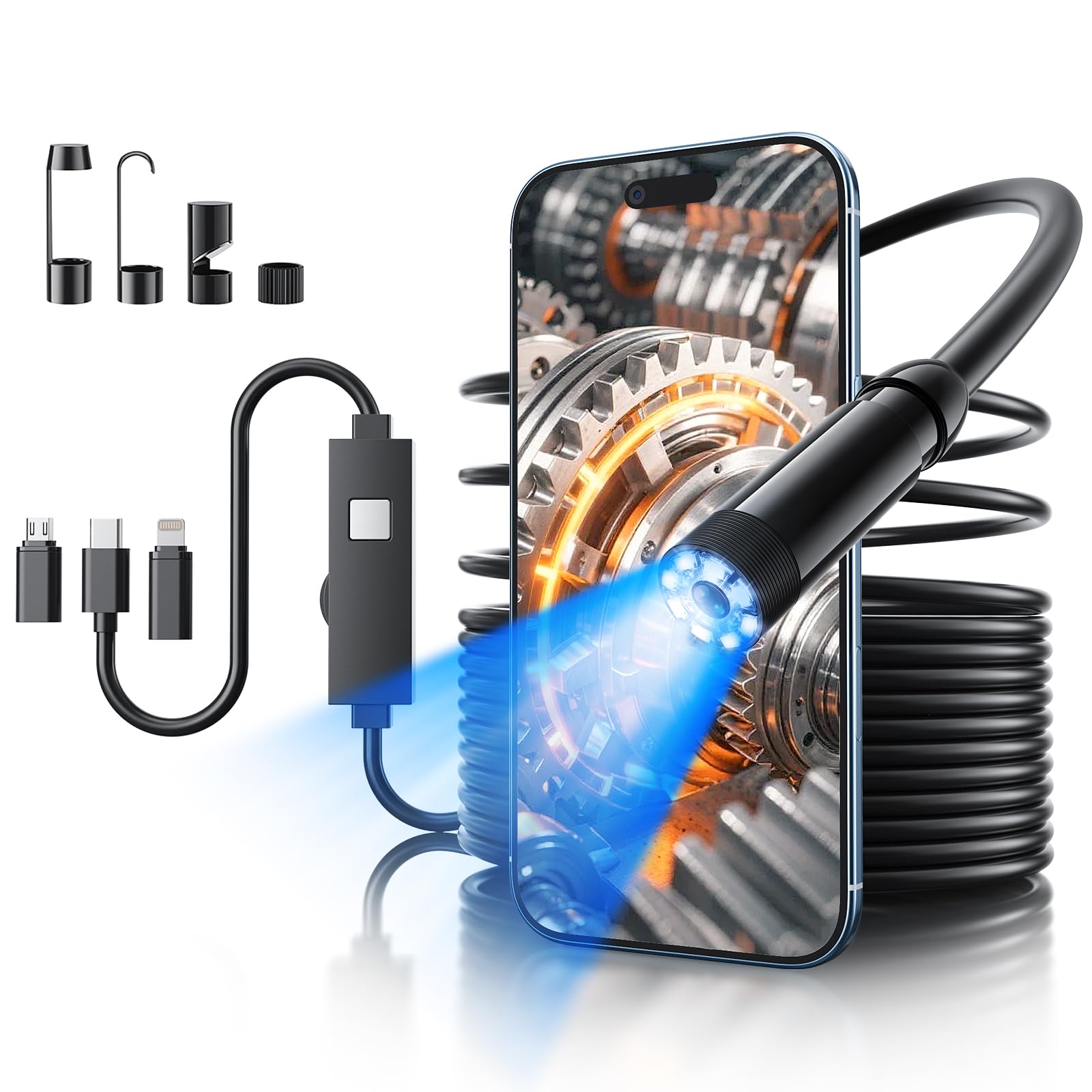
🔍 See the unseen, fix the impossible — your ultimate inspection sidekick!
The MugEasy Endoscope Camera delivers professional-grade 1920x1440 HD imaging with 8 adjustable LEDs on a waterproof, semi-rigid 16.4-foot cable. Designed for seamless smartphone integration, it empowers you to inspect pipes, engines, and hidden spaces with unmatched clarity and flexibility. Perfect for industrial, automotive, and home use, this tool transforms complex inspections into effortless tasks.


| ASIN | B0C4FBM6GV |
| Best Sellers Rank | #2,364 in Industrial & Scientific ( See Top 100 in Industrial & Scientific ) #7 in Borescopes |
| Date First Available | May 5, 2023 |
| Item Weight | 6.3 ounces |
| Item model number | NK9-X3-003-1 |
| Manufacturer | MugEasy |
| Package Dimensions | 4.88 x 4.84 x 1.5 inches |
P**F
Works great, clear.
I like all the features of this little device. It is lightweight, simple to use, plugs right into my IPhone and once you orient your thinking and viewing, you see with clarity, no problem. I use it to take a sneak peak under the pool cover to check the water level to see if I need to drain any out…our winter pool cover is previous. I also used it to look inside the cylinder of a small engine I was working on. Very handy little tool. I also used it to find a nut I dropped in the bottom of my truck engine compartment. Found it! The picture is surprisingly clear and the device seems durable and well made. Nice tool to have in the shop.
A**E
Great camera
This camera works great. It is flexible enough to turn bends in pipes but stiff enough to push along the desired route. If anything, the cable is very long and it takes some management when only needing 3-5 feet. I like the variable lighting provided by the LEDs. I didn't think I would need the feature, but it was useful. The camera links to my Android phone perfectly and requires none of the standard fooling around to get it connected. I can recommend this camera!!
B**T
Clear picture both cameras
Great easy set up put in app soon as you plug in phone it's on great picture is so clear worth every penny
H**M
Value hardware, iOS app not ready for primetime
Review: Endoscope: W400-B, App: Sup-Anesok1.0.60(28) running on i(Pad)OS 18.4.1 Good news: Endoscope works as specified: LED lighting, USB-C with USB-C female to Lightning as needed, captures images and video. The 5 m camera cable is long enough and still enough to get to the bottom of my engine bay. Connected as expected to my iPhone (lightning) and iPad (USB-C). Picture quality was acceptable for this price. I saw no real difference between color and monochrome capture in my low light engine compartment. The application is not ‘ready for primetime’. Image capture: An image is captured with a 1920*1440 image size with no EXIF data. It is stored with a filename containing a date and time stamp of the form ‘Image_yyyy_mm_dd hh_mm_ss_msec.JPG’ and also a 32 character random filename. When downloaded, Image_yyyy_mm_dd hh_mm_ss_msec.JPG is saved to the Sup-Anesok album in Photos. The JPG file is also saved in hidden folder named ‘.TakePhoto’. When shared and Save to Files, only the JPG with a 32 character random filename in a hidden folder named can be saved in a specified target folder. This is very unusual. Video capture: A Video is captured with as a 1920*1440 MPEG-4 movie with a filename containing a date and time stamp of the form ‘Video_yyyy_mm_dd hh_mm_ss_msec.MP4’. The video also has a 32 character random filename. When shared and Save to Files, they are both saved in a hidden folder named ‘.TakePhoto’ in the Sup-Anesok local files saved On My iPhone. The 32 character random file is saved to the specified target. The Video_yyyy_mm_dd hh_mm_ss_msec.MP4 is not directly available. It is not saved in Photos. This is bizarre. Workaround: Using the iOS Files app, you can search the Sup-Anesok local files for MP4. The Video_yyyy_mm_dd hh_mm_ss_msec.MP4 should be listed. Press and hold that file, GetInfo, then select the Where path, On My iPhone > Sup-Anesok > .TakePhoto to obtain a listing of the MP4 files. Select files and move to a visible directory. Application name Sup-Anesok is unusual and not descriptive. Sup-Anesok only works on iPad in portait mode. IMO, this is unacceptable but it is quite common on a number of non-iPad apps (SimpliSafe, AT&T SmartHome, eSword LT). I am quite sure iPad is not a big deal to some developers, but rather than force portrait mode, display in lanscape with black bars on the side.
A**R
cool tool
helps to see in tight places
D**.
For the price, you can't beat it!
For the cost, this thing was incredible. Hands down, that's it. If you want a budget endoscope, this will work. I have been rebuilding a vintage car and I bought this to inspect some of the components in and around the tight spaces. The minimum focus distance made it a bit tricky to use inside the engine block, but it was great for looking in the transmission clutch housing. I don't care much about color accuracy, but the adjustable brightness was nice. The clarity is fine overall, and the app works well. It uses my iPad/phone's battery so battery life isn't an issue either. I'm not sure how waterproof it is, but I would not trust it to be submerged in chemicals (I inspected the fuel tank on the old car with this and refused to stick it into gasoline.)
R**.
Which way is up?
The camera works as expected, but the app they give you has an issue that makes the whole system more difficult to use than it should be. First of all, it's very hard to know where the camera's top, bottom, left and right are; just like the last endoscope I had (the one that this one replaced). When you're using this thing to work on something that you can't directly see, knowing where up, down, left and right are is kind of important. It really is. Secondly, the app lets you choose between 0 and 90 degrees image rotation - that's it. The app for the last one I had gave me 0, 90, 180 and 270 degrees, which did help a little. And yes, I tried using the other app with this one. No dice. What is so hard about making the app have a variable image rotation so that these cameras are easy to use? I know this might sound a little nit-picky, but you'll never know how much of a PITA this is until you actually try to use the camera to do what it was built for. This doesn't really warrant returning it, but after trying to use it, I'll definitely keep a look out for one that has the user in mind when they built its app.
F**E
Great camera for trouble-shooting
This is a great camera for trouble-shooting in hard to reach and hard to see areas. I bought it to help me inspect the inside of a fuel tank that had a small leak and I couldn't find the exact location. This worked like a charm. The long cable is flexible enough to go where you need it, and rigid enough to stay in place. Picture clarity is great and the app is easy to use. It also comes with all the connectors needed for any type of phone. Highly recommended!
Y**O
Esta porquería nunca funcionó. Leyendo las reseñas de otros clientes, el problema es común, así que eso habla de la pésima calidad del producto. No entiendo porqué Amazon permite que se vendan este tipo de productos. Ya contaminamos con la entrega del producto, ahora la devolución, quién me repone mi tiempo perdido?
Trustpilot
2 weeks ago
1 week ago