
DOWNLOAD THE APP


Customer Services
Copyright © 2025 Desertcart Holdings Limited
DOWNLOAD THE APP


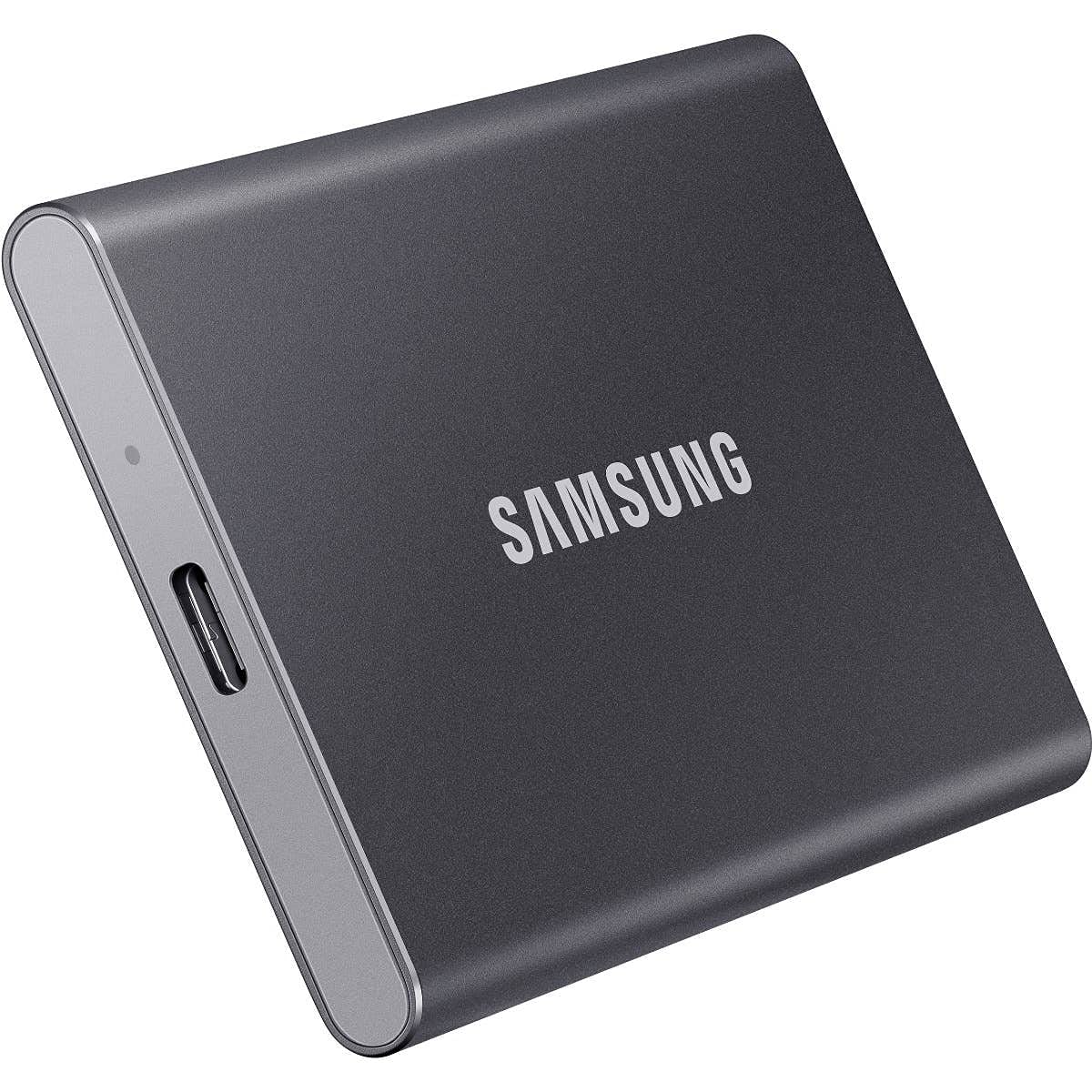


🚀 Carry Speed, Style & Security Everywhere
The Samsung T7 Portable SSD 500GB combines ultra-fast USB 3.2 Gen 2 transfer speeds up to 1050MB/s with a compact, durable aluminum design. Compatible across multiple devices and protected against drops up to 2 meters, it offers professional-grade performance and security in a stylish, pocket-sized form factor.
| ASIN | B087DDSXD3 |
| Best Sellers Rank | #269 in External Solid State Drives |
| Brand | Samsung |
| Color | Gray |
| Customer Reviews | 4.7 4.7 out of 5 stars (4,558) |
| Date First Available | May 29, 2020 |
| Hard Drive | 500 GB Solid State Drive |
| Hard Drive Interface | USB 3.0 |
| Hard Drive Rotational Speed | 7200 |
| Hardware Platform | Mac, PC |
| Is Discontinued By Manufacturer | No |
| Item Dimensions LxWxH | 3.35 x 2.24 x 0.31 inches |
| Item Weight | 2.54 ounces |
| Item model number | MU-PC500T/WW |
| Language | English, English, English, English, English |
| Manufacturer | Samsung |
| Number of USB 2.0 Ports | 1 |
| Power Source | Hand-operated |
| Product Dimensions | 3.35 x 2.24 x 0.31 inches |
| RAM | 1 GB |
| Series | T7 |
| Standing screen display size | 75 |
| Voltage | 1 Volts |
Y**N
Great Backup Storage Device
This Samsung 500GB Storage Device works great. Fast speed and very reliable. Pleased with purchase.
D**S
Excellent USBC SSD
I was pleasantly surprised by the performance of those USB – C SSD by Samsung. This model supports USB 3.2 GEN 2. However my MacBook Stone Age model only supports USB 3.0. Despite that, performance is excellent. The drive is about 40% full and still performs the way it did when it was new. I did have to format it once when I first had it; I don’t remember if I installed a firmware update or not. But when I first got the drive, after using it for a short time, performance dropped significantly. A reformat, maybe a firmware update, and the drive has been flawless since. It is small, lightweight, and Portable. It does get a touch warm but I never had to worry about it overheating. Wakes from sleep quickly. I use it as an external drive to supplant my iTunes and movie library. In that regard, it works excellent.
B**R
GOOD EXTERNAL STORAGE DEVICE
I like this product because it does what I needed it to do easitly and with little hassle. I don't like it because it's Samsung - some of their products are less than reliable and I probably won't buy them. Example: Samsung refrigereator. Bought a new one, it lasted five years to the date (when the warranty expired) and was declared not repairable by the local repair agency used by Samsung. So, I limit my approval of samsung ONLY to this particular product.
M**G
Very nice but Not actually 500GB!! (Please read)
I purchased this to use for recording my PC gameplay directly to it (Nvidia Shadowplay) and Video Editing directly from it. It is very fast and is great for Youtube video editing in Adobe Premier. The only Con I have is the storage size! They say you get what you pay for.. I paid more for the Samsung brand and got less storage. Overall, I would recommend but go a size up from the size you actually need! Does not over heat and it is about the size of a credit card. I am happy with my purchase and may buy a bigger one in future! Blazing fast with large videos and I am using it with a USB 2.0 port on my Optiplex 990 :). Subscribe to “Mista CDawg” on YouTube!
J**.
Great product. Lightweight, easy to take traveling, and doesnt get very warm.
This thing is awesome! Super lightweight, can pack in anywhere for traveling, and it doesnt get very warm at all. I use it on my Xbox One S. Load times for my games that I transferred to it were cut drastically. No longer am I the last player to load into a match or "fast travel" to a mission. My only regret is that I didnt buy the bigger storage version and put all my games on it. Deffinately recommend for any gamer looking to reduce load in times.
W**R
Lighting Fast
I'm very impressed with this SSD. Not only is it very thin, small, and light, it is also blazingly fast. I have a recording studio, and on a traditional thumb drive, it takes almost 10 minutes to back up the files for a single project. With the T7, it's done in 2 seconds. I'm using it with a Mac Mini M1 using the Thunderbolt 3 connection. Wow! is it ever fast!
J**E
Fast and reliable
This is the third Samsung T-SSD drive that I own. I have been very happy with them and have never had a problem. Yes they do get a little warm if you are running a continuous backup that is going to take a long time, but I guess most drives of this type will. Only way to avoid this would be if they were in a housing with a fan
T**C
Samsung t7 500gb external ssd
So far so good. Just using as a backup drive for my music projects. Samsung magician won’t recognize it supposedly because it’s an external drive. Usbc cord doesn’t seem to stay in the pc good so it disconnects and reconnects over and over if the cord isn’t stabilized. Could be my motherboard b450 Msi tomahawk max.
S**0
Light and easy
G**O
Mein Mac Mini (late 2014) läuft noch top aber er ist dank verbauter HDD schrecklich träge. Der (nicht einfache) Einbau einer SSD kostet beim Händler zwischen 170 und 200 Euro. Also fand ich auf Youtube einen ausländischen Blogger der mit dem alten T5 Modell von Samsung für ordentlichen Schub auf einen alten iMac gesorgt hat. Diese SSD gab es zum top-Preis bei den Amazon Prime Days - also erst mal zugeschlagen. Sie ist mini und die Verarbeitung aus Metall top. Erste Hürde: die SSD wurde per USB-A am Mac und auch am Windows-Rechner angeschlossen. Auf keinem der beiden erkannt - auch nicht mit der original Samsung Software. Also habe ich sie mit dem USB-C an einem neueres Macbook Pro angeschloßen. Dort wurde sie sofort erkannt. Die Frage ist halt: wenn man kein solches Gerät besitzt, wie kann man die SSD vorbereiten... dazu habe ich keine Antwort. Dann wird die SSD im AFPS-Format formatiert. Man schließt sie am Mac Mini an, fährt diesen runter und drückt ALT+CMD+R - das Weltkugelsymbol erscheint und man wartet auf das Menu. Dann hat man die Möglichkeit das neueste OS herunterzuladen und zu installieren. Kann etwas länger dauern. Nach der ersten Installation fährt der Mac runter und dann wieder hoch und man landet wieder auf der alten HDD. Man sollte dann die SSD entfernen, neu einsetzen und runterfahren. Bei Hochfahren drückt man ALT und bekommt die HDD und die SSD zu sehen und man setzt die Installation auf der SSD fort. Beim nächsten Hochfahren sollte man dann in den Einstellungen unter Startvolume die SSD wählen und das wars. Die Geschwindigkeit ist enorm! Hochfahren innerhalb von wenigen Sekunden. Programme sind sofort geöffnet. Einzige Mankos: ein USB-Port fällt weg, man hat ein Kabel und ein Gerätchen mehr auf dem Tisch liegen und evtl. Bluetooth-Dongles haben dann eine kleinere Reichweite. Trotzdem läuft diese mini SSD top. Bin sehr zufrieden. Alter Mac gerettet und viel Geld gesparrt.
J**É
Muy bueno para resolver problemas de espacio en iPhone 14. De ser posible compra el que tiene protección de huella digital para que lo puedas desbloquear sin necesidad de computadora.
C**N
Ottimo,sia dal punto di vista della velocità di acquisizione che dal punto di vista dell'affidabilità, inoltre è leggerissimo sottile entradapperttutto, consuma quasi nulla . lo uso di continuo in ambienti difficili e in condizioni disagiate, funziona sempre e ha una velocità incredibile. Il taglio è generoso, sufficiente per salvare tutto cio che vi serve. Vale i soldi che spendete ,anche se non è il piu economico. Si spende quel poco in piu, ma si riceve tanto in prestazioni e affidabilità , molto superiori alla media.
F**N
Suelo hacer copias de seguridad diarias de casi 30gb y con e disco duro de aguja la verdad es que le cuesta un poco asi que decidi gastar algo mas y a pesar de no tener tanto espacio (me da para las copias de todo un año ya que se van sobreescribiendo) va a las mil maravillas. Si lo encontrais en oferta os animo a probarlo. Es rapidisimo y enano. Mide lo que una tarjeta de credito.
Trustpilot
1 week ago
5 days ago