We remain fully operational. Our teams are working around the clock to ensure your deliveries continue safely.

DOWNLOAD THE APP


Customer Services
Copyright © 2025 Desertcart Holdings Limited
DOWNLOAD THE APP


💻 Light up your productivity with precision and style!
The TLBTEK Backlight Keyboard Replacement is a high-quality, backlit keyboard designed exclusively for HP ProBook 450 G5, 455 G5, and 470 G5 laptops. Featuring a durable ABS frame, single-color backlighting, and a seamless plug-and-play fit, it ensures reliable performance and enhanced typing visibility. Packaged securely and supported by a 6-month warranty, this keyboard is the perfect upgrade for professionals seeking both functionality and style.

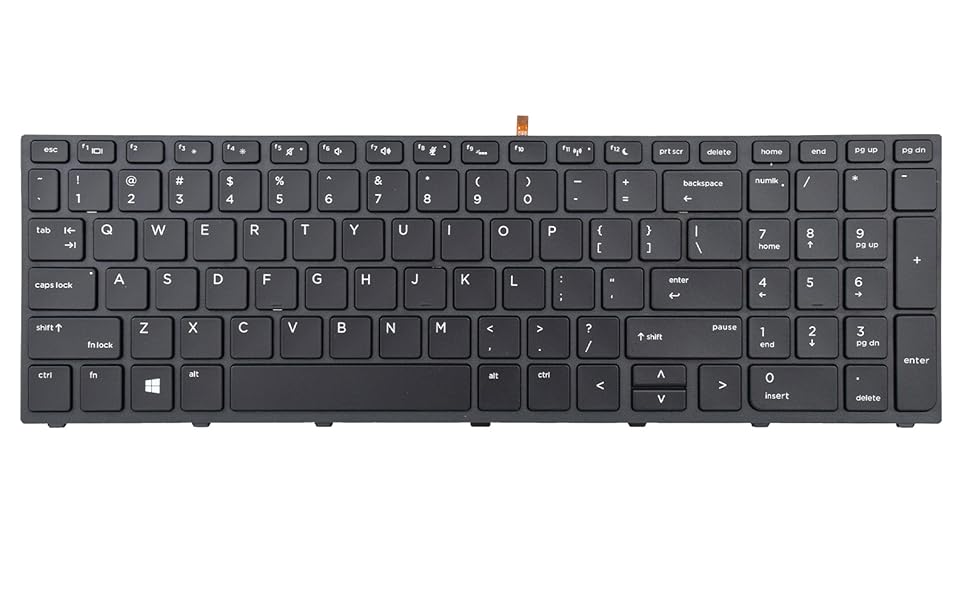
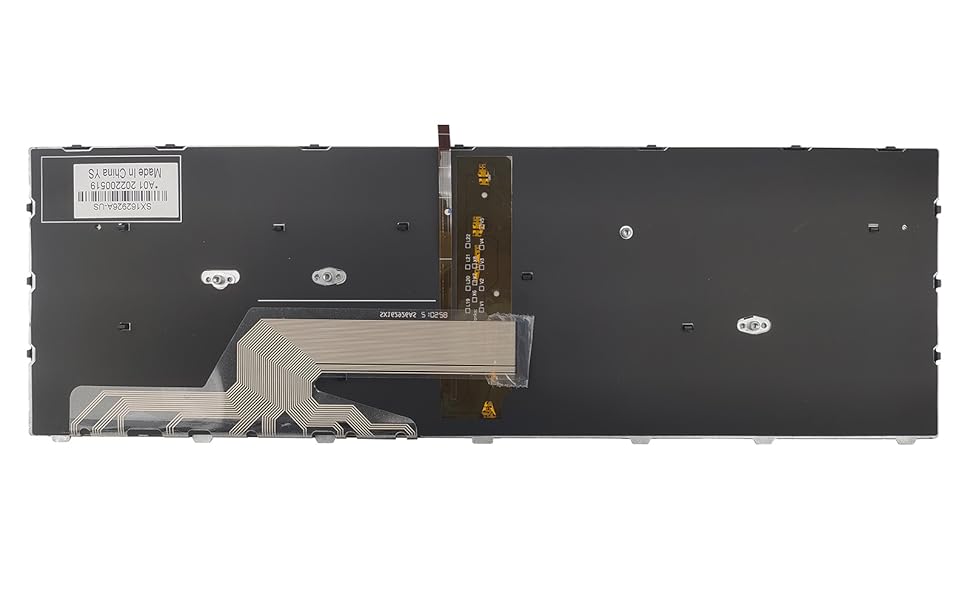


| ASIN | B0BHSZSMXG |
| Additional Features | Backlit |
| Antenna Location | Office |
| Best Sellers Rank | #317 in Laptop Computer Replacement Parts #1,324 in Computer Keyboards |
| Brand | TLBTEK |
| Button Quantity | 100 |
| Color | Black |
| Compatible Devices | Laptop |
| Connectivity Technology | USB |
| Customer Reviews | 4.0 4.0 out of 5 stars (18) |
| Enclosure Material | Acrylonitrile Butadiene Styrene |
| Hand Orientation | Ambidextrous |
| Is Electric | No |
| Keyboard Backlighting Color Support | Single Color |
| Keyboard Description | laptop keyboard |
| Keyboard Layout | QWERTY |
| Manufacturer | TLBTEK |
| Model Name | L01028-001, L01027-001 |
| Model Number | L01028-001, L01027-001 |
| Number of Keys | 5 |
| Power Source | Wired |
| Series Number | 5 |
| Style Name | Black with Backlight |
| Unit Count | 1.0 Count |
| Warranty Description | 6 Months warranty |
L**S
Work to standard
Product did the job and worked to standard. Recommend 100%
S**S
Anteriormente había pedido otro teclado para la misma laptop y no funcionó, pero este está funcionando a la perfección.
I**N
Work fine
Works fine, keys feel great
A**R
98% of the way there
All keys work except for the windows key and the keyboard does NOT fit all the way but I would have dealt with it if the windows key worked. I make use of the start key a lot with keyboard shortcuts
J**R
one to one replacement
Got this to replace a keyboard with busted keys. I couldn't find the individual keys or they would cost a lot for one letter replacement so I got this instead. Installation was a breeze, took the bottom cover off, unscrewed 3 screws that had the keyboard icon. Use a pry tool to remove the top part then the rest of the keyboard off. You'll need to apply the 3M adhesive to bend the ribbon. Then you'll connect the 2 ribbons, one is for the keyboard and one is for power/lights. Made sure they weren't backwards so I tested them while it was on.. Backlight works fine, caps lock light works fine. Overall satisfied.
T**H
Keys work but not same as OEM or AUTENS
The keyboard fit and types ok, backlight works. However, the caps lock indicator light is always on and the numlock key is missing an indicator light. Tapping these keys toggles the caps or number pad functions, but I had to enable the audible beep in Windows for those functions to hear whether they are on or off. Note the product image shows a num lock key with a light, which mine does not have. For a different laptop, I recently purchased an AUTENS replacement keyboard that had working caps lock, num lock and function lock indicator lights on those keys. Lesson learned.
Trustpilot
2 weeks ago
3 days ago