


🎮 Elevate your game with wireless freedom and pro-level control — don’t get left behind!
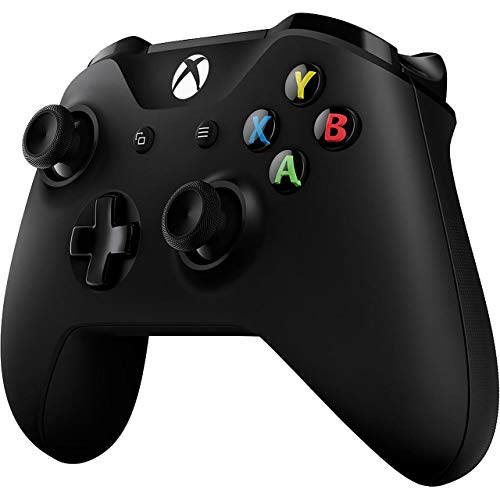
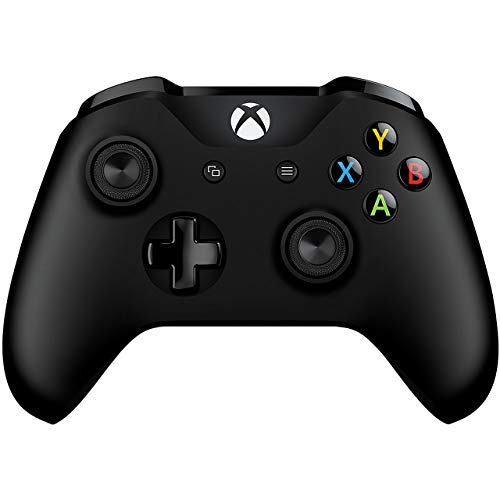
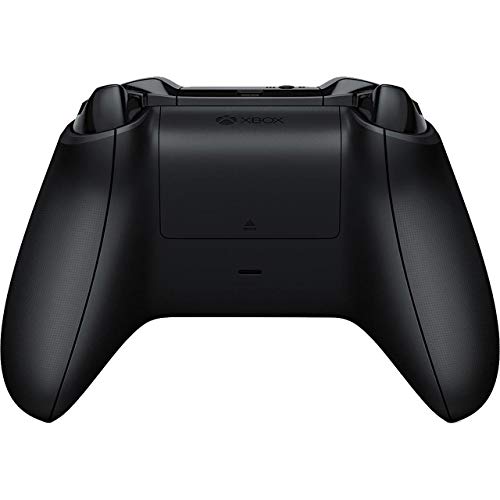
The Xbox Wireless Controller in sleek black offers enhanced comfort with a textured grip and Impulse Triggers for immersive feedback. It doubles the wireless range of previous models and features Bluetooth for seamless gaming on Xbox One, Xbox One S, and Windows 10 PCs and tablets. Equipped with a 3.5mm headset jack and customizable button mapping, it’s designed for gamers who demand precision and versatility.
| ASIN | B01L7PQBL8 |
| Batteries | 3 AAA batteries required. (included) |
| Best Sellers Rank | 2,550 in PC & Video Games ( See Top 100 in PC & Video Games ) 65 in Xbox Series X & S Controllers 195 in PlayStation Legacy Systems |
| Country of origin | United Kingdom |
| Customer reviews | 4.4 4.4 out of 5 stars (12,218) |
| Is discontinued by manufacturer | No |
| Item model number | 1708 |
| Language | German |
| Product Dimensions | 17.7 x 17.5 x 7.3 cm; 300 g |
| Rated | Not PEGI rated |
| Release date | 1 Nov. 2016 |
B**I
It looks very good, better than the original one
The controller comes packed with a set of batteries so you can use it straight away. It looks very good, better than the original one, plus this controller it's the one for the Xbox One S, it works perfectly on the Original Xbox One, but it's better as it's a new updated version of the controller, it has Bluetooth connectivity and you can connect with other devices as Windows 10 and Tablets. As an avid gamer there are quite a few features that I'd like added to a standard xbox controller so that it not only looks nice but also brings something else to the fore to help make your gaming experience better. Bought this to replace the original controller that came with my Xbox when I bought it a fair few years ago. It works as it should and I like the blue colour A couple of things I've noticed are the textured bits around the hand grips and the LB/RB buttons seem to stick out more than my old controller however its quite possible these were on my old controller but had worn off over time. The addition of a 3.5mm port is really handy and so much better than just having the rubbish usb connection This controller is sleek, comes with a rubberised grip on the back to help make keeping hold of it easier and also has a military look and will set up your gaming experience if you're into a lot of FPS. The buttons are as standard and also comes with the 3.5 mm jack fitting. All round a nice piece of kit although you're paying extra for the look rather than additional features other than the grip.
J**C
Works on Windows 7
Works on PC and Windows 7 if you're wondering. I'm running it with no problems on Windows 7. If you have any problems getting it set up on W7, don't worry google a guide video on YT. It may take a couple of tries but I can assure you it does work and works well. Nice comfortable responsive controller. Don't buy the official Microsoft USB cable in order to connect it to your PC, you can get cheaper and better quality Micro USB cables here on Amazon. I recommend Syncwire Micro USB charger cables, which I'm currently using with this controller, they are good quality strong braided cables. Micro USB Cable Syncwire Charger - [2-Pack 6.5ft/2m] Ultra Durable 2.4A High Speed Samsung Charger Cable Nylon Braided Android Fast Charging Cables for Samsung Galaxy, Nexus, HTC, Kindle, LG, Sony, Xiaomi, Motorola, PS4 Controller and More - Space Gray
T**S
Fantastic quality, use with Xbox One, PC (usb / bluetooth) or Android phone (bluetooth)
Fantastic built quality, comes with the USB cable and it has the audio jack. Most people don't know that you can use this not only with your Xbox One but also with your PC and android phones over bluetooth! Yes It has built-in blue-tooth and the headset connector which is top quality (I am connecting my Logitech Artemis G933 straight from the audio jack, excellent audio quality). The audio jack is TRRS (Tip, Ring, Ring, Sleeve) or AKA 4-pole jack. This allows stereo sound and mic to work, you hear both the game and people's voice over that output (e.g. the Xbox allows you to change their volumes individually). IF you have a PC headset that has separate jacks for stereo out and mic you need to get a cheap cable adapter and you can still use it without any issues. Notice that this comes with just some plain AA batteries just so you can use it out of the box, it does not come with the rechargeable battery pack.
S**E
Could be better...
I have played so many hours with a Xbox 360 controller, so much so that it feels only natural just to pick one up. But now that they've stopped making the things, I thought it would be best to take it to the next level. It was around this point where I cringed at the price of the Xbox One controller and waited patiently for a sale. After I finally picked one up on discount, it didn't take long to get the thing working. In fact, it was as good as straight out the box. My initial thoughts of the controller is that it is quite simply too small. The grips are not large enough for a grown man's hands. I also felt that the analogue sticks are too loose. The Xbox 360 controller had a good bit of strength behind the sticks and that is sadly missing here. It's nice to have a working d-pad on an Xbox controller. It works nicely with older games that require it (hello, Contra!). Unfortunately, the packing for the controller is pretty bare bones. You literally have a controller in a box. There's no mini-USB cable to plug it in to your computer. A little accessory which would have been a wonderful little touch, especially if Microsoft want to encourage people to use their online PC store. This meant that I had to hook it up with either my phone charger cable or buying the required items to use it wireless. I chose the latter. I bought a battery pack with a charger as well as a blue tooth dongle to connect it to my PC. Cost me a whopping £20 in total. This worked perfectly and haven't had any real issues with it. This Xbox One controller is a pretty fine controller, all things considered. It's not perfect, especially for someone with strong large hands like myself. But I feel a lot safer using this thing than those awful things Sony keep making, as an example. My main issue with this controller is the price. Why is it so expensive? I find it hard to believe people are happy buying Xbox One controllers for £50. It's very much like the price of modern games, an absolute rip off. It's one of the many reasons that I refuse to buy a modern age console as I just can't justify spending that much on games and accessories. I wouldn't say that this controller is the best option out. I find my Steam controller to be considerably more comfortable and customisable. It certainly needs improving in places. But it's as good as it's likely to get, unfortunately.
L**S
Dopo circa due anni di utilizzo (non intensissimo a dire il vero) ho dovuto rendere qui su Amazon il controller wireless dell'Xbox 360 in quanto qualche settimana fa ha smesso di funzionare (non si accendeva) e, per sostituirlo, ho deciso di passare alla sua versione successiva. All'epoca decisi di prendere il Joypad Wireless della 360 in quanto più conveniente come prezzo ed esteticamente mi piaceva di più,ma questo è la sua diretta evoluzione...prende infatti ciò che di buono c'è nel controller wireless della 360 e lo migliora ulteriormente, aggiungendo un bel led/logo di colore bianco, la porta micro usb ed il bluetooth. Il tocco di alcuni tasti è migliorato rispetto al suo predecessore e la qualità è elevata. E' compatibile e già configurato per tutti i titoli per PC. Per quanto riguarda l'alimentazione è la medesima del predecessore (in versione wireless), ovvero ha il vano batteria dietro dove è possibile inserire due batterie di tipo AA (incluse nella confezione) che vi da la possibilità di utilizzarlo con 2 semplici batterie ricaricabili di tipo AA (soluzione economica e pratica che ho adottato, si vendono infatti insieme al caricatore da parete e potrete utilizzare le 2 cariche, mentre si caricano le altre 2 così da non rimanere mai a secco), oppure è possibile acquistare il bundle apposito o utilizzarlo con il cavetto senza batterie. Per quanto riguarda il collegamento, è possibile collegarlo al PC in tre modi : Wireless, Bluetooth e cavetto micro usb. Io personalmente utilizzo la prima soluzione ed ho acquistato l'adattatore Microsoft a parte (in quanto ho risparmiato qualcosina rispetto al bundle), ma funziona anche negli altri due modi ed in bluetooth è possibile collegarlo e utilizzarlo anche con lo smartphone. E' presente inoltre il jack audio da 3,5 che permette di utilizzarlo con le cuffiette direttamente collegate al controller (anche in wireless). Per quanto riguarda la parte in game e molto piacevole da utilizzare, ottima la vibrazione e la precisione. Mi riservo di aggiornare la recensione in caso di problemi, ma per il momento tutto ok!
S**.
Ich beziehe mich hier auf den Xbox Wireless Controller mit Bluetooth in Schwarz ("Standard 2016") Seit einigen Jahren verwende ich den Xbox 360 wireless Controller zum gelegentlichen daddeln am PC. Da ich mittlerweile auf ein MacBook Pro umgestiegen bin, habe ich nach einem Controller gesucht, den ich sowohl unter macOS wie auch unter Win 10 verwenden kann. Mich hat auch der kleine Empfänger genervt, der immer per USB verbunden sein muss - daher war ich sehr gespannt als ich gesehen habe, dass es den Xbox-Controller jetzt auch mit Bluetooth gibt und habe gleich mal zugeschlagen. So viel schon mal vorweg - meine Erwartungen wurden nicht enttäuscht! Nach einigen Spielstunden wollte ich hier mal meine ersten Erfahrungen niederschreiben - dabei werde ich mich immer wieder auf den Xbox 360-Controller beziehen. Der erste Eindruck des Controllers war sehr positiv - im Vergleich zum Vorgänger ist das Gehäuse sehr schlicht und flach gehalten. Der Controller wirkt dadurch erst mal etwas schlanker. Die Batterien sind jetzt nahtlos ins Gehäuse integriert und stehen nicht mehr hervor. Beim ersten in die Hand nehmen hatte ich sofort ein vertrautes Gefühl - alle Knöpfe und Sticks sind an der vom Vorgänger bekannten Position und lassen sich leicht erreichen. Die Oberfläche ist leicht angeraut und fasst sich angenehm an. Was fällt im Vergleich zum 360-Controller noch auf: - die Analog-Sticks sind etwas kleiner und sitzen straff zentriert - das Steuerkreuz links hat jetzt nur noch die 4 direkten Richtungen (beim Vorgänger war das Kreuz rund und hatte noch Zwischenstufen) - dafür hat das Kreuz jetzt 4 knackige Druckpunkte bei denen man auch einen Klick hört - die 4 Tasten rechts sind viel besser beschriftet als beim Vorgänger - Die Schultertasten haben einen angenehmen Hub bzw. Druckpunkt Nach dem Einlegen der Batterien kann es auch schon losgehen. Die Verbindung via Bluetooth klappt sowohl unter Win 10 (via Bootcamp) als auch unter macOS (Sierra) ohne Probleme und geht schnell (um in den Pairing-Modus zu wechslen muss man nur die Taste vorn am Controller drücken) Wenn der Controller verbunden ist, leuchtet mittig das X-Logo in einem hellen weiß - Wer gerne im dunklen spielt könnte hier evtl. irritiert werden. Bei meinen Spielen wird der Controller genau wie beim Vorgänger ohne Probleme erkannt, so dass es auch schon losgehen kann. Meine ersten Eindrücke nach einigen Stunden: - wer den 360-Controller kennt wird sich direkt wohlfühlen - ich persönlich musste mich praktisch nicht umgewöhnen und habe trotz der schlankeren Optik und den kleineren Sticks keine Unterschiede bemerkt. - besonders angenehm finde ich bei den Xbox-Controllern die Position des linken Sticks, da im Vergleich zu anderen Gamepads der Daumen eher gestreckt und nicht gestaucht ist - das ist aber sicherlich Geschmacksache und eine Frage der Gewöhnung. - alle Tasten machen einen straffen und wertigen Eindruck - vielleicht war mein alter Controller aber auch schon etwas zu sehr ausgeleiert. - die Klinkenbuchse am Controller ist bestimmt praktisch, aber leider bei der Verbindung via Bluetooth ohne Funktion - das stört mich aber nicht. - Die Verbindung via Bluetooth funktioniert ohne Aussetzer, Verzögerungen oder sonstige Störungen - Tastatur und Maus laufen bei mir ebenfalls über Bluetooth. Alles in allem bin ich sehr zufrieden und sehr froh dass ich wieder ein Kabel weniger rumliegen habe! Ich kann den Controller sehr empfehlen und rate an dieser Stelle ganz klar zum Bluetooth-Modell - gerade mit Blick auf die Zukunft lohnt sich der Mehrpreis meiner Meinung nach definitiv! Update nach ca. 50 Spielstunden: Ich bin nach wie vor sehr zufrieden und insbesondere von der Batterielaufzeit überrascht (ich habe gerade zum ersten mal die Batterien gewechselt). Die Bedienung des Controllers funktioniert - subjektiv betrachtet - etwas besser/präziser als beim Vorgänger. Das einzige was mir leicht komisch vorkommmt ist dass mir eine Hand nach längerem spielen ab und zu mal leicht einschläft...das kam vorher nie vor und liegt evtl. an einer minimal anderen Form bzw. Haltung des Controllers. Aber man soll ja eh nicht so lange spielen...
F**W
Je ne joue pas à beaucoup de jeux qui nécessitent une manette, mais quand c'est le cas j'aime bien avoir une manette qui répond au quart de tour. Cette manette semble avoir été étudiée pour mes mains (petites à moyennes pour un homme). Elle est bien plus confortable et semble bien mieux construite que le Steam Controller qu'elle remplace chez moi. Par contre, j'étais persuadé qu'elle venait équipée d'une batterie rechargeable, ce qui n'est pas le cas. Elle vient accompagnée d'une paire de piles LR6 (AA) non-rechargeables. Il existe des blocs batterie accessoire, mais ils sont vendus séparément aux alentours de 30€ me semble-t-il, ce qui est un peu exagéré selon moi. La connexion bluetooth fonctionne sans soucis sur un PC équipé de windows 10 et du récepteur USB officiel xbox. C'est le cas d'utilisation idéal, je sais, mais je n'ai pas eu l'occasion de tester autre chose. J'ai un PC sous linux qui a le bluetooth intégré, je testerais à l'occasion mais je n'ai aucun jeu dessus. J'ai noté un problème lors d'un test cependant. J'ai connecté la manette à mon pc via l'adaptateur xbox en premier, puis, sans éteindre aucun des équipements, je l'ai connectée à mon téléphone sous android. La manette a bien été reconnue, j'ai pu naviguer dans les menus, par contre la plupart des jeux que j'ai testé ne semblaient pas reconnaitre les boutons lorsqu'un appui tactile était requis. De plus, une fois débranché du téléphone, il m'a été impossible de la rebrancher au pc malgré tous mes efforts dans ce sens (déconnexion de l'adaptateur, désinstallation des pilotes de l'adaptateur, essai d'appui long sur le bouton de synchro de l'adaptateur...). Le problème a finalement été résolu par un reboot de l'ordinateur. Je trouve ça un peu dommage. Pas de quoi enlever une étoile à la manette cela dit, car le problème vient plus de l'interaction entre l'adaptateur et windows.
D**B
Bought this for use with my steam deck. It worked great once I updated the firmware (which requires a Windows PC -- it will not work using VirtualBox or the like. It did for me using Bootcamp/Windows 11 on my Intel Mac).
R**O
Produto em ótimo estado, entrega em dia, estou muito satisfeito
Trustpilot
1 month ago
5 days ago



