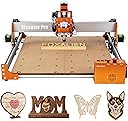
⚡ Elevate your DIY game with precision and power — the FoxAlien Masuter Pro means business!
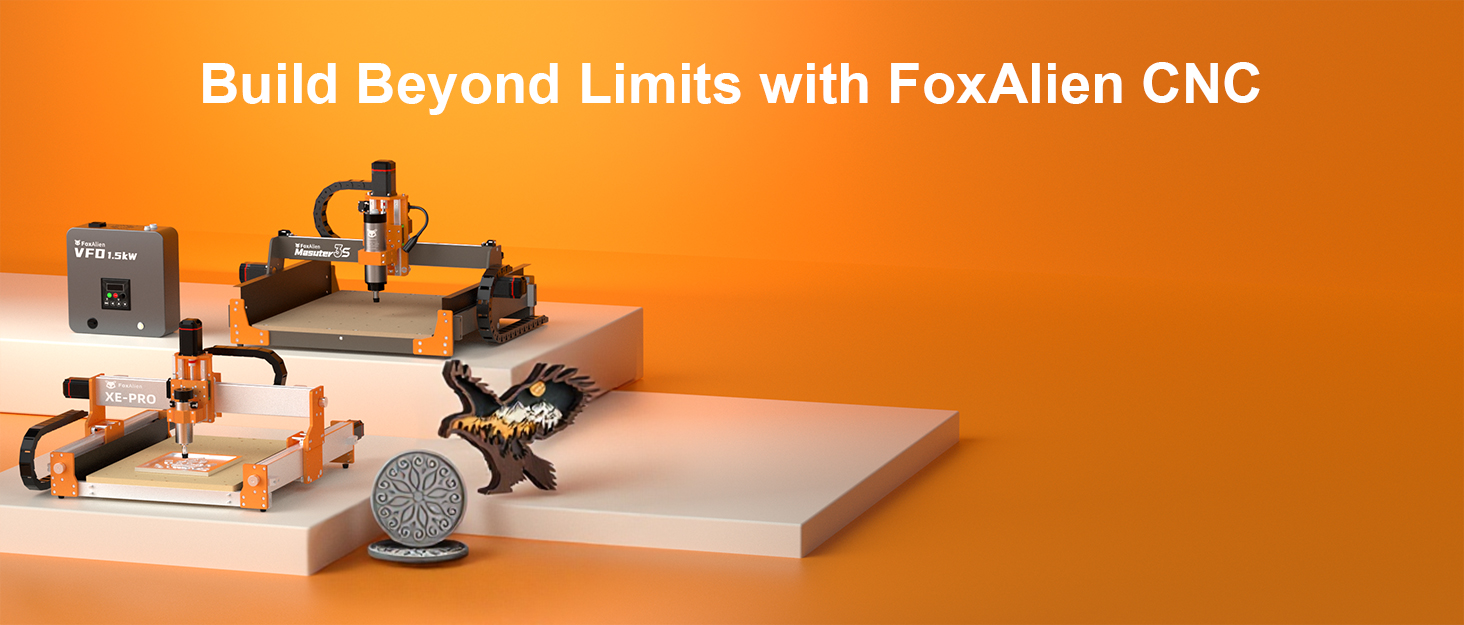
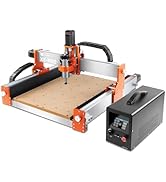
The FoxAlien Masuter Pro is a beginner-friendly 3-axis CNC router featuring a robust all-aluminum frame, a spacious 400x400x60mm working area, and versatile spindle compatibility. Designed for wood, acrylic, MDF, and nylon, it offers quick assembly, upgrade options, and user-focused controls, making it the perfect entry point for hobbyists ready to level up their engraving and milling projects.
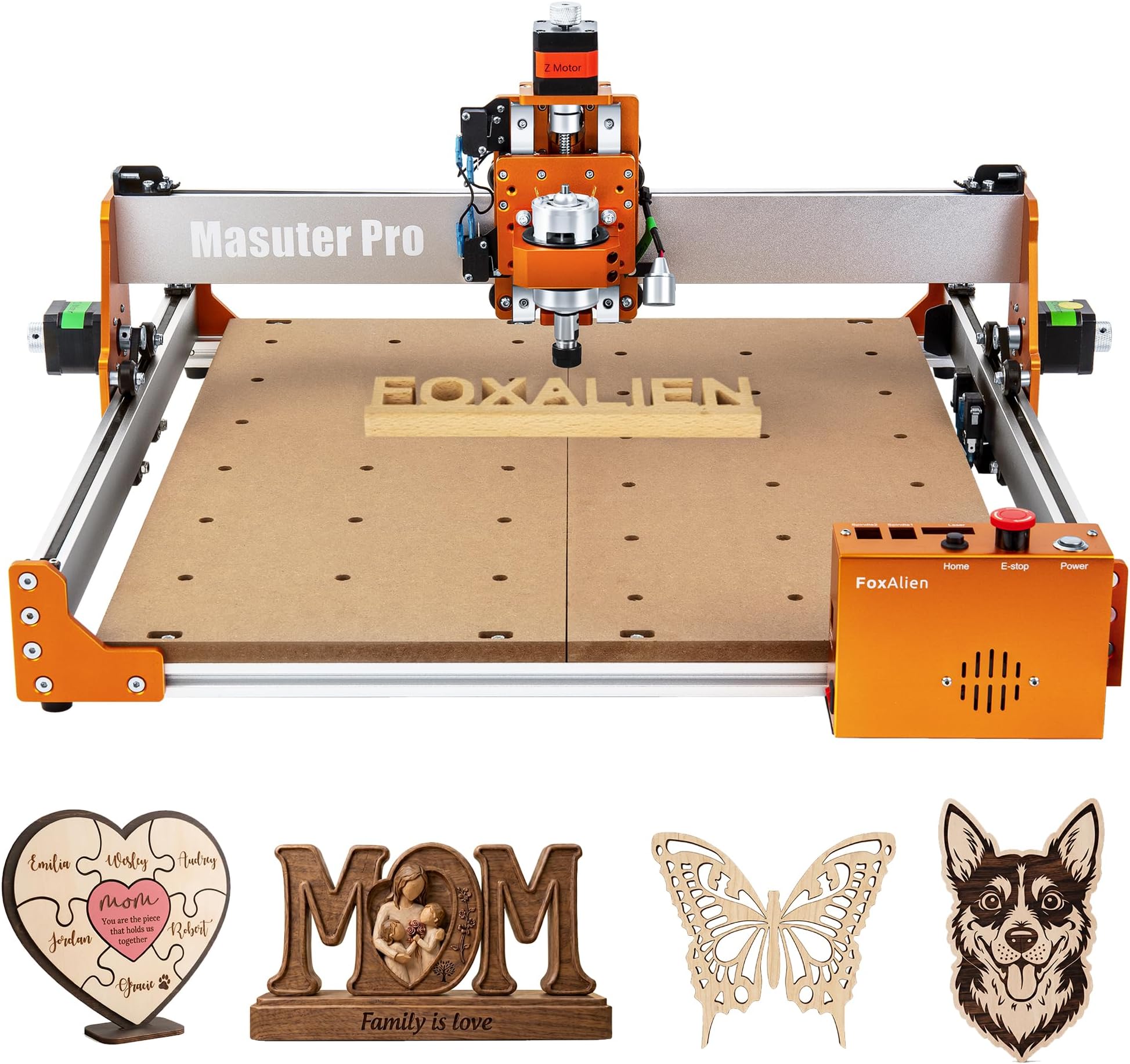


| Brand | FoxAlien |
| Item Weight | 13 Kilograms |
| Material | Aluminum |
| Power Source | ac/dc |
| Product Dimensions | 26"W x 12.6"H |
| Voltage | 12 Volts |
B**.
Great Machine For An Entry Level User. Very upgradeable
Received my maching in January, 2025. I wanted an entry level machine to see if I would like this hobby. I'll tell you, this is a great beginner machine. Easy to set up; less than two hours. I watched videos for other machines and they can take up to two days. I will have to say, the machine is very underpowered for heavier work, but with learing CNC operation and software, this was a great choice. Sure, you have to cut slower and the depth of cut per pass is a lot less, but it does the job. Tip: do not rely on feeds and speeds charts you download from the internet with this machine; these are meant for much more powerful machines. Reduce the feeds and depth of cut by about 50-60% and you'll be fine. For laser work, you shouldn't have to worry about these. Now that I've got experienced with the Masuter Pro, I replaced the spindle with a Makita RT0701C router, the 4080 bed kit, and, the best upgrade, the NEMA 23 motor upgrade. The bigger NEMA motors are outstanding. You can then use your feeds and speeds charts you downloaded from the internet with no problem. I dare to say, now this machine competes with the big boys, and with the upgrades, still at a fraction of the cost! I recently added their Smart Relay to start the router automatically when the program starts, and rewired it so I can start my dust collector independent of the router. I posted that on the Fox Alien Facebook page. That's what's nice about this machine. You don't have to spend alot of money upfront. It is very easy to upgrade. As for customer support, FANTASTIC! It's mostly by email, but they get back with you within 24 hours. Most of my issues were user error, but there was one or two items that they had to replace, possibly damaged during shipping. No problem. Not only that, but they will continue to follow up with you until everything is to your satisfaction. Very important and impressive! I've seen some negative comments because this machine is so affordable saying it's cheap and they have problems. Makes me laugh. These people need to get faimiliar and learn how to use the machine before complaining. After seven months, I'm extremely satisfied.
G**R
Great CNC router for a beginner!
This is an excellent router for a beginner to intermediate user. I bought this a year ago as a total noob to the hobby and have been very happy with it. After some early projects and getting some mistakes out of the way, I did upgrade to the better spoilboard. The standard spoilboard was the biggest downfall since it did warp and sag so cuts did not come out accurate. Once I installed the t-slot board I could keep work more true. The machine is stable and of good quality. Assembly was quite easy and I was up and running within an hour. Good product.
A**R
Don’t buy
Assembly was easy straight forward with instructions that were easy to follow and understand, Worked great for the first few weeks, then suddenly the spindle would not turn on, contacted support, explained the problem and they said I should take a meter reading of the voltage (think it was the voltage, I’m not an electrition) so $25 later I tested the voltage, took a photo of every setting. They got back to me and said I needed a new mother board and they had ordered one to be delivered from China ( think it took about ten days. So when I attempted to replace it the problem became obvious, the spindle connection to the mother board had blown, resulting in the connection melting itself to the mother board making it impossible to remove the now redundant mother board, when I informed Foxalien about this, they said I need a replacement spindle cable, I told them I’d had enough and wanted either a replacement machine or my money back (I repeated this several times during our correspondence, each time they completely ignored my request as if I’d never said it) and there reply was, we’ve ordered you a new spindle cable, from China. Honestly I was quite happy with the machine at the onset, but the hoops you have to jump through and the terrible customer service not to mention the weeks you have to wait for any part that fails is unacceptable.
J**E
Great hobby machine
So far so good! Assembly was fairly easy following the pictures. Only reason for the 4 star is the issue with the included thumb driver. I was unable to install the program but after some searching I was able to locate it online. I did replace the spindle with a cheap router from Harbor Freight so I could engrave hardwood. Short of some learning curves it’s been a fun toy and would recommend to others.
D**!
ROCK SOLID Construction, Huge Step Up From The Other Version!!!
*Best Features at the bottom* I was genuinely so blown away when I was unpacking the parts! I got the regular version like a year ago and I've been using it (I mostly use the laser rather than the CNC) and it's been awesome, I've designed some "boxes" to hold bottles of scented sprays I make with my partner as well as shelving to display the products at craft fairs and conventions and in stores. I would give the OLD version like a 9/10 because it was easy to put together and easy to start using and I get good results from it, but the actual router module tended to drag a little when using the CNC because the way it's attached, it's a little weak. That didn't affect me, I use the laser mostly, so whatever. BUUUT the new version is a brick house, it's like the Super version. All the aluminum rails are noticeably weightier and feel really rigid and tough, the whole thing is like a tiny bit textured and it's very obviously built thicker in some areas than the original. It's really nice, I was super impressed unpacking it. Assembly took about fifteen minutes, give or take. I knew essentially what I was doing already though since I've assembled the original, but I don't imagine it'd take long for a newbie either. I already had drivers on the computer and the programs I'd need (LaserGRBL mostly, but also Candle), but again it takes literally minutes to download your programs and they include a flash drive with the drivers on it, it's pretty simple. And that's it, it's super fast to put together and get started, especially if you've ever used a CNC or laser before. Side note, I also have the roller attachment and it TECHNICALLY works with this machine, but it was very difficult to get it hooked up because the control box of this machine encloses the control board where the rollers need to be plugged in. I do prefer having the box over the old one that has no protection for the control board, but I didn't love having to dismantle the box to plug in an accessory that I need to use for engraving cups (which I do a lot for gifts and such). Anyway, I have a couple notes about stuff that's a MAJOR step up. One, like I said, the construction is rock solid, it's such an improvement. I think it's the best-built machine I have at the moment, it's really good. But also, there's more stop-triggers and they're better placed AND they have a much stronger click to them. When the auto-stop gets triggered on this you KNOW it. Also, the actual "tool" module (not sure what else to call it, it's the part that holds the router or laser) is WAY more solid. It uses nylon-greased tongue-in-groove rails instead of the old model's circular rails and screws, and it's like 400% more solid because of it. The up-down motion is WAY more precise and stable, it's really really good. But maybe most of all, and this is huuuge for me - the knobs to allow manual calibration of the axis on ALL THREE AXES. It's sooooo important, I really can't overstate it. The XY axes are fifty-fifty for me, I don't have much trouble calibrating those via software, but LaserGRBL DOES NOT HAVE A Z AXIS CONTROL. So, if you're engraving a 1/8" thick piece of wood and you've adjusted your Z axis for a 1/16" thick piece, you have to close the program, open Candle, calibrate the Z axis there, close Candle and reopen LaserGRBL, and then proceed with your work. There's no way to easily move the Z Axis when you switch materials, it's a huge pain in the butt - EXCEPT, now that this machine has manual knobs, you can manually just calibrate it yourself by hand and it takes literally seconds. HUGE time saver, I can't even begin, it's a gigantic improvement, I love that feature!! All in all, I'm definitely super impressed with it, I'll be engraving metal tumblers for the next couple weeks to prepare some presents for my TTRPG group (don't tell them, it's a surprise lol) and after that I'm gonna make some new shelving!!!
T**Y
Just buy it! It’s sturdier than you think and is much faster than the blue brand.
This is the best money I’ve ever spent. Motor: The Masuter Pro obviously comes stock with a “weak” 775 style cutting motor but it can still do decent work at a slow pace and is helpful for a beginner to learn the machine and it’s capabilities. It includes about 8 identical 1/8” v-shape steel cutters which are okay quality for mdf and softer woods. The ER collet is good quality and provides good stability considering the stock motor is the type that uses oilite bushings which are usually sloppy. The motor shaft has a tiny bit of radial movement, though less than I imagined it would. I intended from the get-go to use a 65mm trim router and I was pleased to find that it includes a very heavy duty aluminum mount for 65mm routers. Dust Control: There is no included dust shoe for a vacuum or dust collector, so I 3Dprinted a vacuum hookup that attaches to the 65mm router. The file was free on Printables. You can buy a universal FoxAlien dust shoe attachment for an additional $50 Cutting Area: The stock work area is generously sized at a tad under 16” x 16”. A quick & easy modification for gaining 2” in working/cutting width (X-Axis) is to print (or make from 1/8” aluminum) new X axis limit switch mounts and then flip the X belt end attachment brackets upside down to gain 50mm+ of X movement! This gave me about 18” of max cutting width for zero dollars. There is a free stl file and modification instructions for the switch bracket extenders on printables. You then remove the pieces of metal that the x axis limit switches hit on the sides and now use the aluminum gantry riser itself as the hitting point for the limit switches. Why this unit isn’t like that from the factory confounds me. Most people use the spare belt that comes with the machine to make a longer belt when doing the X mod to give you the added X travel, but I was able to use the surplus belt slack and keep the stock belt in place. Electronics: The stock control box is well designed and has worked well for me. All the wires have flag tags on them for easy mating. You have to mount the wire control track but the wires are already ran through the track which makes assembly and wiring a breeze. Software: I haven’t used the included thumb drive software that comes with the Masuter Pro. I’ve been using free browser-based Easel software running on a used 2013 MacBook Pro to run the CNC. I bought the Mac specifically for running this machine and my 3D printer and it works great. The Easel software detected the Masuter Pro and downloaded the appropriate drivers for me. Quality: The build quality is great, I was going to get the other similar sized blue brand machine because it looks much heavier duty but it is much slower and would not work fast enough for my sign projects. The Masuter Pro is designed lighter and with less material but has good engineering and upgraded pieces where it counts, like the Z axis having square linear rails. There is an almost imperceptible amount of movement when you try to move the cutting shaft around by hand to assess the sturdiness of the motor gantry. It’s actually hard to believe how tight this thing is considering it uses belts and plastic wheels, the extrusions are very strong. I intend to upgrade the roller wheels to a Japanese name brand to see if I can get the tiniest last bit of movement to go away for metal use. I do believe this machine can do aluminum cutting with the proper upgrades, but if that is your main use, I would recommend a much heavier unit with full linear rails. Upgrades: I will soon be buying the extension kit and seeing if I can mod extra travel out of it, with the x mod I will have 18”x30” of cutting area and I think I can likely mod the Y-Axis for an inch or two of extra travel as well, giving me a gigantic cutting size for the price. I may also upgrade to bigger stepper motors in the future, but really currently have no need!
S**R
One of the best desk top machines out there.
I have the Masuter Pro and couldn't be happier with it. The assembly was easy enough and the setup is straight forward. I'm completely new to the CNC world so a lot of prep time was spent to research which machine was the best to start with. I wanted a machine that would work well with a laser as well as the router. Quality is a factor. Fox Alien has the quality everyone is looking for. The band/gear type of machine offers the smoothest reaction and you'll have less issues when using a laser. The stability of the Masuter Pro machine is incredible. But, the biggest extra you get with a Fox Alien product is their personal touch and customer service. Being a novice, I have had to contact them several times and they are very good at getting back to you within a 24 hour period. The staff is very knowledgeable and they can answer any question you have regardless of your expertise. When I am ready to purchase a 2nd machine... it will be a Fox Alien.
T**Y
Meh...good for a beginner, but you'll quickly outgrow it....read on...
Soo...thinking about getting into CNC? Well, if you're pretty sure you're going to get into and think you might want to make something larger than like 15" square, then you might want something else. 1. It does NOT have a working area nearly as large as the spoil board, don't be mislead by that. 2. No support under the spoil board. It's a like 1/2 MDF board that spans the full base with ZERO support in the center. Good luck getting a flat firm surface to work on. It will sag and probably already is out of the box. Guaranteed to sag with any use or over time. 3. Spindle is WAY underpowered. You'll have to go insanely slow and very shallow passes at that. 4. Stepper motors are weak NEMA 17, like what many 3D printers use. You'll lose steps with any resistance and there goes your project...ruined. Oh...if your project requires a tool change, you'll most assuredly unintentionally move the gantry when doing tool changes and cause the motors to skip steps and you'll lose your place in your project and will have to go and reset your X & Y minimally. I understand that FoxAlien is either coming out with or may by now already have an upgrade to larger steppers available, but it wont be cheap and by the time you add those in, then the price of this machine just likely grew to more than what you could get others out there in that price range. Otherwise, it's workable and can be worked around or upgraded more cheaply if you're interested. For example...for the weak spindle...just pick up a cheap Bauer palm router from Harbor Freight and install that! Now you'll have the power to ramp up the feeds and speeds to something tolerable, but will still be limited by the puny stepper motors unfortunately. For the sagging spoil board: I have several 3D printers, so I printed my self a support bar to support the middle of the spoil board and now no sag, even with a larger project on the bed. To help combat the skipping of steps during tool changes, I just picked up a couple really cheap small clamps while I was up at Harbor Freight and I clamp the gantry in place on both sides to help them wimpy NEMA 17's hold it in place and not skip! So...if you have access to Harbor Freight and a way to fabricate a support brace for under the spoil board, then it can be used to success with modifications. One of the pics shows a job I did on this. A wedding seating chart done on a sheet of 18 x 24 1/4" acrylic. AFTER I did all those upgrades though, and yes....if you're paying attention you probably noticed that that work piece is WAY larger than the workable carving area. I had to take the control box off the front to allow the longer sheet of acrylic to slide in, then I broke the carve up into smaller portions and starting at the top, filled up as much as I could then tore it loose from the spoil board and slid it in further and out the other side and restarted the next set of jobs....a major work around to do that and not for the weak hearted! Sort of a poor mans version of indexing as it's known in CNC terms, I guess. I'm already looking into a true 4' x 4' CNC to upgrade too this upcoming Spring.
Trustpilot
1 month ago
1 week ago