
DOWNLOAD THE APP


Customer Services
Copyright © 2025 Desertcart Holdings Limited
DOWNLOAD THE APP


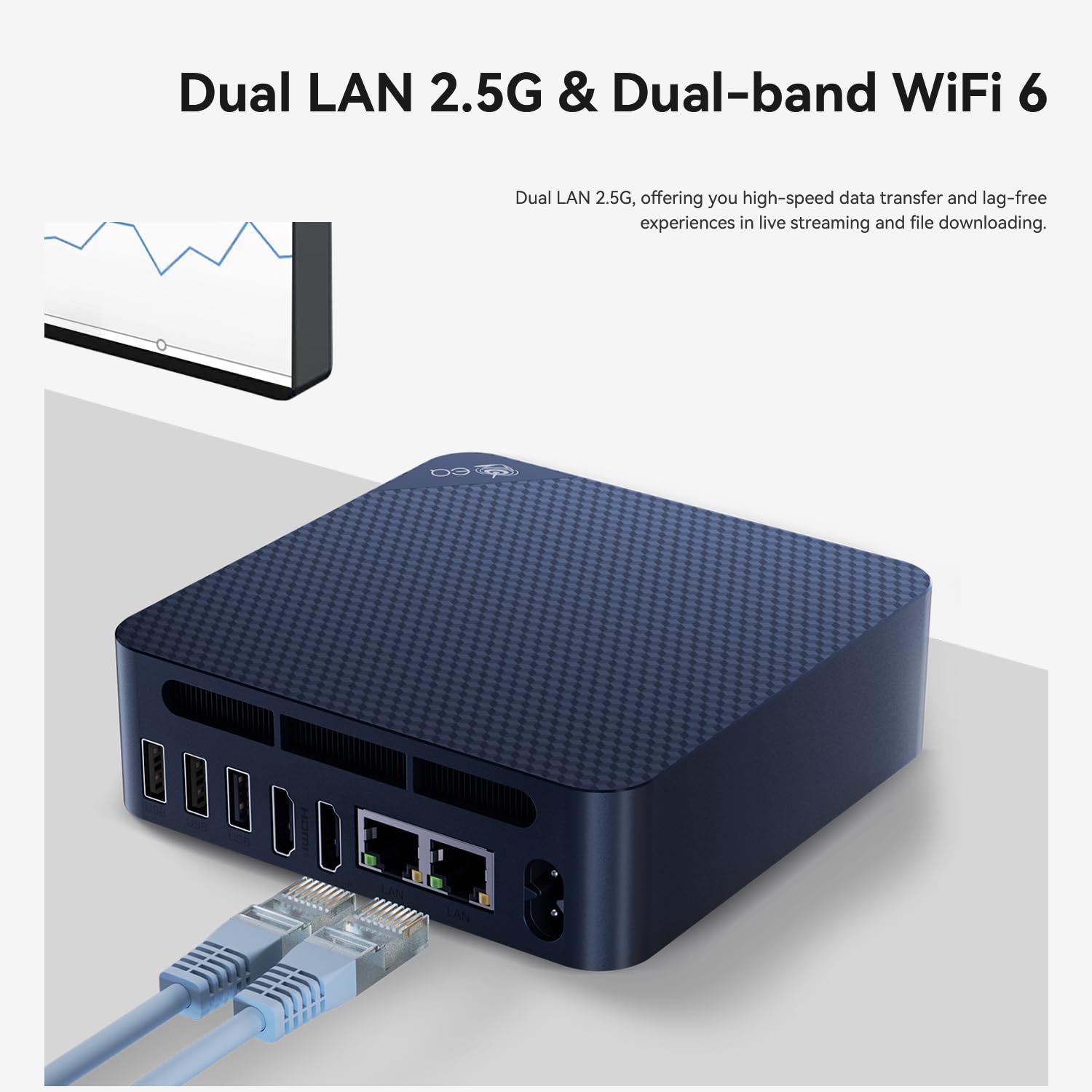

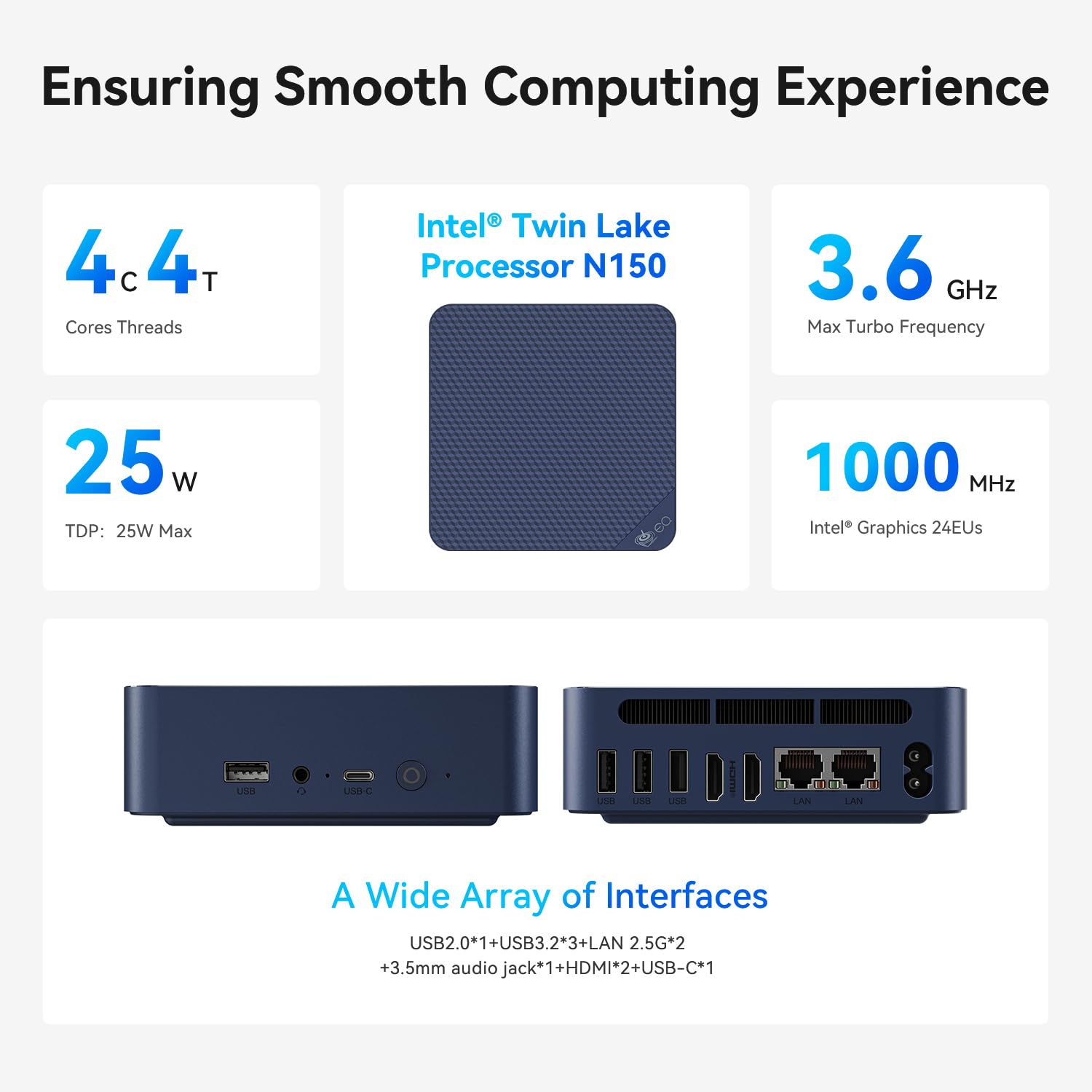

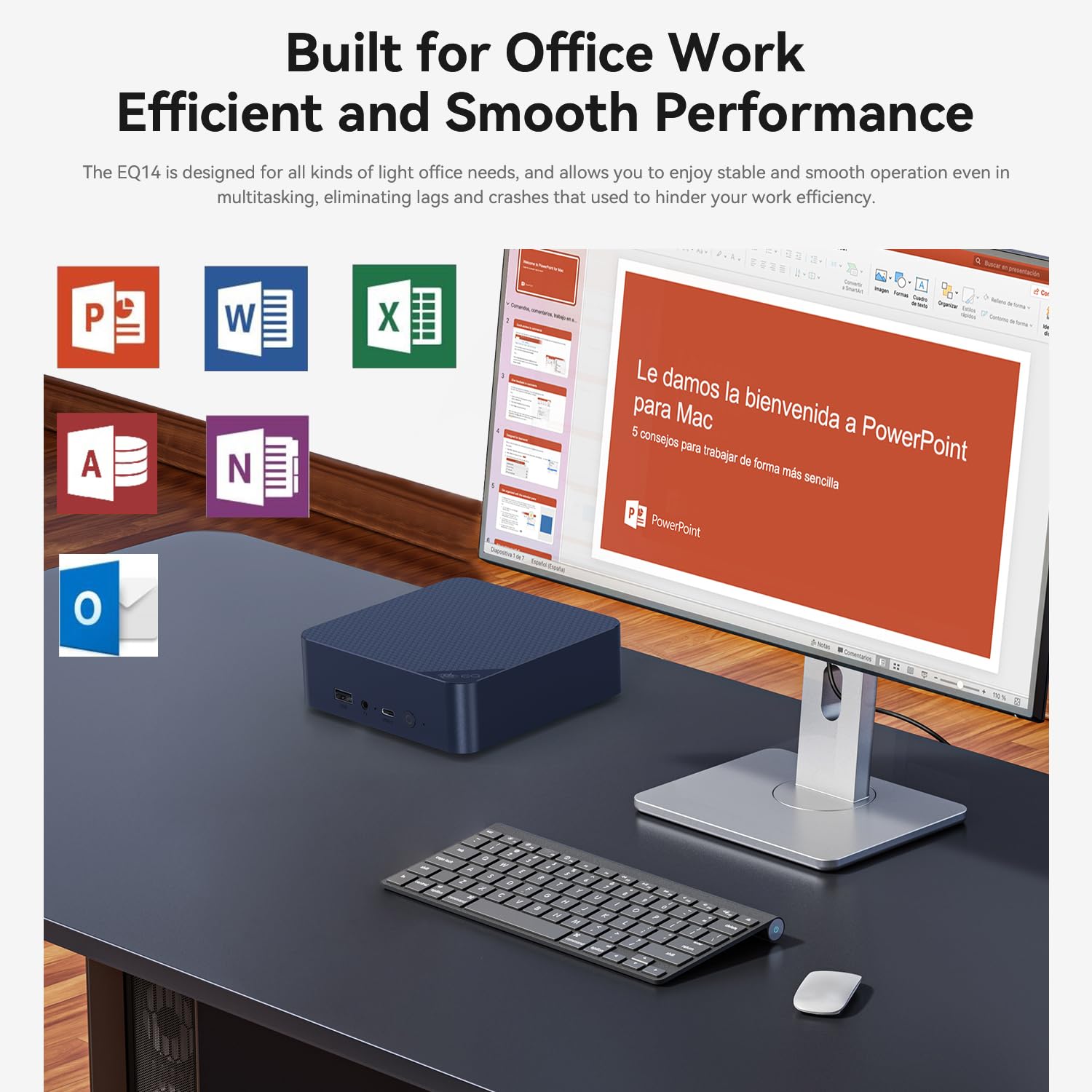


🚀 Elevate your workspace with powerhouse mini-PC performance!
The Beelink EQ14 Mini PC is a compact desktop powerhouse featuring an Intel Twin Lake N150 quad-core processor clocked up to 3.6GHz, 16GB DDR4 RAM, and a 500GB PCIe 3.0 SSD. It supports dual 4K 60Hz displays via HDMI, offers dual 2.5G LAN ports, WiFi 6, and Bluetooth 5.2 for cutting-edge connectivity. Pre-installed with Windows 11 Home, it’s designed for professional office use, multitasking, and media streaming—all in a whisper-quiet, space-saving chassis backed by lifetime technical support and a 3-year warranty.





| ASIN | B09H5961YN |
| Best Sellers Rank | #12,900 in Computers & Accessories ( See Top 100 in Computers & Accessories ) #479 in Mini Computers |
| Brand | Beelink |
| Card Description | Integrated |
| Chipset Brand | Intel |
| Color | Beelink EQ14 16+500G |
| Computer Memory Type | SODIMM |
| Customer Reviews | 3.9 3.9 out of 5 stars (315) |
| Date First Available | October 12, 2021 |
| Flash Memory Size | 512 GB |
| Graphics Coprocessor | Intel UHD Graphics |
| Hard Drive | 500 GB SSD |
| Hard Drive Interface | SATA 6 GB/s |
| Hard Drive Rotational Speed | 500.00 |
| Hardware Platform | PC |
| Item Weight | 1.87 pounds |
| Item model number | EQ14 |
| Max Screen Resolution | 3840x2160 |
| Memory Speed | 2933 MHz |
| Number of Processors | 4 |
| Operating System | OS |
| Package Dimensions | 6.69 x 6.06 x 3.86 inches |
| Processor | 3.6 GHz celeron |
| Processor Brand | Intel |
| RAM | 16 GB DDR |
| Screen Resolution | 3840 x 2160 |
| Series | EQ |
| Standing screen display size | 24 Inches |
| Wireless Type | 2.4 GHz Radio Frequency, 802.11ab |
O**J
Good mini-PC for media center
I bought a Samsung smart TV for the hardware specs, but wanted to avoid the spam which Samsung shoves into their smart TVs these days. The Beelink gives me an independent streaming media center so the TV remains offline, and therefore ad-free. The Beelink has onboard wireless, and also has an Ethernet connection. It's capable of 3840 X 2160 px resolution at 60 Hz, and there is an audio output (3.5 mm TRRS, aka "headphone-and-mic" jack) if you want to run an independent sound system. The HDMI-to-screen worked seamlessly with my 55" TV. The Beelink makes a very soft whispering sound, but you really have to get close and listen, it's that quiet. Four USB ports allow wireless mouse and keyboard operation and leave a couple of ports open for viewing photos on a thumb drive or connecting other devices. Changing boot order in the BIOS allows booting from a thumb drive, meaning that the Linux of your choice can be run in live mode, or installed from the thumb drive. (I could not get hot-key access to the BIOS, and had to use the Windows method -- search on "using windows recovery to access bios" for more info.) The SSD drive is only 64 GB, so I would not count on storing many large files on the PC itself. Likewise, the 2.4 gHz Celeron is not the speediest chip around, but this is not meant to be a powerhouse machine. What it doesn't have: No DVD drive, no micro-SD slot, no micro-USB port, no VGA output. None of this affected my use case at all, so for me the Beelink has been a good buy. YMMV.
T**H
Works well!
Works well within its specs. I use it as a gaming PC in the living room for parties/guests. I used Windows, cleaned the bloatware and Microsoft spyware, and it runs well. Four controllers (via bluetooth), all kinds of games. About 2 months in, no issues so far. I don't know if they still make light versions of Windows like for kiosks, but I would recommend that. The full version works, especially with the changes I mentioned, the main problem I have is large updates get stuck a lot. If I wasn't a sysadmin, this would affect a lot and I've seen people say they've changed OS' because Windows functions didn't work well.
J**X
Before you buy - let's talk about their customer support.
Background - I'm a guy that back in the day would head to Fry's and buy components and build the PC. I'm a tech-savvy guy and speak computer fluently. I bought this for my wife to use when an all-in-one finally died. Knowing that she would only use the browser and Office 365 I felt the BeeLink should be just fine. I purchased a U59 on 5/25 The computer seems well made and it started right up and worked great - until it didn't... 8/29/22 When she turned it on it flashed "No media present" and booted to the BIOS. After some basic troubleshooting it was obvious the SSD was dead. 8/30 I emailed customer support and that started a long chain of emails asking me: - open it up and remove the BIOS battery for 12 hours; - do you have a spare SSD to swap out to check? (nope - no spares laying around); etc. 9/19 after several emails, they finally agreed to let me return the computer to their CA warehouse. 9/20 We shipped it over / tracking shows they received it on 9/23. 9/28 I emailed support asking about the status, and they replied the next day asking for a tracking number (all the details were in the package. 10/1 - Support replied that the US warehouse "isn't a colleague" so they didn't have the info. Then they tell me they are closing from 10/1 - 10/7 for the holiday and they will ship it after that. So, know that if you buy a BeeLink your support will be a terrible experience and if it breaks just throw it away and remember that I warned you.
L**O
Reasonable value and decent performance as a home server
This is the first Beelink mini pc I buy and I'm pleasantly surprised. It showed up in new condition and as advertised. Both the hard disk and the memory test out good. The preinstalled version of Windows 11 came with a valid license and no bloatware. However, it has pretty poor performance even when running simple desktop workloads. Maybe Windows 10 would have performed better. I immediately wiped it and replaced it with Linux. I ran into zero compatibility issues (though the WLAN card requires a closed-source firmware package). The system has been stable for a few weeks running Debian 11 without any issues. Of note, the BIOS provides A TON of configuration options, including to set power and thermal limits for the CPU and the integrated GPU. I've been messing with computers for decades and I have no idea what some of them do (and neither does google). It is pleasantly surprising to find that much customization even for a relatively low-performance system. The only downside hardware-wise is that the SSD is connected over SATA and not NVMe, but the system overall is not so fast that it matters. All in all I recommend this computer if you need to run server workloads, but I wouldn't use it as a personal desktop machine for any reason, especially with Windows 11.
R**L
Worked great right out of the box, had to answer the usual questions to activate Win11, this is a fast computer even with a 2ghz Celeron onboard, I'll configure it later to a 2.9ghz speed, and add some type of cooling(outside the box). All Bluetooth devices installed easily, including my HP all in one printer, found my WiFi without having to configure it. I recommend this tiny machine without hesitation. Came with everything it said, even the screws to attach it to the back of my monitor, I only have to get a DVI to HDMI converter to put my other monitor on board. I've had it only one day, so in the future, if there is an issue, I will update my review. Thanks BeeLink for a terrific home machine. I do not play games so I can't review that. UPDATE Had to return it because of random rebooting, excellent support, returned my money even before I had shipped it back, at their expense. I am buying another one, a better model, with a Ryzen CPU. The machine booted from button push to usability in less than 15 seconds. Windows 11pro was simple to setup and configure with no bloatware. Hardest part was and will be transferring files from my old machine, I have an SSD cradle to transfer any files folders music and data over, or just get yourself a giant USB thumb drive and take what you need off, plus you have a backup of your old hard drive. UPDATED AGAIN I am not sure why people are complaining about support. I needed some and their tech got back to me within 24 to 48 hours. He talked me through a few things but said that it was a hardware issue and that it would be simpler and less expensive for them to just refund me and let me purchase another one, a faster one,although the one I got was already blazingly fast for a Celeron 2ghz machine. I am happy with their support and the machine itself was exactly what I wanted. I am betting when people ask for support they are already angry and make sure that the support team knows this when they call or email. My suggestion to people seeking support is to wait a bit before contacting them. The old saying about getting more with sugar etc will mean the difference. I spoke to 2 different techs and emails from at 2 different others. My return of the device went smoothly and my money was back on my credit card within a week or so of me asking for it. I still had the machine so I could remove any files etc and removed any information about myself such as CC info address etc, without having to re-install Win 11Pro. When they got it back all they had to do was fix the hard ware issue and box it back up to sell as used. When I returned the item I made sure that every single part,screws included, were put back into their individual baggies, and packed it up just how I got it.I took a photo of the device packaging so I knew how to put everything back inside the tiniest computer box I've ever seen. Bottom line is be nice, be kind and speak in a professional manner to the person you are getting support from. They get nasty calls and emails all day, every day, like almost every company, so when they get a nice one I think they go the extra mile to help fix the problem. The new machine has been terrific, no glitches no issues, nothing bad and it's been 3 months plus. Only thing I would like is to add more RAM, but I knew before hand that it was at it's capacity of 32 gigs, plenty for me so far, and the t/b SSD works well, the dual HDMI and dual NIC ports are great, USB C, audio, and all 4 USB ports work flawlessly. Thanks Beelink for an amazing tiny machine. Now all I need to do is buy me a tiny home to go with this machine.
N**L
The performance is acceptable but not so powerful.
J**A
muito show. cumpriu o prometido
M**L
Muy buen producto, tampoco es una PC de la Naza, es lo que es una muy buena PC para la casa estudiante o algún negocio
N**Y
Its a bit under powered (4G + 64G) but it is an attractive price point. If you know what you are going to be using it for (media box,, backup, usb server, trivial ooffice documents, etc ) it may be the thing you need. If you are looking for a general purpose windows machine, I think you will be disappointed as it 4G ram is likely too little, and a 64G SSD is prob. too small to install much software. If you want an email reader, and a web browser it will work. The dual HDMI is nice. OTOH, I also bought the U59 version of this to be used as Linux desktop. (I used GK35 only as a trivial window-10 machine). The U59 is a much beefier system: 16G ram; 512 SSD, and USB-C). Basically 4x the power and more features (still dual hdmi) Likely I should have bought two of the U59 boxes rather than a GK35 and U59. But for my trivial usage of the GK35, it is sufficient (but a bit light-weight) So 4/5 (-2 stars because its a little under powered, but +1 for excellence price point == 4/5) (U59 == 5 stars; same form factor, way better specs; more $)
Trustpilot
2 weeks ago
2 weeks ago