
DOWNLOAD THE APP


Customer Services
Copyright © 2025 Desertcart Holdings Limited
DOWNLOAD THE APP
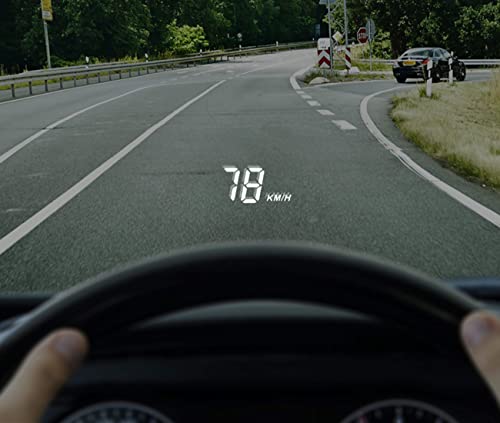
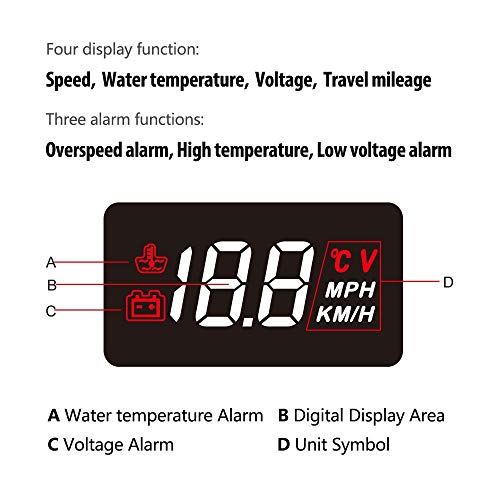
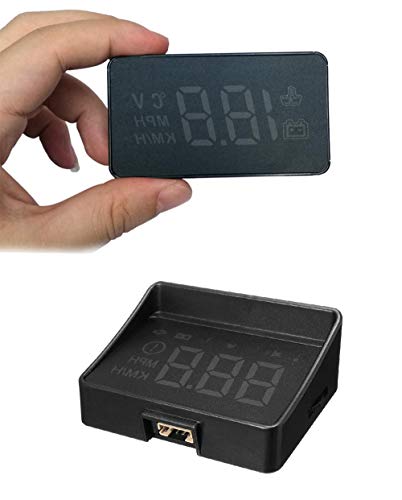
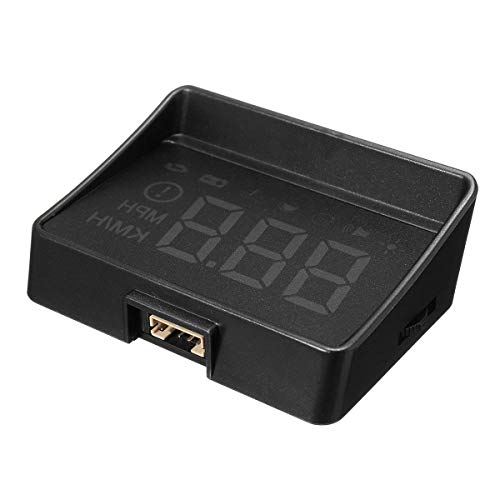
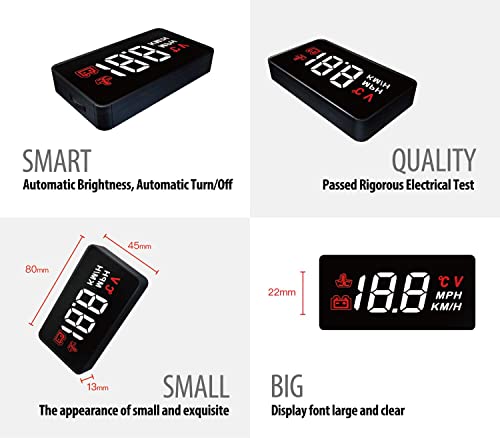


🚗 Elevate your drive with SHEROX HUD — speed meets sophistication!
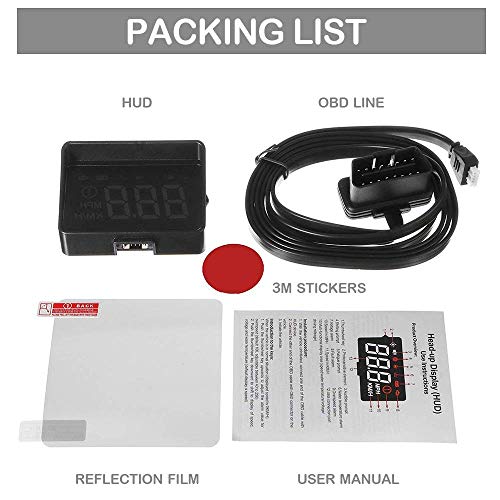
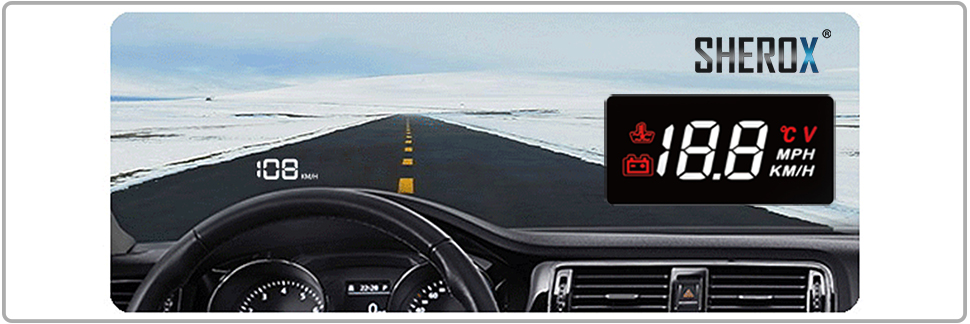
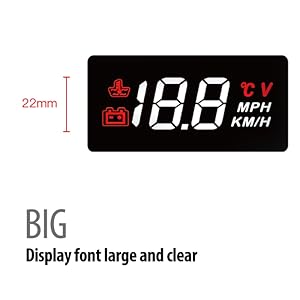
The SHEROX 3.5" Car HUD is a sleek, plug-and-play heads-up display that projects your vehicle speed, water temperature, battery voltage, and mileage directly onto your windshield. Featuring a nano-technology screen for glare-free visibility and three critical alarms, it’s compatible with most OBD2/EUOBD vehicles and designed for quick installation. Perfect for professionals who demand safety, clarity, and a tech-savvy edge on every drive.


| ASIN | B01NADDHED |
| Best Sellers Rank | #634,656 in Automotive ( See Top 100 in Automotive ) #77 in Automotive Replacement Information Display Modules #3,046 in Automotive Replacement Lighting Products |
| Date First Available | November 30, 2016 |
| Is Discontinued By Manufacturer | No |
| Item Weight | 3.17 ounces |
| Item model number | TCA A100 BLACK |
| Manufacturer | SHEROX |
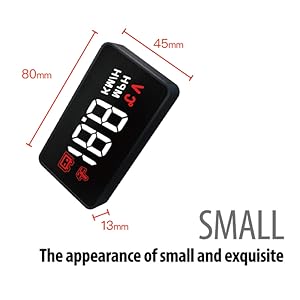
| Product Dimensions | 3.15 x 1.77 x 0.51 inches |
A**R
A "for real" review for after you've read a few silly ones...
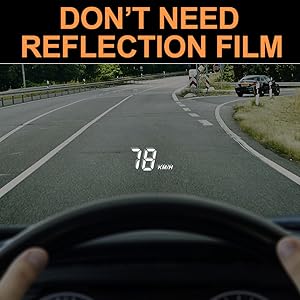
Installed in a 2015 Traverse in 2 minutes. Fooled around with placing it, getting to know it and adjusting it for maybe a half hour. First, short answer, -yes it works great. More on that later. Also, mine arrived already set to MPH instead of KPH, so apparently they've figured out to do that for units being sent to America so you don't have to bother doing it. Also, I am one of those people who just wanted my speed up on my windshield. I don't give a dipsy-doodle about anything else it can do and actually turned off everything else it can do. So this review is for it for use as a speedometer, which it does superbly. Before the glowing review part though, let's address a few things I read about in other reviews that had me wondering: 1. Brightness/visibility: Consider first that every windshield is a little different, meaning how tall it is, what angle it's at, etc, -and that all contributes to how things (including the dash itself) reflect up at YOUR particular windshield. So anyone saying it isn't bright enough or can't be seen, -not true unless you either got a defective unit or happen to have an impossible vehicle to find a spot to place it. I left the cable loose and drove around for awhile trying out different places to put it and found what is ideal for me and my car. There were a couple places I tried that yielded "so-so" visibility, and I found several that were just fine, and one that's perfect for me. Driving directly into the mid-day sun I can still see it ok. Any other lighting conditions it's far beyond just ok. I happen to have crappy eyesight, so if I can see it at high noon, you should be able to as well! In fact, I would advise setting it up during mid-day sun, because once you find the right spot to see it then, you know you will be able to see it at any other time of day. 2. "The sticky stuff doesn't hold it to the dash". Come on man! Maybe the sticky pads that come with it do or don't work, but I wasn't going to put ANY kind of adhesive on my dash that might leave future residue. Go to Wally world and spend 2 bucks on some command strips for gosh sake. Works great and will pull off cleanly some day if/when I want to remove it without leaving a trace! I still have some command strips left over for hanging pictures even. This stuff isn't rocket science! 3. "It's impossible to learn to get around in the menu". Ok, first, it's not that terrible. Second, -how many things have you bought from China and have you EVER gotten a Chinese "manual" that anyone could clearly figure out without doing some liberal deciphering of what you think they mean? Push the button/"wheel" thingy in and hold it till the display goes to the number one. Now look at the little chart in the instructions which actually clearly tells you which number pertains to which function the unit does. move the button/"wheel" thingy up or down to get to the number that corresponds to what function you want to adjust. (Example: scroll to number 2 to adjust the calibration of the speedometer). Once at the function you want to adjust, press the button straight in. It beeps and the speed calibration pops up set to 108. After a little trial and error I set it down to 105 and it now matches my vehicles indicated speed on the dash exactly at 70 mph. Once you're done setting whatever it is you're adjusting, press the button straight in and hold it in till the display goes blank for a second. Let the button go and that's it. You adjusted whatever it is you were adjusting. Nothing scary or weird about it. Just typical Chinese instructions. And I would add that I doubt there's any better instructions with any other Chinese unit you're going to buy, so... - Like somebody else said, I won't be scared of the Chinese taking over the world until after they can make clear intelligible instruction manuals! 4. "You can't turn off the overspeed alarm". That's true. UNLESS you scroll to number 8 on the menu and turn all the alarms off because #8 is for all alarms on or off... I mean... Not sure what the "problem" was supposed to be here ??? 5. I found absolutely no need for the reflective film. Whatever "ghost" image might be there is insignificant. Let's see, what else? I actually compared the readout from this, my dash, and one of those radar speed sign things by the side of the road. Result? You can match your speedometer exactly at say 70 mph, or at 30 mph, but probably not both, because that's just how speedometers work. It will probably be off slightly (1 to 2 mph) at either high or low speed so choose whether you want it right on at high speed or right on at lower speed. I chose to match my vehicle speedometer at 70mph, which puts my indicated 30 mph speed 1 to 2 miles per hour lower than the radar sign thing says I'm going. Close enough for the girls I go out with! AND, even the girls I go out with are smart enough to know that if this thing says 70 we're going 70 but when this thing says 30 we're actually going 28 or 29... Compared to some of the reviewers here, the girls I go out with apparently are rocket scientists! Conclusion/Glowing review: if you can live with a typical Chinese instruction sheet and it being right on at 70 and off by one mph at 30, I would have to say it works absolutely fabulous! It is SO nice to just keep eyes on the road while driving and adjust speed without looking away! -AND, the chicks will think you're a freekin rocket scientist for putting this sophisticated piece of technology in your car all by yourself! Win/Win/Win! 5 stars!
C**N
Perfect. Simple and cleaner than the other HUDs
For a better quality video, search SHEROX 3.5" Car HUD (A100) review on YouTube. I love this heads up display. I previously had the X5 HUD Arpenkin X5 HUD 3" which I also really liked, but it had too many things going on. For instance, the "red line" on the X5 is arbitrary and didn't match my car's and the RPM gauge would frequently flash when I was idle because it thought my RPMs were too low. All in all, it was a good product that I had for around a year and a half. The other HUDs on the market are even MORE cluttered and grotesque looking. Which is why you should buy this. Also, I am not being paid to write this review and I didn't get it for free. Just trying to help you make the right decision. So I had the other HUD for like a year and a half. Until I saw this guy. It doesn't say in the product title, but the model number is the A100. The only thing this displays is your speed, and it has a few alarms it can trigger. Watch my video for a more detailed review, but this thing is easy to install and setup and is very clean and elegant. It also came with 4 circular 3M double sided sticky tape that will hold it in place on your dashboard. The instructions are written in Chinese and then poorly translated into English but it's easy to understand what they're trying to tell you. You should buy this if you don't want to have to look down to see your speed constantly and you want something that is minimalistic. Also, I ordered this on a Tuesday and received it the next day (free shipping for prime members is great!). If you watch my video and you also have to remove your weather stripping it's as easy as giving it a firm tug away from the metal and then putting it back on is as simple as pushing it into place.
K**O
A BETTER VALUE...
I have only had this unit a couple of days, after returning a $2 less expensive one that had poor instructions in broken English, and a slight double image because they didn't include the reflective film. This one is a much better value and works well. I have a question. If my speedometer reads 69 or 70 mph, and the HUD reads 73, what calibration setting should I use to make them match? I believe there should have been more precise instructions for calibrating it, with at least 4 or 5 examples of speeds and settings, so one could tell which direction to go from default, instead of the guess trial and error method they mentioned. UPDATE AFTER 2 WEEK'S USE: I have had the unit a couple of weeks now. Using the reflective film provided makes the speed display clear and sharp. This should be standard equipment in all 2018 Toyota Avalons. When merging with traffic with the cruise control on, the cars's digital MPH does NOT show, and the speedometer is partially obscured, making this HUD ideal for my needs. It is so handy and so much safer to be able to set the cruise control, especially when merging onto an Interstate, without taking your eyes off traffic to see the speed shown on the dash. I still haven't received an answer as to how to calibrate the speed to 106, but it is a definite KEEPER, even when it reads 73 when my speedometer display says I'm going 70. I would give it 5 stars, except I still haven't gotten clear instructions of the specific steps needed to get to 106, which I have so far been unable to find. HELP PLEASE. At least the instructions were in clear English. I asked the other company and they said set it at 106 but I couldn't follow their instructions to do it, either.
R**.
Had mine installed in October 2021 in My RAV4 hybrid and it's still going strong. Its very accurate up to 60kph. At 100kph it shows 102kph and at 110kph it shows 113kph and with all the adjustments thats the best i can get it, which is OK because you think your speeding but your not. Better that than vice versa! In Australia where i live its gets very hot so is best to keep the a/c blasting through the windshield vents to keep it cool otherwise you'd fry the unit. And always use a visor when parked up. The instructions is garbage. I cut the anti ghosting film right down minimum size which isn’t such an eyesore when viewed from the outside. The readout is extremely clear even in direct sunlight. Overall, very happy with it. I noticed a lot of negative reviews about the speed being out, but you have to persevere by adjusting it backwards and forwards with the side wheel until you get it as close as possible. so it’s trial and error. but once you get it right, it’s a great little unit.
N**S
I bought this for the display. I just wanted a clear speed projected. When it worked it did that. However, if you have to use the thumbwheel interface and need the manual to change settings that is a huge frustrating challenge. Out of the box it switched off after 5 seconds (others have reported this). In dialogue with the seller I was sent a user manual and advised to change the transport protocol - 4 to choose from and pot luck if it works. To get to this you have to learn the way the product cycles through various displays and how (and when) the thumbwheel works (allow maybe an hour + and patience!). I succeeded in getting a speed display. Then it started randomly switching off, after between seconds and minutes of use. To start it again, switch the car off and restart. Not worth the effort, I'm sad because the display looked great. 2008 Lexus 400h (oh and now I have a check hybrid system warning!). EDIT - Full Refund given immediately - no hassle. Good and quick contact with the seller.
A**R
Se despegó la pantalla en una hora por efecto del calor del sol. Voy a pedir reembolso.
J**H
Does what it says on the tin. A solid HUD module. ✅ With it connected to the ODB port, it automatically starts up and shuts down with engine ignition so your battery won't drain. ✅ Depending on how good your eyesight is, it's possible to use it without a reflective section on your windshield. I don't need one, but it does ship with a reflective stick on section if you do. ✅ It displays the battery voltage when the ignition first starts, then your speed, which is good to check if your battery's working. You can toggle the display, if you want to drive around seeing your battery level. ✅ It has automatic brightness detection, dimming and brightening the readout automatically via an LDR. ✅ It's a clean display without gimmicks; just the speed, plus some optional icons for warnings, nothing more. ⚠ The glue they've used to stick the cover to the box is not great; any level of heat will cause it to peel up, but it's pretty easy to just use some duct tape or whatever to stick it more permanently. ⚠ It almost certainly will not accurately match your actual speed at first; make sure you follow the setup guidelines to go through settings and set the right speed scale. As long as you keep the warnings in mind, it won't do you wrong.
M**R
Yes you could get away with not using the reflective film but using it gives a much clearer image. I did not have to adjust any speed values,( Mazda3 BL Series) only needed to set KPH instead of MPH. Read the enclosed instruction sheet thoroughly and find some You Tube tutorials relating to working with the menu. I ordered a Sherox brand unit, but the item I received does not carry any brand markings, so I have to take it on blind faith.
Trustpilot
1 month ago
3 days ago