

🖨️ Print Smarter, Save Bigger — Ink That Keeps Up With You!
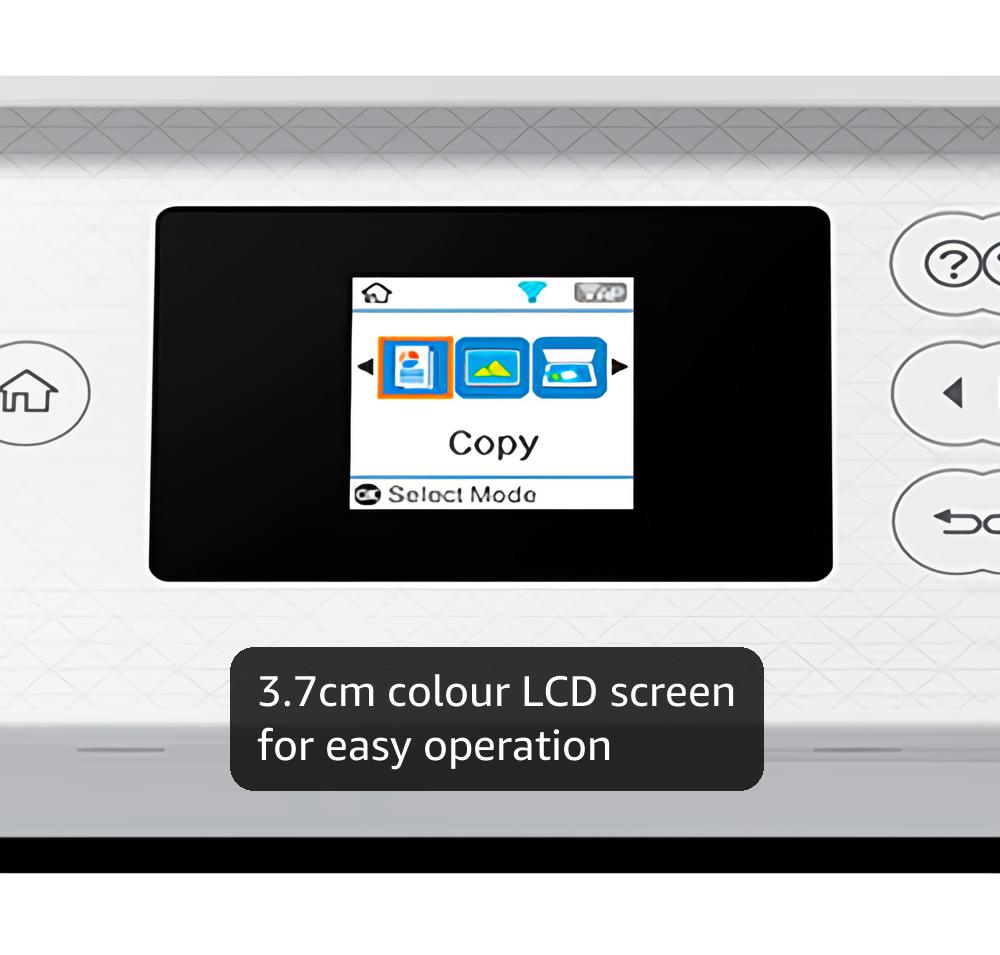
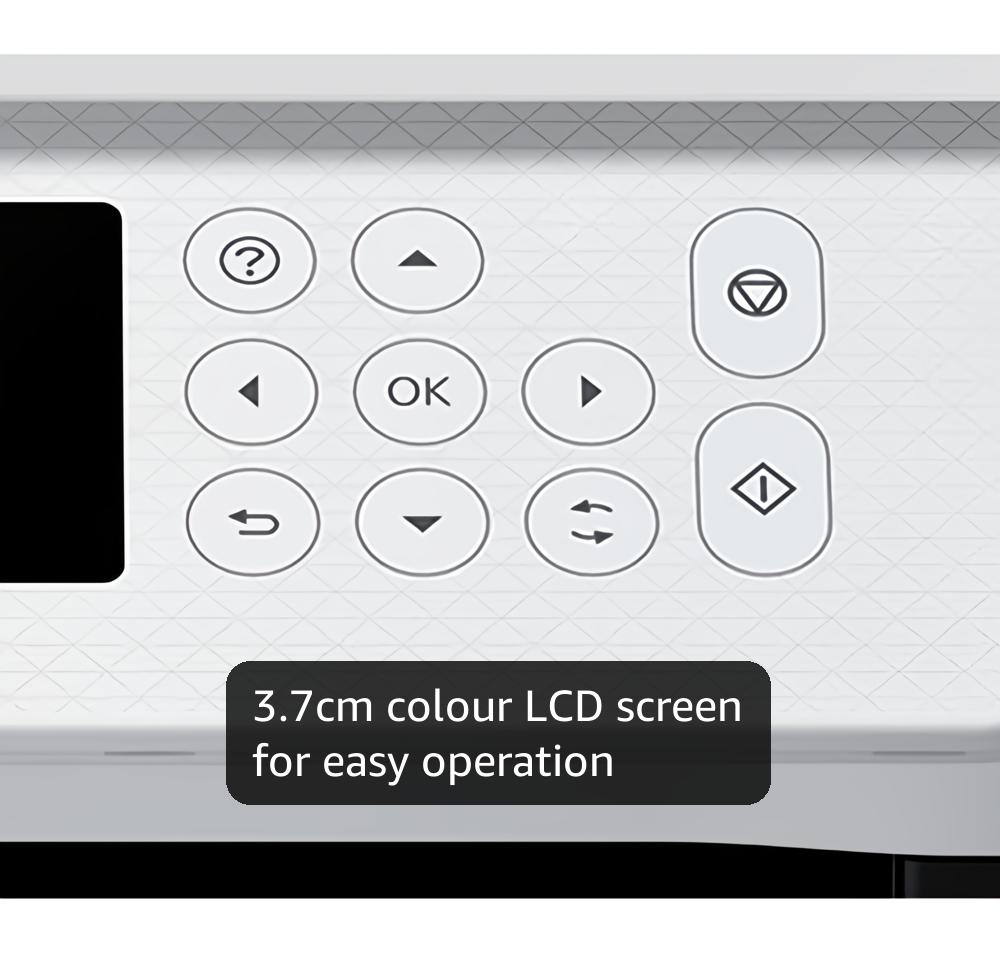
The Epson EcoTank ET-2856 is a multifunction inkjet printer designed for professionals who demand efficiency and economy. Featuring ultra-high capacity ink tanks that deliver up to 14,000 black and 5,200 color pages per refill, it eliminates cartridge hassles and cuts printing costs by up to 90%. With automatic duplex printing, a vibrant 3.7cm color LCD, and seamless Wi-Fi connectivity, it integrates effortlessly into any home or office setup. Control your print tasks remotely via the Epson Smart Panel app, while energy-saving heat-free technology ensures eco-conscious operation. Ideal for high-volume printing with exceptional quality and minimal downtime.


| ASIN | B09GKY3YF8 |
| Additional Printer Functions | All In One |
| B&W Pages per Minute | 33 |
| Best Sellers Rank | 347 in Computers & Accessories ( See Top 100 in Computers & Accessories ) 1 in Ink Tank Printers |
| Box Contents | Printer |
| Brand | Epson |
| Brand Name | Epson |
| Color Pages per Minute | 15 ppm |
| Colour | White |
| Compatible Devices | Laptops, PC, Smartphones & Tablets |
| Connectivity technology | USB, Wi-Fi |
| Control Method | Touch |
| Controller Type | iOS |
| Country of Origin | China |
| Customer Reviews | 4.0 out of 5 stars 1,126 Reviews |
| Display Type | Color LCD screen |
| Dual-sided printing | Yes |
| Duplex | True |
| Hardware Interface | Ethernet |
| Initial Page Print Time | 16 seconds |
| Ink Colour | Colour |
| Is Electric | Yes |
| Item Dimensions D x W x H | 34.7D x 37.5W x 18.7H centimetres |
| Item Type Name | Inkjet Printer |
| Item Weight | 5.4 Kilograms |
| Item height | 18.7 centimetres |
| Manufacturer | Epson |
| Maximum Copies Per Run | 100 |
| Maximum Copy Resolution Black and White | 300 dpi |
| Maximum Copy Resolution Color | jusqu'à 4800 dpi |
| Maximum Copy Speed Black and White | 33 ppm |
| Maximum Print Resolution Black and White | 4800 dpi |
| Maximum Sheet Capacity | 100 |
| Maximum print Resolution Color | [Estimated] jusqu'à 10.5 dpi |
| Media Size Maximum | 8.5 x 11 inch |
| Model Name | EcoTank ET-2856 |
| Model Number | C11CJ63402 |
| Model Series | Ecotank |
| Model name | EcoTank ET-2856 |
| Network Connectivity Technology | USB, Wi-Fi |
| Number of Drivers | 3 |
| Number of Ethernet Ports | 1 |
| Number of Trays | 1 |
| Other Special Features of the Product | Auto-Duplex |
| Output sheet capacity | 100 |
| Paper Size | A4 |
| Power Consumption Size | 12 Watts |
| Print media | Paper (plain) |
| Printer Output Type | Colour |
| Printer Resolution Vertical in Black and White | 10.5 Centimeters |
| Printer Type | Inkjet |
| Printing technology | Inkjet |
| Processor Count | 1 |
| Product Warranty | 1 Year |
| Resolution | 5760 x 1440 |
| Scanner Type | Flatbed |
| Special feature | Auto-Duplex |
| Specific Uses For Product | general office use |
| Total USB 2.0 Ports | 1 |
| Total USB Ports | 1 |
| Unit Count | 1.0 count |
| Warranty Type | limited warranty |
V**Y
Great printer - very cheap to run with excellent prints
I bought this when on offer. Epson honoured the 5 year warranty and the £30 cashback which was on offer at the time. Since buying this I printed all my homemade Christmas cards on 250gsm card (using Epson print profile, high quality, standard paper setting). The colours were vibrant and no smudges or strange marks. I have printed labels, documents and many other items since and the ink quantity has hardly moved. It is not a duplex printer but it is easy to manually do this. Not tried printing on photo paper yet, so can't comment on that. It was a faff to set up the network, but I found a video on YouTube which helped a lot. I also connected via usb for the first initial driver set up and downloaded the drivers etc from Epson. Setting up on the phone was easy, though. To keep the printheads clean and the ink flowing you can also assign an email address to it so if on holiday for over a week, you can send a print to it whilst away (either directly or set up a timed email) without having to connect to your phone. I really like this printer and seems to cost pretty much nothing in ink for good quality prints. I would recommend
S**C
Great quality, fast, simple to setup and use.
Best printer we've had by far. Prints quickly and we're impressed with the print quality, photos look good enough for display Print quality does suffer without regular cleaning but the ink last for ages. The printer was straightforward to set up and the ink was easy to fill and there was even some leftover for a refill.
J**B
Good printer, set up a bit of a pain!
OK for a start I read reviews on here and elsewhere, so many really good but quite a few negative about the problems setting up. As I had two older epson xp printers and one of them died completely I looked at the new eco tanks thinking this would be the answer, no more cartridges that don't last very long. I didn't want it to connect to a smartphone, just my Chromebook. I spent a few hours when it was delivered just trying to connect to the wifi, so I just connected via a USB cable and it worked. Not ideal but it worked. So scouring youtube I finally found a tutorial on how to connect my Chromebook to the wifi. A few minutes later it was done :) I am really pleased with the quality of the print outs, I did have a problem with blank pages but as it was an instruction manual I was printing, in advanced settings ticking the option 'print as image ' sorted it. The great thing now is that I don't have to restrict what I'm printing as I know the ink will last. Plus I don't mind paying the cost of the genuine ink bottles as they are quite reasonable? I really wish Epson would do similar youtube videos to help with set up. It would make it so much easier?
M**E
Fine as a basic printer, but a nightmare for networking / AirPrint – worst setup experience I’ve had
I work in IT and have been dealing with all kinds of printers for years. I can honestly say I’ve never spent so much time fighting a printer as I have with the Epson ET-2860. As a printer, it’s OK. Print quality is fine and the ink tank concept is good. As a networked printer, it’s extremely frustrating. Key issues: ❌ No native AirPrint support (in 2025… seriously) ❌ Incomplete / inconsistent IPP implementation ❌ Requires Epson-specific drivers for reliable operation ❌ Unreliable discovery on phones and tablets Because it doesn’t support AirPrint, I tried setting it up properly using a Raspberry Pi as a print server (CUPS + Avahi), which is a very common and well-documented solution for non-AirPrint printers. What followed was hours of troubleshooting: IPP advertised but missing required attributes “Driverless” printing no longer working on modern systems Android sometimes seeing the printer, sometimes not iPhone often seeing nothing at all Constant conflicts between direct printer discovery and the print server Behaviour changing depending on cache, Wi-Fi state, or reboot order At one point the printer was technically advertising everything correctly on the network — and phones still refused to show it. That’s not a home-user problem, that’s poor standards support. Bottom line: If you only ever print from a Windows PC using Epson’s software, you’ll probably be fine. If you want AirPrint, clean IPP, or reliable mobile printing, avoid this model. I would not buy this again, and I wouldn’t recommend it to anyone who expects modern, standards-based network printing to “just work”.
G**J
So far so good. (Updated 24 Dec)
So far so good. Set up yesterday. I have printed and scanned to my own laptop and my OH has set up on his. My previous Epson lasted for 9 years with pretty hefty domestic use and I have another in France which has lasted 13 years, so this one has something to live up to. I'm not unused to setting kit up, but at an advanced age, I would say the issues here were, a) I should have downloaded the app at the beginning. My fault. b) Duh moment. I thought the password for setting up the wifi was the router's one. Duh again. It's the printer password. But the instructions say the password is in the side door of the printer. It's in the front door. But once found, noted. c) Reassuring that the ink does not flow unless it's aligned properly. Went in like a charm. (But I kept some kitchen paper nearby in case of splatter. I'll update this with any future issues. But for now, it's fine. Oh, except you can't register online for some reason, so I'll be phoning Customer Support and asking why. You have to register for the 5-year job within 30 days of purchase. And the printer is still great. No issues. And I managed to get the £30 cashback by registering via an agent on the Lenovo site.
B**N
Pretty good all round printer with unkown extras on the Epson site.
We decided to buy an ink tank printer as we'd already wasted far too much money on cartridges. This one was replacing a HP Envy 6032e. I didn't really consider going for a HP ink tank printer as I've had 4 HP WiFi printers over the years and all of them have suffered with WiFi issues (occasionally just refuse to print over WiFi and require driver re-installs and other time wasting fixes (which my HP accredited tech support Son has had to deal with). My Granddaughter has an Epson WF printer she uses for working from home and she told me it's been faultless and advised me to go with Epson. At the time of purchase the ET-2860 was £180 (annoyingly, 2 days after delivery there was a voucher for £10 off that price). Installation via USB is very easy, pretty much plug and play. Installation over WiFi on a Windows PC was a little bit of a faff but nothing majorly difficult. The PC was connected to the router via a physical network cable, while trying to install the printer the software kept saying it couldn't detect the printer. The suggestions to fix it were a bit sparse. As the PC also has WiFi, I decided to disconnect the network cable and try again with the PC connected via WiFi. Problem fixed, the software now detected the printer and installed it without any other issues. Once done, changing all the printer settings etc was no different to pretty much all other printers. Filling the ink tanks is quick and simple. The one thing to watch out for is the fact the attachments on all the bottles is the same so you can accidentally put the wrong colour inks in the tanks, just make sure you double check you're putting it in the right tank and you'll be fine. Print quality is pretty good, text and diagrams etc are sharp. Photo's are pretty good but it wouldn't match up to a printer aimed at high quality photo printing. I printed a photo on some 240gsm semi-glossy paper, the printer had no trouble with the papers weight (it's rated for up to 300gsm) and the printed image was rather good. Colours weren't quite a match for what was on the screen (not as vibrant) but that was more likely to do with my monitors colour settings. Even so, the photo still looked quite nice. I've no doubt some image editing would improve the colours of the printed photo. The only part of the photo that didn't look very good were scenes with blocks of dark gradients (like a large body of water on a dull day). It's didn't look bad and from from more than a foot away you probably wouldn't even notice. The scanner is OK, much like the scanner on any other printer these days. Easily good enough for copying documents and photo's with good accuracy. Like other scanners, set the dpi to the higher settings and it will take a quite while. After the printer was installed I was looking at the features etc, Epson have 2 different sections on their site for templates. I was surpised at how many they had and how varied they were. All sorts of craft projects, birthday/etc cards, photo frames, wrapping papers (obviously for small items with this printer seeing as it's A4). I'm going to have lots of fun with that as I do like making my own cards and things. If HP have anything like that they don't go out of their way to make it easy to find. Overall I'm very happy with the printer. The only things it lacks which you would expect on printers in this price range is a paper tray (which I prefer to rear tray feeding) and automatic duplex. I'm not taking away any stars for those as I knew that before buying. I did consider the ET-2850 as it does have auto-duplex but it was £70 more and I don't need it enough to warrant the the extra cost (the 2850 also still has rear loading paper, if it also had a proper tray I may have bought it - hope you're listening Epson, many people prefer a tray). My £70 HP 6032e that this replaced had both auto-duplex and a proper paper tray, the only other real different between the HP and this Epson is the ink takes so it is a large expense for a printer that effectively has less features. Over time the Epson will of course cost less as replacing the inks is massively cheaper (I did have a HP Instant Ink subsription but paying per page rather than how much ink you use only works out worthwhile if you're covering the pages in ink, which I don't often do - especially as we print a lot of A6 postage labels). Knowing the future ink cost savings I think this is a worthwhile investment. My Son wants to do sublimation printer and apparenty Epson EcoTank printers are the best value for that too.
H**Y
Frustrating, but worth it.
I bought this printer in December of 2024. It is now October 2025. In that space of time, I have had 2 replacement machines from Epson. The problem being the paper feed and the dreaded false paper jam issue. I use several weights and types of paper; all of a fairly decent standard, but this printer is not happy with anything over 200GSM. It has the function to change/recognise different paper types, however I don't see any difference between "plain paper" and "photo paper" print-outs. Epson clearly states that this model can accept anything up to 300GSM, but that only works when you use official Epson paper, which is ridiculously overpriced. There are times when it will feed through 300GSM no problem, but it still pushes blanks through. Then there are times when it just jams the paper, even though it printed on it fine the day before. When this happens multiple times in a row, the printer can just give up and say "paper jammed - contact Epson support." Even though there is definitely nothing inside jamming the printer, and you do a full clean, open it up to check inside, reboot, etc, it still shows that error message. Sometimes a reboot will fix the problem, but if that message still appears, the printer is gubbed and will not print anything until either Epson send an engineer or a replacement. To be fair, they were very helpful on the Epson Support chat and arranged for a new printer to be delivered within two days. It was reasonable, but not great for a small business that depends on printing every day. I do full maintenance checks regularly, keep the software updated, reboot regularly, and keep it clean, so there is no other reason for these issues than poor quality mechanisms. The paper feed sensor is extremely flimsy and was the reason for my second replacement. The first was due to the false paper jam. Epson blamed my use of matte photo paper that wasn't Epson branded. For a printer that cost almost £300, I expected it to function a lot better than this. I do use it a lot, but I've had a £30 hp printer that could handle more without any tantrums. Other than that, it IS a better option than cartridge printers, it is very easy to set up via your mobile phone, has WiFi connection for remote printing (great so long as there's no problems to fix), prints great quality full-colour images, is faster than most other home inkjet printers, isn't too loud or big, and refilling the ink is super easy. It comes with 4 bottles of ink (BYMC), however new Epson ink bottles cost a fortune (around £35 for the set). There are plenty of cheaper options on Amazon that print exactly the same quality as Epson ink (around £11 for the set). To sum up: frustrating as fk when it becomes temperamental, a bit expensive to buy, but a good investment in the long run. Always contact Epson support if you have issues. There is a one year manufacturer's warranty, so use it if you need to.
M**K
great printer!
Couldn`t be more pleased with this printer, it was so easy to setup. It comes with four bottles of ink, which apparently can last upto 3 years, but that clearly depends on how much printing you do. Before i purchased this printer, i checked online about how much refills would be for this and was astonished to see that you can get the four bottles (one of each colour) for around £10 and this is why i`ve always liked Epson! Great printer, great value and ink is cheap, you can`t go wrong :)
Trustpilot
1 month ago
1 month ago



