


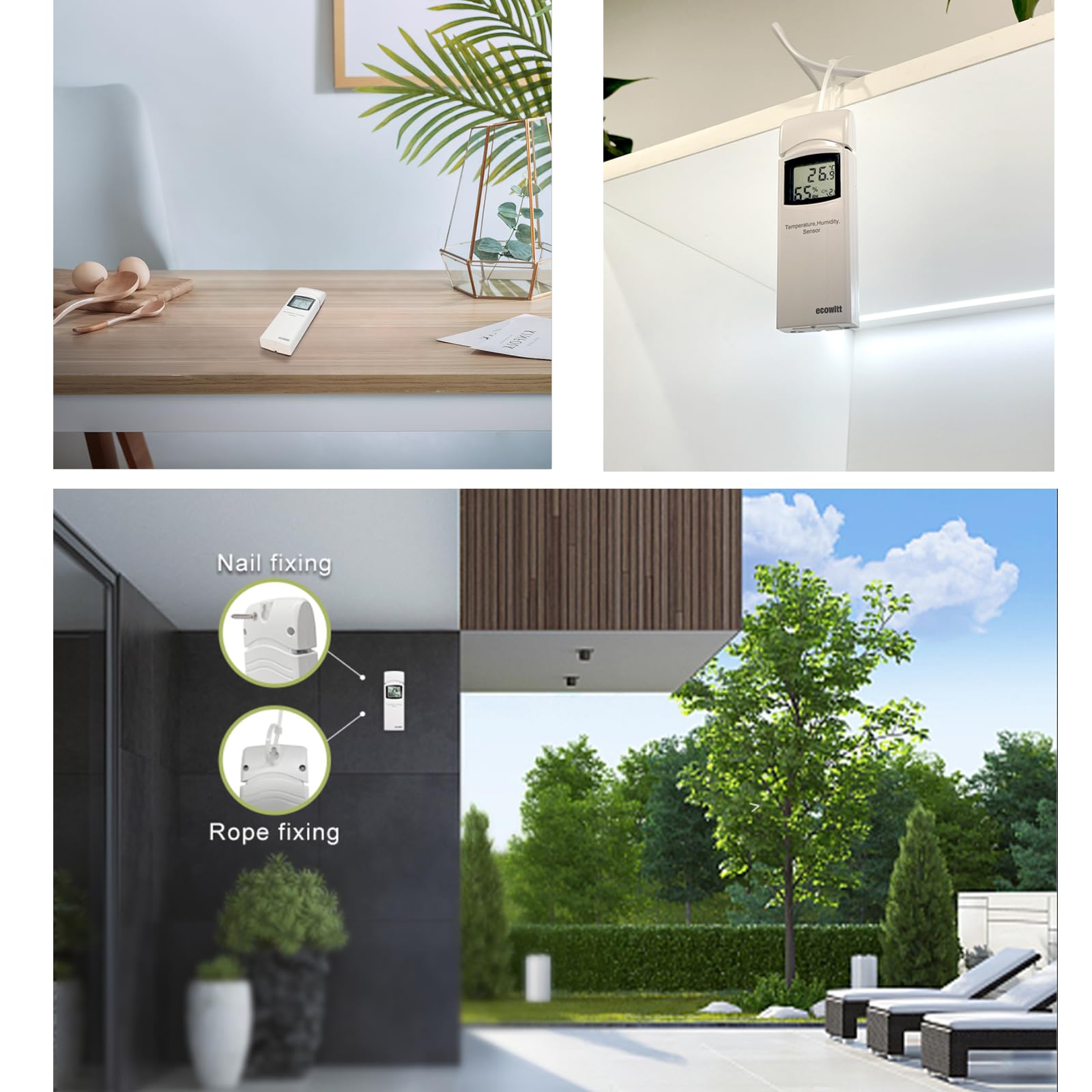
⚡ Never Miss a Strike – Lightning Detection That Keeps You Connected
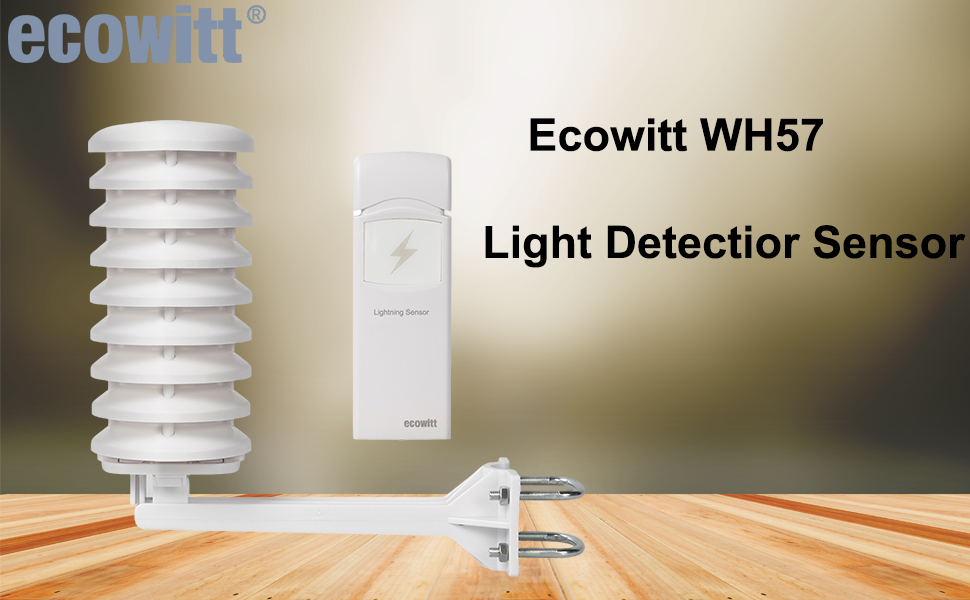
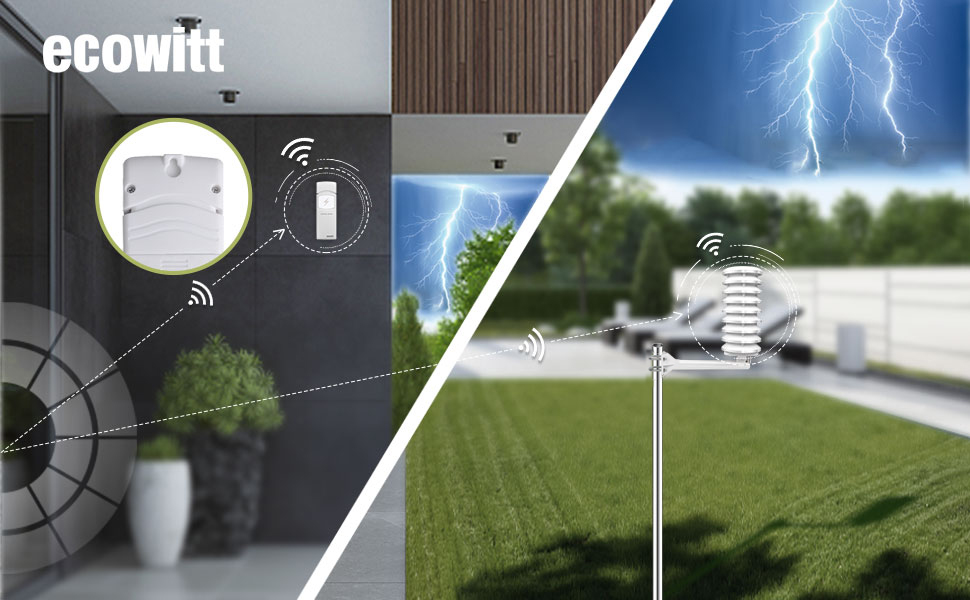
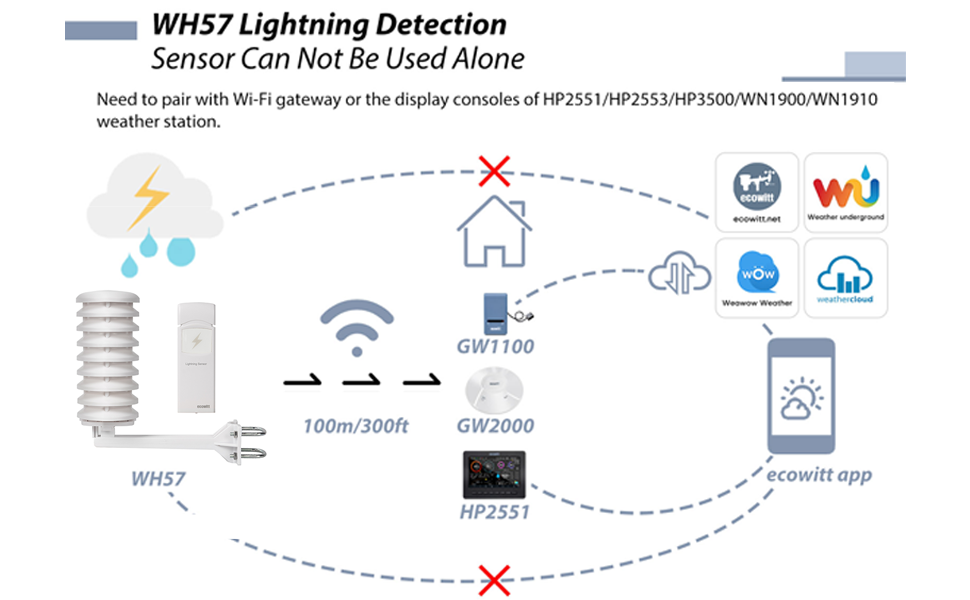
The Ecowitt WH57 Wireless Lightning Detector Sensor extends your weather station’s capabilities by detecting lightning strikes within a 25-mile radius. Designed for outdoor use, it pairs with the GW1100 WiFi gateway (sold separately) to deliver real-time lightning data, historical graphs, and email alerts via the Ecowitt and WS View Plus apps. Lightweight and battery-powered with a solar radiation shield, it’s perfect for professionals needing precise storm tracking and safety monitoring.
| Manufacturer | ECOWITT |
| Part number | WH57A |
| Item Weight | 70 g |
| Product Dimensions | 13 x 8 x 20 cm; 70 g |
| Batteries | 2 AA batteries required. |
| Item model number | WH57 |
| Colour | WH57A |
| Style | WH57 Light Detector Sensor |
| Material | ASA |
| Power source type | Battery Powered |
| Display style | LED |
| Plug profile | Wall Mount |
| Special Features | Lightweight |
| Specific uses | weather monitoring, storm tracking, outdoor event planning, safety enhancement in various settings such as construction sites, sports fields, or any other location where there is a need to monitor lightning activity |
| Included components | Sun Radiation Protection, Mounting Arm |
| Batteries included? | No |
| Batteries Required? | Yes |
M**N
Simple setup, great functionality
Bought this after having purchased an Ecowitt WH40 rain gauge, decided that it would be nice to be able to view the output on my mobile as well as the display panel in the kitchen. Download the app and register with Ecowitt for a free account. Can then see a global map with Ecowitt users' data from their weather stations. Fascinating! This gateway receives the data frame transmitted from the rain gauge every minute to the display panel. Then sends the data to the Ecowitt server which in turn pushes it back to your mobile, tablet or computer. There's also the option to make the data publicly available. Tiny little box with a USB-socket on the back. Just power it from an old mobile charger - cable supplied for that. There's a remote sensor on a wire fixed to the gateway for internal temperature and humidity plus an internal barometric pressure sensor. Setup involves connecting to your mobile via a temporary wifi hotspot in the sensor to configure it to connect to your normal wifi. Plus a few other settings which are self explanatory. On the front are LED indicators for Wifi and RF (from your sensors) to confirm all is working OK. Once complete my local rainfall and barometric pressure was publicly visible. My phone & tablet Ecowitt apps show the same plus internal temperature and humidity. So simple and so neat. Finally purchased a WN32 outside temperature and humidity sensor. Put the battery in and 1 minute later this data was available too - no further configuration needed. Can't recommend this and the other Ecowitt pieces highly enough.
S**S
Good Weather Station - with one caveat
I purchased this GW2000 with the WS90 7in1 sensor array (piezo rain guage) and a separate tradional WS40 rain sensor - I wanted to compare the two methods for accuracy. I've had a Youshiko weatherstation for years and prodiuce offline analytic on excel so I consider myself a demanding weather buff. Pros: Plenty of sensor choice. Good display & analytics. I post my data to Wunderground, Weathercloud and Met Office WoW sites..this works perfectly though working out how to connect to the Metoffice site is challenging..you make up your own station key - it doesn't come from them i.e. it's really a password. The Wunderground site graphing is best to show if you have intermittent connectivity as they show the gaps in data (see cons below) Really good battery level reporting showing voltage of sensor battery and the solar (capacitor) voltage..this is great as it means you don't have to get a ladder out if you suspect the batteries need changing. Use Lithium batteries for best results. Do not use NiCd as these have a lower voltage (1.2V~ compared to 1.5V). Ecowitt App is very good I use it on an Android Samsung tablet instead of buying the bespoke display which is expensive. Cons This applies to the GW2000 (sw 3.0.6) only not the sensors. I initially connected to my wifi router..only 2.4GHz band supported (10 feet away). I kept seeing varying signal strength 5 bars to none regularly dropping out..the Ecowitt live data view is written to make you suspect the sensor to GW2000 connectivity is the issue..It isn't, their 'signal strength' icon actually refers to the wifi strength. I swapped to RJ45 wired connectivuity turned off the wifi on the GW2000 and it has been rock solid ever since. So far I really recommend Ecowitt..longevity of sensors I can't comment on yet.
J**M
Tested. It works.
I must say, I’m surprised at just how well this lightning sensor works. I was lucky enough to have a major thunderstorm forecast in my area within 24 hours of setting it up, so I was able to see it working! See the photos of the display console and the graph from the app. I installed the lightning sensor with Energiser lithium batteries and the switches in default setting. Installation was easy. I already had an Ecowitt HP2564 weather station and display console (which discovered the new sensor immediately), so I attached the lightning sensor to the plastic mounting pole (see attached photo). During a thunderstorm the following day, I saw a lightning flash, followed some seconds later by thunder. About a minute later, the weather station recorded the strike at about 5 miles distant, which seemed right by my calculations. The most distant strike recorded was at 27 miles. I am very pleased with my purchase. It performs as well as I had hoped.
V**L
Good but a few niggles.
So far so good. The main issue I have was the weather prediction, on the console. So far it has predicted rain in sunny conditions!! However I read in the manual it can take up to a month to collect enough local data in order to be accurate. So hopefully that issue will resolve itself. The main weather sensor looks well made & watertight, although I have put silicone on the exposed reset switches underneath the unit. The console itself is a bit dissapointing visually & looks quite cheap in light blue. I should have bought the more expensive better looking unit :0 This console unit does not display data from my soil moisture sensors, so I have to use the cloud application to get that info over the internet. Initially the console unit would not log onto my BT router, however I reset the BT router & it was OK. Overall I am happy with this setup so far. As I understand it a seperate router is required to pick up data from any other external sensors.
D**0
GW2000 works with my old Waldbeck Halley station :)
The GW2000 can be connected to your router with an ethernet cable or over wi-fi. It's powered by a supplied USB cable as opposed to the GW1100 that has a USB fixed plug that you have to plug into a USB socket. However there is no USB power adapter included. I just feel the GW2000 gives more flexibility in use and set up over the GW1100. It has a temp & humidity sensor at the end of an attached cable. I already owned a Waldbeck Halley weatherstation which came with its own hub and a wireless temp & humidity sensor. All have worked really well for several years now but the wi-fi base station didn't have its own temp & humidity sensor and was limited to only being able to connect to the weatherstation and the one supplied wireless sensor. Having seen how the Ecowitt system has developed I decided to take a chance on the GW2000 when it was discounted to less than £42. This is because it can connect to multiple external sensors. I gambled that it would connect to my existing weatherstation (It uses 868 MHz) as I suspected it was made by Ecowitt and just branded by the German company Waldbeck Halley(WH) and it did! So now I can expand the system, I can have sensors in the garage, outbuildings, in the loft and I plan to have a water temp sensor in my pond. You can also add air quality and lightening sensors if you so wish. Instructions are clear with diagrams, screenshots and in English not Chinglish. Ecowitt are a Chinese company but seem to be doing so well they've made a real effort to make it as easy as possible for the end user. Please take note other companies who just seem to use a poor version of Google translate having an off day. Once you have connected the GW2000 to your home network through the app, the weatherstation and each sensor connect automatically. I can now use the updated Ecowitt and WSview plus apps which are much better than the original WSview. The new apps show current data from the main station and all the connected sensors but also graphs of data changes across a daily period, 24 hours, weekly, monthly, yearly, across 7 days or 30 days. It marks the lowest and highest data points for each sensor across the data period you choose and set alarms although I haven't tried that yet. It allows you to give custom names to each sensor, for example "garage". It also allows you to see the weather data from thousands of fellow Ecowitt weatherstation owners around the globe! (You can choose to make your data hidden). Not only is it fascinating to see that data but you can see weather approaching your area and also check how accurate your station is compared to your neighbouring ecowitt users. For example right now my station is recording 0°C outside while a user in Zambia is recording 33°C and my nearest fellow users are at 1 to 3°C but I'm about 70 meters higher in altitude than them. Overall a massive upgrade to my existing weatherstation and having the GW2000 means that when my original WH weatherstation gives up or gets damaged I only need to purchase a replacement Ecowitt weatherstation. I am left with the original WH/ecowitt base station and wireless sensor which will still work together but only with each other (unfortunately the WH wireless sensor has a fixed frequency and it seems that the GW2000 only connects to more recent versions where you can change the frequency of the wireless temp & humidity sensors via dip switches in the battery compartment) but I figure it's not worth the extra electricity cost using them when I can add more of the newer sensors and have them all displaying on the same screen. I can wholly recommend the Ecowitt system. It's well worth the extra money over cheaper alternatives.
A**D
Easy to install
Item fitted today and the set up instructions weee very easy. Connection to the Ecowitt mobile app was done automatically and so was the connection to my Ecowitt WittBoy Pro weather station. I will update this post once I’ve had the opportunity to monitor its performance. So far so good and if it matches the weather station then it’s worth buying.
F**Y
Compact unit compatable with Ecowitt weather station
Compact unit with outdoor weather protection kit. Bracket can be fitted to a pole or wooden fence post. Once assembled easy to remove the sensor itself for adjusting or battery replacement. It connected easily to Ecowitt 2000 hub. The sensor itself is small and about size of a small TV remote control. Dip switches to adjust for it's location. It came factory set for outdoor location. However instructions imply it can be used indoors (without the weather protection shield) but it seems outdoors away from home electrical interference is preferable. I cannot as yet verify it's accuracy as no storms in this area to prove it works! It seems well made and does connect to the Ecowitt Web pages on PC and app on Android phone. Time will tell if it does detect lightning within 25 miles of my location. It seems costly but if you want more detailed information linked to Ecowitt weather stations, mobile phone app, maps and Wunderground etc then worth considering.
Q**R
Automatically registered by GW2000A hub, eventually.
Nice, I'm able to track temperatures in many different areas of my house, with my GW2000A hub, for summer cooling and warming trends, and winter cooling and warning trends. I'm experimented with different cooling and heating ideas, which will hopefully show me which cooling/heating ideas work better. Update 2025-11-18 One of my new three is in my chilly loft, with two Ni-MH AA's, another in a outbuilding, with seven of the eight with Alkaline AA's. The signal strength and battery charge telemetry look good for all so far, and will hopefully stay so for many more months. If the loft Ni-HMs last enough, I may switch to using Ni-MHs in all of them, to save having to buy/keep so many spare Alkaline AA's. So, I've got 10 Temperature/Humidity measurement sensor units being logged now, including the hub and WS69; but I'd prefer it if the hubs could support at least 2 more such sensor units. These sensors show the benefits of coverage and various insulation, including Double Glazing, in unheated areas. Fine Offset's, and other kit with regular temperature and humidity logging, made it trivially easy for any rational people, with seeing eyes, to identify, using the Scientific Method, that cloud (water vapour) is the real "greenhouse gas", NOT CO2! This made the criminality of the unscientific, very political, anti-Carbon propaganda, and the consequent fraud, harassment, and unjust enrichment, for decades, blindingly obvious.
Trustpilot
1 week ago
2 weeks ago



