
🚀 Elevate your AV game with the ultimate 4K matrix extender—because your content deserves the spotlight.
The OREI 4K 4x4 HDMI Extender Matrix delivers ultra-high-definition 4K video at 60Hz with full 4:4:4 color fidelity over a single CAT5e/6/7 cable up to 230 feet. It includes 4 loop outputs, 4 receivers, and supports advanced features like HDR switching, RS-232 and IR remote control, HDMI 2.0, HDCP 2.2/1.4, and 7.1 channel audio pass-through. Designed for professional and home media setups, it simplifies multi-display management with a single power supply powering all units.





| ASIN | B092LCD3MP |
| Best Sellers Rank | #87 in Audio & Video Selector Boxes |
| Customer Reviews | 4.4 4.4 out of 5 stars (256) |
| Date First Available | April 14, 2021 |
| Item Weight | 3 pounds |
| Item model number | UHD48-EX230-K |
| Manufacturer | OREI |
| Product Dimensions | 12.5 x 4 x 1.5 inches |
K**3
Multiple TVs
This right here saved me so much money on a project; great value for money. It carried 4k over 100' and kept the picture quality and sound quality. Easy to use, and functional.
A**R
Easy to install
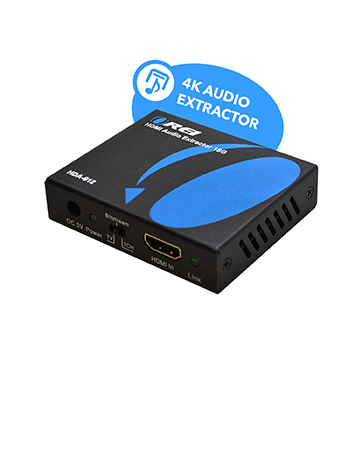
Purchased for a sort of media cabinet i'm building that has two Raspberry Pi 4's, a mini Windows 11 computer, and an extra input/output for a 3rd Raspberry Pi 4 to plug in as a test. I'm also using the Orei HDA-912 audio extractor (two of them), plugged into the loop out hdmi on two of the outputs. I need the same content extracted from a playback but at different volumes, so using two of those audio extractors make that possible. No interruptions on an output if I select another output to that same source. I did have to perform a factory reset...I couldn't log into the web interface, but was able to get to the login screen. Only way to reset it to default is via an RS232 command, which it came with the cable to connect to the rear of the unit and has a 9 pin female plug that will plug into a computer serial port, but I had no working computer that possessed such port, so had to acquire a USB to serial cable at a local retail store. I ended up adding that RS232 to USB cable to my installation, as I found a way to remotely control it (and thus automate it as well) by having the mini Windows 11 PC send commands to the Matrix using a simple batch file (power on/off, select inputs/outputs, or recall a preset). Only power supply needed is the one that connects to the Matrix, it is able to power up to 4 receivers via the CAT cable.
T**S
Quality HDMI switch and extender
This unit surprised me. It relplaced two hdmi 4 port extenders and is 4K. Out of the box it defaulted to 1080p, but after figuring out how the web interface works, its now almost perfect. Its lacking wifi and ARC support, but for the price its a great value and offers more options than what i had previously.
J**N
Works
Works reasonably well. Sometimes will not connect without some on/off cycles but might be because of other devices or cables. The 2 output version with pass through was useful for me
J**H
Awesome Product!
Plug and play, gotta love technology. The only thing I will say is I have cat5e cable and 1080 signals come thru fine, when switched to 4k input, I get white blocks all over the screen. And sometimes I do get white dots flickering on the screen even in 1080p but only on my newer Sony 75” tv for some reason, it’s only noticeable in dark images, and I attribute that to the wiring not being cat6 or higher, I plan to change the wall outlets the receiver is plugged into, as sometimes I replug the cords into the outlet and the dots go away, but again only my 75”, other TVs 55 and below no issue at all. IR sensor placement is crucial, inches make a difference. Am able to feed Comcast box and security nvr to all my TVs now. Programmed all remotes of different inputs devices into logitech hub based remotes at each receiver station with the Matrix transmitter ir taped to the ir repeater of the logitech Harmony remote. Works perfectly.
R**N
Round Ethernet Cabling Makes a Difference
We ordered the OREI 4X4 Extender Matrix to replace a projector system in our church. The Extender is very easy to install and operate. We initially experienced problems getting a signal over 65 feet from the extender to our new LED monitors, and our configuration required a minimum of 135 feet. We had hoped to use the existing CAT-7 Ethernet shielded cabling we had in place for the projectors. It was shielded but was the FLAT white style. The OREI technical support team suggested that we use ROUND shielded CAT-6 cable. We purchased 150 ft. of the round cable to test the recommendation, and it worked great. We have now replaced all our existing cabling with the round shielded cable and the video system completely meets our expectations. Based on our experience, I highly recommend that all users of the OREI UHD48-EX320-K Extender Matrix use only ROUND shielded Ethernet cable.
J**N
Exactly what I was looking for but with issues ...
UPDATE: Device stopped working. Everything looks like it is fine but the remote screens are not displaying picture. This could / would be what I want it to do but running into some issues. This was bought to replace a different brand that works but at the time, did not include IR. 1. The receivers cannot be powered over the ethernet cable. You have to plug in all receivers. 2. The IR blaster is big. My source sits on a shelf with no room in front to install the IR blaster. I typically can install other IR blasters up against the IR of the source. This has a solid bottom so when I tried to install it like other smaller typical IR blasters, the IR receiver does not see it. My fix was to wrap the cable with a fairly stiff wire and have it stick out from the shelf so that it can get a good line with the IR receiver. I will need to play with this multiple more times to see if I can get it to work without sticking out (sticking out runs into issues with people possibly bumping into it) 3. The receiver on one device works as it should. The other one however, when I press a button on the remote, it mutes what is playing until its done executing the command. This is an issue because if I am listening to music while going thru the source (like viewing pictures), then my music will annoying cut out every time I press the button on the remote. 4. I get artifacts on the screen at the receiver side. I was able to hit the reset button on the receiver and thought it was good. Then when I went to the other receiver and worked on that. Came back to the first receiver and getting artifacts again. I haven't play with it too much but if I need to press the reset button regularly, I will need to make sure I install it behind the TV where its easy to access. 5. The receiver on occasion blacks out. I put this at #5 because it happened a couple times while testing and I wasn't pressing anything. So if this continues, it would be a major issue.
B**R
I've been through four or five different manufactures for a basic HDMI setup. I have two LCD's in the office. I need to take the signal from our (satellite) PVR and send that over RJ45 cables already installed. This device went in and has caused zero issues. Previously, I have' had other HDMI extenders and HDMI splitters, but nothing that every lasted. So far, 4+ months in and they are working exactly as I had hoped - I'm extremely happy!
M**D
I am very happy with this matrix. I needed it in the mosque to distribute signals to the 3 TVs. Installation was comfortable, and I did it myself. It works perfectly. Highly recommend
J**T
so far so good thanks
P**D
Exactly what I needed to complete my set-up. Item arrived in good time and as described
D**L
Kann ich nur empfehlen. Hat meine Erwartungen völlig übertroffen. Einfache Handhabung und Funktioniert problemlos. Habe mittlerweile noch einen Vierfachen-Verteiler des Herstellers gekauft. Die zusätzlichen Anschlüsse wie Klinke und COAX werden ebenfalls von mir genutzt. Preis und Leistung stimmt einfach.
Trustpilot
1 month ago
2 weeks ago



