We remain fully operational. Our teams are working around the clock to ensure your deliveries continue safely.

DOWNLOAD THE APP


Customer Services
Copyright © 2025 Desertcart Holdings Limited
DOWNLOAD THE APP
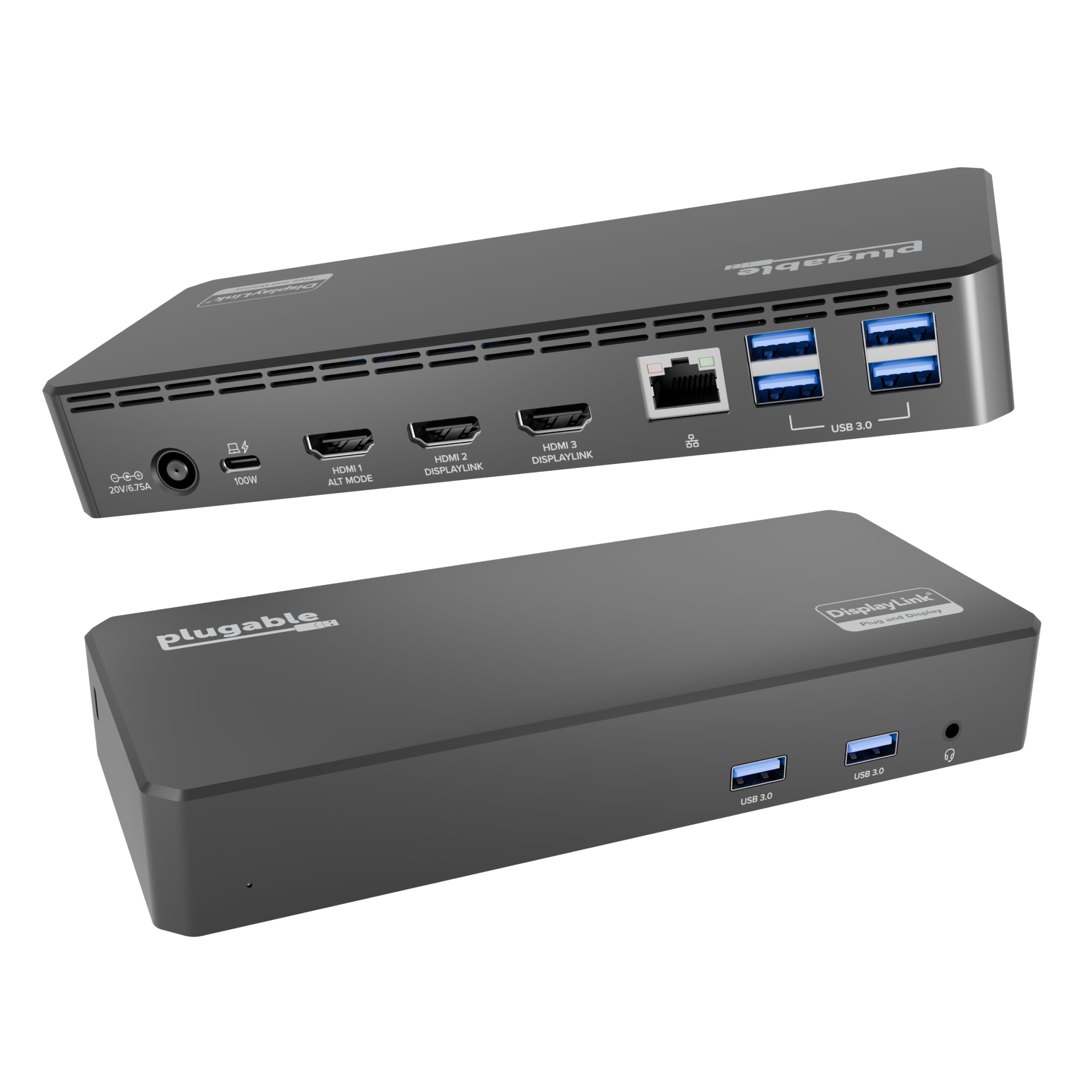
🚀 Triple your screens, not your cables — power, connect, and conquer your workspace!
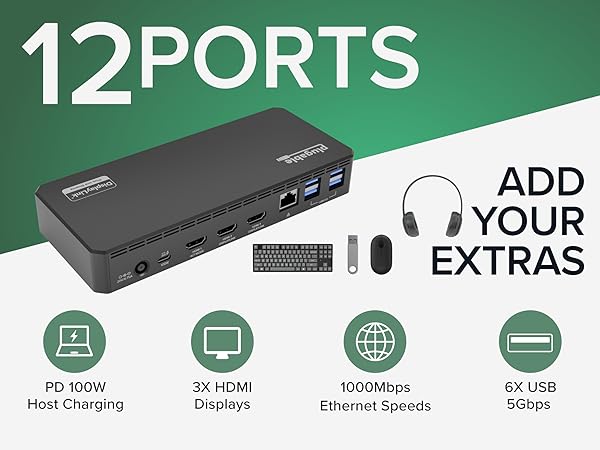
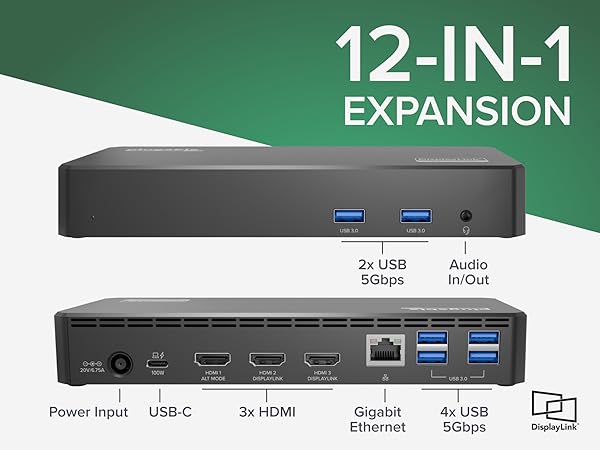
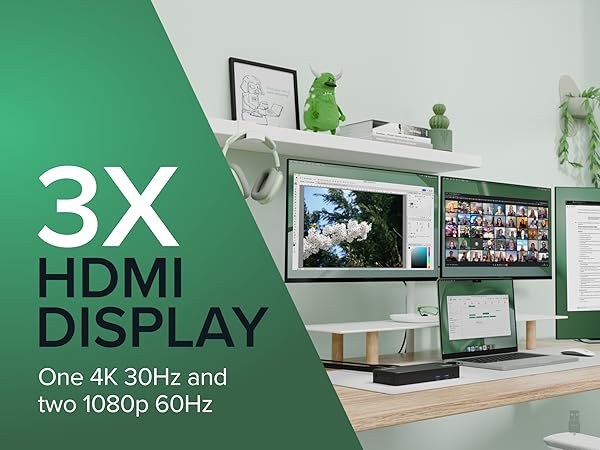
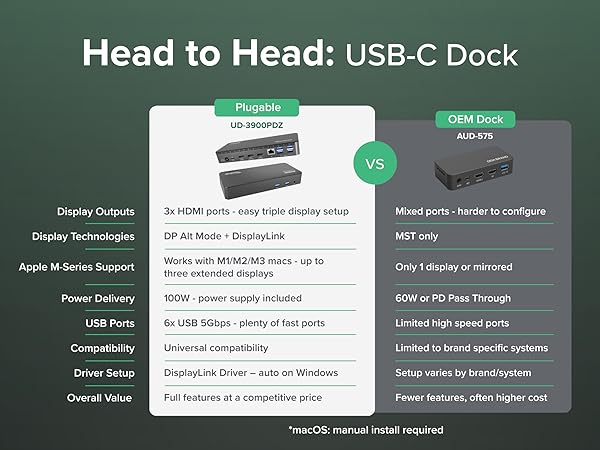
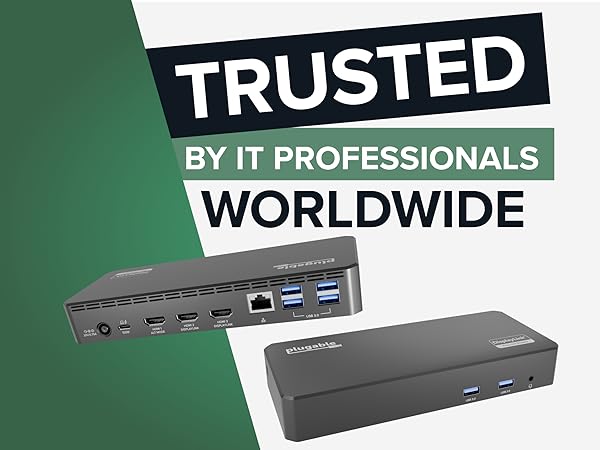
The Plugable USB C Triple Display Docking Station (UD-3900PDZ) transforms your laptop into a powerhouse workstation by supporting up to three HDMI monitors, delivering 60W USB-C charging, and providing 6 USB 3.0 ports plus Gigabit Ethernet—all through a single USB-C connection. Compatible with Windows, macOS (with DisplayLink driver), and ChromeOS systems, it’s designed for professionals seeking seamless multitasking and efficient workspace expansion backed by 2 years warranty and lifetime support.





| ASIN | B08DDH5CPW |
| Best Sellers Rank | #28,611 in Computers ( See Top 100 in Computers ) #464 in USB Hubs |
| Item model number | UD-3900PDZ |
| Manufacturer | Plugable |
| Product Dimensions | 20 x 9 x 3 cm; 332 g |
A**Y
Buen producto cumple lo que promete y me dio la solución que buscaba, fácil de instalar.
B**T
Overall these work great, and are a great value. I'm an IT manager and I've purchased a few of these now for people to use as office docking stations for the MacBook Pro. Specifically these are being used with the M1 Pro 16" MacBook Pro and they work flawlessly*. It provides enough power that users don't have to plug in the Magsafe brick while they're in the office. It supports dual 1080p monitors, or one 1440p monitor for sure. You have to install a DisplayLink driver and software package to make it work with MacOS (windows too I think), which is typical of these devices. Now thanks to MacOS's privacy and security settings, it gives the user a constant status icon and occasional warning that their screen is being shared. I'm glad that feature is there, but sometimes users ask about it. *My only real complaint is that while the software works great under normal circumstances, MacOS updates will sometimes disable the auto-launch of the DisplayLink adapter software. I regularly get a call that the users' monitors aren't working because of this. I can't really blame this on the display software though. Launching the program and reactivating the auto-start in system settings is simple enough, but always confuses people. It's usually a good time for me to check that the DisplayLink software is up to date too. You can update the software from the resident app in the system tray, though it doesn't notify you of new updates. The driver also integrates with Apple Watch unlock, and has an f.lux feature that will optionally dim/color shift your external display at night. We're using it for 1Gbps ethernet, dual displays, power delivery, and a permanently attached Time Machine backup drive, and haven't had any trouble with connectivity for any of theses devices, nor any complaints about speed. Sometimes these types of docking stations can get kind of hot when you're making them work this hard, especially if you're using power delivery, but this Plugable model doesn't ever get above a mild fever.
M**M
Excellente station d’accueil pour de multitâche, elle est très fiable. La connexion avec mes 2 écrans et les ports USB simplifie mon travail, la charge de 60W maintient mon ordinateur portable prêt à l’emploi. De plus l’installation rapide et sans souci ! Merci
J**E
Works great! I use it for my laptop and extend to two screens. Really easy to setup. I plugged things into the slots and it worked.
C**N
Excelente producto
Trustpilot
1 month ago
2 weeks ago