
DOWNLOAD THE APP


Customer Services
Copyright © 2025 Desertcart Holdings Limited
DOWNLOAD THE APP


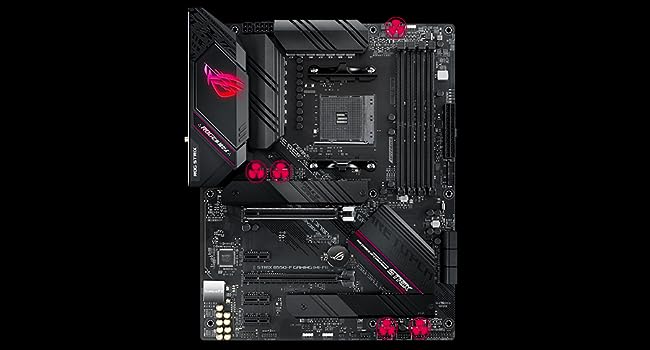
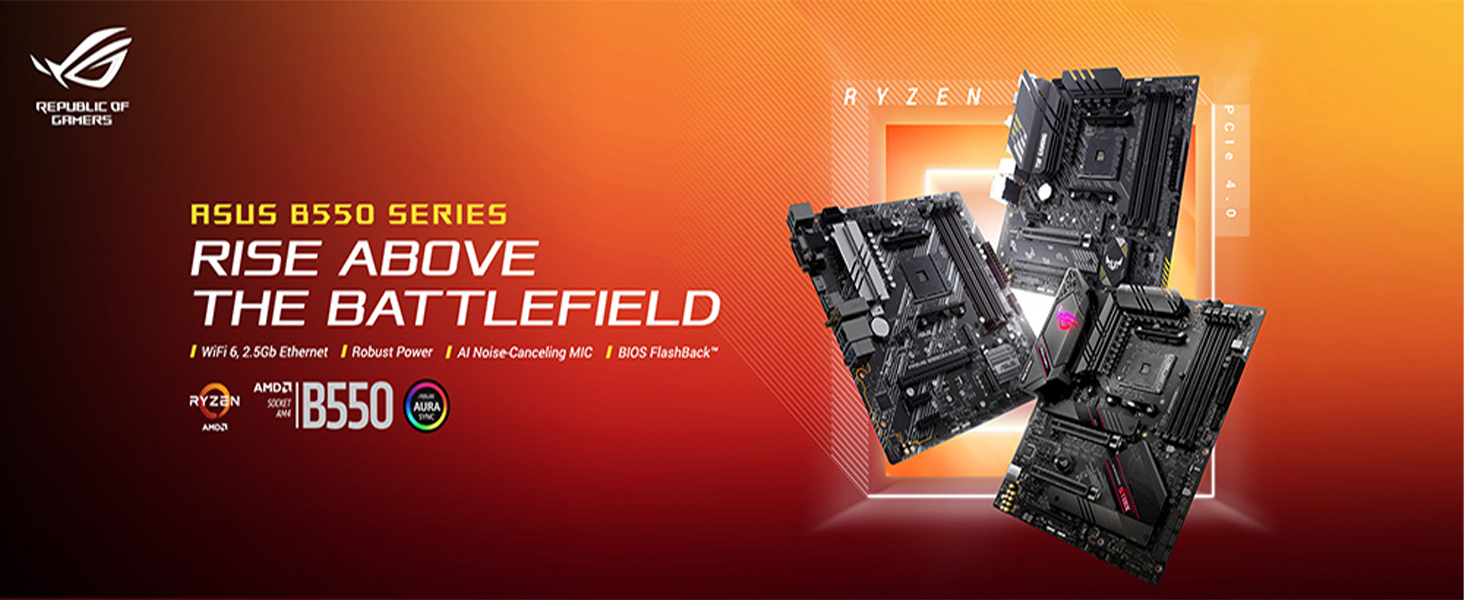
🎮 Power your Ryzen build with ASUS ROG Strix B550-F — where speed meets silence and style.
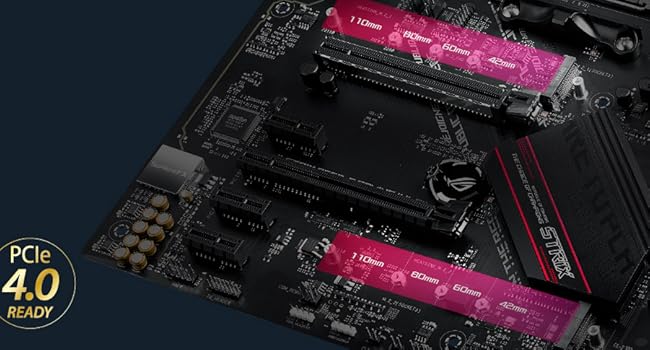
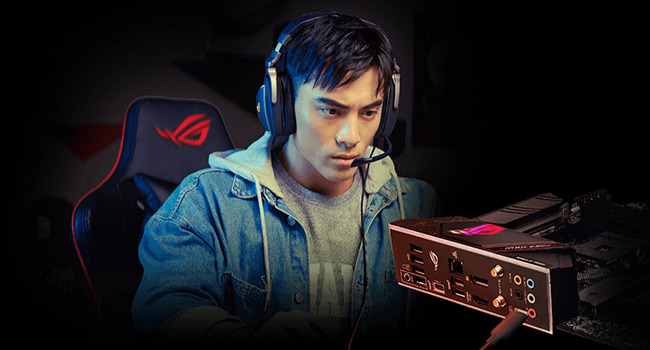
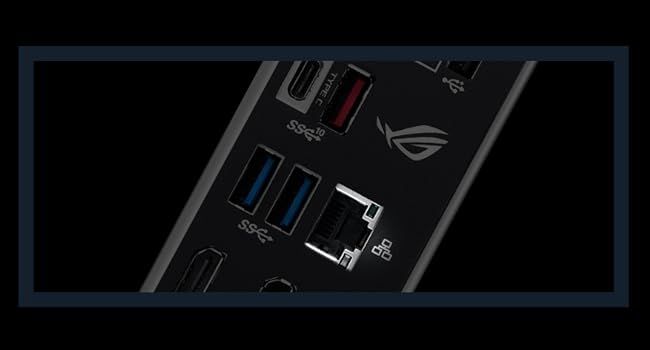
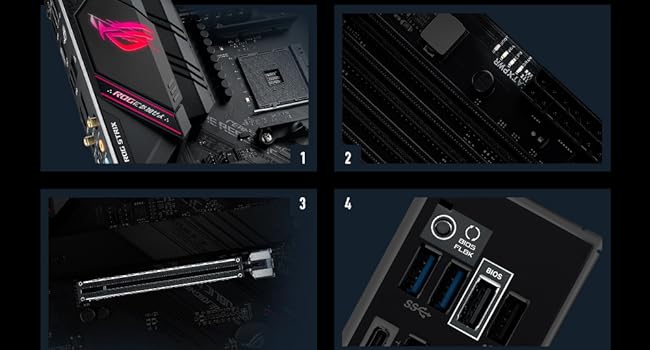
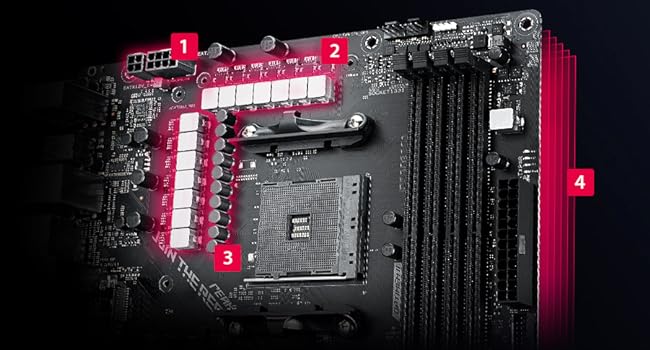
The ASUS ROG Strix B550-F Gaming motherboard is engineered for AMD AM4 Zen 3 Ryzen 5000 series CPUs, featuring PCIe 4.0 support, advanced 12+2 power stages, fanless VRM cooling, and 2.5 Gb Ethernet for ultra-fast networking. It offers dual M.2 slots including PCIe 4.0 x4, USB 3.2 Gen 2 Type-C, and premium audio playback up to 32-bit/192kHz. Designed for gamers and creators seeking reliable performance, efficient thermal management, and future-proof connectivity.

| ASIN | B088W7RKVZ |
| Best Sellers Rank | #158 in Computer Motherboards |
| Brand | ASUS |
| Customer Reviews | 4.6 4.6 out of 5 stars (5,487) |
| Date First Available | June 16, 2020 |
| Item Dimensions LxWxH | 13.3 x 10.7 x 2.7 inches |
| Item Weight | 2.36 pounds |
| Item model number | ROG STRIX B550-F GAMING |
| Manufacturer | ASUS |
| Memory Speed | 4400 MHz |
| Number of USB 2.0 Ports | 4 |
| Processor | amd_ryzen_7 |
| Product Dimensions | 13.3 x 10.7 x 2.7 inches |
| RAM | DDR4 |
| Series | ROG STRIX B550-F GAMING |
| Voltage | 12 Volts |
M**W
Nice MB
I bought this 5 months ago for my main PC as an upgrade to a Tuf Gaming B450 when I got a Ryzen 5700X3D last year. Has been nothing but solid and reliable. I even got a bit of a GPU performance bump because of going from PCIe 3.0 to 4.0. And the MB has been great about squeezing the most out of the 5700X3D and my RAM. And, no, AM4 is not dead in 2025. Pay no attention to the hype. This MB has the best audio chipset you can get on a consumer MB. As a musician, that was a big selling point for me. Also has some nice RGB accents, though I don't use them and keep them switched off in BIOS. This MB is high quality. Good CPU power conditioning going on and nice fat heatsinks where you need them. You can do some serious overclocking on this board if that's your prerogative. With the 5700X3D being locked, I don't use that feature but it is there if I want to put a 5950X on the board and put it in a home sever or dedicated video editing workstation down the line. Keep in mind this MB doesn't have WiFi or BT. I have a dongle if I need that capability. They add way more to the cost of a MB than it is worth to have Wi-Fi and BT on the MB. You can get a TP Link Nano for under $20. Ports on the MB are decent. You have 2.5Gb Ethernet, 2x USB 3.2 Gen 2 (1x Type A and 1x Type C), 4 USB 3.2 Gen 1 and 2x USB 2.0 on the back. The headers for the front panel support 2x USB 3.2 Gen 1 and 4x USB 2.0. There are 5 analog audio jacks, supporting Dolby 7.1 and an optical digital audio line out.
J**F
Works great, but have LAN driver ready
Mine was compatible with my new Ryzen 5600x out of the box. It could not connect to the internet at first, but this was resolved by installing the latest LAN driver, which I had previously downloaded from Asus's website. I also ran into an issue where my PC would crash and restart while streaming videos on some sites, but someone online recommended a bios update which resolved the issue (it was easy to do, too). I've had no issues since, and my PC has been heavily used in the 4 days since I upgraded (gaming, talking with friends, watching videos, surfing the web, hosting a dedicated game server). I am running new Crucial Ballistix 3200mhz RAM (16gb x 2), a new Ryzen 5600x CPU, and my old GeForce GTX 1080 TI GPU with this motherboard, and have not had any hardware faults or compatibility issues so far. This seems to be a good motherboard, and I'd just recommend to have the LAN driver and Bios update ready to go before you disable your old PC. This board has the ability to update bios using a USB flash drive, which makes it easy. UPDATE: My PC started getting BSODs in under 2 weeks, and now the DRAM LED lights up on the board, but it doesn't boot and can't even reach bios . It appears to be either a RAM issue or a motherboard issue. I already tried replacing RAM, but it was not on the QVL for this motherboard. I ordered a new set of QVL RAM that should arrive in two days, and that will help determine the cause. UPDATE 2: It's been well over a year now, and my PC has been running great. My previous issue was caused by a failed CPU, and I replaced the CPU with the exact same model (Ryzen 5600x) with no issues since. I'm a heavy gamer, do a lot of downloads, and host a dedicated game server from time to time. I've been happy with my purchases.
B**R
a top 550 board for a great price
a top 550 board for a great price
C**B
Very nice MB
I'm very happy with this MB. The installation was fairly easy and everything worked perfectly when I booted the new build. My only 'complaint' is that the instructions for installing my M.2 SSDs was not very clear with respect to the thermal pad and the heatsink. This was the first time I'd dealt with this style of thermal pad and was a bit confused since it looks like insulation. It is very easy to peel off the entire thermal pad (wrong thing to do) rather than just the 'sticky' protective strip on top of the thermal pad (correct thing to do). The diagram in the manual is not clear as to what is being peeled off...a quick internet search cleared it up but it would be nice if the manual had a larger, clearer diagram on the process Also, the proper memory installation instructions are easy to miss. If you are installing a single DIMM, it should go in slot B2; 2xDIMMS go in B2 & A2....the instructions DO clearly show this but I can see people glossing over them and just trying to install the DIMM(s) in A1 or A1/B1 since 'normally' 1 would be used before 2 and 'A' would come before 'B'. Hopefully there is a good reason for the somewhat unusual naming convention of the slots....just be sure to install your DIMM(s) as indicated in the manual. (The install section of the manual SHOULD explicitly call out the 'unexpected' priority order). On the plus, the BIOS made turning on Smart Access Memory (performance boost when using a 5000 series CPU and 6000 series GPU) extremely easy. It lists it on a quick access menu bar on the top level dialog...one click that will set the 2 cfg options buried deeper into the sub-dialogs to the proper values. Overall, very happy with this board and would buy it again.
A**O
Muito obrigado por tudo, vocês são nota milllll. Estão de parabéns.
S**K
I purchased this from Singapore after the price caught my eye when i was looking for a highly rated amd socket motherboard that would work with my Ryzen 5600x. I have to say this was better than i hoped for. The only real critique i would have is more to software wise, as it impossible to overclock my ram to its advertised speed of 3600mhz (highest it could be set is to 3200mhz at the moment). Hopefully future bios update would address this worldwide issue. Edit: I was able to configure my ram to the maximum speed from changing it under the task manager
F**R
Increible producto, en un principio elegi esta MOBO por su chip de audio pero resulto ser muy practica para mi build con todos sus conectores y además, la he llevado en mi equipaje de multiples vuelos y no ha sufrido ningun daño.
R**A
I ordered the ASUS ROG Strix B550-F Gaming motherboard after doing a LOT of research and comparing the features and capabilities and the VRMs of this motherboard with others, and I must say it's one of THE BEST B550 motherboards out there. You might be saying that it's 1500 bucks costlier than other motherboards with same or better features than this, but the quality of ASUS motherboards is top notch and is totally worth it. My previous motherboard was also an ASUS. It was an Asus Sabertooth Z97 MARK 2 and it lasted me more than five years. Also, in my opinion, nothing beats the software provided by ASUS. Their bios updates, AI Suite 3, Armoury Crate, Aura Sync and Aura Creator are TOP NOTCH. It's because of this motherboard and Aura Sync (locked to Asus) that I was able to very easily control all the RGB in my PC with just a single software (Aura Sync). I have attached quite a few pics. All my friends are jealous! :D Anyways, I'm super happy that I went with ASUS and my personal thanks to Amazon and the seller, Official Digital Vengeance, for helping me get this awesome motherboard. FIVE STARS all the way! Thank you :)
M**B
So I guess I'm basically just reviewing tech at my own expense at this point, because this is the second motherboard I've bought within the space of a month and I'm past the return period for the TUF B450-PLUS II I was using just prior. Reason? Because I'm indecisive and found I was missing some features more than expected. So onto the details. This pros/cons list thing isn't my normal review style, but will keep me from turning this into a novel. Pros: - It goes on sale a lot, making it a fairly affordable upper-mid end motherboard. - The one I got came supporting my R5 5600X right out of the box. - The built-in RGB lighting isn't overbearing, and interestingly despite not being ARGB can act like it. - Like all the ROG AM4 500 series boards, it's just overall great looking. - If you install Aura Sync(not Aura Creator) you can control the built in lighting with iCUE. - The fixed I/O shield is great, but for me not a necessity. - PCIe 4.0 is nice to have, but doesn't really impact GPU performance. - ReBAR support is nice to have, but I found it amplifies Nvidia's current driver issues with some VR games. - The extra 4-pin CPU power connector is nice, but entirely unnecessary for most users. - Many more BIOS options that the TUF B450, including ones for manual overclocking. Cons: - Fan stop for some reason only works when in DC mode and only with CHA_FAN headers. (Just, why?) - It tries to install ASUS's Armoury Crate bloatware unless you find and disable the BIOS setting. - The amount of built-in RGB lighting is falsely advertised, only the ROG eye logo lights up. Overall though, this is a great AM4 motherboard and in my opinion you likely can't go wrong with it. I at least certainly haven't experienced any serious issues with it.
Trustpilot
5 days ago
2 days ago