Desert Online General Trading LLC
Dubai, United Arab Emirates
Desert Online General Trading LLC
Dubai, United Arab Emirates


🚀 Upgrade your WiFi game—small adapter, massive impact!
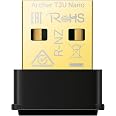
The D-Link DWA-181-US USB WiFi Adapter delivers dual-band AC1300 speeds with MU-MIMO technology in a compact, nano-sized design. Compatible with Windows, Mac, and Linux, it offers fast, reliable wireless connectivity ideal for gaming, streaming, and multitasking on multiple devices. Its low-profile form factor ensures it stays discreet while providing powerful range and security with WPA3/WPA2 encryption.


| Manufacturer | D-Link |
| Part Number | DWA-181-US |
| Item Weight | 0.06 ounces |
| Product Dimensions | 0.75 x 0.5 x 0.19 inches |
| Item model number | DWA-181-US |
| Color | Black |
| Style | AC1300 USB Adapter Black |
| Item Package Quantity | 1 |
| Usage | Business, Multimedia, Personal |
| Included Components | DWA-181 Adapter |
| Batteries Included? | No |
| Batteries Required? | No |
| Warranty Description | Limited Lifetime Warranty |
G**R
Good USB WiFi adapter
This USB WiFi adapter works great and is very compact. It doesn't stick out from the laptop like older versions did. The data speed is fine for my applications.
L**G
Works great with my WIFI
This little gadget gave my computer that wasn't WI fi new life. It was easy to apply, and set up.There is great signal strength, and my router is in the other end of the house. It is reliable, it arrived when promised. Happy customer!
T**1
Exactly what it said it was
Small, easy to install, works with Windows, upgrades wifi speeds on PC's. I've bought several, and D-Link is a pretty good brand.No real issues except sometimes it has a little trouble with wifi networks where the 2Ghz and 5Ghz bands are named the same. I just need to look into settings I'm sure.I would 100% buy-again if I needed a small USB adapter.
C**9
Works
Plug and play. It did what it was supposed to. It made my desktop computer WiFi capable so I could move my home office to another room and my computer seemed faster than usual.Also of note I kept losing signal when there was a little bit of weather and when I took it out it was very warm. First time experience with this type of tech so I'm not sure how normal that is.
A**Z
Plug and play with Ubuntu 22.04.5 LTS
My 6 years old Dell XPS 13 7390 developed a wifi rot(tm). It would drop the connection every few minutes. Unfortunately, the built-in wifi card is not replaceable because Dell decided that it should not be user replaceable part and for such and old laptop I didn't want to get it serviced which will require a motherboard replacement. I decided to try a plugin wireless adapter but I was worried about Linux compatibility. I was very happy to find that the DWA-181-US is fully supported on my Ubuntu 22.04 LTS distribution. All I had to do was plug it into the laptop (via a USB-C to USB-A adapter) and it came up immediately. All I had to do was turn off the built-in wifi and turn on the D-Link adapter, select my network and I was up and running in less than 2 minutes.
A**A
Doesn't work for Macbook Pro
Recently, my wifi card went out on my 2019 MacBook Pro (as of July 2025, I am running Sequoia 15.5). While I understand that a computer from 2019 is technically "old" in terms of technology, I don't feel like it's actually that old. It still runs great, I just cannot connect to wifi. After going through the grieving process of my wifi card going out (1st world problems), I decided it would be best to get a wifi adapter instead of replacing the logic board on my MacBook.This one was small, and the price was reasonable. It was advertised to work for Macs, so I gave it a try. It required me to download a driver from their website, but if I don't have wifi, how am I supposed to do that? Thankfully, I have a LAN cable I am able to plug my computer into and access the internet while trying to figure out this wifi situation. The drivers on the website are from 2013. Talk about ancient in the world of technology! I downloaded it anyway, hoping that it would work. I had to work around Apple trying to block the download because it couldn't verify if it had malware or not. After all that, the driver is too old and I cannot use this USB adapter for wifi.Then my husband asked if I had downloaded the correct driver for this USB. I then specifically Googled "D-Link AC1300 Mu-MIMO Wifi USB Adapter Driver Download," and it took me to a different page with drivers from 2020. I was hopeful that this would resolve the issue since the driver is newer than my MacBook; however, it did not. I was able to get through the download process, but at the end, it gave me another error message. It did download something onto my computer because there was a little icon at the top of my screen by my battery meter that said "no wif adapter plugged in" even though the adapter was plugged in. 🙄 I uninstalled the driver and put the USB back into the box.I will be returning it and attempting something else to resolve my wifi issue. If you have a MacBook from 2019 or newer, I would suggest saving your time and trying something else.
S**N
Flakey
I purchases this adapter primarily to add WPA3 (latest security standard) support to an older laptop. I was able to get it working with WPA3 but not out of the box. The driver that Windows 10 automatically installs doesn't support WPA3 even after trying to updating it through Windows update. In order to connect via WPA3 I had to download and install a different driver manually from the manufacturer's website.Once it gets going it seems to work okay for the most part but it does randomly drop the connection for a moment on occasion even once it's up and running. I often remote desktop into other machines with this laptop and this causes the RDP connection to drop and have to reestablish which usually happens automatically but is still an interruption. The older integrated WiFi adapter on the same laptop never did this.Whenever I first boot the system or bring it out of sleep though this adapter is very slow to come up. According to the windows task bar it's connected to WiFi but connections are very slow if at all. If I open the browser during this time I'm greeted by just a bunch of spinning tabs for about a minute before finally the speed ramps up.
C**C
real plug and play and no need for installing drivers from third party sites.
Tiny, real plug and play and no need to install drivers that put my system at risk. i was deciding between tp-L or Netgr, or some no-brand one, the tp-L was low cost, but being infamous after the backdoor incident and being from CN, i decided to pay a little more and make sure to get a safe one. The second choice was good, but pretty pricey, i mean three times the no-brand's price was no joke. finally i checked suggestions online from when tp had that backdoor problem, and found this D-link, which is mid priced, about twice as much as the tp and the no-brand. so far so good.
Trustpilot
3 weeks ago
1 week ago
3 weeks ago
5 days ago