
🖥️ Elevate your workspace with sleek style and smooth performance — don’t just work, impress.
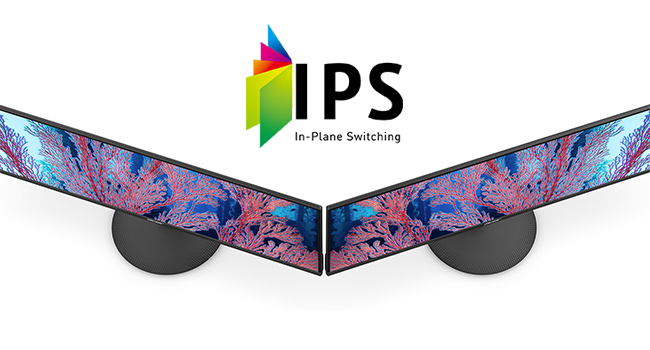
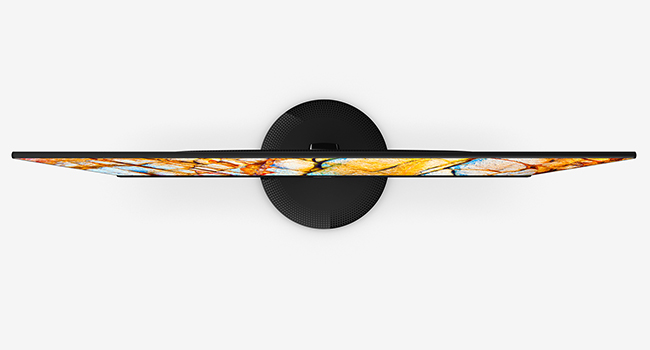
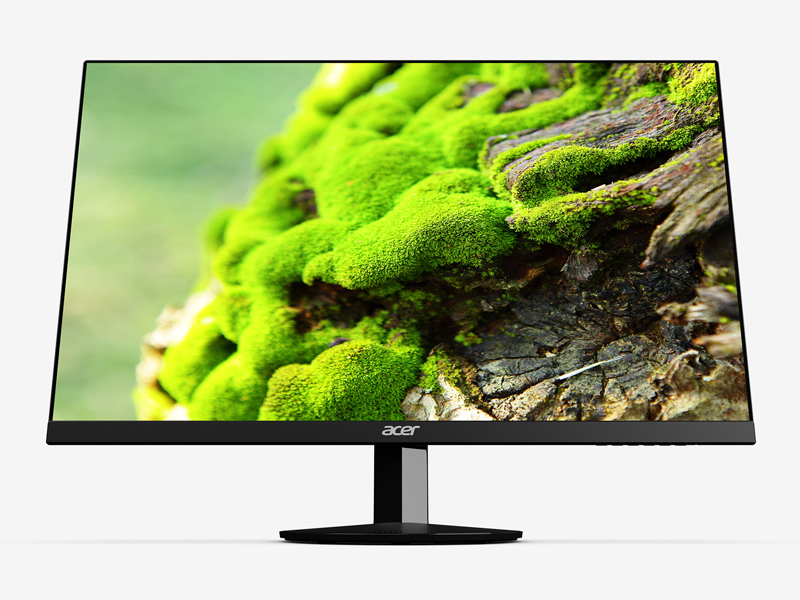
The Acer SB220Q bi is a 21.5-inch Full HD (1920x1080) IPS monitor featuring a zero-frame ultra-thin design, 75Hz refresh rate with Radeon FreeSync, and a rapid 4ms response time. It offers wide 178° viewing angles and supports 16.7 million colors for rich, vibrant visuals. Equipped with HDMI and VGA ports, it’s ideal for business and personal use, combining style, performance, and versatility in a compact form factor.




| ASIN | B07CVL2D2S |
| Are Batteries Included | No |
| Best Sellers Rank | 155,578 in Computers & Accessories ( See Top 100 in Computers & Accessories ) 2,461 in Monitors |
| Brand | Acer |
| Colour | IPS 75Hz |
| Computer Memory Type | SDRAM |
| Customer Reviews | 4.6 4.6 out of 5 stars (41,216) |
| Date First Available | 15 July 2018 |
| Guaranteed software updates until | unknown |
| Item Weight | 2.54 kg |
| Item model number | SB220Q bi |
| Manufacturer | Acer Computer |
| Number of HDMI Ports | 1 |
| Processor Count | 1 |
| Product Dimensions | 21.08 x 49.78 x 38.35 cm; 2.54 kg |
| RAM Size | 0.1 GB |
| Resolution | 1920 x 1080 |
| Screen Resolution | 1920x1080 |
| Series | SB220Q |
| Standing screen display size | 21.5 Inches |
| Voltage | 110 |
J**A
I have nothing but good things to say about this monitor. The picture is great, the colors are so rich and deep, and the refresh rate is great for playing games on. The monitor isn't very big, but I actually like that about it. I actually favor this monitor over my $250 dollar LG monitor that is 27" inches. The LG is bigger and was more expensive but the colors aren't as great on it and it has a lower refresh rate than this smaller Acer one. I might try and sell my LG one and buy another one of these Acers to replace it since I like it so much. This is a great monitor for people that play PC games casually and do computer work on.
P**Z
Compra recomendada, sin lugar a duda. Después de que mi viejo monitor fallara, me puse a investigar en opciones para sustituirlo, y fue así como me topé con este encanto jaja, la verdad es que es muy barato (o al menos yo lo conseguí en oferta) para las características que ofrece; Panel IPS (calidad de imagen de uffff) 4 ms de respuesta, super delgado, trae bocinas internas (aunque solo viene incluido cable vga, es mejor usar audífonos o comprar el cable de audio y hdmi) es de 22 pulgadas y podrías pensar que es poco pero yo estoy bastante cerca de la pantalla y me va bastante bien el tamaño, además de que mi antiguo monitor era 2 veces más pequeño que éste, me es una diferencia bastante agradable. Por todo lo que dije creo que es el mejor monitor qué encontré y por mucho en características comparado con otros, al precio qué lo compré. Lo recomiendo totalmente.
C**R
This review is for the SB220Q series (1920x1080) 75Hz monitor variant. At a $90 price point as of July 2020, all of the praise this monitor has gotten and continues to get is pretty well deserved. Right out of the box the factory calibration is pretty awful as with most TVs and monitors (I’ll never understand why that is), but Acer’s built-in menu gives you a wide range of control to tweak the image quality to your liking. Here are some of the most noticeable Pros & Cons after using this monitor daily for the past three weeks: PROS: - The colors can be very vibrant and the sharpness makes everything nice and crisp both up close and from a distance without going overboard. Although the spec sheet does not specify the exact Adobe or sRGB color gamut range, it does have a stated 72% NTSC coverage (keep in mind that the NTSC color gamut has the highest level of color reproduction), which would imply that it should have close to 100% sRGB coverage. This is pretty standard for most sub $200 monitors (note: the unit that TechSpot tested came in at around 93% of sRGB coverage mostly losing detail in the green range so your unit’s reproduction may vary). The 6-bits + FRC (equal to 8-bits) color depth is also an industry standard for entry level monitors and is completely fine for casual use. - This montior’s “100,000,000:1” Dynamic Contrast Ratio (DCR) (non-standardized measure of contrast for videos) definitely seems to outperform my other slightly more expensive budget IPS monitors (the HP VH240a and ViewSonic VS2412-H) that only have 20,000,000:1 and 50,000,000:1 contrast ratios respectively. However, note that it still has an industry standard 1000:1 Static Contrast Ratio (measure for non-moving images) which isn’t great but is perfectly acceptable for casual viewing since only the highest tiered ($400+) IPS panels exceed that point with 1,500:1 being the maximum native contrast typically achievable with an IPS. ~ A quick side note about that “100,000,000:1” DCR number: there is no industry standard methodology for this particular measurement so the number itself is mostly useless marketing fluff. But as I noted, compared to the two other monitors with the same industry standard SCR, this monitor did seem to outperform them both in that area. - Its 102 PPI pixel density actually makes a subtle difference in image quality when viewing up close compared to my 24 inch 1080p monitors that have a 92 PPI. Text seems to be a bit smoother in comparison. This is purely an advantage of having the smaller 21.5 inch screen. - The Color Adjustment Menu allows you to adjust both the RGB and CMY gains, bias, hues, and saturation levels to get a better color balance. - The Picture Menu lets you adjust the screen’s brightness, contrast, gamma, and blackness (“black boost”) levels while also providing a ‘blue light’, ‘adaptive constrast’ (ACM), and a ‘Super Sharpness’ on/off switch. - The Game Menu has FreeSync (for AMD GPUs) and Overdrive options CONS: - The bezels are a bit thicker than I woud’ve liked (they’re about 1 cm on the top, left, and right sides) making the frameless design nothing more than a gimmick. - The top-down viewing angle is noticeably darker compared to looking at the screen head on. - Despite having a good DCR of 100M:1, the blacks are still a bit too bright for watching anything with heavy dark scenes since the display itself does not have any HDR capabilities with high contrast control zones aka local dimming (to be fair, this is completely expected at this $90 price point and is only being mentioned as reference for those that may be thinking of using this monitor to watch TV/movies). - The Picture Menu’s ‘Super Sharpness’ option is just an on/off switch; it does not give you a more granular adjustment control over the amount of sharpness to apply. - Even with all of the image quality adjustment options available in the settings, the whites remain on the slightly warmer side of the color temperature chart. It’s not that noticeable when viewing on this monitor alone, but the difference can be seen if you have another slightly cooler display adjacent to it. This is most likely just an issue with my particular unit since other reviews have noted their unit had a more neutral or “near perfect” white temp. - It only has a paltry 15° degree back tilt compared to most other budget monitors being able to tilt closer to 30° degrees (this is super nitpicky as compromises are to be expected at a sub $100 price point). - The Power button is completely indistinguishable from the rest of the menu buttons (both in shape and spacing). Overall, if you’re looking for a nice quality budget monitor to look at spreadsheets, word documents, and do some internet browsing or even some light casual gaming, then this is a great choice. If you are a competitive gamer, photographer, professional editor, or a content creator then you’ll obviously need to invest in a higher spec monitor.
A**A
Al principio estaba buscando una pantalla con muy buena relación calidad-precio y esta me llamó más la atención, los colores y nitidez son de lo mejor por ese precio, venía un un monitor de 19 pulgadas de solo 900p y el cambio se nota una montón, quizá haya mejores pero por este precio lo dudo, es más de lo que esperaba, la calidad de colores y contraste están bastante bien. Los ángulos se visión son muy buenos, cubren todos mis ángulos y a menos que seas muy quisquilloso no notarás un mal ángulo. Es muy fino, me impresionó al sacarlo de la caja, de lado se ve espectacular, el menú es muy intuitivo y fácil de usar. Trae un cable VGA por si lo requieres, lo cuál no está mal y tiene FreeSync y casi ninguno por el precio lo tiene. No soy un experto en las pantallas, pero hey, si buscas un monitor para editar, obviamente no vas a encontrar nada útil por este precio, no le pidas peras al olmo.
P**N
This monitor is great for anyone looking for a high-resolution and fast refresh rate monitor at a low cost. I've used it for work and gaming, and it's held up wonderfully. The menu lets you adjust the settings to your preferences, but I find the stock settings are just about perfect. At its lowest settings the dim light is great for reading documents in low-light environments. At its brightest, I can fully open the window behind me on a sunny day, and clearly see the screen. All in all, great and reliable monitor.
Trustpilot
2 months ago
1 week ago



