

Desert Online General Trading LLC
Dubai, United Arab Emirates
Desert Online General Trading LLC
Dubai, United Arab Emirates


🎞️ Capture the Past, Relive the Future!
Full description not available






| Platform | Windows |
| Tuner Type | [ANALOG] |
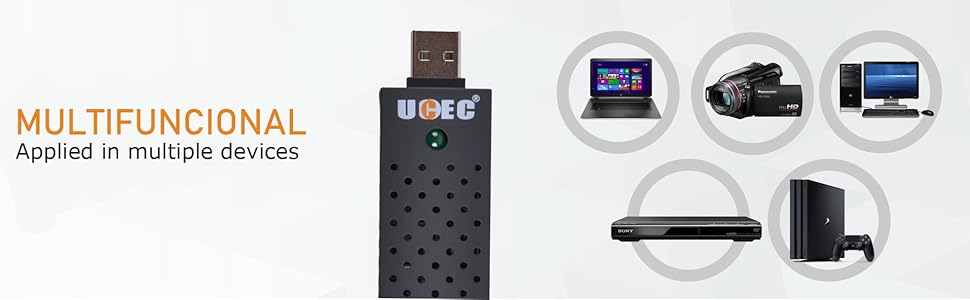
| Compatible Devices | Laptop, Television, Personal Computer |
| Minimum System Requirements | A Windows operating system (2000, XP, Vista, 7, 8, or 10) compatible system |
| AV Output | WMV, AVI |
| Operating System | ['Windows Vista', 'Windows 7', 8'] |
| Recommended Uses For Product | Video Recording |
| Special Features | Ulead Video Studio SE DVD software, high-quality video resolution support, various video capture and output format support |
| Hardware Interface | USB 2.0 |
| Video Capture Resolution | 480p |
R**R
Cheap and Effective on Linux with ffmpeg
Product Details:The Color packaging was labeled as: Video DVR Model No.:DC60A white sicker on the packaging says:: X00430RLND UCEC RCA to USB... Made in China-10-17I am using this product on an ubuntu linux distrobution:The first thing I tried was to capture using vlc:Media -> Open Capture DeviceVideo device name: /dev/video1Audio device name: hw:1,0Video standard: NTSCI eventually got this to work but I found it unreliable. (Your mileage may vary.)It was, however, a simple way to identify the audio and video device names.I prefer ffmpeg batch mode, so after, hours of trial and error,I decided on the below ffmpeg coomand:ffmpeg -f alsa -i hw:1,0 -acodec aac -ac 2 -f v4l2 -i /dev/video1 -vcodec libx264 -r 60 my_movie.mp4Important:1. replace hw:1,0 with your own linux alsa audio device specification.2. replace /dev/video1 with your own video device name.The above will start recording when you enter the command.When done type Ctrl-C to finalize the output file and exit gracefully.note: The above does NOT enable you to watch the video while it is being recorded.I wasted a bunch of time before realizing that that was not necessary.note: alsa stands for Advanced Linux Sound Architecturenote: v4l2 stands for Video for Linux 2Linux will name the devices as they are plugged in.The video devices increment like: /dev/video0 /dev/video1 /dev/video2 ...The audio devices increment like: hw:0,0 hw:1,0 hw:2,0 ...ASSIDE: The audio device syntax is hw:cardNumber,deviceNumber (counting starts from zero)e.g. hw:0,0 means 1st card 1st device in carde.g. hw:1,0 means 2nd card 1st device in card (a complex card can have many devices but this has only 1)Suggestion: Use trial and error, making short recordings until you find ffmpeg settings that work.You will need to install ffmpeg and other requirements before you try this. (the usually linux stuff)e.g. sudo apt-get install ffmpege.g. sudo apt-get install v4l-utils------------ Further Gory Details you probably do not care about------ Other ways to identify the USB audio and video device designations --------hint: Use /bin/ls to list devices before and after plugging in your card. (my example after plugging is below)ls -l /dev/v4l/by-id/*lrwxrwxrwx 1 root root 12 Dec 23 18:59 /dev/v4l/by-id/usb-Generic_HD_WebCam_200901010001-video-index0 -> ../../video0lrwxrwxrwx 1 root root 12 Dec 24 02:36 /dev/v4l/by-id/usb-MACROSILICON_AV_TO_USB2.0_20200909-video-index0 -> ../../video1ls -l /dev/snd/by-id/*lrwxrwxrwx 1 root root 12 Dec 24 02:36 /dev/snd/by-id/usb-MACROSILICON_AV_TO_USB2.0_20200909-02 -> ../controlC1The above is a good way to find the name of your video device. As you can see above my MACROSILICON is currentlythe video1 device on my laptop.The audio designations are a bit trickier because they uaes alsa nomenclature. (alsa => Advanced Linux Sound Architecture)I used the arecord utilty to list audio devices both before and after install.arecord -l**** List of CAPTURE Hardware Devices ****card 0: PCH [HDA Intel PCH], device 0: ALC255 Analog [ALC255 Analog]Subdevices: 1/1Subdevice #0: subdevice #0card 1: MS210x [MS210x], device 0: USB Audio [USB Audio]Subdevices: 1/1Subdevice #0: subdevice #0Notice card 1: above, this showed up only after pluggin in the vido capture device into the usb port, sofrom that I can tell it is card 1: device 0: which gets the ffmpeg designation of: hw:1,0You can get even more geeky information by experimenting with lsusb as follows:lsusbRunning lsusb as above before and after plugging will help you identify the ID. (mine was 534d:0021)Once you have the ID you can dump verbose information about the device.lsusb -d 534d:0021 -v
J**Y
all other lower star ratings are bad, learn to adjust settings
i like how this was easy to set up in obs, the max it goes to is 560p which is a good resolution for like the wii, the delay on the audio is bad but when u tweak the delay on obs its about a second or 2 off, it was easy to connect, this does work with windows 10 if you use obs or streamlabs. but it doesnt come with a splitter, but those are about 10$ on here and if u want to start streaming your older games or just wanna share to your friends this is a good capture card to start with, just know when buying this, you will need to use the usb extender if u buy the cheaper splitters. read more reviews just in case they say u fix something about a product without so many tweaks or editing in your recordings. if you buy this, i hope my review helped out a bit if you should buy this or not. 🙂
R**R
Excellent service and merchandize.
Satisfies requirement. Highly recommended.
R**E
Piece of unsupported junk! Don't buy.
16 Jun 2018: I bought this in August 2017 and set it away (read: sorta forgot it). I needed to transfer important VCR tape to digital. I've done many in the past using a VCR player and a separate DVR. Then transferred the DVR to the PC. Lengthy. Saw this and ordered it. Read the limited instructions. Connected it this AM, loaded the SW onto my W-7 laptop. It immediately wanted to run my built in camera. The top of my head appeared. The prompts "Composite, SVideo and Cable" also highlighted. Clicked Composite which I intended to use; still top of my head. Ok, maybe I must Record: recorded the top of my head. Juggled cables between units...same thing, for VCR and DVD outputs. Every time I clicked a choice, it flashed on the video screen but no change in view. Changed USB ports...restarted...ditto. Searched down an Svideo cable. Ditto for both players, both ports. OK, disk has "Windows 10 on it." May not work on W-7? Moved everything to my desktop W-10 system. DITTO!! Tried to register...it was not listed on the product line. Found a Support number. Got a nice guy at Vidbox or such. "We don't support that device...we can't control that they do not remove our number from the software." Further searching yielded no support info under UCEC or similar names...only info is from the tech who told me "They are out of China." This product is now filed in my trash can, another month in warranty or not...can't contact the company. Does not work? Useless. Please notice the "test lab" in photo where this fiasco wasted my entire morning. I am what my Amazon handle indicates. Technically inclined.
T**R
Serves its purpose at a very affordable price.
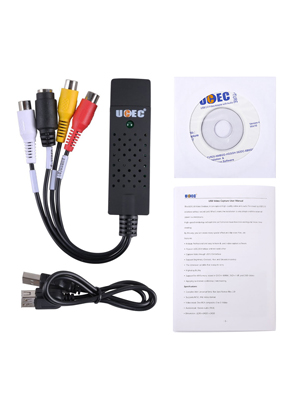
This little unit is great for hooking up old gaming systems or VCR units to your computer. The downside is that you are most likely going to be using the software that came with it which is actually pretty good, but not too many alternatives out there. This is not the company's fault by any means, they do provide software which helps a lot, but the lack of options do make it difficult to perform the functions you want. We use this to record VHS to MP4. The software writes to .avi and .mpg, but a free solution such as Video to Video or Handbrake will easily do the conversion and even save you some space. The CD-Key is located on CD-ROM Label itself. This is mentioned on Amazon in the product description, but is not listed anywhere in the software itself. Guess I should have looked at the label before throwing it in... Although it has its short comings with software, for the price alone it deserves 5 stars for everything that is included. If you are looking for something that is simple to use and has the greatest features (produce high quality small files, has software with built in video editing, has multiple program support, is plug and play without configuration), look at the higher priced products, but if you are high tech or don't mind playing with things a bit until they work, it is well worth the money.Also, I am currently using this on a Windows 8 Laptop. Windows did pick up on a generic driver, but without software to record, I had to use the CD anyway.
Trustpilot
2 days ago
3 weeks ago