

Desert Online General Trading LLC
Dubai, United Arab Emirates
Desert Online General Trading LLC
Dubai, United Arab Emirates


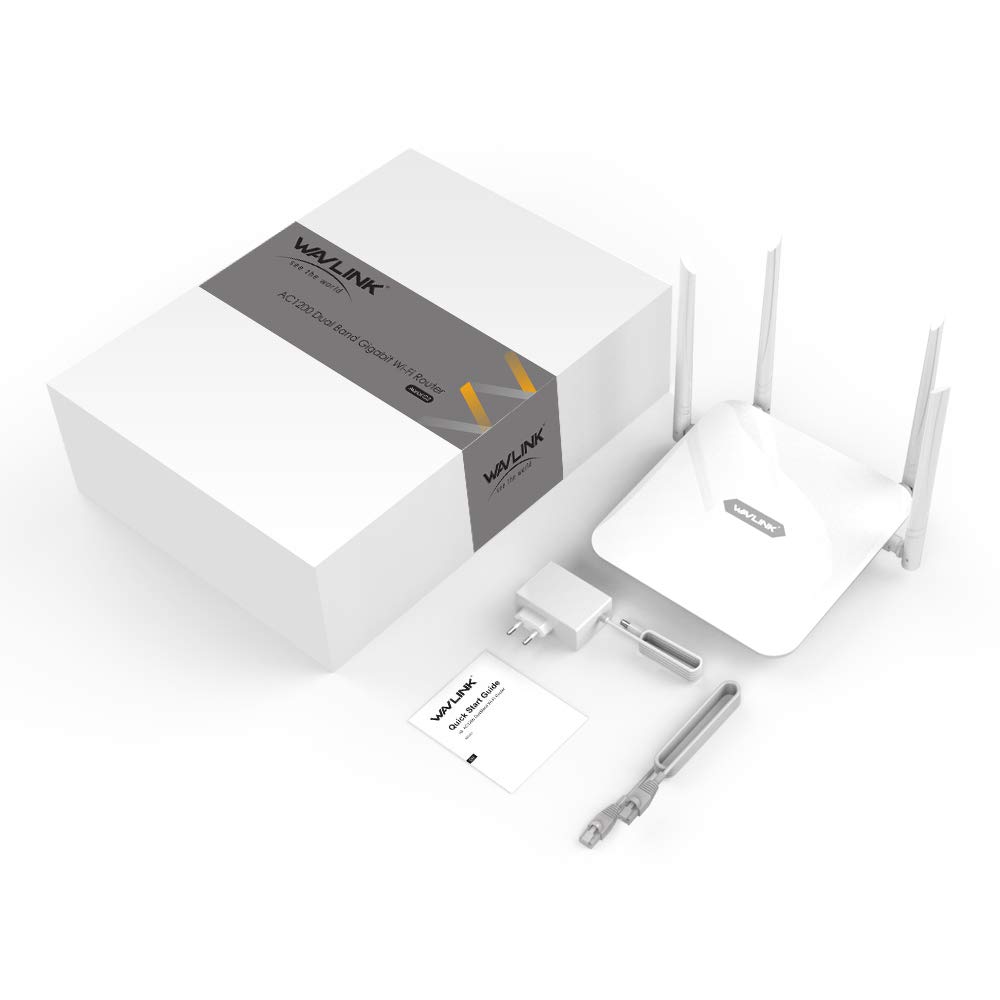
🚀 Elevate Your Internet Experience!
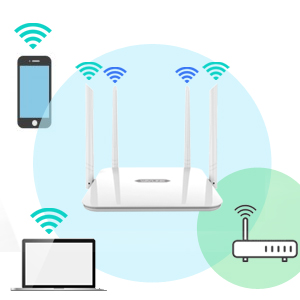
The WAVLINK Smart Router delivers a robust dual-band WiFi experience with speeds up to 1200Mbps, featuring advanced 5dBi antennas for extended coverage and multiple operating modes for versatile connectivity. Compatible with most ISPs, this router is designed for seamless streaming and gaming, backed by a 1-year warranty and lifetime tech support.




X**Y
satisfecha
buen articulo
L**D
Denver job
Work for a long time, then quit
R**Z
Buen producto
Buen producto pero dice que da 1200 mbpsYo tengo 150 mb en mi casa y lo tengo conectado por cable y de ahí a la PC solo me da 80mb al igual que el wifi
B**R
Directions are horrific, easy to set up (see first paragraph), fine once it's working
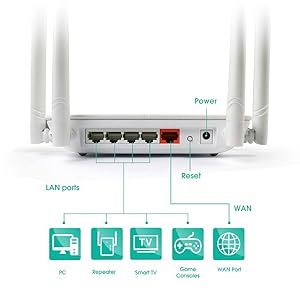
One year update. This is an Arial G2 Router. For one year this has been flawless! See tips on installation and "smart connect" setting.Setting up this router is actually simple if you follow these directions. Use a wired computer into an ethernet lan port, then set it up. Do not connect to the internet first; set the router up first.As a wireless access point this has been a fantastic purchase. Using the Smart Connect software switch (visible in wavlinks network configuration software) and an ethernet cable to connect the WAN port to my main router, I am seeing wireless speeds of over 600 mbps in the same room. Note that the Lan wired ports are only 100 mbps; only the wan port (for connection to main router or modem) is 1gb. I did have to set it up again after leaving it unplugged for months I have bumped up this review from 4 to 5 stars.(End of one year update)I have been setting up routers since 1995, and set up my first wireless router over a decade ago. This one took me over two hours to set up as a wireless AP. I had to try a million things and I think what worked was disconnecting the cable from this to my primary router, and then multiple attempts to login using the IP address provided. I normally can set up a router in 15 minutes. (Next sentence superseded by update and tips) If your time is important to you, perhaps consider another one.Once I got this set up, it has been solid for weeks. No issues. Good signal even on the floor below and 20 feet away on the horizontal axis. Fast enough for one person to do video conferencing while the other person is on their cell phone and streaming netflix. After the horror of setup, great bang for the buck.
J**G
Not what you’d expect
The range is lacking. I had to purchase second one to fully cover my house. The wireless connections are what they advertise but is hindered by the 100mbps Ethernet connection, giving a throughput of 40mbps for internet traffic. It is relegated to the domain consisting entirely of my iOT devices which do not need speedy internet.
J**J
It works on par with cost.
This is a low cost, modest performer.Agree with easy to setup and use; it works, that is all.Speed tests are the Wavelink next to a Nighthawk X6 R8000 on the same segment & location at about 20ft and through at least one wall.The R8000 can get 300Mbps/s Download when I'm "ontop" of it the Wavelink can get 90lMbps Download at "zero" range. Granted the R8000 is much pricier but it wouldn't take much more money than the Wavelink Cost to get better performance.The Wavelink is the ONLY piece of computer equipment, in my 35 years playing with computers, that has EVER said in their documentation "DON'T UPDATE IT UNLESS IT DOESN'T WORK"?! I can't think if a "GOOD" reason to say this. The best explanation for saying this I can think of is "you are morons...we don't want to fix it after you brick it; don't try it!"? Other reasons for saying this are WORSE...like "we know the update is likely to fail...so...don't unless ya hafta?"
J**Y
Totally impressed with everything this router has to offer
I decided to try this router that said it would improve my Wi-Fi coverage, I started to install it as soon as I had it in my hands.I have been having many problems with my devices, my smart cameras were slow to connect, my smart TVs occasionally paused when watching movies and videos, my games had lag, additionally my 300mbps internet, when making measurements I never reached 50mbps even connected to the 5Ghz wifi of my router.The installation is extremely easy, the included diagram shows it, power cable and ethernet cable to the modem, download the application which is extremely intuitive for the configuration of the modem, I love that I can see all the devices connected to my wifi, which allows me to easily have control of external devices attached to my wifi and how easy it is to block them. I was able to easily block sites that I don't want my children to access.I never cease to be amazed at how intuitive and easy the application is for managing Wi-Fi and everything we need to do within a few taps.Improvements that I have noticed: games without lag, no more pause in my movies, my smartlight respond faster, my smart cameras respond faster when I need to see them from my mobile. the coverage is tremendously good and the speed measurements very stable!My speed measurements now reach up to 260mbps in my connection when before they never reached 50mbps with my router of another brand and more expensive!I really recommend it, this modem is worth a portion of the cost of the more expensive ones !! A+++++
T**5
It works well
I was having so much trouble with the defective wifi router my ISP installed so I bought and connected this instead. It is certainly a major improvement. It did lock up once during configuration which was resolved with a quick reset. You will need an ethernet cable and a computer to get everything configured before connecting it to your modem. It can operate as a wifi router or a wifi access point. The signal doesn't go any further than the wifi in the ISP's wifi router, even on full power. This item offers low, medium, and high power. I am betting that it can operate as a relay if I set it up right. I plan to buy another one to try that to find out. Hopefully it can use 5 GHz to relay traffic and each one can use it's own channel on 2.4 GHz to create better coverage. The wifi password must be the same for both bands which was disappointing. It is annoying to have to keep logging into this device over and over again after nearly each change. I recommend keeping all four antennas straight up.
Trustpilot
1 month ago
1 month ago