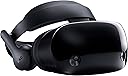
Virtual reality is a great concept, but the technology just isn't where it needs to be in order to provide a good, consistent experience. If you're curious about watching the Olympics in VR, see the content section of this review. Let me start by explaining my past experience with VR. I've owned an Oculus Rift for close to two years. When I first tried VR I was blown away and excited to see what was done with the technology. When the novelty wore off it was obvious there was more potential of what could be done with the tech or what the tech could deliver than actualization of that potential. Now the Rift sits in my closet unused and as I look at the Oculus Store and check for news about upcoming developments it seems that hardly any progress is being made to fix the problems that the tech currently has. HTC, makers of the Vive, are not doing well and recently merged their VR management into what little is left of their smartphone department. Valve has as much interest in propping up the Vive as they do in making Half Life 3. Oculus and Windows seem convinced that the issue is affordability and, therefore, are looking to make or sponsor cheaper headsets. But the real problems are screen quality within the headsets, comfort of the headsets, being wired to a computer, tracking, and video-capture technology. Given the current state of the technology, VR needs to be put back in the oven to cook for another 10 years until it's where it needs to be. The new set of Windows Mixed Reality headsets, including the Samsung Hmd Odyssey, fail to make significant progress in any of these areas and in several ways feel like a step backwards from the Oculus and Vive, released roughly two years ago. Display Quality - The screen quality of the Samsung Odyssey is slightly better than the Oculus Rift on paper, but is hardly noticable in use. A lot of text is still hard to read. Controllers/Tracking - Tracking is more convenient and clever in theory (no cameras to set up), but significantly worse in practice. The tracking is very poor in the dark. Even in the light the tracking is worse than Oculus. I tried to play some games with my nephew, him using the Oculus and me using the Odyssey. Rec Room was unplayable for me. BAM was unplayable for me. Fruit Ninja was barley playable. Coming from the Oculus Touch standard, the tracking of the controllers is so bad that it just isn't unusable. Content on Windows Store seems to work a bit better than trying to use Steam, but there is no quality content on Windows Store, aside from about 4 games or apps. That's not an exaggeration. Content - There are currently only 126 (or 127) apps or games for WMR on the Windows Store. These include things like the Movies & TV app that you already have on your windows PC and an app that simply checks to see whether your PC is ready for VR. Here is my experience with some of the apps: I attempted to play the free trial of Overturn, because it's featured on the Samsung Hmd set up screen. The game is entirely in Korean and crashed the three times that I tried to start it. Keep in mind that Samsung features this as one of the games you should try when you set up the headset. Next I tried Space Pirate Trainer. This is one of the highest rated games on Oculus, Vive, and Windows Store. I have the Oculus version, so I was interested to see how it compares on the Windows Store. Controller tracking is worse and the game stuttered more than it did on Oculus. I tried the NBC Sports VR app to watch Olympic content. Here is where the problems with VR really start to shine for the average user. The amount of people who like to stream video content is far greater than those who want to play video games. So how does VR perform in this area? Bad. The quality of the Hmd dispaly coupled with the poor quality of the capture technology makes streaming video on VR completely unacceptable. The display quality of the headset is fine for 3D/animated content. It's only when one adds the low quality video capture content that it drops below acceptable levels. When anyone who has access to a VR headset also already has (or could easily have) access to HD and 4k content on their monitor or television it makes little sense why anyone would choose to stream content on VR. "Because it feels like you're really there!" is the marketing ploy that Intel and WMR wants us to believe and the line they've been pushing in 2018 Olympic advertising. But it *doesn't* feel like you're really there when the video quality is so bad. To get an idea of what most video content looks like in virtual reality, go to YouTube and watch a movie trailer with the video quality turned down to 144p. Video quality is slighter better when not captured with the VR 180 or 360 cameras. In other words, when the video was captured using standard 2D cameras, it's more watchable, but it also loses all the appeal of "feeling like you're there." Quality of content is also a problem on the production side of things. Take, for example, the production quality of the olympic half-pipe competition in VR and standard non-VR. In VR there are three cameras placed along the top of the half-pipe, where you can really only see the competitors for 3 seconds as they do a jump. Cool, you can see them do a jump right in front of a 180 degree camera... too bad it was blurry and only lasted 3 seconds, now you're staring at the 1/4 of the empty half-pipe. Then there is one camera at the bottom of the half-pipe, which is placed so far away that it's only useful when they have finished their run and are waiting for their score... but the competitor is facing away from you, looking into the standard non-VR cameras. So you get a blurry shot of their back. Compare this with the multiple camera angles achieved with drones, cranes, and hand-held devices in standard non-VR content and it's obvious that feeling like you're watching the olympics on TV is far better than "feeling like you're there" with some blurry goggles wishing you had a better seat. Quality of video content isn't the only problem. Quantity of content is a problem. 90% of the content (in both the NBC Sports VR app and other video apps like Jaunt VR) is highlight/short clip content. Why NBC decided to give you a full replay of curling and only a 1 minute highlight of ice-skating is baffling. Ergonomics - The headset is more comfortable than the Rift, but it still qualifies as uncomfortable when you're trying to sit and watch video content, like the Olympics, in VR. No headset is always going to be more comfortable than any headset. So if you're going to have the discomfort of a VR headset, the content and quality better be worth it... unfortunately it's not and won't be for many more years. Given how little things have progressed in the last two years, I would guess that we are 5-10 years away from things being where they need to be with this technology. Overall I've been disappointed with VR and the Samsung Odyssey feels like a worse product than the first VR headsets that were released about two years ago.