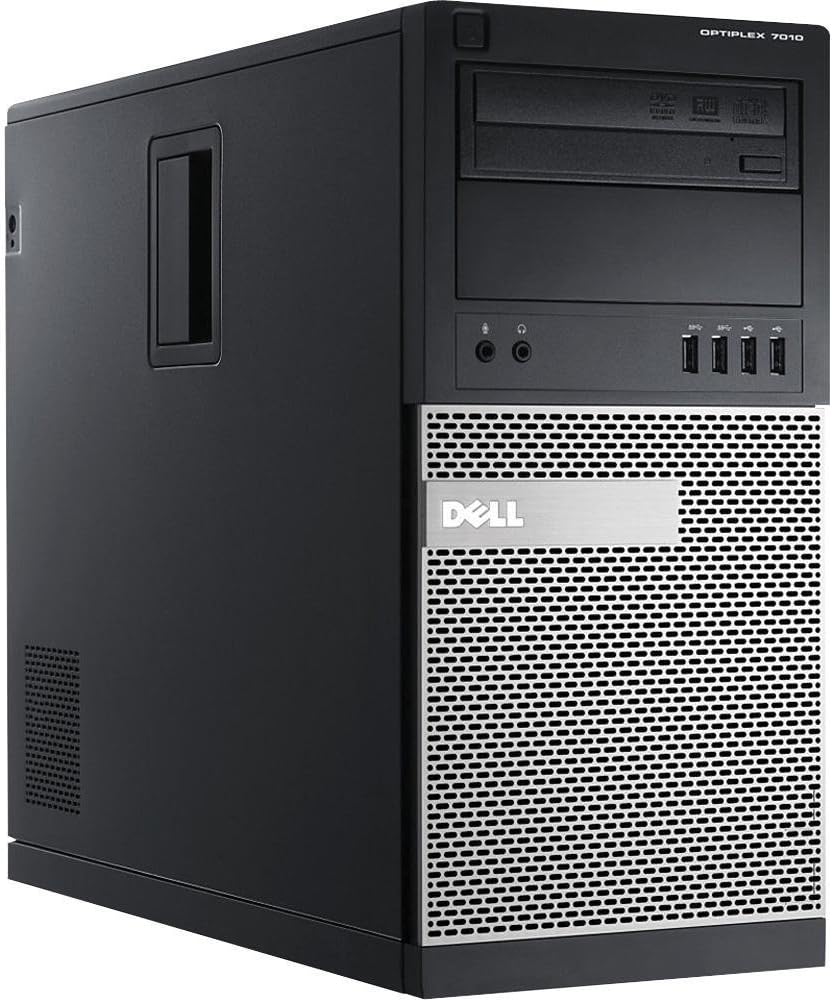
I first must say the Neg. Rev. on this machine is unwarranted. I have built machines for years and unfortunately found myself in a crunch and need a system to replace...Ok now Waite for it.......Waite here it comes an old Dell that I had completely restored that was running Windows XP Pro. Yeah that is correct; I did say Windows XP Pro. For all intents and purposes this system should have at best marginally functioned, of which it did not, However, I attribute that to the fact as I have always have said many times in the past a system, a network, and preliminary IT system is at best only as good as its programmer, or network engineer. IO built this system from the ground up after it has been completely trashed, installed everything new except the MOBO. I would not even touch the OS. So in the final stage it still had its OS and MOBO with upgrade to SP3 to the OS, New HD, I installed 7.1 Digital sound card taking work off of the MOBO, I installed an independent Graphics card this eliminating the need for the MOBO to pull double shift on the memory in sharing as well. I max out the memory which unfortunately maxed at a (WOW) whopping 2GB. I also replaced the power supply at 600 watts, not to mention a USB card to max out the number of USB attachable Peripherals. With the clean install this machine was humming but a year down the road I ran into a problem, somehow the OS Config. 32system file became corrupt and began messing with the boot and subsequent OS load process. To circumvent these issues I ran the Windows repair panel and CHKDSK platform which would in fact temporarily fix the issues, but unfortunately this was a permanent issue and nothing short of the nuclear option would resolve the issue, meaning a complete and clean re-install only. Afgter spending many days and even weeks because my project was critical I finally listened to my wife and bought the Dell Optiplex 7010, with Window 7 Pro 64bit with the Intel i7 processor, and even after buying it is sat in my compute work room for at least four months until my Dell Dimension 2400 with Windows XP SP3 and all of its whistles tweaks and bells finally crashed to the point of none recovery. I took my newly acquired Dell Optiplex 7010, with Window 7 Pro 64bit with the Intel i7 processor and loaded the programs I needed on it, which were pretty much all older programs and subsequently began working where I left off. The following Saturday after I got the Dell Optiplex up and running I stopped and installed a new 700 watt power supply and 32Gb of memory which made it blazingly fast, simply smokin’. I then decided and made plans to kick up the memory to 64 Gb. I also put in place a low profile Geforce GT 730 Inno3D Graphic card which contained onboard 4GB of memory thus eliminating memory sharing with the MOBO and subsequently slowing down and taking alway CPU processing on the MOBO. In other words pretty much to the most part the MOBO has more memory available to work with and process data and commands, or at least so I would hope. However, the specifications on the MOBO indicate that it is possible to push it to 128 GB, since the Bios is capable of handling a 64 bit OS which is capable of recognizing up to 128 GB. The specs I am referencing came directly from Dell. Please note the following: Specifications NOTE: Offerings may vary by region. For more information regarding the configuration of your computer, click Start (Start icon) → Help and Support, and then select the option to view information about your computer. Table 15. Processor Feature Specification Processor type • Intel Core i3 series • Intel Core i5 series • Intel Core i7 series • Intel Pentium Dual Core series • Intel Celeron series NOTE: Intel Celeron series is only available for the Dell OptiPlex 7010. Total Cache Up to 8 MB cache depending on processor type Table 16. Memory Feature Specification Type DDR3 Speed 1600 MHz Connectors: Desktop, Mini-Tower, Small Form Factor four DIMM slots Ultra Small Form Factor two DIMM slots Capacity 2 GB, 4 GB, 6 GB, 8 GB, 16 GB and 32 GB Minimum Memory 2 GB Maximum memory: Desktop, Mini-Tower, Small Form Factor 32 GB Ultra Small Form Factor 16 GB Table 17. Video Feature Specification Integrated • Intel HD Graphics (Celero/Pentium CPU-GPU) • Intel HD Graphics 2000 (iCore DC/QC Intel 7 Series Express Chipset CPU-GPU combo) Thus far this system is incredible and functions beyond my expectations, hats off to StallionTek the guys I bought it from; I generally do not hand out compliments on tech because as I indicated before any system you buy is only as good as the tech who built it. Thus far my system is excellent…..No complaints. My recommendation is get the 7010 MT, it will take you there, if handled correctly.