


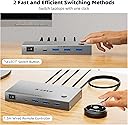

KCEVE KVM Switch 2 Monitors 2 Computers USB C, KVM Switch USB-C for 2 Laptops Sharing 2 Monitors and 4 USB3.0 Devices, 4K@60Hz, 100W PD, MST, Wired Remote(4K USBC HDMI 2 in 2 Out KVM)
Product ID: 806771286
Buy anything from 5,000+ international stores. One checkout price. No surprise fees. Join 2M+ shoppers on Desertcart.
Desertcart purchases this item on your behalf and handles shipping, customs, and support to Poland.
Product description KCEVE USB C KVM Switch Dual Monitor HDMI 4K@60Hz for 2 Laptops KVM Switch Dual Monitor for 2 laptop share 4 USB port support 5Gbps, display on 2 HDMI monitors plug and play. Supports mirror screen and extended screen KVM Switch USB C with MST, Implement USB C to 2 HDMI monitors to support 4K@60Hz KVM Switch 2 Monitor 2 Laptops support laptop, desktop computer, mini PC, Apple box and other input devices with type C ports. Video output to 2 HDMI monitor, 3 USB A ports and 1 USB C port. KVM Switch USB C with MST, 80W PD You only need 1 USB C cable from your laptop to connect to the KVM switch to display on 2 HDMI monitors. Please make sure your laptop supports expanding 2 additional monitors. Each PD 100W charger provides 80W charging for each laptop SST / MST Mac OS computers only support SST mode, which means that the laptop can only expand to 2 identical screens (this result is determined by the specific performance of Apple computers, systems and chips). Windows laptops support MST mode, which means that the laptop can expand to 2 different screens. 4 USB 3.0 port support 5Gbps Data Transfer Speed Compliant with HDMI 2.0, Type-C 3.1, USB 3.0, Deep Color 4:4:4 Driver free for Windows, Mac OS, Linux, Chrome OS, Vista.etc. 2 switching methods are fast and efficient 1.5m wired remote control, Button switch KVM Switch USB C is widely used in home, office, conference, monitoring room Review: works great - So far, so good. It supports DP2.1 and successfully displays 4k at 240hz and switches very quickly. Some KVMs take 5-10 seconds, this one is closer 2-3 seconds. It doesn't have EDID emulation so window positions change when switching, but I'm ok with that for the $45 price . The wired remote handy, I have it secured under the lip of my desk. Another helpful feature is the 4x USB ports for shared peripherals. Many KVMs only provide 2x USB for peripherals, which is a problem with higher end keyboards that take more than 1 USB connection. Review: Works 4k@165hz, win & Debian. NO EDID support. You need to boot to each device on start selection.. - First off no EDID support. I would give it 5 stars if it did. This kvm will work just be sure you have the correct cables. I was able to get 4k@165hz on two displayport devices. I had a Debian Linux machine and a Windows 11 machine hooked up. The linux machine will boot to no display if you dont have it switched first to it. So basically you need to boot to the machine the device is switched to first. Then do the same on other. After both are booted then the device works properly. This would be perfect if it just had EDID emulation. Oh well for the prices its ok. No issues with display quality etc.


| ASIN | B0GH6TGZ3V |
| Actuator Type | Push Button |
| Best Sellers Rank | #158 in KVM Switches |
| Brand | KCEVE |
| Brand Name | KCEVE |
| Color | Gray |
| Compatible Devices | laptop |
| Connector Type | Plug In |
| Contact Material | Metal |
| Contact Type | Normally Open |
| Control Method | Push Button, Remote |
| Controller Type | Push Button |
| Current Rating | 1 Amps |
| Customer Reviews | 4.1 out of 5 stars 68 Reviews |
| Included Components | 1 KVM Switch |
| International Protection Rating | IP67 |
| Item Dimensions | 6 x 3 x 1 inches |
| Item Weight | 7.52 ounces |
| Manufacturer | KCEVE |
| Material Type | Metal |
| Model | KC-C212H-A |
| Mounting Type | Panel Mount |
| Number of Items | 1 |
| Operating Voltage | 12 Volts |
| Operation Mode | ON-OFF |
| Part Number | KC-C212H-A |
| Specification Met | CE |
| Switch Type | Push Button |
| Terminal | Through Hole |
| UPC | 692090855228 |
| Unit Count | 1.0 Count |
| Upper Temperature Rating | 100 Degrees Celsius |
| Warranty Description | 1 year manufacturer |
| Wattage | 100 watts |
J**V
works great
So far, so good. It supports DP2.1 and successfully displays 4k at 240hz and switches very quickly. Some KVMs take 5-10 seconds, this one is closer 2-3 seconds. It doesn't have EDID emulation so window positions change when switching, but I'm ok with that for the $45 price . The wired remote handy, I have it secured under the lip of my desk. Another helpful feature is the 4x USB ports for shared peripherals. Many KVMs only provide 2x USB for peripherals, which is a problem with higher end keyboards that take more than 1 USB connection.
D**N
Works 4k@165hz, win & Debian. NO EDID support. You need to boot to each device on start selection..
First off no EDID support. I would give it 5 stars if it did. This kvm will work just be sure you have the correct cables. I was able to get 4k@165hz on two displayport devices. I had a Debian Linux machine and a Windows 11 machine hooked up. The linux machine will boot to no display if you dont have it switched first to it. So basically you need to boot to the machine the device is switched to first. Then do the same on other. After both are booted then the device works properly. This would be perfect if it just had EDID emulation. Oh well for the prices its ok. No issues with display quality etc.
D**Z
Works well
Does exactly what I needed. Mac and pc desktop work well and it was seamless once I connected all the cables
B**C
Seems to work for me with my LG 45GFX950A display, Macbook
I can confirm that this switch works with an LG 45GFX950A gaming display which has DP 2.1. All resolutions and refresh rates seem to work fine and are switchable from the second input as far as I can tell. I am using this with a PC with a 4090 card and a Macbook pro with a thunderbolt to DP cable. My only gripe is that it might be nicer with a wireless remote, but the switch is fine for what I need. Was reasonably easy to set up as it's fairly clear what cables plugin in where. I plugged it in and it worked.
B**N
Convenient but not ideal
The description itself goes into detail listing everything this switch can do, but neglects mentioning what it cannot do. It does not support EDID (Extended Display Identification Data) emulation/simulation. This means that switching behavior may be unexpected or inconsistent. It's not that the switch doesn't work; rather, it works as designed. I have learned to switch to a machine before turning it on. Otherwise, when I turn it on, I will likely be staring at a black screen and need to reboot. So long as the switch is in the proper position beforehand, this won't be an issue. There are two lights, green and blue, that remind you which position the switch is in. At times, I can switch from one machine to the other and find that my mouse and keyboard won't work. I might switch to a black screen. This means resetting or rebooting the computer. Take care with USB media. If you connect a USB stick to your KVM and then switch computers, you have basically pulled it from one machine without first ejecting or dismounting, which can cause data corruption. If you want to pass data from one machine to the other, eject/dismount BEFORE switching! If you want to switch back, eject/dismount before switching! Done for the day? Eject/dismount before switching or powering down. Don't leave USB media connected for no reason beyond laziness. Remove it when not in use, or you will forget it is there, which may lead to damage or data corruption. Be thoughtful and disciplined, and everything will be fine. Most of the time, everything works just fine, and I really can bounce between computers. It does seem that if I stay on one machine too long, I may have issues when switching. Maybe. It's not at all predictable, and it is rare. It could have something to do with power settings on the PCs. Regardless, I suggest that this is not the best switch to have if you are someone who will be switching machines constantly throughout the day. If you will be switching only occasionally, this KVM is fine. I have had to use two mice and two keyboards on two computers at the same desk before, and it is nice to have one set of controls for everything. You only connect a single USB cord to the back of your PC, instead of the usual two (one for mouse and one for keyboard). This saves you a USB port. What's more, you can also connect your USB headphones and just leave them connected. Still, just one USB cord to the computer! Add a USB stick, too. Still, only one USB cord to the computer. ! It is quite convenient. At this price point, you are getting a solid switch that supports refresh rates of up to 240Hz with Display Port 2.1. There are multiple versions of the switch, so be clear as to which one you will get before ordering. KVM switches can cost ten times this price. The better ones support EDID for fast and stable switching, but may not support the most recent HDMI or Display Port standards, including those fantastic refresh rates. Regardless of price, you really have to know what you are getting before ordering any of these things.
G**L
Does what it says it does
Works as promised, doesn't take up much space, easy to use.
C**.
Fake description and only DP 1.4
The description is wrong and this only supports display port 1.4 which has lower resolutions and limits the rate to 60 hz. To get the real Description you need to go to their Chinese site. This product should be removed for false advertising of functionality.
R**P
Works with DP1.4, could not get it to work with DP2.1
This KVM is likely perfectly fine if you're looking for a fully capable DP1.4 KVM, which is why I'm still giving it 4 stars, For most users this is a very capable KVM that you likely don't have hardware that could tell the difference anyways, it just does not actually support DisplayPort 2.1 well enough for the monitor to actually work. For those curious about what I tried: I have an RTX 5090 and a Gigabyte AORUS FO32U2P. All of the cables are DP80 certified Cable Matters cables. They work with the PC directly connected to the monitor in DP2.1 mode. The monitor does not work in DP2.1 mode if the KVM is in the middle, even with 3ft cables on either side.
R**O
Cumpre o que promete.
Funciona muito bem mesmo sem uso da fonte externa. Segurou tranquilamente 4k em 175hz.
T**F
Good value KVM switch!
I'm currently using this to switch between my PC and Ipad Pro and it works extremely well. Setup took only a few minutes and the only challenge I faced was where to put the unit to it was it out of sight and setting up cable management nicely. Unlike some similar units, 5' cables were included in this giving lots of flexibility on placement. I think my only complaint is that the unit requires a wall wart for power instead of using a USB connection for power. I did note that there weren't any HDMI cables included and one extra would have been a nice touch for those who don't have a bin of spare cables. This unit does not include EDID so applications window placement aren't not remembered when switching between PCs so if you're using a laptop you will need to drag windows back to where they were on your external monitor when switch back. Not a huge deal and for the price of the unit, I do not expect EDID as that's normally only found on expensive units. I did have some issues with an older wireless mouse not working properly and it wasn't recognized by either machine through the KVM. NOTE: I have only tested video using 4K at 60hz because I don't have anything with higher resolution/refresh. I also did not test data transfer because I use a network to share data between machines (safer) and I don't want to keep ejecting a storage device in windows when I want to swap between PC's. PROS: - Very affordable - Simple to setup - Small, easy to mount someplace discrete - Provided cables are 5' long (USB cable + KVM + Remote cable = 10 feet!) - Solid metal housing - Switches between computer quickly POTENTIAL CONS: - No rubber feet included - No HDMI cables included - Some wireless devices may not work properly - Requires a wall wart vs using USB (-1/2 star) - Power port is at the front of the device (-1.2 star) Even though this isn't is a perfect device, I'm being generous with scoring because it's a very cost effective KVM option and think it delivers fantastic value. If this was more expensive I'd expect more options, all wireless devices to work etc.
S**E
New job, new laptop… and not enough space,Kceve to the rescue
New job, new laptop… and not enough space So I just start a new job, and they give me a work computer. Cool, but my home desk was already full… no way I can add another monitor or keyboard there. I found the Kceve KVM switch and wow, honestly, it make the setup so much easier. It arrive fast and everything was packed nice. In the box, you got: *the KVM switch *power adapter (110V to 12V) *2 USB cables *a small remote wired switch with double-side tape *the manual The switch has 2 HDMI inputs, 1 HDMI out, 4 USB inputs, and 2 USB outputs. Setup was pretty simple once I had dig out some HDMI cables from my "big box of cables", two from the PCs to the switch, and one from the switch to the monitor. After that,my wired keyboard and wireless mouse work fine right away. No drivers or nothing. Didn’t try with a printer, but I think it should be OK. You can switch computer by pressing the button on the box. But the remote switch button is a real game changer as it allow to switch PCs without having to reach for the box, that often end up under papers. I stick it under my screen with the double face tape, and now I just press it to change PC. There are small LEDs that show which computer is on display. Super pratique. Only small thing I don’t like: the power plug is on the same side as the input cables. It would have been better if it was on the back. But as the remote button is there, the box will stop to be the device to reach to and in the end, it does not matter that much. In short: works super well, the remote button is a life-saver, and I totally recommend if you work with two computers.
W**Y
Nice convenient KVM Switch with a remote switch button included.
This KVM switch works well. I work from home so when I need to switch both the screen and keyboard/mouse back and forth between my work laptop and my own desktop it makes life a lot easier. I no longer have to unplug and move cables over to the other device. With just a push of a button it makes the switch very easy. I like the remote button that it comes with as I can hide the main box where everything connects for a nice clean setup. My only complaint is that the power cable comes out of the front of the device. I would prefer it out the back just to make cable management easier so I am docking 1 star for that. I have 2 monitors that I tested this with. Neither are 4K resolution but it easily allowed both to run at a minimum of 100Hz which is more than good enough for my productivity. I had no issues with either a wired or wireless keyboard/mouse plugged into the dock. There were no missed keystrokes and mouse movements were precise. Overall if you need to switch between 2 computers using 1 set of peripherals (monitor/keyboard/mouse) one of these switches will make your life a lot easier.
A**E
Works when ONLY both computers connected are in active mode
This KCEVE 2 Computer 8K@60Hz KVM switch works fine and is easy to connect. It comes with Two USB 3 Male to Male connectors to connect Two computers to the KVM switch and power supply adapter, but you need 3 HDMI cables to connect Two computers, which is not provided with the package. As long as both computers are active (not in sleep mode) you can easily switch between computers using the KVM switch. The only issue I found is that, if any of the Two computers or both of computers get to the sleep mode, then only the computer connected to KVM at the time of sleep can be activated through the KVM switch; the other one can't be activated without a direct contact of a keyboard or mice. I find this is a big draw back of this equipment as most of the computers are set to go to sleep mode when no activity for few minutes.
Trustpilot
2 weeks ago
1 month ago