We remain fully operational. Our teams are working around the clock to ensure your deliveries continue safely.

DOWNLOAD THE APP


Customer Services
Copyright © 2025 Desertcart Holdings Limited
DOWNLOAD THE APP


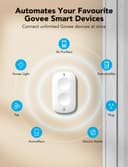


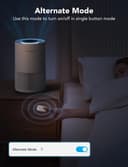

🔘 Elevate your smart home game—control more, stress less!
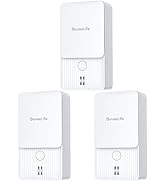
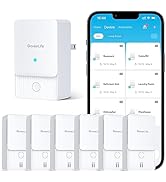
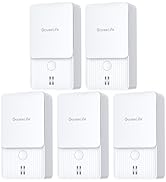
The GoveeLife Smart Mini Double Button Switch is a compact, battery-powered wireless controller designed to manage up to 50 GoveeLife smart devices. Featuring a 4-month lithium battery life, dual Wi-Fi and Bluetooth connectivity with a 55-meter range, and intuitive dual-mode button operation, it offers seamless one-touch automation for any smart home setup. Ideal for professionals seeking efficient, space-saving smart control without reliance on Alexa or Google Assistant.












| ASIN | B0BQYGSKLG |
| Brand Name | GoveeLife |
| Color | ホワイト |
| Connectivity Protocol | Wi-Fi |
| Connector Type | ワイヤレス |
| Customer Reviews | 4.1 4.1 out of 5 stars (526) |
| Included Components | ボタンセンサー、バッテリー、粘着テープ、ユーザーマニュアル |
| Item Dimensions | 5.6 x 1.5 x 6.1 cm |
| Item Type Name | センサー |
| Manufacturer | GoveeLife |
| Model | H5126101 |
| Mounting Type | ウォールマウント |
| Number of Items | 1 |
| Switch Type | タッチスイッチ |
| Unit Count | 1.0 Count |
S**E
I’ve been gradually adding GoveeLife products around my home, and this Smart Mini Double Button Switch is one of those small additions that makes a big difference in everyday use. Setup was quick and straightforward through the Govee app. It paired easily and let me assign each button to control specific devices and even groups of devices. I especially like being able to use one button for a single light and the other for a grouped scene. The response time is fast, and it’s been very reliable so far. What really makes this a standout for me is how practical it is when guests are over. I love smart lighting, but I don’t want to make visitors download an app just to turn lights on or off. Having normal, physical buttons available makes everything feel intuitive and accessible. Guests can simply press a button like they would with a traditional switch, and it just works. It keeps the smart home convenience without the awkward explanations. The compact size is another plus. It’s small enough to place almost anywhere—on a side table, near an entryway, or mounted where a switch would normally be. Since it’s battery powered, there’s no complicated wiring to deal with. If you’re building out a GoveeLife ecosystem and want an easy, guest-friendly way to control your devices, this little switch is a fantastic addition. Simple, reliable, and genuinely useful. Highly recommended.
H**Z
I used 2 buttons with one Govee smart plug and it works great for what I needed. I'm using it for my hot water recirculating pump. I did not want it to run 24/7 and our schedules are so random that timer on the pump does not work for us. I was able to use 2 of these buttons (one in Primary bathroom and other in the kids bathroom). The automation is set up to switch it on and then a delayed reaction to shut it off after 10mins. The other button is just a back up off switch for the pump. This is perfect for us since the pump is not always running and it works reliably when we are ready to take a shower. The Govee button seemed to have the best reviews so I went for it and the app was easy to use and set up . I use Meross for my lights but they do not offer a button yet (at least that I found). Both platforms are great. I'm glad that it worked out and would recommend it!
N**M
It’s a pretty good button. It’s designed well, it feels high quality. But it does glitch sometimes and doesn’t turn on the lights, or it takes 30 sec+ to do it. Usually it’s fine, but sometimes it happens.
S**F
I have two of them in different bedrooms. The buttons can be placed anywhere convenient. I created logic in the Govee App to have the top button turn lights on, and bottom button to turn light off. The sweet part is that you can refine the intensity and color for the on button to your liking, or have one button for many different appliances or lights that are supported from Govee. The first initial setup was tricky. The button is Bluetooth only, and must connect to other Govee devices that support WiFi in what Govee calles a “distributed gateway”. In addition, Govee only works on 2.4 GHz WiFi. Router should adjust automatically but mine did not. I had to manually set my router to 2.4 as it was on 5 GHz. After it was connected, I set my router back to Automatic. Now devices talk on 2.4 and 5 GHz. The latter frequency is batter but not supported by Govee.
A**O
What a shame, I was liking Govee even though they have a banner ad in the app for hardware I bought. Still, I was happy it allowed either Bluetooth for direct offline connections, or WiFi, on its smart plugs. Well, turns out that this button doesn't work locally, even over WiFi, if said WiFi doesn't have internet. Doesn't work with Bluetooth at all, and it took me a while to find out because there's no warning in the app that if the smart plug is only connected over BT the button won't work. This also led me to the realization that the smart plugs also don't work over wifi if there's no interernet. So what happens when Govee's servers are down? The button ceases to function altogether.
Trustpilot
2 weeks ago
5 days ago