Desertcart purchases this item on your behalf and handles shipping, customs, and support to Poland.
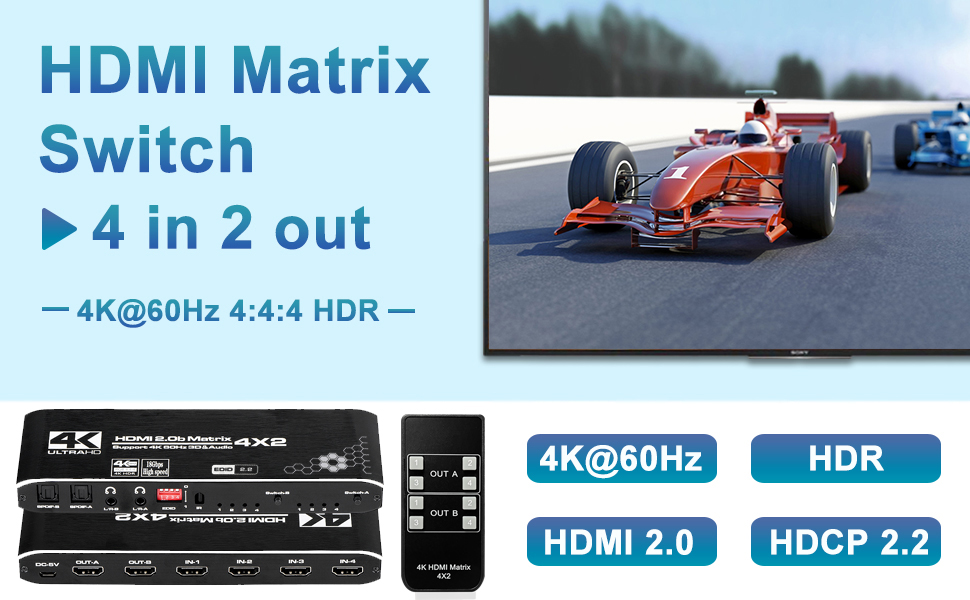
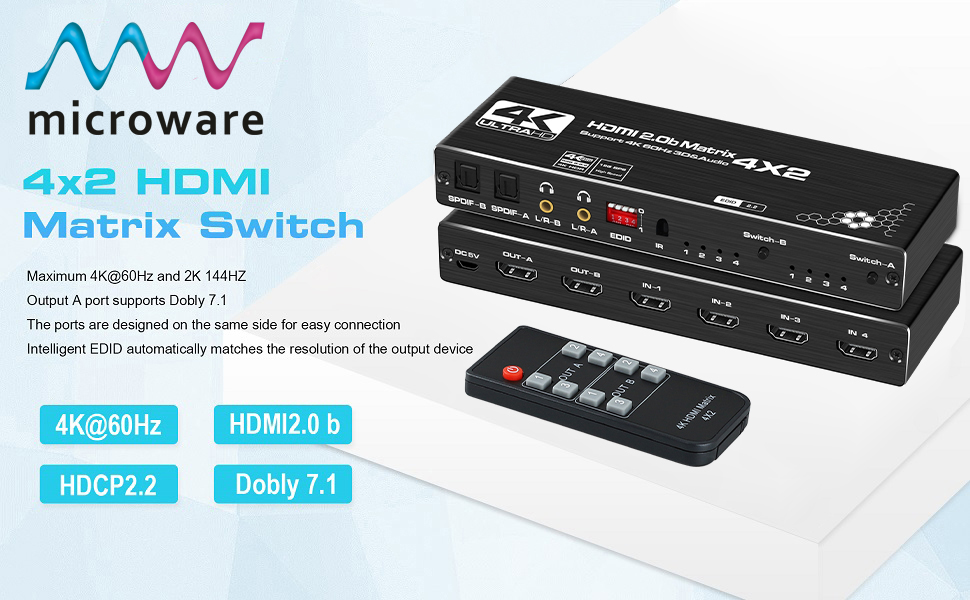
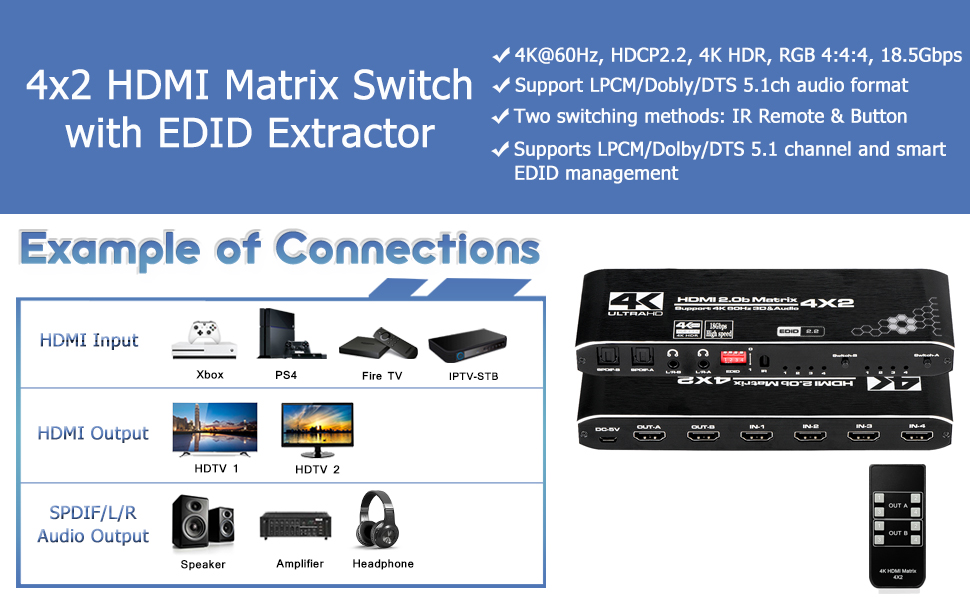
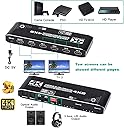
ENBUER 4K HDMI Matrix Switch 4x2, 4 In 2 Out Box with EDID Extractor and IR Remote Control Support, HDMI 2.0b, HDCP 2.2, 4K@60Hz, 3D, 1080P : desertcart.in: Electronics Review: Amazing matrix for the price! - I am very happy with this matrix. I was a little worried about going with the cheapest option, but it does exactly what is says and without any hiccups other than having to unplug and reconnect the main input the very first time I turned it on and connected everything. Since then, it’s worked flawlessly and both signals out are perfect from both inputs I’m currently using. It’s super easy to use, the remote works great, the light isn’t annoying at night (it’s on my desk in my bedroom) and the value is unmatched. It did have a slight issue with my cheap capture card ($25 4k capture card from desertcart) where the colors where blown out and slightly tinted green, but it was definitely the capture cards fault because I bought I better one and it’s all good now. Highly recommend. Review: Installed this so I could continue to use my outdated AVR (with Harmony remote) - My 2006 Denon AVR is a beast in terms of the amount of power that it puts out. However, it has long lived past its shelf life in terms of being able to switch newer video formats. I didn't want to spend 2k+ on a comparable new receiver so I got this device to handle the video switching. I have all kinds of video devices - 4k, 3d, 1080p, etc. In my scenario I wanted to be able to switch to a single device (say, 4k) and have the Output 1 output to my 4k projector in 4k while Output 2 sent the signal to my AVR for audio. I am happy to report that it works perfectly with all formats. This also includes the newer advanced audio formats! The part that was a little bit tricky was the harmony setup. My components are tucked away in a closet so I needed to have the harmony hub control this unit to switch the video. In my unique scenario (wanting to send one input route to both of the outputs I had to do a little trickery in Harmony setup. 1. Add a new device. Manufacturer: "HDMI" Model: "Switch A". When it tells you that it can't find such a device just continue on. The names of the manufacturer and model don't matter at all. Once you get the device created you are going to have to add the commands via the harmony "listen" functionality. I had an awful time here. I have done this many times in the past and never had a problem but some times I had to run the learn command 6 or 7 times for a single button for it worked after the sync. Anyway, add the 4 inputs for "Output 1". I did not bother putting in the power button - I am just leaving it on. If you do use the power button make sure you add it to only one switch and not both (otherwise you might turn it on and off in the same step). 2. Repeat the previous step except you'll want to set the "Model" as "Switch B". The reason for this step is that a single device can only have one input and in the previous step we took care of "Output 1". So we'll create two virtual devices (Switch A and Switch B) and in this step we'll set the 4 input commands for Switch B. 3. Now go back to your activities setup and re-run the activity to add in BOTH of the new switches. In my scenario (wanting to output the same signal on both outputs at the same time) I needed to set the inputs to be the same for both Output 1 and Ouput 2. Example: I set my "Movie" activity to have Switch A to send "Input 1" to output on "Output 1". I set Switch B to send "Input 1" to output on "Output 2". I hope this helps someone.



| ASIN | B0814L36PV |
| Best Sellers Rank | #919,021 in Electronics ( See Top 100 in Electronics ) #614 in Selector Boxes |
| Brand | ENBUER |
| Brand Name | ENBUER |
| Cable Type | HDMI |
| Compatible Devices | Television |
| Connector Type | HDMI |
| Connector Type Used on Cable | HDMI |
| Customer Reviews | 4.0 out of 5 stars 403 Reviews |
| Manufacturer Part Number | GuangDa |
| Model Number | GuangDa |
| Number of Ports | 3 |
| UPC | 687345926068 |
J**Y
Amazing matrix for the price!
I am very happy with this matrix. I was a little worried about going with the cheapest option, but it does exactly what is says and without any hiccups other than having to unplug and reconnect the main input the very first time I turned it on and connected everything. Since then, it’s worked flawlessly and both signals out are perfect from both inputs I’m currently using. It’s super easy to use, the remote works great, the light isn’t annoying at night (it’s on my desk in my bedroom) and the value is unmatched. It did have a slight issue with my cheap capture card ($25 4k capture card from Amazon) where the colors where blown out and slightly tinted green, but it was definitely the capture cards fault because I bought I better one and it’s all good now. Highly recommend.
A**N
Installed this so I could continue to use my outdated AVR (with Harmony remote)
My 2006 Denon AVR is a beast in terms of the amount of power that it puts out. However, it has long lived past its shelf life in terms of being able to switch newer video formats. I didn't want to spend 2k+ on a comparable new receiver so I got this device to handle the video switching. I have all kinds of video devices - 4k, 3d, 1080p, etc. In my scenario I wanted to be able to switch to a single device (say, 4k) and have the Output 1 output to my 4k projector in 4k while Output 2 sent the signal to my AVR for audio. I am happy to report that it works perfectly with all formats. This also includes the newer advanced audio formats! The part that was a little bit tricky was the harmony setup. My components are tucked away in a closet so I needed to have the harmony hub control this unit to switch the video. In my unique scenario (wanting to send one input route to both of the outputs I had to do a little trickery in Harmony setup. 1. Add a new device. Manufacturer: "HDMI" Model: "Switch A". When it tells you that it can't find such a device just continue on. The names of the manufacturer and model don't matter at all. Once you get the device created you are going to have to add the commands via the harmony "listen" functionality. I had an awful time here. I have done this many times in the past and never had a problem but some times I had to run the learn command 6 or 7 times for a single button for it worked after the sync. Anyway, add the 4 inputs for "Output 1". I did not bother putting in the power button - I am just leaving it on. If you do use the power button make sure you add it to only one switch and not both (otherwise you might turn it on and off in the same step). 2. Repeat the previous step except you'll want to set the "Model" as "Switch B". The reason for this step is that a single device can only have one input and in the previous step we took care of "Output 1". So we'll create two virtual devices (Switch A and Switch B) and in this step we'll set the 4 input commands for Switch B. 3. Now go back to your activities setup and re-run the activity to add in BOTH of the new switches. In my scenario (wanting to output the same signal on both outputs at the same time) I needed to set the inputs to be the same for both Output 1 and Ouput 2. Example: I set my "Movie" activity to have Switch A to send "Input 1" to output on "Output 1". I set Switch B to send "Input 1" to output on "Output 2". I hope this helps someone.
Y**E
Inexpensive Powerhouse!
I thought this was going to be a cheap product so I purchased an Orei device as a backup for it. On receiving the device I chose to use the Orei as I have used many of their products in the past without issue. Well in after 30 or 40 mins the Orei unit went out. The device had shorted out the HDMI cable and was burning hot. I removed it and reluctantly connected this device. The first surprise I had during the install is that the device was made out of aluminum and not plastic. Next the device had toggle switches on it for additional customizations. I thought this was BS as the product was so inexpensive. Tested them and yes they worked! After a very simple setup I began monitoring the device for overheating. I checked the device by touch every 30 mins for heat, after 12 hours of continuous running I never had a noticeable temperature increase. I have had the device connected now for more than 30 days and it runs 12 - 16 hours daily and it has produced no significant heat issues, or produced any problems at all. I will point out one problem that the device has shown but it is easily resolved or ignored. The device does saturate the monitors color scheme. It basically punches up the blacks so you have to adjust your color contrast on the monitor if you are doing work where colors matter. If your monitor has an “eye saver” mode you can simply turn it on and that will fix the color issue. While I am not sure about the support offered by the manufacturer on this device, I would highly recommend that if you need a matrix HDMI switch that you purchase this one but be sure to add on the asurion warranty for protection. Now I am by far an Orei guy, as I have MANY of there products currently in my environment, but I have to say there build quality has changed and not for the better. In order to remain competitive they have switched many of there product builds to plastic, and there support is not as great as it once was. I used to be able to request a replacement part from them and they would ship it out to me before I shipped in the broken part, as long as I provided a payment method to charge if the broken device had not been received in 7-10 business days. They no longer offer that type of service, and it is all email support now so while response time is within 24 hours you do have to wait. It is not my goal to “bash” Orei in this review of the HDMI Matrix Switch 4x2, 4K HDMI Matrix Switcher Splitter 4 in 2 Out Box. I am simply pointing out to IT professionals or enthusiasts that there is a less expensive, better built, product on the market. Personally I intend to purchase several more of these devices in different output configurations if available.
K**M
Very nice switch/splitter!
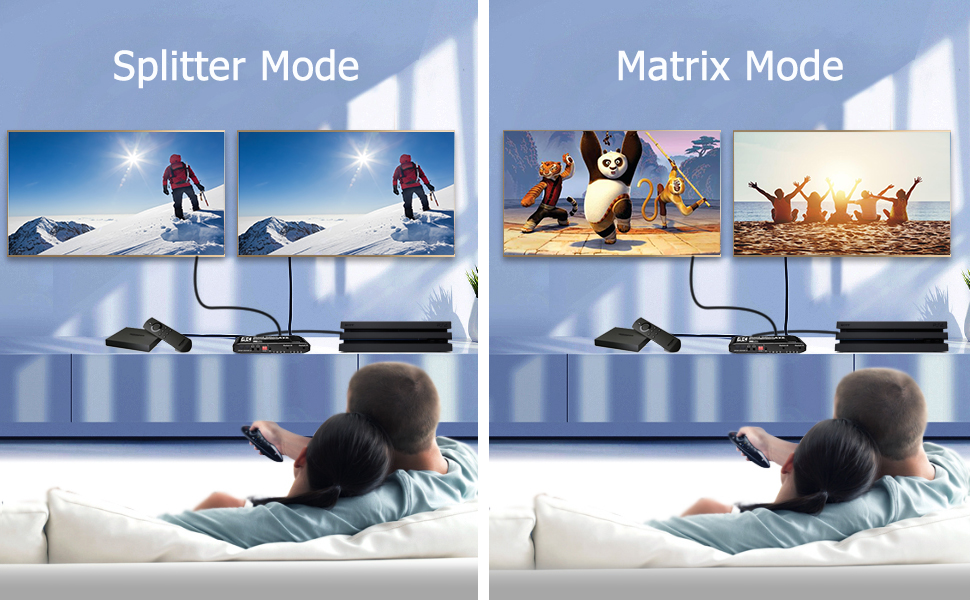
Okay, I'll do a sales pitch for this product... I have a projector setup outdoors, actually in two locations and I was moving the projector. This has required unplugging one set of HDMI and Toslink cables and plugging in another. Many switches have multiple inputs and one or two outputs for HDMI but only one output for the Toslink. This device has 4 inputs and 2 outputs, that's 2 HDMI and 2 Toslink outputs! You can select which output uses whichever input. You can also select both outputs use the same input! Yes, this device will split the signal and send it to two different outputs at the same time! Now it's 2020, the year of COVID and social distancing... I now have two projectors and with this device I can show the same movie in two locations at the same time with one blu-ray player. Yes, it plays to 2 projectors and 2 soundbars with no lag. Now my daughter and her friends can maintain their social distance and move around between the deck and patio and still watch the movie! I have purchased five or six other switches attempting the ideal setup and so far, this is the only one that works how I need.
K**K
output 'POPS' and blanks display screens
At first, I thought this worked perfectly to connect my laptop and my desktop to a pair of LG 4k displays. However, after a few minutes, the displays began 'popping' and blanking for 3-5 seconds on one display or the other; or sometimes both. The behavior continues every couple of minutes. The 'pops' are heard through the display speakers. Hooking either device directly to the 2 monitors eliminates the problem, so it is clearly a problem with this switch. I don't know how bad this problem seems to you, but in practice it is excruciating when you are trying to power through a workday of video editing or other activities.
Trustpilot
1 week ago
3 weeks ago