Buy anything from 5,000+ international stores. One checkout price. No surprise fees. Join 2M+ shoppers on Desertcart.
Desertcart purchases this item on your behalf and handles shipping, customs, and support to Poland.
🎨 Elevate your digital artistry — create like a pro, anywhere, anytime!
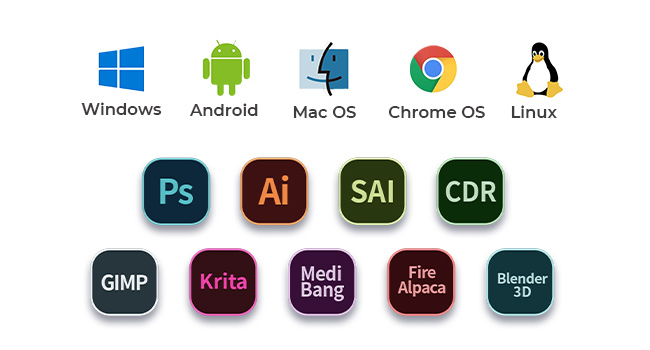
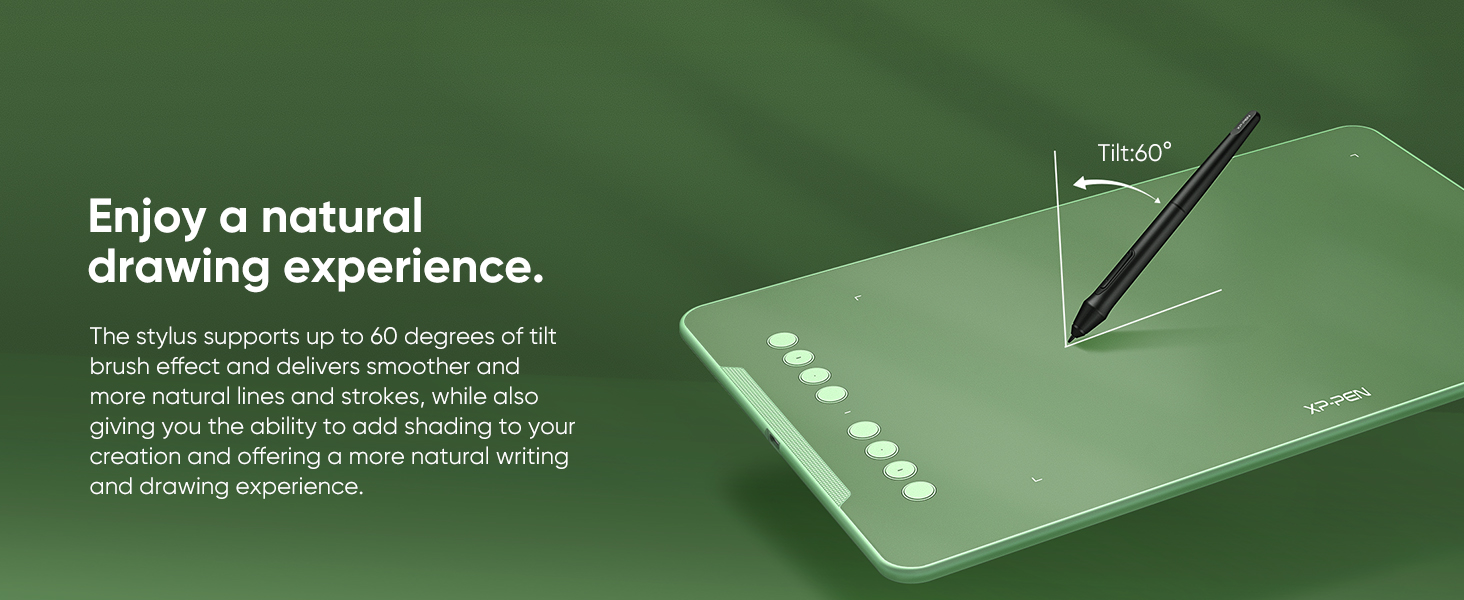
The XP-Pen Deco01 V3 is a sleek, ultra-portable digital drawing tablet featuring a large 10 x 6.25 inch active area and industry-leading 16,384 pressure sensitivity levels. Its battery-free passive stylus supports 60° tilt for natural brush effects, while 8 customizable express keys streamline your workflow. Compatible with Windows, Mac, Linux, Android, and Chromebook, it’s designed for professionals and creatives seeking precision and versatility on the go.


| ASIN | B077P6BQP7 |
| Active Surface Area | 60 square inches |
| Best Sellers Rank | #1,646 in Electronics ( See Top 100 in Electronics ) #3 in Graphic Tablets |
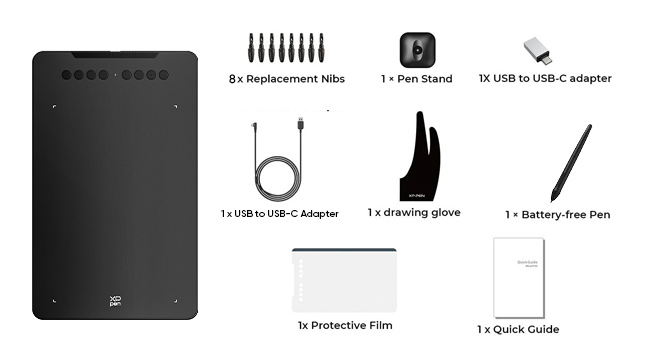
| Box Contents | 1 Pen Tablet, 1 P03 Passive Pen, 8 x Replacement Nibs, 1 Anti- Fouling Glove |
| Brand | XP-PEN |
| Brand Name | XP-PEN |
| Colour | Black |
| Compatible Devices | Desktop, Laptop, Smartphone, Tablet |
| Connectivity Technology | USB |
| Country of Origin | China |
| Customer Reviews | 4.4 out of 5 stars 14,448 Reviews |
| Display Type | LCD |
| EU Spare Part Availability Duration | 1 Years |
| External Testing Certification | nao |
| Importer Contact Information | M/s DNS Overseas 1003, Raheja Chambers, 213 Nariman Point, Mumbai 400021 |
| Item Dimensions L x W | 35.1L x 21.7W Centimeters |
| Item Type Name | Graphic Tablet |
| Item Weight Unit of Measure | 1000 Grams |
| Manufacturer | Hanvon Ugee Technology Co. Ltd. Address: No. 4 Building, Fulongte Industrial Park, Huaxing Road, Dalang Street, Longhua District, Shenzhen, China 518019, XP-Pen |
| Manufacturer Contact Information | Hanvon Ugee Technology Co. Ltd. Address: No. 4 Building, Fulongte Industrial Park, Huaxing Road, Dalang Street, Longhua District, Shenzhen, China 518019 |
| Manufacturer Part Number | Deco 01 |
| Model Name | Deco |
| Model Number | Deco 01 V2 |
| Native Resolution | 500*500 |
| Network Connectivity Technology | USB |
| Operating System | Android 6.0 Marshmallow |
| Packer Contact Information | M/s DNS Overseas: 1003, Raheja Chambers, 213 Nariman Point, Mumbai 400022 |
| Pressure Sensitivity | 8192 Levels |
| Product Features | 60° Tilt Support, Android Support, Electromagnetic Resonance, Extra-Slim, Shortcut Key, Stylus Dock |
| Screen Size Unit of Measure | 10 Inches |
| Special Feature | 60° Tilt Support, Android Support, Electromagnetic Resonance, Extra-Slim, Shortcut Key , Stylus Dock |
| Specific Uses For Product | Animation, Designing, Teaching |
| Target Audience | Student, Teacher |
| UPC | 758232357200 758232356821 761460825878 |
| Unit Count | 1 Count |
| Warranty Description | 1 Year Replacement Manufacturer |
A**A
Love it
I love it. I'm using Deco V2. It's pretty big and quality is very nice. The pen feels premium and pressure sensitivity is excellent and works pretty well. Installation is easy, just install the drivers from the official Xp-pen site and then everytime you connect the tab, it'll start working right away. I have used it on windows and Android as well and it's compatible with both. There is no need of battery in pen as it works of battery free EMR wacom technology. Also, there is no lag. If your stroke is lagging, check your brush smoothing and set it to zero to get a lag free experience.
A**N
Best tablet
I'm using this Tablet for a long time now, really love this product and it's quality. It's value of money.
G**A
My goodbye to the top drawing tablets' brand forever!
Just like anyone, I was a bit hesitant to purchase this drawing tablet but I was totally stunned after laying my hands on it. I will tell you why. I previously owned an Intuos art medium(2015) and this review will be a comparison between the both because I believe that most people who want to purchase this tablet will either be beginners or the people who want to try a drawing tablet for the first time in their life, So they will try to get a beginner's range Intuos or other alternatives like this. Yes, Wac** brand has better drivers and customer support but to be honest recently they have been overpricing their product line with unexciting generation upgrades and saving their best features only for the pro line tablets which are so expensive.Their recently released 2018 beginner range tablets have worst nib wear as per many reviews, suppose for a person like me who works 6-8 hours continuously on digital drawing that's a really bad thing. I can't keep replacing my nibs for every four weeks that's ridiculous so I thought of giving XP Pen a try after reading good reviews about 'Deco 01'. Best things about the tablet: 1- Tablet surface is smooth and scratch resistant. I didn't see any nib wear or nib marks on the tablet though I've worked for many hours till now. So I can assure the nibs won't wear quickly. They can last for an year as per my guess. Oh and there are like nine of them provided! When I said tablet surface is smooth, to elaborate it more it was like using a smooth wax colour pencil on paper it's smooth but not too much. Surface smoothness is almost the same as my old Intuos art medium. 2- Active area size is rectangular and perfect for modern monitors. It's ideal for one regular led monitor upto 30 inches size or two small montiors upto 13 inch each or one 18:9 to 21:9 flat/curved monitor. It has custom active area adjustment btw. 3 - Express keys have a perfect feel to them and are just enough. Neither too many nor too less. I don't feel the absence of a radial dial, these are already perfect. 4- Decent drivers. Yes there's 'Enable Windows Ink' check box don't worry about not having that. Pressure curve works perfectly. 5- No hover lag.While my old tablet had hover height of 7mm this one has 10mm and I can clearly see the difference. 6- Lines were sharp and clear even when canvas is zoomed out(due to 5080 lpi resolution), pressure sensitivity was just great at a price that is just 4 times lesser than Int**** Pr* Med*** (8192 levels). No lag whatsoever because of high report rate (266 rps). I can notice huge difference upon my old tablet. 7- Works best with Photoshop (If you face pressure sensitivity disable windows ink in driver interface and modify PSUserconfig.txt file in Photoshop settings folder). Also works well with Krita, Clip studio paint etc. 8- I didn't expect pen holder at this price point it was a cute little surprise(out of many other surprises). It can hold the pen both vertically horizontally. Pen holder is heavy and doesn't feel like some cheap plastic. 9 -Pen has a very good triangular grip. It's lightweight though. 10- Type C cord doesn't get into the way while you're working. I had very much problem while using express keys on my old Intuos tablet. I just can't simply use them because of their placement position and the cable was annoying. But this tablet solved those issues for me. 11- Tablet felt 1 time lighter than my old tablet.The artist glove was very useful. I may even use it for my Ipad pro too. Cons: 1- Pen doesn't have eraser 2- Only If there was pen tilt and rotation option available on Wa*** alternatives like Xp pen I'm afraid I'll stop using Wa*** products forever. There's no pen tilt or rotation on this tablet 3 - No touch available. My old tablet had touch option but I rarely used it. Touch is not beneficial on drawing tablets, atleast for me. 4- No bundled software. Bundled software like 'Clip studio paint' or 'Corel painter essentials' would cost you around 3k rupees but you also have zero cost alternatives like Krita'. And I forgot to mention something in the review- The shortcuts assigned to pen buttons are common towards all programs not specific to individual programs.That might be a con for multitaskers. I've bought it for 7500/- Final note - Being so accurate,seamless and fast it's a marvellous drawing tablet at this price point. Beginners can blindly go for this and I recommend professionals to try this tablet you will definitely love it to have as your secondary tablet, or perhaps take up your primary tablet's position. It's that good trust me! I will soon update this review after a month with few photos of the tablet and my artworks which I'm gonna paint with it as well. 25th May update - I had an incompatibility between tablet driver and windows 10 from the past few days but a recent windows 10 update fixed the issue. Now the tablet works like a charm. Super happy!
G**H
Good
Good quality product easy to use,value for money
M**R
Worth buying
Excellent for online teaching.
A**I
Great tablet
Great product Good Pressure sensitivity Great size
A**I
Best Tech product ever bought 🫶 Deco 01 V3
It's amazing, it works very smooth, and pressure sensitivity too is great. I got latest XP-PEN Deco 01 V3. The amazon app is showing Deco 01 V2 but, i am happy that I got latest V3. It is amazing, you can see the photos and videos. My handwritting may not be looking very good, because I am new to it, it will improve in later time. I got each and every accessories. The packaging was great, and the XP-pen box was absolute perfect. And it works very smooth, if you want a tablet to teach other students you can definately go for it, also it's great for artists, because it have pressures sensitivity of 1600+ , and its size too is great, not very small not very large, it's enough to be called perfect. Thank you @Amazon
R**9
Product is good too good packaging as well 😄
Not working properly with android but working good with pc
S**P
LIKED THE QUALITY, SIZE & PRICING
Actually, its better than i expected. I used to use wacom pen&tablets but after using XPPen i feel like this product is underrated. SURFACE & PEN both are with soft/smooth touch. Size of tablet is bigger than i expected. They providing Quality product in this price, which is awesome.
A**A
Muito bom, com um preço muito acessível
O pacote veio muito bem embalado, com tudo descrito e organizado dentro da caixa. Por ser a minha primeira vez utilizando um dos produtos da XP-Pen, a instalação e configuração do dispositivo demorou um pouco, mas já me acostumei. Decidi usar a capa que o produto vem para o tablet pq achei a superfície mt fácil de riscar e só fazendo alguns testes eu ouvia ruídos que poderiam riscá-lo com facilidade. Porém, eu percebi que não só as configurações são um pouco limitadas comparadas à minha experiência com os drivers da wacom, mas também as pontas da caneta desgastam com facilidade, o que me chocou um pouco por testá-lo raramente em questões de dias e já ver a ponta da caneta beeem desgastada pro meu gosto. Sobre as pressões, tenho preferência a níveis de pressões mais altos, então achei q fosse uma boa escolha, porém eu percebi que o tablet falha um pouco (não sei se é por conta da capa que dificulta um tico), no sentido de tentar fazer uma pressão mínima, muito baixa e o tablet não conseguir detectar. Então quando há o costume de usar brushes de tamanho excessivo pra não só pintar áreas grandes, mas também conseguir pintar áreas mínimas por conta da pressão, aqui você vai encontrar dificuldade fazendo isso para pintar detalhes. Parece reclamação vazia, pois obviamente com um brush de tamanho muito grande não vai conseguir pintar áreas muito pequenas, mas com outros tablets eu conseguia esse feitio através das pressões. Também é difícil fazer pontos, por incrível que pareça kk. Isso tudo aconteceu mesmo eu tendo o costume de usar pressões mais baixas para evitar pressionar minha mão fortemente na superfície. Tenho ele faz mais de três semanas e sim, ele é muito bom, confortável, preferi não usar a luva, mas ainda assim foi uma boa escolha de compra. Até agora eu gastei duas pontas, pretendo ver até onde eu consigo gastar com uma (tá explicado porque vem tanta ponta, eles sabem que gastam bastante). Minhas únicas reclamações são quanto à pressão e as pontas, acho que deveria ser um pouco mais completo os drivers, tendo distância entre caneta e tablet e uma configuração mais completa sobre monitor, pois me irrita eu configurar um botão pra mudar entre dois monitores e eu precisar apertar mais de uma vez pois ele detecta a junção dos dois. Mas nada que eu não acostume, claro, são os drivers, não o produto em si. Por fim, os botões de atalho são algo que eu uso esporadicamente, não tenho mta frequência de uso, mas as vezes aperto aqui e ali pra tentar manter o uso um pouco mais frequente.
D**I
Its just, perfect.
For reference, i upgraded from the standard intuos tablet. I also refunded a screen tablet a couple days ago and got this one instead. I refunded the screen tablet, which was much more expensive, because my monitor screen has MUCH better picture/color, (and i can not afford one with good picture.) This tablet is perfect. first, it's only 1 wire, and comes with anddroid/type c adapters. it also comes with an artist glove (its a little tight on my hand, i have big hands.) and an optional screen to go over the tablet. it makes the tablet feel more like paper. (as a side note, scratches on a tablet is normal, I play osu, I notice every difference in my consistency, i say this because people worry about scratching tooo much, the scratches are much too small to effect consistency, it happens when the pen nib gets sharp, just replace your nibs.) (also, I put a very very small amount of synthetic lubricant on a cloth and applied a very (VERY) thin layer to my tablet, it makes the surface extremely soft/smooth. and prolongs the life span of the plastic, (dry plastic cracks yo!) synthetic lubricant is used for moving parts, which is why it allows the pen to glide better, without making things tooo slippery. I get off topic..heh. this tablet is plug and play, but do yourself a favor and just get the drivers, takes just a second, it will allow you to customize the buttons. 10 buttons altogether. including the 2 pen buttons. much better than intuos 6 buttons. the sensitivity/pressure is much more consistent than my intuos. the wide drawing area made my work soo much easier. there isnt really much else to say about the tablet itself, other than it works very consistently. the main point of this tablet is, its bigger and easier. (people complaining about bigger arm movements need to excercise!! lol...i dont get tired at all but im also incredibly athletic) i feel more free with a bigger tablet being able to use my whole arm instead of just my wrist. the elbow is important for drawing smoother lines. the price is phenomenal. 60$ for an UPGRADE from a more expensive wacom tablet ?!??!?!?! wat. The other reviews had issues of theirs breaking, but, you can easily get a non faulty one to replace it for free. it happens with tech manufacturing so dont worry. mine didnt break, and i will update if something happens.
م**د
جيد جدا
أنا اشتريته لغرض التدريس اونلاين وبصراحه كجودة وخامة ممتازة وفيها اسكرينة وحامل للقلم لكن المشكلة في حساسية القلم عند الكتابة دورت على تعديلات عليه مش لاقي لحد دلوقتي وال software الخاص بالتابلت مش موفر ده مع أنه من النقاط المهمة جمب الزراير لكن غير كده هو رائع وانصح بيه لو حساسية الكتابة غير مهمة
F**E
AWESOME first graphics tablet!!
This is definitely a life saver for my posture as an artist (by using a secondary monitor) and works amazingly well in terms of reactivity and tracking and was absolutely worth the money. This is my first graphics tablet and I do not regret buying this product at all— it only took me a little while for my hand-eye coordination to use this tablet to its fullest. Not to mention, I love buttons and custom keybinds, omg??? The pen holder is okay, but the stylus doesn’t seamlessly slide inside and wobbles a bit, which isn’t too much of an issue since I don’t plan on taking my big laptop or this graphics tablet outside regularly on the long run. Either way, 10/10, would buy from XPPen again!!
Trustpilot
1 month ago
2 months ago