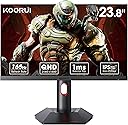
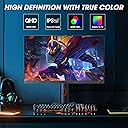
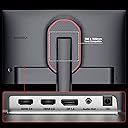
🎮 Elevate your game with KOORUI: where speed meets stunning visuals!
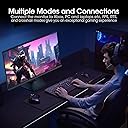
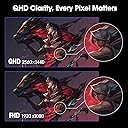
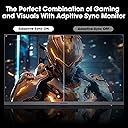
The KOORUI 24" QHD Gaming Monitor features a Nano IPS display with 2560x1440 resolution, 1ms response time, and a blazing 165Hz refresh rate with Adaptive Sync for smooth, tear-free gaming. It offers 100% sRGB color accuracy and a 20,000,000:1 contrast ratio for vibrant, lifelike images. Ergonomically designed with height, tilt, swivel, and pivot adjustments plus VESA mount support, it ensures comfort during long sessions. Multiple inputs including HDMI and DisplayPort provide versatile connectivity, backed by a 3-year warranty and premium after-sales service.


| ASIN | B0CL7CR43N |
| Adaptive Sync | G-Sync Compatible |
| Additional Features | Flicker-Free, Frameless |
| Aspect Ratio | 16:9 |
| Best Sellers Rank | #3,587 in Electronics ( See Top 100 in Electronics ) #138 in Computer Monitors |
| Brand | KOORUI |
| Brightness | 350 Candela |
| Built-In Media | 24 inch gaming monitor, DP Cable, Power Cord, User Manual |
| Color | Black |
| Color Gamut | 100 |
| Compatible Devices | Desktop |
| Connectivity Technology | DisplayPort |
| Contrast Ratio | 20,000,000:1 |
| Customer Reviews | 4.4 out of 5 stars 10,676 Reviews |
| Display Resolution Maximum | 2560 x 1440 |
| Display Technology | LED |
| Display Type | IPS |
| Hardware Connectivity | DisplayPort, HDMI |
| Has Color Screen | Yes |
| Image Contrast Ratio | 20,000,000:1 |
| Item Dimensions D x W x H | 8.42"D x 21.26"W x 20.32"H |
| Manufacturer | KOORUI |
| Model Name | 24" QHD Gaming Monitor 165Hz |
| Model Number | GP01 |
| Mounting Type | Wall Mount |
| Native Resolution | 2560x1440 |
| Number of Component Outputs | 2 |
| Picture Quality Enhancement Technology | Fast IPS screen technology and 100% sRGB support |
| Refresh Rate | 165 Hz |
| Resolution | QHD Wide 1440p |
| Response Time | 1 Milliseconds |
| Screen Finish | Flat |
| Screen Size | 23.8 Inches |
| Screen Surface Description | Flat |
| Shape | Flat |
| Specific Uses For Product | Multimedia |
| Total Number of HDMI Ports | 2 |
| Total USB 2.0 Ports | 2 |
| Total Usb Ports | 2 |
| Viewing Angle | 178 Degrees |
| Warranty Description | 3 Years Manufacturer Warranty |
| Warranty Type | 3 Years Manufacturer Warranty |
B**R
Koorui 34E6UC (34" 3440×1440, 180 Hz, 1000R curved VA panel) — But Missing Info Buyers Should Know
Review: I purchased two of the Koorui 34‑inch curved ultrawide monitors for a dual‑monitor setup, and so far I’m very pleased with them. The picture quality is sharp, the brightness is solid, and the “Normal” color preset looks natural without any adjustments. For the price, these 34‑inch panels deliver very good performance. That said, there are a few important details the product listing and reviews don’t mention — and knowing them ahead of time would have saved me some stress during installation. 1. YES, the 34‑inch model DOES include stand‑offs (spacers) This is not mentioned anywhere in the listing, and even Amazon’s Rufus incorrectly says they are *not* included. They actually come in the small accessory packet with the manual. If you’re mounting these monitors, you will need those stand‑offs because of the recessed VESA pattern. They are already in the box — just not advertised. I rushed to order a separate spacer kit because the listing didn’t mention it, so I’m putting this here to help the next person avoid that. 2. One of my monitors flashed briefly until I disabled FreeSync On one of the two monitors, I noticed a quick bright “flash” when moving the mouse. Turning off Adaptive Sync / FreeSync in the monitor’s menu fixed it instantly. The other monitor didn’t have this issue, so it seems to vary by panel. Not a defect — just something to be aware of if you see flicker or brightness pops. 3. Color and brightness match well once set manually After setting both monitors to the same brightness, contrast, and color mode, they match very well side‑by‑side. The “Normal” color preset looks the most accurate on these VA panels. 4. Build quality and packaging are solid Both monitors arrived well‑protected, and the included cables work fine. The stand is basic, but I’m using monitor arms, so that wasn’t a factor for me. 5. Too early to comment on long‑term support or durability I’ve only had these monitors set up for a few hours, so I can’t speak yet to long‑term reliability or how responsive Koorui’s support is. I’ll update this review if anything changes over time. Bottom line: These 34‑inch Koorui ultrawides are excellent for the price, especially for gaming or a dual‑monitor setup. Just be aware that: - Stand‑offs ARE included (despite the listing not saying so) - FreeSync may need to be turned off on some units - Picture quality is great once you match settings manually - Long‑term support is still unknown If the listing had mentioned the included spacers, it would have saved me a last‑minute order — so I hope this review helps the next person.
T**G
Better off saving your money for a quality brand like Acer or Samsung
If you were looking for a decent gaming monitor with a good refresh rate, you better keep looking. Honestly, I wanted to really like this thing. For $120, it ticked off a lot of great features for me: at least 120Hz refresh rate, 1080p quality, and some nifty reticule marks for FPS gamers like myself. And for a year I had no problems with it until a few days ago. The ability to control input's, power, and toggle the reticule features all lie on one singular button behind the monitor. Here lie's the issue; if that power button starts messing up, there is no way to control or turn on/off the monitor. This is exactly what happened on my unit; the power button/control went out and the monitor was basically useless. I contacted Koorui support via email, and all I got was a vague "Did you confirm the button is really broken" response. Replied back that I did, and the manufacturer has ghosted me. Basically, I HIGHLY advise you just save up a few $80 or $100 dollars and get a decent entry level gaming monitor. By going cheap with this one, you will just end up probably wearing out the power/control button and be left with an expensive paperweight. If you are DIY repair savvy, I am sure that replacing the power/control button probably is not that big of a deal. In which case, go right ahead as it is a decent monitor for the price. But with that said, having this thing break leaves you with basically no options to get it fixed and good luck trying to get a hold of Koorui for support. Sadly, this is a growing trend on buying electronic's here on amazon from smaller brand sellers. *Update* So as of writing this review, I got Koorui to reach out to me. They would agree to replace the monitor for free, but I would have to front the shipping costs. They have their operations out in California, so if you live on the east coast then expect to pay around $40-50 for shipping for the monitor all the way out there (nearly half the monitor's value). I told Koorui that this just did not make any financial sense and they offered to refund me 50% of the monitor's value. However, they have yet to specify how they will send the refund, so I am unsure of whether I will see my partial refund when this is all said and done. So know that if you do proceed to get this monitor and need to return it past the 30 day return window covered by Amazon. TLDR: just save up an extra $50-100 for a big brand gaming monitor and save yourself the headache of dealing with all of this.
R**K
Good But Not Spectacular
Easy setup. I do not game so this is strictly for work and browsing the internet. Fast refresh rate. I do not find that the image is a clear and sharp as my older ACER XF270HU monitor which finally gave out on me last week. No way to adjust anything with the HDR setting, display wise, which is, by far, the sharpest image for this monitor. For the price, it's a decent buy.
J**T
Decent but dont sleep unless HDMI.
This monitor is really good for the value. Pros The refresh rate is great when connected to display port. It does the 165hz. HDMI connection does 144hz or 120hz. Freesync or gsync easy to turn on. Games look Great. The monitor also does Great 1080p video and games. Cons Monitor does not sleep unless connected to HDMI, by either a HDMI to display port or HDMI to HDMI on Graphics Card or Computer. The monitor will go to sleep and turn black and then turn back on and never stop when connected to display port for sleep. The monitor also makes the sound like it is being disconnected and reconnected. During this mode. The power button and menu buttons on the back of the monitor are very inconvenient and or just not in a good location. Freesync and gsync also dont work on the HDMI ports. Also to turn off the monitor I have to press and hold the power button for 3 seconds.
D**.
Excellent! For about 2 months...
[Watch the video to see the issues I'm having! Don't know if it's just me so I'm basing this review off of my experience.] The monitor was awesome! No bulky frames, decent screen quality for the price, and 144hz! It was all I wanted in a monitor for a cheap price. I decided to keep it and go past return date. Only 2 weeks later (now) it can only perform 60hz due to the fact it cuts in and out on 144hz, 120hz, etc. Static lines, full static, static cutting in and out, the monitor is practically unusable on a frame rate higher than 60hz. Sure it's still usable, still that decent screen quality and small borders, but I didn't spend almost $200 for a monitor that only functions on 60hz. Don't listen to the reviews, the monitor is wonderful and great for the price but it'll stop working before you know it. Buy from a different brand if you want a monitor that lasts.
A**R
Exceptional monitors but not VESA complaint and no adapters
Shipping was ok. I ordered two monitors and they arrived in two separate shipments. While 165 and 145 Hertz are advertised my monitors are only showing 120 Hertz but it is not the fault of the monitor company. I will explain. Have a seat and prepare to read a bit. The monitors arrived and I was expecting the latest fancy refresh rate of 165 or 145 Hertz. I get to installing and testing and only120 hertz was showing up. After googling, reddit research, and checking my computer graphic card specs at the computer graphic card manufacturer website I have some results. Basically these monitors can definitely do the higher refresh rates but are limited to your graphics card capabilities. Also if you have a HDMI box for multiple monitors those boxes can also limit the hertz even if the Monitor is capable of higher hertz. If you have a top of the line gaming computer that supports the higher 165hz or 144hz you will be ok. All you will need to do is plug in monitors sequentially such as one into the computer with the cord going into HDMI 1 slot, then the second monitor being powered up and connecting to the fist monitor in the HDMI 2 connector port in the back of monitor one. If you have a single monitor in this scenario the one monitor will function at the higher hertz refresh rate. Also of note in windows monitor settings if you choose ' USE HDR" some of your monitor features will be disabled and I prefer not to use that option after testing it out. If enabling the use HDR feature expect that the settings to include Brightness / contrast ratio, Color, and Scenario mode to be grayed out on the monitor options and unusable. Again as for me as a person who does office work, soft skill work, video editing, and the occasional movie on the monitors I adjust all of those features every so often. There is some slight bleeding around the edges of the monitor but as a person of almost years old I can tell you most if not all monitors do that. It is not noticeable unless you are looking for it but it is there. Overall good monitor. For future updates the ability to connect to a computer wirelessly would be nice. Again overall good monitor that ticks off a lot of boxes. *** Update 8-22-2024 a few weeks later*** I have now just gotten around to setting up my new desk and desk arm mounts. These monitors do not appear to be fully VESA compliant and there are no adapters anywhere. I now have 24 hours to return these items per amazon policy ( they have been sitting in the box waiting for my new desk to be set up). I may need to return both of these items because if they are not fully VESA compliant with no adapters they are of no use to me.
T**N
Solid monitor for its price
Can’t complain it’s a wonderful 200hz monitor and the quality ain’t bad at all for the price. I recommend it as a solid starting monitor to hold you for a couple years before upgrading to a high quality oled.
D**S
Waste my money durability is very bad
I bought this monitor 20 months ago and it stopped working 15 days ago. It won't turn on. I tested the power connector and it's fine. I tried contacting the manufacturer and they told me I had to contact other departments, and I'm stuck in a loop with no one helping me. I bought this monitor worried about its durability, and that fear definitely came true. I absolutely do NOT recommend it. It can work well, and it did for 19 months, but now it's just a paperweight and a waste of money.
J**O
Sick
Nice
A**R
Gaming Glory: The KOORUI 24 Inch IPS Gaming Monitor – Unleash the Ultimate Visual Feast
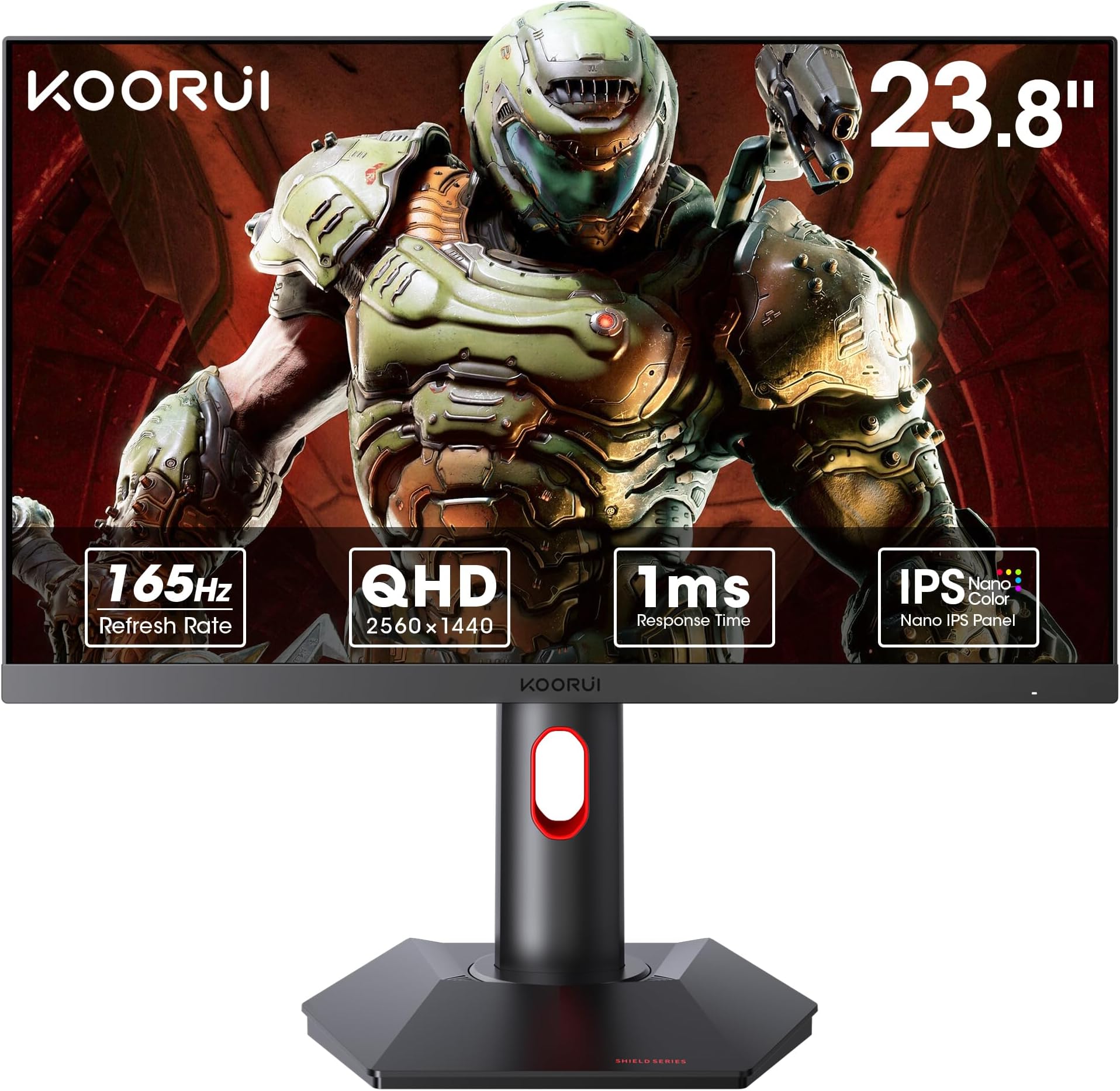
Prepare to be transported into a world of stunning visuals and lightning-fast performance with the KOORUI 24 Inch IPS Gaming Monitor. This isn’t just a display; it’s a portal to gaming nirvana, meticulously designed to deliver an unparalleled experience that will leave you spellbound. Get ready to elevate your gaming sessions to a whole new level of glory! Crystal Clear Clarity: FHD Brilliance Immerse yourself in the breathtaking beauty of Full HD with the KOORUI Gaming Monitor. With a resolution of 1920×1080p, every pixel comes to life with incredible clarity and vibrant colors. Whether you’re exploring vast open worlds or engaging in intense firefights, the IPS technology ensures consistent, accurate colors from every angle, making your games look more realistic and captivating than ever before. Blazing Fast Refresh Rates: 144Hz and 165Hz Experience the smoothest gameplay possible with refresh rates of 144Hz and 165Hz. Say goodbye to screen tearing and motion blur as the KOORUI Monitor delivers buttery-smooth visuals that keep up with the most action-packed scenes. Every frame is rendered with precision, giving you a competitive edge and making fast-paced games feel incredibly responsive and immersive. Lightning-Quick Response Time: 1ms Speed React instantly with the KOORUI Monitor’s impressive 1ms response time. This ultra-fast performance ensures that every movement and action is displayed with impeccable accuracy, allowing you to stay ahead of the competition. Enjoy seamless transitions and razor-sharp images, even in the most frenetic gaming scenarios, where every millisecond counts. Adaptive Sync Technology: Flawless Gameplay Say farewell to choppy gameplay and screen tearing with Adaptive Sync technology. The KOORUI Monitor synchronizes the refresh rate of the display with your GPU, delivering a smooth, tear-free experience that keeps you immersed in the game. Enjoy fluid motion and uninterrupted visuals, enhancing your overall gaming performance and enjoyment. Stunning Design: Form Meets Function The KOORUI Gaming Monitor is a visual masterpiece in itself. Its sleek, modern design features ultra-thin bezels that maximize screen real estate and provide a seamless multi-monitor setup. The sturdy stand offers excellent stability and allows for tilt adjustments, ensuring that you can find the perfect viewing angle for those marathon gaming sessions. Eye Comfort: Play Longer, Play Better Protect your eyes during extended gaming sessions with KOORUI’s eye comfort features. The monitor includes blue light filtering and flicker-free technology, reducing eye strain and fatigue so you can focus on your game longer without discomfort. Dive into your favorite games for hours on end, knowing your eyes are well taken care of. Conclusion: The KOORUI Gaming Experience In the competitive world of gaming monitors, the KOORUI 24 Inch IPS Gaming Monitor stands as a true champion. Its stunning FHD display, rapid refresh rates, lightning-fast response time, and Adaptive Sync technology make it the ultimate choice for gamers seeking top-tier performance and visual excellence. Unleash the full potential of your gaming rig with the KOORUI Gaming Monitor. Experience every game in stunning detail, with flawless performance that keeps you at the top of your game. The KOORUI 24 Inch IPS Gaming Monitor is more than just a display—it’s your gateway to a new realm of gaming glory. Embrace the future of gaming and elevate your experience to epic proportions!
F**O
Gran Tamaño y Buena Calidad
Es mi primera pantalla 4k que sea el doble de tamaño , por ahora no me a decepcionado
I**A
Muy bueno por su precio
Me gusto mucho la calidad de imagen y hasta ahora todo va perfecto
A**D
perfect for my budget
I definitely would recommend this if you have a budget, i bought this for 332 dirhams. It also comes with a user manual and a display port cable. And the colors in-game are top notch! I just wish if that the monitor was tilt adjustable as it was mentioned, but it wasn't. The stand was easy to put on the monitor. And 165 Hz on a budget friendly monitor is seriously incredible! Very smooth gameplay as well. Theres also lots of modes like crosshairs, fps and rts boosts. You can also choose the OD and adaptive sync feature which improves your gaming by a next level. The 1 ms response time is amazing for quick thinking gaming. Other then that, this monitor is perfect.
Trustpilot
3 weeks ago
1 month ago