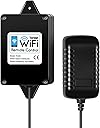
Desertcart purchases this item on your behalf and handles shipping, customs, and support to Poland.
🚪 Unlock convenience and control your gate like a pro—anytime, anywhere!
The TOPENS TC196 Tuya WiFi Remote Control is a sleek, smart gate controller that lets you open or close swing and sliding gates or garage doors remotely via WiFi or Bluetooth. Compatible with up to 40 devices and boasting a 750-foot range, it supports multi-user access through the Tuya Smart app. Easy to install and program, it integrates seamlessly with TOPENS and select third-party openers (with ERM12). With robust customer support and a 12-month warranty, it’s the ultimate upgrade for modern smart home gate control.


| ASIN | B0CGR6XX62 |
| Additional Features | Smart Control, WiFi & Bluetooth Security |
| Best Sellers Rank | #80,140 in Tools & Home Improvement ( See Top 100 in Tools & Home Improvement ) #37 in Gate Openers |
| Brand | TOPENS |
| Button Quantity | 4 |
| Color | BLACK |
| Compatible Devices | Garage Door |
| Connectivity Technology | Bluetooth, Wi-Fi |
| Controller Type | Button Control |
| Customer Reviews | 4.3 out of 5 stars 329 Reviews |
| Item Dimensions L x W x H | 4.53"L x 2.2"W x 1.34"H |
| Item Highlight | WiFi & Bluetooth Gate Controller, For Automatic Swing Sliding Gate Opener and Garage Door Opener, With iOS and Android App |
| Manufacturer | TOPENS |
| Max Number of Supported Devices | 40 |
| Maximum Number of Supported Devices | 40 |
| Maximum Range | 750 feet |
| Mfr Part Number | TC196 |
| Model Name | TC196 |
| Model Number | TC196 |
| Number of Items | 1 |
| Special Feature | Smart Control, WiFi & Bluetooth Security |
| UPC | 738060011147 |
| Unit Count | 1 Count |
C**Z
Easy to install, great addon
Easy to install and compatible with : TOPENS AT12132S Solar Dual Swing Gate Opener, and tuya app. Makes your out door swing gate very accesible and easy to handle
E**N
RESOLVED ISSUE: GOOD PRODUCT "Constantly Troubleshooting"
Original 2 Star review: (UPDATED TO 5 STAR BELOW) Using this device has me crossing my fingers each time I go to open the gate. I have the box plugged in the house on the same wall that my gate opener is on. The total distance between antennas is less than 30ft, and WIFI signal for the device plugin location shows Good in the app. I need to open and close it in the morning to take out the trash cans, and most of the time it is unresponsive when I try and close it. So I completely close the app, unplug the unit from the wall, reinitialize the device and then try again. Sometimes it works and other times I have pulled the pin on the gate just to be able to close and tie the gate shut with some string so I wasn't late to work. Pretty worthless, but would be fantastic if it was reliable. Will be waiting on tech-support to help with a solution and update how they handle it. UPDATED REVIEW: 5 STARS TECH SUPPORT HANDLED ME VERY WELL WITH MULTIPLE EMAILS SUGGESTING SOLUTIONS.... RESOLUTION WAS THAT MY ASUS ROUTER HAD DONE A AUTO-FIRMWARE UPDATE AND KNOCKED OFF MY GARAGE WIFI MESH NODE, IT WAS NOT CONNECTING TO THE RIGHT ROUTER AND CAUSED THE INTERMITTANT ISSUE. I NOTICED THAT MY PHONE WAS GRABBING MY NEIGHBORS WIFI DESPITE BEING WITHIN 60 FT OF MY GARAGE NODE. ONCE THE MESH NODE WAS REINITALIZED, THE CONNECTION WAS STABLE AND HAVEN'T HAD ANY ISSUE AND SINCE FIXED, I HAVE RELOCATED THE DEVICE FURTHER AWAY IN A HIDDEN PLACE AND WORKS PERFECT. NOW THAT IT IS WORKING, I HAVE SET UP 2 'SMART SCENES' FOR USE ON MY ANDROID AUTO. ITS NOW A ONE BUTTON PRESS ACROSS MY PHONE, CAR, MOTORCYCLE FOR GATE OPENING SCENARIOS. -FIRST IS SINGLE PRESS OPEN, WHICH WILL STAY OPEN TILL PRESSED AGAIN (NORMAL OPERATION) -SECOND IS A SINGLE PRESS, BUT OPENS THE GATE, DELAYS 20SEC AND THEN CLOSES THE GATE. SO I CAN DRIVE WHATEVER VEHICLE OUT AND NOT HAVE TO USE A OPTICAL OR GROUND LOOP SENSOR. VERY HANDY TOOL AND NO KEYPAD NEEDED. I WILL TRY SHARING THE CODE VIA THE APP NEXT TO SEE IF FAMILY CAN OPERATE THE GATE TOO.
J**R
Excellent range
Excellent wifi module, particularly like that its exterior to the main unit hence customizable in were you can locate it between motor and your moden etc. Also provide very good long range access.
C**A
Use your device to open the gate
Works as expected. Setup requires connecting to home WiFi and downloading an app but is fairly straightforward. It allows me to open/close the gate remotely from anywhere, even when not nearby.
P**Y
Remote access
Easy to set up and lets me control my gate reliably from my phone.
E**Z
TOPENS WiFi
I really like this product. Worked exactly as described. I can use it with the house WiFi. No issues to report. TOPENS is really the go to when it comes for automatic gates and accessories.
K**T
Pairing prior to installation saves headaches
Easy set up and works great. Suggest pairing the wifi module to the gate controller in close proximity before mounting the controller box.
I**Z
Game changer
This is a game changer and a life saver and I'm going to tell all my neighbors about it
L**A
Easy to setup
The Topens WiFi remote control is easy to install and setup just follow the instructions which is clear. First time it’s successfully connected to the internet but failed to connect with the gate control board , I tried to delete the device several times, finally I setup successfully although the device far way from the the gate. It’s convenient for my family numbers. Good product.
G**N
Does work with my GTO controller board.
Bought this for my GTO gate opener as TOPENS claimed it was compatible with most other manufacturers' gate openers. Provided that you also buy the universal TOPENS ERM12 receiver. They are 100% correct. My GTO motherboard has an "exit" or " cycle" relay contact, I connected the brown wire from the receiver to the "cycle" - and I can now open, close and stop my gate from anywhere in the world using my smartphone. Had I used the "exit" contact, it l just opens the gate. Here is how to do do this if you dont have a TOPENS gate controller. I am assuming you have a knowledge of how your gate controller works. Otherwise, get someone who does, to help. Setup the WiFi remote TC196 as per the instructions. These are pretty poor. So here is a quick version of what I did. Download the TUYA Smart app and install on your smartphone. You have to give away some personal information in order to do this. Next, make sure you are in your WIFi range , remove the front cover of the TC196, power it up , and then press the small button in the TC196 until the blue led flashes . At this point, provided Bluetooth on your phone is active, you should be able to add the TC196 device on your app. Now install the ERM12 receiver in or near to your gate controller box. For my particular GTO controller, the black wire goes to common, red goes to +ve battery (I had to splice into positive as there was no handily available + V rail). YMMV. The ERM brown wire then goes to either the "exit" or "cycle" normally open relay contact. Then put it all together, power up all your devices. You did remember to turn off your gate controller when installing the ERM12 didnt you...? Then press the Learn button on the ERM12 and open the app on your smartphone. Press button "A" (and/or B, C,D ) on your phone two or three times in fairly quick succession. The instructions say twice with 4 seconds, but that didnt work for me. The ERM12 will flash 3 times when the button is acknowledged. Otherwise wait a bit and try again with a different number of presses at different intervals. Why only 4 stars? There are a few downsides, not really critical, but you should know them before buying: The TC196 must be installed within range of your WiFi AND also within range of the ERM12 receiver in your gate controller. You also need power. It is possible to use the power from the Gate Controller motherboard for the TC196, but then you have to cut the power adapter off. Kiss your warranty goodbye. The instructions are badly written, but this is fairly standard,. For example, its not clear that anything else than 2.4 GHZ WiFi works, I didnt do enough experimentation - but 2,4GHz is what I tried firstly and it worked. You must have room in your Gate controller for the ERM12 remote receiver. It is not waterproof, and looks pretty cheaply made. You could always make a waterproof housing for your ERM12, but the wires are very short and will likely need to be extended/spliced to reach your gate controller motherboard if you do this. I have an ancient US made GTO controller, with tons of space inside the enclosure box. Some newer models dont even have a control box enclosure anymore, Everything is in the actuator enclosure instead, YMMV. This is why you need to understand what you have for hardware and how it works, Drilled a hole in my controller enclosure to allow the antenna to stick out. Sealed the hole with silicon sealant. The TC196 "looks" waterproof , but I wouldn't want to risk it. I installed it in an existing waterproof housing located within range of 2.4 GHz WiFi and the 433 MHz ERM12 receiver in the control board enclosure. Ideally, you need a camera to let you know the current state of the gate (open, closed, moving) -particularly if you choose the "cycle" relay contact. Otherwise just use "exit" . This has nothing to do with TOPENS, of course, but worth mentioning.
R**Y
Works Flawlessly
I purchased the TOPENS A8132 Gate Opener and installed it all by myself. It was a bit nerve-wracking, but the provided instructions, the TOPENS YouTube channel, and Lori from tech support made it a whole lot easier. I also bought a few additional TOPENS accessories, including the wireless keypad and the Wi-Fi/Bluetooth controller, which works with the Tuya Smart app for remote access. Everything works flawlessly, and I am very happy with the results. The quality is excellent, and with the warranty, I’m sure I’ll be enjoying it for a long time.
M**R
Very convenient item.
The Topens TC196 was easy to set up. It sure is nice to be able to open our gate remotely for deliveries and kids.
D**Y
Will not connect
My unit would not connect to either Topens swing openers. The programming light would not flash during the set press to program the unit. Customer support then wanted serial numbers, receipts and detailed video of how I was trying to program it. Pretty hard to record a video when you need the phone for setup, and the units are in to different locations. Ultimately decided to not waste anymore time and retuned for a refund. Also learning you can’t tell if it’s open or closed makes little sense for operating remotely unless you have a camera on the gate.
Trustpilot
1 month ago
3 weeks ago