Buy anything from 5,000+ international stores. One checkout price. No surprise fees. Join 2M+ shoppers on Desertcart.
Desertcart purchases this item on your behalf and handles shipping, customs, and support to Poland.
🎬 Elevate your stream with pro-grade video and audio — because your audience deserves the best!
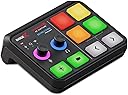
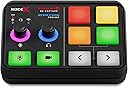
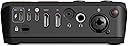
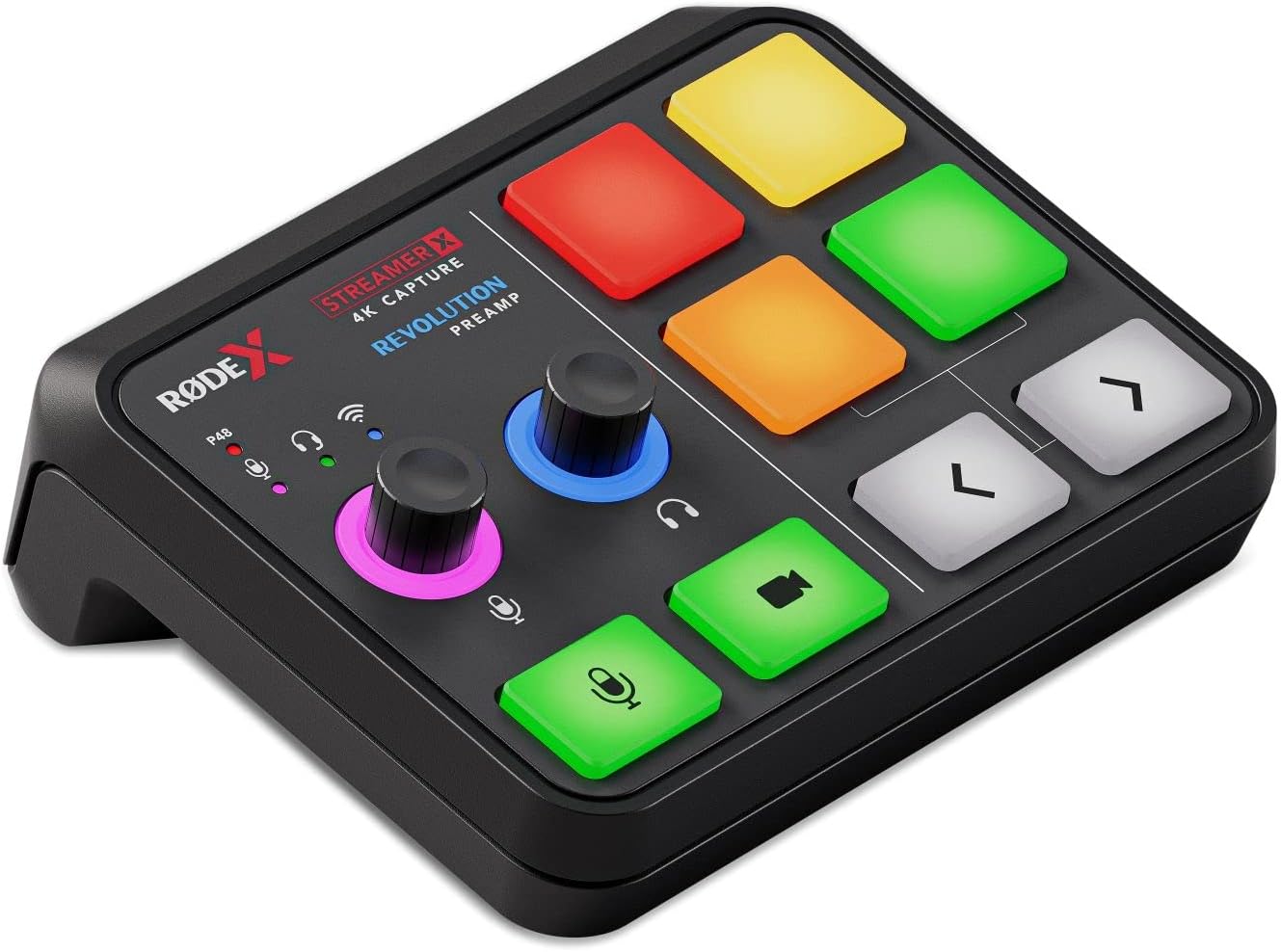
The RØDE X Streamer X is a compact, all-in-one professional audio interface and 4K video capture card designed for streamers, gamers, and content creators. It supports up to 4K/30fps video recording via HDMI, real-time 4K/60fps monitoring, and features a high-quality Neutrik XLR input with RØDE’s Revolution Preamp for broadcast-grade audio. Dual USB-C outputs enable simultaneous connection to two computers, optimizing multi-device workflows. Additionally, it includes an onboard wireless receiver compatible with RØDE Series IV wireless microphones, making it a versatile and powerful tool for high-quality streaming and content production.


| ASIN | B0BQM2CL1W |
| Audio Input | XLR |
| Best Sellers Rank | #38 in Internal TV Tuner & Video Capture Cards |
| Brand | Rode |
| Brand Name | Rode |
| Connectivity Technology | USB C |
| Customer Reviews | 3.7 out of 5 stars 267 Reviews |
| Frequency | 60 Hz |
| Global Trade Identification Number | 00698813009220 |
| Included Components | 1 x Streamer X, 1 x USB-C to USB-C cable, 1 x Power Supply |
| Item Type Name | Integrated Audio Interface and 4K Video Capture Card |
| Item Weight | 380 Grams |
| Manufacturer | RØDE |
| Manufacturer Part Number | STREAMERX |
| Model Number | STREAMERX |
| Number of Channels | 4 |
| Output Connector Type | TRS, XLR |
| Power Source | Battery Powered |
| UPC | 698813009220 |
| Unit Count | 1.0 Count |
| Warranty Description | 2 years (extended warranty). |
D**I
Great audio interface and video capture in a small package!
I love this interface, video, audio, and effects; you have it all. Now that I believe it's discounted since it's going away, maybe they will launch a new product, which is even better. I used to have a problem sometimes streaming to YouTube, where a weird static noise would come out of nowhere. But apparently, software updates finally got rid of it. I have no experience with that anymore. You can even process your voice, use a noise gate, and many other effects to make the voice sound great for gaming or podcasting. I use this with a Shure SM7b for podcasting, and I love the sound. The preamps are also extremely quiet compared to many others. So this is great for the price. The controls and pads work well and feel durable and nice. Not flimsy. It's very light and portable.
C**S
A lot of bugs.. but good overall.
What I like about the Rode Streamer X is that it has a lot of versatility for use with your current setup with the possibility to expand your platform into whatever you choose. I use mine to stream video game content, and so far I have found a few issues, but overall, when the streamer decides to work, I love it. The first con that I would say it has is that if you leave it on and you do not turn it off when you come back to your computer and you run the software to use it again.. the Streamer X will not work as it should and it will not function properly. When that is the case, I unplug all power sources going into the streamer to make sure it turns off. Another time, I had to restart my laptop all over again which fixed the issue. The quality of the stream is really good. It is advertised 4K at 60 fps, but it only mirrors and captures whatever your THRU receiver is. 1080p = 1080p, 2060p = 2060p and so on. The use with the channels for the microphones headphones and programmable buttons I think are what makes the streamer ideal for someone that needs a video capture card but also has an audio interface for use with a microphone that requires a preamp. I personally started with a USB-C microphone in order to upgrade to XLR in the future. I honestly would not recommend that you buy this. I think that there are better options out there for the price point. This is a really expensive set up that requires somewhat of a learning curve and requires a lot of patience. When you run the unify software, you will be using a lot of ram, so keep that in mind if you are someone with limited RAM.
P**Y
Works perfectly on my Mac with OBS, Logic Pro, Adobe Audition, etc.
I do instructional videos and voiceovers, pulling output from an XLR mic, a Canon R6 MK II and graphics and music tracks from my Mac. Once selected as the input source, audio output from X Streamer tracked perfectly in Logic Pro, Adobe Audition, TwistedWave, OBS, QuickTime and Final Cut Pro (and I suspect most DAW software). Using a HDMI cable, I was able to record 4K/30 R6 MK II video into OBS and Final Cut Pro. Saves time by syncing multiple sources and not having to constantly stick the camera SD in a reader. Beyond settings and firmware updates, you don't have to touch Rode's software. Rode’s free starter software—Connect (podcasts) and Unify (streaming)—are for people unwilling to invest in professional software and mainly do network gaming, streaming, etc. My advise is to buy your own production software. If you already have software, you can keep using it! I really like the small form factor of the X Streamer. Using the tripod socket, I mounted it on a Manfrotto Magic Arm next to my Mac. O placed the control surface at 90 degree angle so easy to see and inputs are along the top edge, making for fast and easy connections. I hate it when the ports face backwards… I originally plugged the X Streamer direct into a USB-C port on my Mac, but disliked the X Streamer running 24/7—has no on/off switch. My USB-C hub has individual on/off switches so plugged in the X Streamer and it worked perfectly and I can switch it off at the touch of a button. The power hub has plenty power for the X Streamer (no power adapter needed). I didn’t find many gotchas other than avoiding Rode’s software. The X Streamer works great for me as a video capture card and XLR mic input. And, surprisingly was compatible with all my normal work software. I wish it had real audio level meters—not just an illuminated dial and flashing LEDs. Being able to use USB mics seems like a missed opportunity. All in all a great combo of video capture, XLR audio and control interface. Highly recommended!
R**A
Not ready for prime time
I bought this device for work. Specifically to use my mirrorless camera and an XLR microphone in my Zoom meetings and presentations. The Streamer X was great in my initial testing. The audio interface was amazing. The video output looked great. However, I found myself having issues with it relatively quickly. Some of the audio devices would disappear from the list of audio options in Zoom, and the device would get stuck. I used the airhorn coming through the headphones as a quick test, and no audio would come out -- the red pad would light up, so I knew it got the signal. Once the device locked up, I'd have to disconnect and reconnect it to get it to work again. This caused a couple of additional problems: the device would lose all settings when restarted (gain, selected microphone, output volume); and it would require restarting Zoom too in order to get the audio devices to show up again. Me typing "brb" in the Zoom chat and leaving/rejoining became a common occurrence. I opened up a ticket with Rode's Support. They say they have seen reports of the device getting locked up when the computer (Mac) wakes from sleep. That tracks with my experience. However, there is another review reporting the same issue in Windows. Rode's support mentioned that they were "hoping" they could fix it with a firmware update. Ultimately, Rode offered an RMA, which would require me to send the device for investigation. That would leave me without an interface for the time being. They didn't offer a loaner or anything like that. With my return window closing, I chose to just return the device to Amazon for a refund. I may try it again if they fix the issues in the future.
J**M
Excellent hardware specs. But I had issues hard to track down.
I'm using the Streamer X with RØDE Central 2.0.31 and firmware 1.1.5 on Windows 11. Unfortunately, the audio stability is highly unreliable. I experience issues like disappearing system/desktop audio, mic audio stopping on OBS input metering, occasional system audio dropouts, and unresponsive mic faders. Interestingly, my camera's HDMI video remains steady, indicating the problem is within Streamer X's audio settings and routing. I have a well-optimized laptop with no audio problems using built-in audio or an external UA Volt audio interface on the same USB-C port. To fix these problems, I have to unplug and plug in Streamer X, reset audio settings in RØDE Central, and switch between different audio presets. The "Streaming" to "Video Call" preset switch seems to work best. I've contacted support, but their solution was a replacement, which I'll try. However, I suspect software/firmware bugs rather than hardware issues, given others' similar experiences. Also, the inability to save custom audio presets in Central worsens the situation, requiring manual reconfiguration after each reset. I'm hopeful that RØDE will provide updates to address these problems. Update: I switched from Central to Unify and it does not solve the issue of Steamer X needing frequent unplugging. This indicates the issue is firmware, driver-level or even hardware. Worse, with Unify, after an unplug/plug in power cycle, it creates a second instance of the "Stream Input (RØDE Unify)" input in Windows, which loses access in Windows privacy settings and shows as a excalmation mark warning for the mic in apps like Google Meet. The fix for this is to close Unify, the browser, relaunch both and reselect the video confercing app's mic input to "Stream Input (RØDE Unify)". I contacted RØDE again on 8/11/2023 and they're sending a replacement. I'll post the testing results here. Replacement received. Issues have been resolved thus far, I think, but too many variables changed to know if it was a defective unit. The replacement unit arrived during a time when I was out of town, and their time window for returning the old device was such that I wasn't able to test side-by-side for more than a couple days. And... my boot SSD fried while I was waiting for the replacement. I think due to overheating due to dust in my Laptop's fans and lots of apps open overnight. This required an SSD replacement, fresh install of Windows and thorough laptop chassis cleaning. So new Windows install is one varible changed. On a sidenote (regarding "running hot"): The Unify software is a CPU hog, at least on Windows, about 17% utilization on my i9-9980HK -- for comparison, a DAW like Studio One running a sizable audio project uses about that much. Not sure why relatively simple audio routing in Unify should be so CPU intensive -- especially since the heavy audio processing, compressor, noise gate, exciter, etc., is performed on the dedicated processor in the Steamer X. Maybe it's because Unify adds a feature for real-time audio processing visuals. But since those visuals are only visible when navigating inside each of the processing sections, it shouldn't need to use CPU when they're not visible -- something RØDE might look into optimizing. Anyway, due to this heat-related episode, I've decided to only use Streamer X with its dedicated USB C power port, in addition to the port that connects to the computer, out of an abundance of caution, so that it doesn't pull as many watts from the laptop's USB-C port; watts equate to heat generated -- so another variable changed. Here are the limits for doing apples-to-apples testings agaisnt the old unit. - Only had a couple days due to the return window. - Had to reinstall Windows due to the SSD failure. - I will only use Streamer X now with the addition of its dedicated USB-C power. - I will not be installing RØDE Central and Unify at the same time (only using Unify), because things appear to be working, at least for now, and I'm not going to jeopardize that. I'm going to bump my rating from 3 stars to 4. Will update here if I experience any issues. 8/28/2023 Update: I inexplicably lost audio again -- with the brand new replacement unit. Audio was working one minute, stopped the next. So I closed Unify and reopened as a first step to see if that would fix it. When I reopened Unify, it said there was a new version avaiable for download! I downloaded, installed and relaunched -- no unplugging, no reboot: Audio worked again! So hopefully this Unify update fixes the issue; we'll see. I'm actually going to drop my rating from 4 back to 3 until a couple weeks pass with no issues; cuz this has been super frustrating, and I even ruled out a defective unit, and had it on a fresh Windows install. 8/29/2023 Update: Audio stopped working again. Unify showed the channels as disabled. I relaunched Unify, still no audio. Unplugged from laptop, and unplugged the additional power USB. Plugged back in and relaunched Unify -- it prompted me for a new firmware update 1.1.5 -> 1.1.7. Good news!. Once the firmware update to 1.1.7 completed and Unify restarted, audio worked again. Let's hope this fixes it, along with the updated Unify, because yesterday's Unify update alone didn't. I'll report back. 9/4/2023 Update: It's been working soild since the new firmware update, not a single disconnect. Looks like they fixed the issue! Bumping rating from 3 to 4. Will report back if anything changes.
G**E
Dysfunctional Software
The product itself is great. Great sound quality on the XLR mic input and it drives my Sennheiser headphones well. The issue is the software. I started with Rode Central but it has limited customization options so I switched to Unify. The amount of research I had to do to assign proper channels so my computer audio wouldn't play as a microphone input in Discord was absurd and the solution I found for that didn't even work for voice chat in any other game or software. To top it off, there has been a recent bug with Unify that causes an incredibly loud and abrupt static noise to come through the headphones instead of any other audio. My roommate could hear this sound from across the room. The only solution is to force close Unify and launch It again. Until the many issues with the software support for this are resolved I would not recommend this product.
N**C
Excellent product as long as you avoid using their software.
It works fine as long as you avoid their half-baked mixer software, which feels like a study in bad engineering. The other Rode software, Rode Central, is fine, and can be used to control most functions of the device. Otherwise, it's stable; I used it in production for hours at a time (OBS Studio) with no crashes or hiccups. Negligible CPU usage and power draw from host computer. It captures stereo sound from HDMI, which a lot of video capture cards do in mono only. If you have separate audio tracks at your source, the Rode will bring them into your computer properly, as separate tracks, as opposed to downmixing to mono like most other HDMI capture devices.
S**R
Worth the money
You get what you pay for. Worth it if you’re using it for a capture card as well as xlr
C**N
Fait le job. Plutôt bien.
Bon 2 en 1 Il manque des graduations au potentiomètres plutôt que des couleurs.
Я**O
見た目に騙されないでください
某配信アプリで少し使いました。歌配信で使ったり、エフェクトだったりをかけて使いましたが、ダメダメでしたね(>_<) ゲームの実況だったり配信に使うのは案外使えるのかもしれません。 購入時はパットだったりがあって面白そうだと思い購入しましたが、専用のPCアプリはとても使いづらくてとてもイライラしました✋ ゲーム配信時に必要なキャプチャーボードも搭載されていますがたしか30FPSまでしか出力されなかったと思うので別途で買うほうが良いかと。
A**Z
Que delicia
En mi caso estoy encantado. La imagen es de 10 la gestión del sonido también. No tengo nada malo que decir salvo que es una pena que por el precio no te traiga los dos cables usb
M**N
Bruit parasite
Beaucoup de bruit parasite quel que soit le réglage. Vraiment déçus .
C**R
Übertrifft die Erwartungen!
Es ist wirklich großartig! Genau wie ich es mir vorgestellt habe. Es ist für Content Creator bzw. Streamer und Online-Dozenten / Coaches , die mehr bieten wollen. Ich habe das streamet x mit einem Standmikro (XLR) und dem Rode wearless me gekoppelt. Bald kommt auch noch die passende Kamera. Bin sehr zufrieden!!
Trustpilot
1 week ago
2 months ago