Buy anything from 5,000+ international stores. One checkout price. No surprise fees. Join 2M+ shoppers on Desertcart.
Desertcart purchases this item on your behalf and handles shipping, customs, and support to Poland.
🚀 Elevate your home network to pro-level speed and security — don’t get left behind!
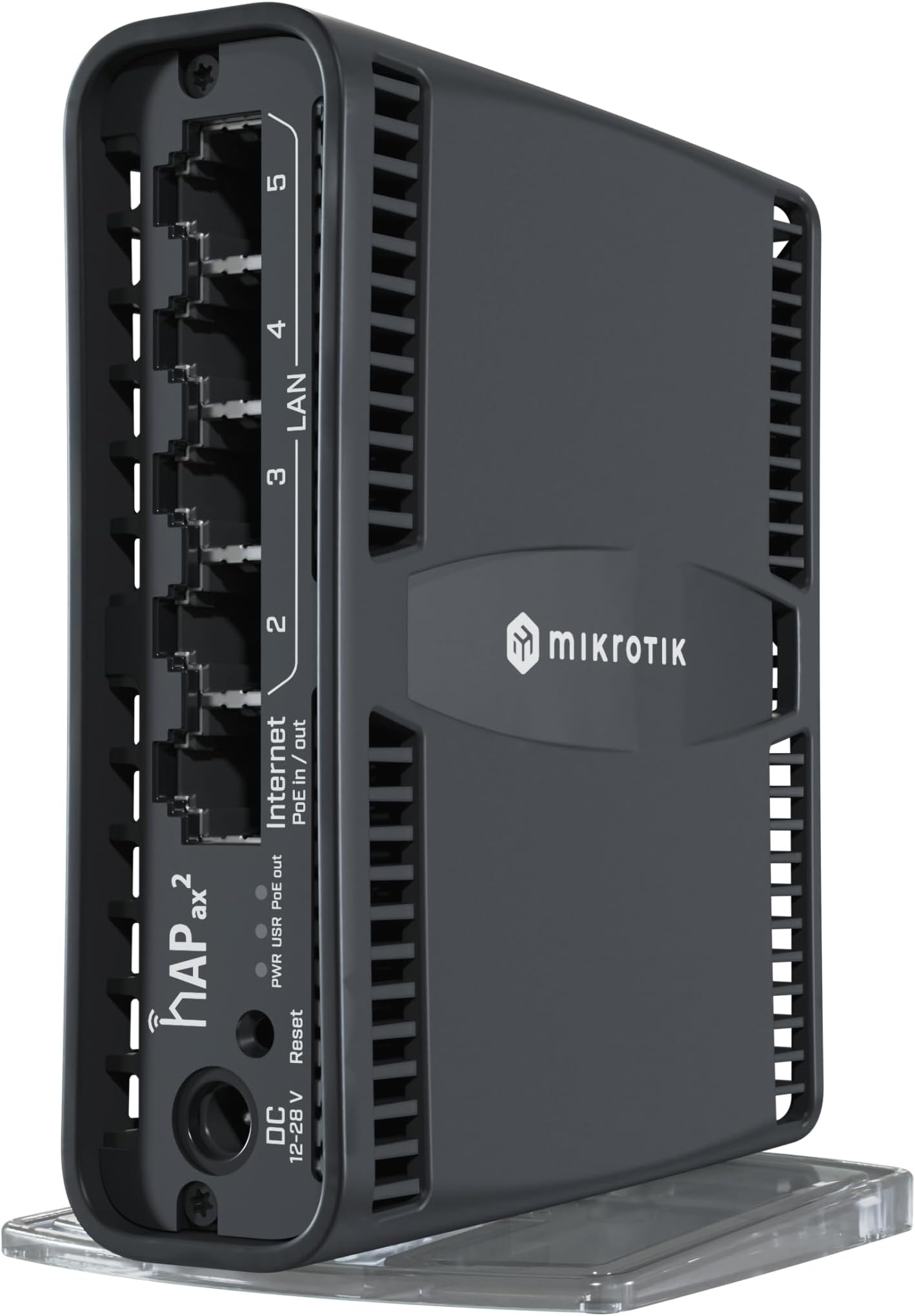
The MikroTik hAP ax² US Version is a compact WiFi 6 router featuring a powerful quad-core 864 MHz CPU and 1GB RAM, delivering up to 40% faster 5 GHz and 90% faster 2.4 GHz wireless speeds. Equipped with dual-band 4-4.5 dBi antennas and advanced WPA3 encryption, it ensures robust coverage and top-tier security. Its versatile mounting options and professional RouterOS with License Level 4 make it ideal for demanding home and SOHO environments seeking enterprise-grade performance at an accessible price.
| ASIN | B0BWMLVG8T |
| Antenna Location | Business |
| Antenna Type | Fixed |
| Best Sellers Rank | #39,489 in Electronics ( See Top 100 in Electronics ) #299 in Computer Routers |
| Brand | MikroTik |
| Built-In Media | Wire |
| Color | Multicolor |
| Compatible Devices | Laptop, Personal Computer, Smartphone, Tablet |
| Connectivity Protocol | Wi-Fi, Ethernet |
| Connectivity Technology | Ethernet |
| Control Method | Touch |
| Controller Type | Switch |
| Coverage | Up to 90% increased coverage in the 2.4 GHz band and up to 40% increased coverage in the 5 GHz band, compared to previous generation devices. |
| Customer Reviews | 4.6 out of 5 stars 177 Reviews |
| Data Transfer Rate | 1 Gigabits Per Second |
| Frequency | 5 GHz |
| Frequency Band Class | Dual-Band |
| Has Security Updates | Yes |
| Is Electric | Yes |
| Is Modem Compatible | No |
| Item Weight | 0.15 Kilograms |
| LAN Port Bandwidth | 5 Gbps |
| Manufacturer | MikroTik |
| Maximum Upstream Data Transfer Rate | 9600 Megabits Per Second |
| Mfr Part Number | C52iG-5HaxD2HaxD-TC-US |
| Model Name | C52IG-5HAXD2HAXD-TC-US 23334863 |
| Model Number | C52iG-5HaxD2HaxD-TC-US |
| Number of Antennas | 2 |
| Number of Ports | 1 |
| Operating System | RouterOS |
| Other Special Features of the Product | WPS |
| RAM Memory Installed | 1 GB |
| Router Firewall Security Level | 4 |
| Router Network Type | wireless |
| Security Protocol | WPA3 |
| Special Feature | WPS |
| Voltage | 24 Volts |
| Warranty Description | No Warranty |
| Wi-Fi Generation | WiFi6 |
| Wireless Communication Standard | 802.11ax |
| Wireless Compability | 802.11ax |
R**O
MikroTik hAP ax² Review: Compact Powerhouse for SOHO Networks
The MikroTik hAP ax² is a compact yet formidable router tailored for small office/home office (SOHO) environments. Despite its budget-friendly price, it delivers enterprise-grade capabilities including dual-band WiFi 6, advanced firewall configuration, traffic shaping, and robust VPN support. Its sleek design hides a powerful engine ideal for remote access, bandwidth control, and secure networking across borders. For professionals seeking reliability and flexibility without overspending, the hAP ax² is a standout choice.
D**J
Awesome router
Awesome router, especially for the price. Works great on for 1 Gbps links. I have 3 that I use for home use (each one installed in a different city), but with 3 x site-2-site VPNs, remote access, highly customized firewall, etc. It's really a beast for the size and price.
M**U
Great mini router
Great mini router and WiFi AP. Already own other MikroTik products so configuring it was easy but if not familiarized with router os the learning curve is steep. Plenty of options
H**Y
Outstanding Speed & Functionality
This isn’t your ordinary AP, it’s *much* more. If you’re a Network Geek or the Average Joe this will fit your purpose. I’ve used mine for two months now and love the capability this thing offers. It’s like a Swiss Army knife of WiFi & networking. That said if you just want a simple setup, choose one of the easy setup options. I can’t speak to range as I live in a one floor condo. However, I can anywhere between 700Mbps - 800Mbps thru my cable modem using a Mac or iPad with this thing. You can do VLANs (I have) and 802.3ad link aggregation (I have), bridging, routing, firewalling, etc. Like I said Swiss Army knife. Love it.
R**R
Reliable and secure
This is my go-to for small deployments where Ruckus or Unifi aren't a good fit. Very reliable and far superior to any other single device option for flexible routing+wifi. We use a bunch at work in normal wired WAN+NAT+AP mode in addition to more unique setups like "WISP" mode where one wifi radio runs in station mode for the WAN backhaul. The SW flexibility is also great, containers are useful and the scripting allows for some clever solutions. One word of warning: configuration can be tricky for novices. Folks with years of networking experience should have no issues, but Mikrotik is unique and does require some getting used to. And another bonus warning: don't be tricked into trying to use consumer grade devices like glinets. They are great for short term use but are unreliable for multi week setups.
T**2
Solid Performer with Some WiFi Limitations.
I've been using the MikroTik hAP ax² as my primary home router and access point and overall, it's a reliable and capable device that punches above its weight in terms of features and security. If you're looking for an affordable, customizable networking solution, this one deserves serious consideration—especially if you're into tinkering with advanced settings. Here's a breakdown of my experience. Pros: Versatile All-Around Performance. This router excels as both a router and an access point. It handles everyday tasks like streaming, browsing, and connecting multiple devices without breaking a sweat. The dual-band WiFi 6 support (2.4GHz and 5GHz) ensures good speeds in ideal conditions, and the gigabit Ethernet ports provide solid wired connectivity for devices that need it. Top-Notch Security. Security is where the hAP ax² really shines. The built-in firewall is robust and highly configurable, giving you granular control over your network traffic. One standout feature is the ability to set up DNSSEC with a NAT redirect. This means even if a device on your network has static DNS settings (like pointing to Google's 8.8.8.8), the router can intercept and redirect it to use your secure DNS setup. It's a great way to enforce network-wide security policies and prevent users or devices from bypassing protections. In an era of increasing cyber threats, this level of control is a big win for privacy-conscious users. Customization and Reliability. Running on RouterOS, it's incredibly flexible. You can dive deep into configurations for VLANs, QoS, and more. It's stable under load and hasn't required any reboots in my usage. Cons: WiFi Signal Strength Falls Short. While the WiFi performance is solid in close proximity—speeds are fast and connections are stable—the signal doesn't penetrate walls as well as I'd hoped. In my home setup, it works great in the same room or even one room away, but drop-offs become noticeable in adjacent rooms beyond that. It's not a deal-breaker for smaller apartments, but it's worth noting for bigger homes. If you're dealing with a larger home and want noticeably better WiFi performance and range, consider stepping up to the MikroTik hAP ax³ instead. It features external high-gain antennas (up to 5.5 dBi) that provide significantly improved coverage and penetration through walls compared to the ax²'s internal antennas, along with a more powerful CPU and a 2.5G Ethernet port for future-proofing. Overall Verdict: The MikroTik hAP ax² is an excellent choice for tech-savvy users who prioritize security and customization over plug-and-play simplicity—especially in smaller to medium-sized spaces. At its price point (around $100-120), it's a bargain for what it offers, earning a solid 4 out of 5 stars from me. If WiFi range is your top priority or you have a bigger home, the hAP ax³ is the better pick for superior wireless coverage. Highly recommended for enthusiasts either way!
T**N
Very configurable and capable
I love these routers. The haters don't get it because they don't understand networking. You can do just about anything with it. I have a WireGuard tunnel set up between two of them 2000 miles away and use queues to throttle my Internet addicted teenager when he needs to get off and read a book. Ease of setup? Maybe not, but if you want that, Quick Setup might work for you. This is a great home router for a network engineer on a budget. Excellent value for the money.
G**G
Upgrade from hAP ac2
I've been using MikroTik devices and RouterOS professionally and personally for almost 20 years. If you're a typical home user and not involved in IT, strongly consider if this is the right device for you. Even with the newer hardware and MikroTik's out-of-box defaults, RouterOS takes some advanced knowledge and skills. RouterOS v7 is a flash hog. After upgrading to the last few v7 releases, the disk space on my hAP ac2 got to less than 400kb free. After upgrading to v7.13 and transitioning to the "new" wifi package, I was left with even less free disk space, under 100kb. I could no longer run User Manager which I use for wifi and VPN authentication. The hAP ax2 is faster, has more RAM (1GB) and a larger flash (128MB). I can run User Manager once again without any issues. Moved my hAP ac2 to another part of the house as an access point only. The only thing I've noticed is that the ax2 wireless seems to have slightly weaker coverage than the ac2. I'm almost wondering if the metal heat-sink is a contributor to this. However, MikroTik did improve the antenna design a bit on the ax2 and it has slightly more gain (~2dB) than the ac2. Another pro for the ax2 is extended 5GHz band support. MikroTik received FCC approval for up to 5900MHz, so you can run a 5885MHz channel center frequency. However, some older 802.11n or 11ac devices may not support the 5850-5900 band. It would be really nice if they came out with another version of the ax2 with wifi6e (6GHz) band support, but I just don't see that happening, at least not any time soon. One last con for the ax2 is the lack of a USB port. MikroTik says this was *not* cost-cutting but a heat issue. A USB 3.0 controller can dissipate a decent amount of heat, so I can understand that. Unfortunately that means adding something like a LTE or 5G USB modem for a backup internet connection is not an option. I would argue that they should've done at least a USB 2.0 port which would be a lot less heat yet still fast enough at 480Mbps for a modem.
Trustpilot
2 months ago
1 month ago