Buy anything from 5,000+ international stores. One checkout price. No surprise fees. Join 2M+ shoppers on Desertcart.
Desertcart purchases this item on your behalf and handles shipping, customs, and support to Poland.
🎮 Elevate your control game—because multitasking like a boss never looked this sleek.
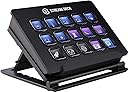
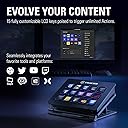
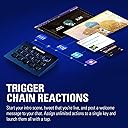
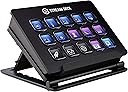
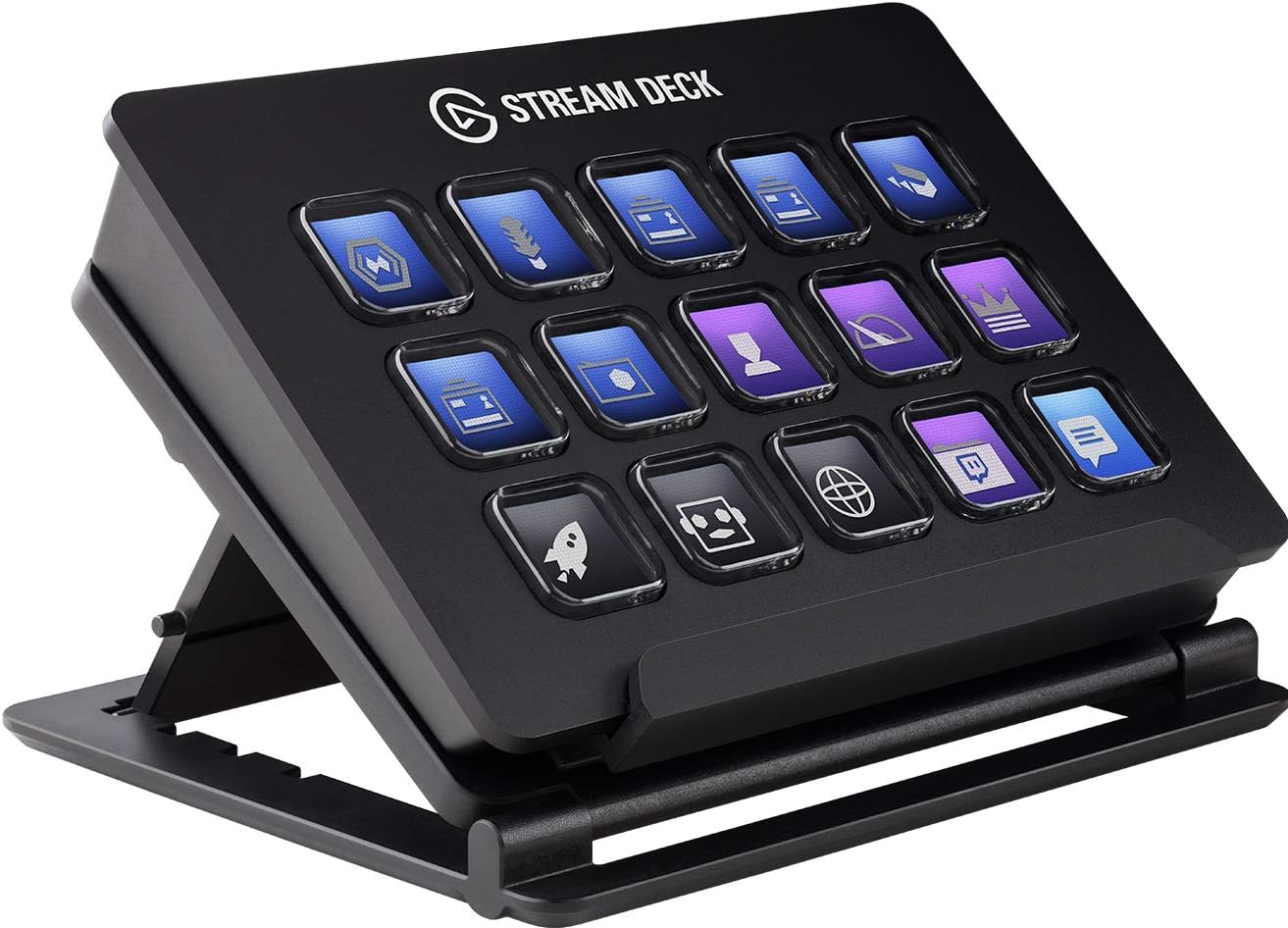
The Elgato Stream Deck Classic features 15 customizable LCD keys that enable instant triggering of unlimited actions, multi-action sequences, and smart profiles for seamless switching between apps. Compatible across multiple devices, it integrates with popular platforms like OBS, Twitch, and Photoshop. Despite being discontinued, it remains a beloved tool for streamers and creative professionals seeking efficient, tactile control over their workflows.


| ASIN | B06W2KLM3S |
| Best Sellers Rank | 49,102 in Musical Instruments & DJ ( See Top 100 in Musical Instruments & DJ ) 211 in MIDI Controller |
| Box Contents | 1 product |
| Brand Name | Elgato |
| Colour | Black |
| Compatible Devices | Personal Computer, Laptop, Television, Tablet |
| Connector Type | Micro USB |
| Controller Type | App Control |
| Customer Reviews | 4.8 4.8 out of 5 stars (11,771) |
| External Testing Certification | Não aplicável |
| Form Factor | TV Box |
| Global Trade Identification Number | 04260195391437 |
| Item Dimensions L x W x H | 11.8L x 8.4W x 2.1H centimetres |
| Item Type Name | Elgato Stream Deck - Live Content Creation Controller with 15 customizable LCD keys, adjustable stand, for Windows 10 and macOS 10.11 or later |
| Item Weight | 8.85 Ounces |
| Manufacturer | Corsair |
| Manufacturer Part Number | 10GAA99901 |
| Memory Storage Capacity | 16 GB |
| Model Name | Stream Deck |
| Model Number | 10GAA9901 |
| Network Connectivity Technology | USB |
| Other Special Features of the Product | 412511031 |
| Product Warranty | 2 year |
| Resolution | 1080p |
| Smart Home Compatibility | Not Smart Home Compatible |
| Supported Internet Services | Twitch, YouTube, Mixer and more |
| UPC | 813180020481 |
| Unit Count | 1.0 count |
| Video Codec | H.264, H.265/HEVC, VP9, AV1 |
| Video Output Resolution | 1920x1080 |
P**Y
It's expensive. But for what it does it's unique.
The XL version is absolutely great, although I started with two 15 key stream decks. Whatever size you go for, these are amazing little devices, that are versatile, fairly easy to set up, and can add value to so much more than streaming. I haven't stopped finding this invaluable. It's one of the best gadgets I've ever bought. I don't use this for streaming at all. With some basic functionality, I'm able to create custom buttons for anything that can have a keyboard shortcut. I was even able to work out how to get it to do more complex things. For example, I highlight a phrase in a digital book, hit one of my buttons, and it will do a search for that exact phrase. So incredibly useful and powerful. The XL version provides 32 keys, but it's easy to run out. But there are so many ways of organising to give you more (e.g. different profiles). The only thing I don't much like, is that it doesn't start up when the computer starts, despite being on the list. When I start it manually, it opens up in configure mode, which prevents it from switching profiles automatically depending on the app I'm using. Just closing the config screen resolves this. It's cool that it can be associated with a specific program and switch automatically. As I usually set up a few profiles for some complex apps, I have to go to the Streamdeck menu to switch manually. It would be great if I could tell it which profiles are associated with which apps, then configure a key to automatically cycle through these profiles, so I don't have to go to the menu each time. Overall this is an absolute lifesaver. I just wish I had time to create beautiful icons for ever function rather than do a quick copy and paste from the app I'm using.
S**N
Still going strong after 4 years, and still worth it
🎮 Gaming & Streaming Use I picked up the Stream Deck Mk.1 about four years ago and it’s been an absolute blast to use. Toggling music, switching stream scenes, or triggering a soundboard full of meme audio clips mid-game, it just works. It’s become second nature in my setup - quick, responsive, and fun to customise. 🛠️ Productivity Boost It’s not just for gaming either. I’ve found it really useful in creative workflows, especially with tools like Photoshop or DaVinci Resolve. Assigning shortcuts to keys makes a big difference when you’re juggling lots of commands and don’t want to memorise every single keybind. It’s helped speed things up quite a bit for me. 🔄 Reliability & Software Support Even after years of use, mine still works perfectly - all buttons function like they did day one. What’s impressed me even more is how Elgato has continued to support the Mk.1 with regular software updates. The software today is way more powerful than when I first got it, and it's great to see long-term support like that. 🎨 Custom Animations & Fun Extras One of the things I’ve enjoyed most is the ability to personalise it. I’ve even downloaded some animated screensavers, like a little Pac-Man scene that plays across the buttons when my PC is locked - gives it a nice retro vibe and keeps it looking lively even when not in use. I’ve uploaded a short video to go along with this review so you can see it in action. 💷 Value in 2025 With the Mk.2 now out, I do think the Mk.1 should be priced a bit lower at retail. That said, the convenience and flexibility you get from this device still makes it a worthwhile purchase in my opinion - especially if you’re into custom setups or want to streamline your workflow.
C**S
You don't realise how much you need this until you have one. Difficult to work without one.
A year ago I never knew what one of these were, I'm happy to admit. I got encouraged to start doing some videos for YouTube, which in turn led to streaming, buying a new computer, new camera, microphone etc and suddenly you've got all the kit (and, yes, no idea). Sitting there on camera trying to control various operations (often in the dark) is quite a difficult undertaking. And then you discover the Elgato Streamdeck. It does everything. I'm not over-egging that pudding, it does everything. I've got shortcuts set up for pretty much every action I can think of. To start using a Streamdeck is to open a massive can of worms, it gets everywhere. You can customise every button to do whatever command you can think of, and not just for gaming and streaming. I've got shortcuts set up for all kinds of applications, and functions within those applications. I'll press a single button and Streamlabs opens, along with my Logitech camera app, Youtube, Facebook Live and Twitch. I'll press another single button and all my editing apps open such as Photoshop, Lightroom, Premier and Audition. I control my microphone mute button, the speakers mute button, shortcuts to certain web pages. And because every button is so customisable there's a seemingly infinite number of operations. You may only have 15 buttons but you can configure them to open the next set of 15 buttons, and then the next set. You're limited only by how much time you want to devote to setting it up. It works so well with Streamlabs too. I've got a button set up for my most used games (Street Kart on iOS, Dirt Rally 2.0, GT Sport and F1 2020 on PS5) because when I'm streaming I have the page set up differently with the number and position of cameras changing depending on the game. I press one button and Streamlabs defaults to my Street Kart layout with cameras all to one side of the screen, and another press and GT Sport moves my cameras to a different location and my pedal camera comes on. It's genuinely fantastic and I'd be lost without it now. The Stream Deck software is a solid app, allowing you to do all of you customisations. You can set the buttons up to do pretty much any action you can think of. Put in the directory location of any software and it can open apps. Link video or audio files, and even link your Philips Hue bulb actions to it...whatever takes your fancy. My only criticism is that in hindsight I perhaps should have gone for the 32 button version. The 15 button one is great, and can be configured to do as much as the 32 buttons, but I can really see the benefit of having more buttons available at one time rather than going into sub-menus.
C**O
En relación con el envío, a tiempo y sin problemas. Con respecto al producto, ya desde el empaquetado se ve que es un producto bien cuidado. A nivel de funcionalidad, permite añadir funcionalidades de los principales programas de streaming, además de permitir configurar teclas de acceso rápido del sistema operativo, por lo que las funcionalidades que se cubren con el StreamDeck son amplias. Además, permite configurar macros que pueden afectar a varios programas al mismo tiempo por lo que, aún más, permite automatizar muchos procesos en el PC, ya no sólo a nivel de streaming, sino de funcionamiento en general. A nivel hardware, el StreamDeck es lo suficientemente pesado como para asentar bien en el soporte que adjunta y en la mesa, por lo que no hay que preocuparse de moverlo con un golpe tonto. Los displays de los botones tienen distorsiones cromáticas debidas al diseño del botón y de la calidad del display, pero no es algo excesivamente achacable ya que la información que quiere transmitir la transmite perfectamente. El software para la configuración del StreamDeck es completo y muy intuitivo, por lo que cualquier usuario medio verá (con una curva de aprendizaje asumible) que puede sacar el mejor partido del producto. En resumen: un grandísimo producto con un hardware muy cuidado.
N**K
I can highly recommend this device, but I can also highly recommend LoupeDeck which is more feature rich. Pros: + This is a great tool and simple to create new key shortcuts and add your own created pictures to the buttons. + You can create sub-levels of a new setup of buttons etc. + The size and amount of button works very well for me in e.g. Cubase and DaVinci. Cons: - The only thing I'm missing is mouse commands e.g. left/right click on a certain screen coordinate which I sometimes need. For the moment I use Auto Hot Key (AHK) to manage this and using Stream Deck to trigger AHK commands, but it is unnecessary messy to do so.
1**N
The Elgato Stream Deck Classic is an amazing addition to my setup. It’s one of those products that instantly makes everything easier and more organized. The buttons feel great, the display icons look sharp, and the customization options are endless. Whether it’s for streaming, shortcuts, macros, or general workflow, it performs flawlessly. The software is intuitive and makes setting everything up simple. Overall, it’s a high‑quality, reliable device that delivers exactly what it promises.
N**O
En tant que créateur de contenu, l'Elgato Stream Deck Classic est rapidement devenu un outil indispensable pour moi. La facilité d'utilisation et la polyvalence de ce petit boîtier sont tout simplement exceptionnelles. La disposition des touches est intuitive, et la personnalisation des icônes et des actions via le logiciel dédié est un jeu d'enfant. Cela me permet de déclencher rapidement des commandes, de lancer des scènes, et même de contrôler des sources audio sans avoir à quitter l'écran principal de ma diffusion. La qualité de construction est solide, et les touches rétroéclairées sont un ajout bienvenu, surtout lorsque je diffuse dans des conditions de faible luminosité. La fonction de dossiers est également pratique pour maximiser l'espace sur le Stream Deck. C'est devenu un élément clé de mon équipement de diffusion en direct, et je le recommande vivement à tous ceux qui cherchent à simplifier leur flux de travail et à ajouter une touche professionnelle à leurs diffusions
L**E
Hallo ihr Lieben! Stream-Deck mit 15 Tasten: _________________________ Schon länger reichten mir die paar Tasten auf der Tastatur nicht aus und es gab auch oft ärgerliche "Doppel-Belegungen" und da kommt auch schon das Stream Deck bzw ins Spiel! Denn mit diesem Gerät welches per USB ganz leicht anzuschließen ist, bekommt man satte 15 programmierbare Tasten dazu! Wer das nicht braucht und etwas sparen möchte, für den gibt es mittlerweile eine kleinere Version mit nur 6 Tasten. Und wem 15 Tasten nicht ausreichen, für den gibt es die XL Version mit 32. Schön ist auch die Halterung die man verstellen kann, dann liegt das Stream-Deck entweder höher oder etwas schräger. Leider ist die Halterung manchmal etwas klapprig, aber wenn man es einmal richtig eingestellt und hingestellt hat, geht es. Es sind nicht einfach nur Tasten, nein, sie können leuchten und man kann sie mit bewegten Bildern oder normalen Icons etc. belegen, sogar beschriften, total Geil :) Also nicht nur für Streamer etwas, denn ihr könnt damit vieles machen, z.b. Programme starten, Mikrofon muten, Bilder einspielen, oder Sounds etc. Ich starte und beende damit meine Aufnahmen und falls ich mal wieder bock auf nen Stream habe, so kann ich schöne Effekte einspielen lassen. [Übersicht] - 15 Zusätzliche am PC konfigurierbare Tasten - Einfache Einrichtung Ziehe in der Stream Deck-App Aktionen per Drag & Drop auf Tasten die du mit eigenen Symbolen individuell anpassen kannst - Beleuchtung der Tasten - Integration: Elgato Game Capture, OBS, Streamlabs, Twitch, YouTube, Twitter, Mixer, Spotify, Philips Hue, vMix VoiceMod und mehr - Farbe: Schwarz -Anschluss: USB -Artikelmaße L x B x H: 11.8 x 2.1 x 8.4 cm -Gewicht: ca 190 g Stream-Deck XL mit 32 Tasten: _________________________ An den Bildern könnt ihr das Stream-Deck genaustens besichtigen. Auch habe ich ein Vergleichsbild von beiden Versionen gemacht. Das Stream-Deck XL mit 32 Tasten bringt nicht nur mehr Tasten ins Spiel, es hat auch mit dabei einen für Optimale Bedienbarkeit und Vielseitigkeit Rutschfester magnetischer Ständer. Angeschlossen wir das ganze mit USB-C auf USB am PC. Handbuch, Kabel, Ständer und Gerät sind in der Packung. Ich bin begeistert von dem neuen Ständer, er hält sehr gut und es klappert nichts wie bei der kleineren Version. Die Magnethalterung funktioniert gut und die Tasten sind so sehr gut zu erreichen. Endlich habe ich mehr Platz und muss nicht immer mit Unter-Ordnern arbeiten wie bei den kleineren Versionen. Für Leute die alles auf einem Blick haben möchte ist es Perfekt und das lästige hoch und runterschalten zwischen den Ordnern muss man nicht mehr machen :-) So habe ich bei mir eine komplette Tasten-Variante für Youtube und eine für Twitch gemacht. [Übersicht] - 32 Zusätzliche am PC konfigurierbare Tasten -Einfache Einrichtung Ziehe in der Stream Deck-App Aktionen per Drag & Drop auf Tasten die du mit eigenen Symbolen individuell anpassen kannst - Beleuchtung der Tasten - Integration: Elgato Game Capture, OBS, Streamlabs, Twitch, YouTube, Twitter, Mixer, Spotify, Philips Hue, vMix VoiceMod und mehr - Farbe: Schwarz -Anschluss: USB-C auf USB -Artikelmaße L x B x H: 3.4 x 18.2 x 11.2 cm -Gewicht: ca 408 g Also ich kann die Geräte sehr Empfehlen. Sie entlasten den Content-Creator und sorgen für neuen Schwung in Videos oder Streams. Gruss LP-Schmiede
Trustpilot
1 day ago
4 days ago