Desertcart purchases this item on your behalf and handles shipping, customs, and support to Poland.
โก Tap into effortless speed and win every click!
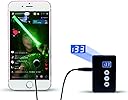
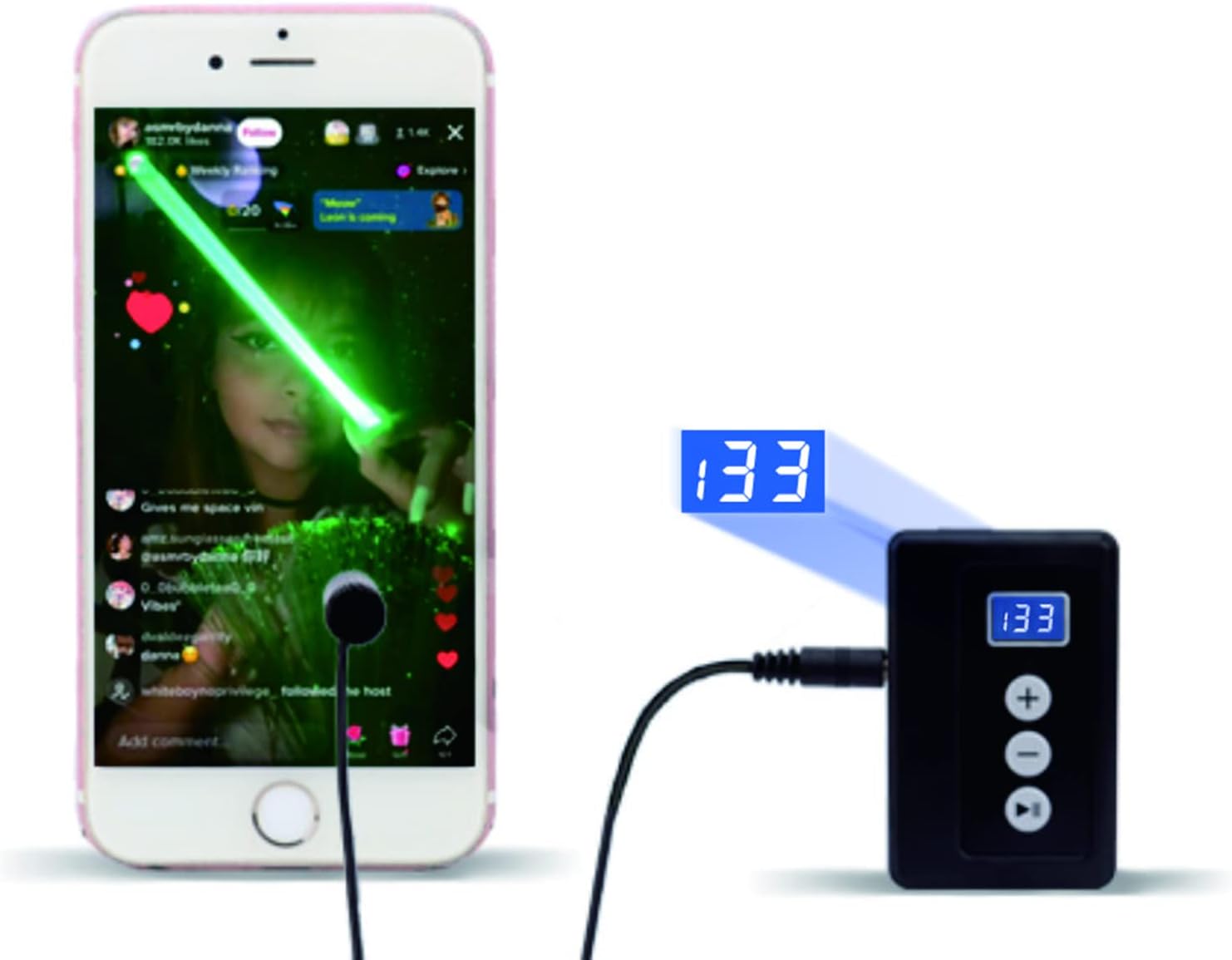
The Yakboman Auto Clicker is a USB-powered physical tapper designed for Android and iOS devices, delivering up to 33 clicks per second with 31 adjustable speed settings. Its silent, durable design uses space mapping technology to simulate finger taps, bypassing anti-cheat systems in games. Compatible with multiple devices, it frees users from repetitive tapping tasks, enhancing gaming performance and live broadcast interactions.
| Asin | B0B8BKWN87 |
| Best Sellers Rank | #24,483 in Cell Phones & Accessories (See Top 100 in Cell Phones & Accessories) #39 in Cell Phone Gaming Controllers |
| Brand Name | Yakboman |
| Button Quantity | 16 |
| Color | A1 |
| Compatible Devices | Android, IOS, Mac, PC |
| Connectivity Technology | USB |
| Controller Type | Push Button |
| Customer Reviews | 4.2 4.2 out of 5 stars (392) 4.2 out of 5 stars |
| Hardware Platform | Android, iOS |
| Manufacturer | Yakboman |
| Package Quantity | 1 |
| Power Source | Corded Electric |
| Upc | 717981925078 |
User
A real review
The other reviews don't say much, so hopefully this will help other people. I wish there had been detailed reviews before I bought it. It might've saved me a few minutes of trying to figure it out on my own.It comes with a control box, USB c cord, and 1 to 4 "tapper heads" (depending on which one you buy), a clip, a sheet of 5 stickers, and instructions.The first thing you should know is that the box plugs into a USB c cord. The one that comes with it is very short, so you'll want to use your own. It doesn't run on batteries, but you can plug it in a power bank if you really need to.The tapper head plugs into the side. It has spots to plug 4 in. The cords on the heads are also very short. The head is attached to a screen either using a sticker or the clip. The clip is huge, cumbersome, and not ergonomic. It doesn't sit flush against the screen. You're better off using the stickers.The stickers themselves just peel off the sheet. You press it onto the head, peel the other side off, then stick it on your screen. It's simple, and you don't have to worry about it not making contact because it's not sitting flush.The stickers themselves can be purchased on Amazon. Just search "nano adhesive stickers". They're cheap and you can buy an endless supply. In any case, it comes with a few to hold you over until you buy more.Operation is simple but this took me the longest to figure out because the instructions don't go into detail. The + button increases the speed and the - button decreases it. The fastest speed is 33 times a second, and the slowest is once every 199 seconds. To operate it, just plug everything in. It's automatically on when plugged into a USB. There is a pause/start button. When paused the speed can't be adjusted.The main problem with this device is that all of the cords get in the way. It's best placed on a table and left there. It's not really practical to hold everything with cords everywhere. Other than that, it works fine. It seems pretty accurate, but I only have it set to once every 10 seconds.I use it with certain apps to make money. It taps away so I don't have to. It works great for time based apps that monitor screen activity but not whether or not you're actually playing games. I am very happy with it. It pays for itself very quickly when using it in this manner.
User
Built to Last through the Grind
If youโve tried software auto-clickers on iOS, you know they are often limited by Appleโs security or get "patched out" by game updates. This physical, electronic tapper for iPhone and iPad is the ultimate workaround. Itโs a specialized piece of hardware designed to simulate a human finger without ever touching the phoneโs software.Durability and Longevityโข High-Frequency Endurance: These devices are built for extreme repetition. Most top-rated 2024/2025 models are rated for millions of taps. Whether you are running a 10-hour AFK session or a quick "click-fest," the internal pulse generator is designed to stay stable without burning out.โข Reinforced Wiring: The common failure point on older models was the thin wire connecting the controller to the tapping head. Modern kits feature reinforced stress-relief joints at the connection points, preventing the internal fraying that typically happens when you constantly move the tapper around your screen.โข Nano-Adhesive Technology: The tapper heads use high-quality "nano-stickers." These are surprisingly durableโif they get dusty and lose their grip, you can simply wipe them with a damp cloth to restore the stickiness. This makes the tapper heads reusable for months or even years.โข Solid-State Design: Unlike mechanical "hammer" tappers that can wear down or break, these use "space mapping" electronic pulses. This means there are no moving parts inside the tapper head to grind down, making it both silent and much more durable.Performance and Usabilityโข Screen Protection: The contact points are made of soft, conductive silicone. Even after hundreds of thousands of taps in the exact same spot, your iPhoneโs screen remains scratch-free and your oleophobic coating stays protected.โข Heat Management: High-quality units are engineered to dissipate heat effectively. You can leave it plugged into a USB power bank or wall outlet for 24+ hours without the controller getting hot, which is a major factor in the device's overall lifespan.โข Anti-Cheat Safe: Because this is a physical device and not an app, it is virtually undetectable by anti-cheat systems. This "usage durability" means you don't have to worry about being banned from your favorite games like Roblox or Cookie Clicker.Prosโข Exceptional endurance for heavy AFK grinding.โข Undetectable by software; works on all iOS versions (current and future).โข Nano-stickers are washable and reusable for long-term value.โข Silent operationโperfect for leaving it running overnight.Consโข The wires can be thin; you need to be careful not to snag or yank them.โข Requires an external USB power source (it won't draw power from your phone).VerdictIf you are a serious mobile gamer, this physical auto clicker is a tank. Itโs built to survive the repetitive stress that would normally kill a human thumb or a cheap software script. Itโs a high-quality, durable investment that effectively turns your iPad or iPhone into an automated grinding machine.
User
good product
Been using this for over a year now and it works great. I love all the different speeds that it has on it, it even has a mode that makes it seem like a real human is tapping with infrequent taps. very light and doest seem very durable at first but I have had no issues with it the whole time ive had it.
User
unfortunately it didnโt deliver
This auto clicker sounds good on paper, but in reality itโs a frustrating and unreliable product.First off, the โ33 clicks per secondโ claim feels completely exaggerated. The clicking speed is inconsistent and nowhere near whatโs advertised. Sometimes it lags, sometimes it skips entirely, which defeats the whole purpose of using an automatic tapper in the first place.The build quality is also disappointing. It feels cheap and poorly made, like it wonโt last long with regular use. Positioning it on the screen is awkward, and it doesnโt stay in place well, especially during longer sessions.Compatibility is another issue. Despite claiming to work on both iPhone and Android devices, it doesnโt function smoothly across all apps or games. In some cases, it doesnโt register taps properly at all.On top of that, setup isnโt as straightforward as it should be. The instructions are vague, and it takes way more trial and error than expected just to get it working decently.Overall, this feels like a gimmick rather than a reliable tool. Definitely not worth the money if youโre looking for something accurate and consistent.
User
Slow clicks!
I was looking for something to help me refresh an app with a big yellow refresh button, so I can view upcoming events posted hands free while I crochet. If I were doing this manually, I would typically click once every 3-10 seconds, scanning for changes in between page reloads.This works perfectly. I use the clamp in the bottom left of the screen. Since I'm using the clamp I don't need to peel off the pad cover. That's only if you are gluing to the screen. I'm able to crochet and listen to music while keeping an eye out for new events. I can adjust whole seconds up until 1 click/10 sec. After 1/10, if I hit the minus (to slow down) it will jump to 1/15. It has a very short USB cord, so use a battery bank or replace with any other USB cord. I love the pause button and make use of it frequently.The build quality appears poor, but this may be perception. Nothing has broken. The fit of the USB C port is poor and difficult to connect, so I leave the cord attached. It strikes me as a $5 item marked up heavily. However, this is the only model I could find with physical buttons to control clicks in the range of 1 every 3-10 seconds and so I have no complaints. Most auto clickers only refresh in the range of multiples per second and so risk triggering bot detectors.
User
Nice Clicker
This is a pretty good clicker. It does have some issues here and there and you have to make sure you are using a low charge cable with it or it will not work.You have to watch and get it on the device just right to tap, but once it is going it is good.I have had problems with TT if it is tapping to fast that it will not accept the taps. So just FYI with that also.This review reflects our personal opinions and experiences with the product. It is always wise to consider comments, suggestions, pros/cons, and carefully evaluate your needs before purchasing. We hope this review helps you make a well-informed decision.โญโญโญโญโญ = Loved Itโญโญโญโญ= Liked Itโญโญโญ= It's Okayโญโญ= Disliked Itโญ= Hated It
User
Works perfectly *Android user*
There's a bunch of reviews saying the directions aren't clear and I don't understand why. I was able to put it together super easily and quickly. The only thing is figuring out which way the click part is supposed to go (I am submitting a picture of the correct way). It clicks and works excellent. I don't have trouble with it coming off or not working suddenly. I love the options for speeds, there are so many! I use the 5 second one, but there are like 20 different speed options from 1 time per second/#of seconds to multiple times per second, and even a random one. I absolutely would buy again and recommend this product. My only ONLY complaint is that the cord isn't very long at all, but I am able to work with that.
User
Works
Works
User
ๅๅฟใใจใฆใใใใงใ^_^
ใใใใผ
User
works - is a bit fiddly
The tapper piece is very small and light and the attached cord makes it want to flop over or twist around. That was frustrating, and if it was slightly leaning to the side not perfectly flat on screen it would skip around on the screen in game not just simply tap. I learned to perfectly balance and place the cord for it to work smoothly. It taps mostly well. If it doesnt tap - turn it off and on again it starts up or try placing it again. wish there was one that was held by a clip more secure. that I didn't have to lay out in an area perfectly flat. Still works though thanks.
User
Functions didn't work as advertised. Definitely not worth the price.
Randomiser and a few other functions don't really work as advertised, definitely don't feel like it's worth the price. User manual was also sparse and in broken english.
Trustpilot
2 weeks ago
3 weeks ago