


Desertcart purchases this item on your behalf and handles shipping, customs, and support to Poland.
📸 Preserve your past at the speed of now!
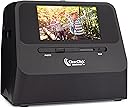
The ClearClick QuickConvert 2.0 is a portable, no-computer-required scanner that digitizes 4x6 photos, slides, and various film negatives with 14MP optical (22MP interpolated) resolution. Featuring a rechargeable battery and a 5-inch preview screen, it delivers fast 2-3 second scans and saves images directly to an SD card, making it the ultimate tool for quick, high-quality photo preservation.


| Asin | B073V879J5 |
| Best Sellers Rank | #69,097 in Office Products (See Top 100 in Office Products) #25 in Slide & Negative Scanners |
| Brand | ClearClick |
| Color Depth | 24 bpp |
| Connection Type | USB |
| Customer Reviews | 4.2 4.2 out of 5 stars (539) 4.2 out of 5 stars |
| Item Dimensions D X W X H | 8"D x 7"W x 6"H |
| Item Weight | 2.4 pounds |
| Manufacturer | ClearClick |
| Media Type | 35mm Slides, 35mm, 110, 126 Negatives, 4x6 Photos or Smaller, Photos, Slides, & Negatives |
| Minimum System Requirements | Windows 7 |
| Model Name | QuickConvert 2.0 |
| Optical Sensor Technology | CIS |
| Resolution | 7200 |
| Scanner Type | Film, Photo |
| Standard Sheet Capacity | 10 |
| Upc | 798578762856 |
User
Robust slide & photo scanner
This ClearClick image scanner was purchased (initially) for the creation of the ultimate Christmas gift. Family members *truly* enjoy having their decades-old slides & photos available in electronic format.It is relatively labor intensive to work through any project of this type, but where there is a will, there is a way. No doubt, the ClearClick streamlined the entire process and produced amazing results. Where professional digitizing services charge (on average) ~$1/slide or photo, this unit will far exceed its price tag value when you have hundreds to thousands of photographic memories. If you can allocate the time doing the work, yourself, then just do it.Couple of notes:- if scanning slides, use canned-air to remove dust particles prior to each scan. It's well worth the effort, you don't want to have to redo anything. I went through 2 cans, cleaning ~900 slides. I eventually picked up an electric handheld, dust-blower/remover since canned-air can be pricey. At present, I still have a over a few thousand slides yet to scan.- If scanning boxes of slides, carousels of slides, or envelopes of photos:-- Just a suggestion: do one entire box/envelope/slide-carousel at a time. I moved them after each completed batch to a computer.-- I named them using the slide/photo film development date and slide/photo number (when available), using a naming scheme of '<year>_<month>__<slide#/photo#>.jpg, so '1971_08__15.jpg' as an example. Where there was more than one box with same developing dates, I suffixed the month with a letter, ex: '1971_08b__15.jpg' which was slide 15 from the second box. Moving the image files off from the scanner card (using USB mode on the ClearClick) and renaming the jpeg files right away eliminated any potential for confusion of what had already been scanned.- Scanning one slide/photo does take ~1-2 seconds, as indicated.- Scanning photos while they're still in the plastic of an album 'works' but the rows of scanner LEDs could sometimes be seen on the top and bottom of the finished scan. Removing them from the plastic, while it adds more time, is well-worth the effort. You only want to "have to" scan your photos one time, in my opinion.- The ClearClick on-screen menu took a little bit to get used to, but it's relatively intuitive. I only used the brightness and RGB color adjustments a small handful of times. Keep in mind that each of those color adjustment settings remains 'set' until the unit's power is cycled or if you go back in to reset them.- I haven't tried the HDMI 'preview via a TV' feature, but that is certainly a bonus. The screen on the unit worked for my needs.- The included 32GB SD card was more than enough. Image files were, on average, 3-4MB in size using the 22MP setting. The ~900 jpeg files were ~3GB, in total.
User
The scanner works great and the software is a nice addition
The scanner works as expected and is easy to use.• It's really helpful to be able to scan from above the photo without using the base. There have been times I've needed to scan a photo "in place" in a photo album.• The multiple options for the size of the photos (e.g. 3.5x5, 4x6) are adequate, although it would be nice to be able to scan 5x7 photos. When scanning 4x6 photos, there is a little bit cut off all around the photo, so I'm careful to position the photo prior to scanning.• I've used it for scanning both slides and photos and am pleased with the results. I'm using it to scan old photos that are of varying quality, so I'm not expecting extremely high quality results from the scanner.• For slides, it works with the standard 35mm slide that is 24mm x 36mm. Note that it can't scan 35mm slides that are 40mm x 40mm square film size.• Others have noted that the scanner doesn't work well with curled photos. I put a stiff clear plastic page over the curled photo, then scan from above, and that solves the problem. The weight of the scanner over the plastic page flattens the curling.A big plus is the PhotoPad Professional software included with the product. When I purchased the scanner, I didn't realize how valuable this addition would be. Since some of the photos I'm scanning are poor quality, the software can help improve the digital version of the photo. I don't have Adobe PhotoShop and am not a professional "retoucher," but I find the software useful for light editing, including color correction and adding text.
User
Good value for the money
I purchased this particular scanner as it would scan photos that were in albums. My mother has a lot of those old sticky page albums and it is next to impossible to get them off without damaging them. It is simple to use and does a good job. There are a couple of things that I would wish for - the bottom tray could slide out to put loose photos in to be scanned and be removable for album photos or small handles on the sides or a handle at the top to pick it up to place the photo in the base. Also, I let it charge for a day (instead of the 2-3 hours) and it still shut down on me within an hour of scanning. I don't know if that is normal? I haven't yet tried any of the negative slides. All in all, I am happy with it for the price. I also haven't downloaded the software, so we will see how well that works. I am at my father's and I have a TON of photos I want to scan so that I can preserve them. I hope I can find a way to make the battery life last a little longer.
User
Highly Recommend This Item!!
Easy to use! Quality scans! It's well worth the price to be able to scan all my negatives, and those of my other family members, thus saving them all for historical preservation AND now so easy to share among the rest of the family!Couple of tips: Make sure you select the right size negative when starting up the machine and also double check the negative vs photo scanner slide switch in the front - sometimes it will move as you're sliding negatives in and out and will cause a distortion in the negative you're trying to scan. No big deal, just something to be aware of!
User
Works well!
I am enjoying converting slides, negatives and pictures to digital. I especially like that I can scan a slide quickly and once it’s uploaded to the software then I can edit the picture quality. It works great to brighten 75 year old slides with the auto level for color button. I like that I can brighten negatives that had shadowed faces so that I can see the faces. They have good customer service as well. I was even able to take an over exposed negative and convert it to black & white to see the image (not great, but better than nothing). I’m very happy with the product.
User
Overpriced Contraption - A Day Too Late to Return
I just discovered I am a day late on returning this contraption. I am kicking myself for getting distracted and not doing the return request a month ago. I got so frustrated dealing with this thing that I put it in the box and then lost track of time. Guess I'll have to sell on Marketplace or something.Here are my main complaints:1. The film and slide carriers cut off edges of the image. You can try to position them using a different carrier, but it's tricky.2. It's okay as a photograph/snapshot scanner if you don't have anything else. I ended up using my old HP print/scan/fax/copy/photo machine.3. The image quality and other controls are simple enough to figure out and use. It's good to have the choice between memory card and direct USB. I didn't try the USB, though. Problem with scanning pictures is that the device has a clumsy design not well-suited to the purpose. Although the product description says 4x6, you can scan 3x5s. The trouble is you have to remove a bottom plastic plate, then position snapshots onto the plate (I had to use double-adhesive tape to keep curled snapshots flat) and futz around with getting the optics part of the device seated onto the plate. This isn't as easy as it sounds because the top part just isn't that ergonomic. I burned up time positioning, repositioning, removing, and repeating the process. The digital quality is ok.5. The price for the contraption seems high - I only got it because others didn't have the capability to scan films, slides, and pictures.One thing I appreciated was being able to scan some photos glued into photo albums. This can save snapshots from damage. I didn't try the software so I don't know if that's any good.
User
Sounds like a great gadget, until you see the results.
Clear Click does have some decent gadgets, I’m about to try their VHS converter, and I’m hoping to get better results from that, than their photo box.I attempted to get more specs on the type of lens/sensor equipped with this device, all I could find was it captured 180dpi. This doesn’t really say a lot, but I wanted to give it a shot.Upon receiving the equipment, I was startled to see how light and fragile the plastic box was. And that’s pretty much all this is, a black hollow box with a very tiny WebCam at the top. I have thousands of old photos I need digitized, and setting each photo in the tray, and running the system takes a little longer then I had hoped. The results are underwhelming, and finally I discovered the dimensions, about 3800 x 2400, 180DPI. I stated with a black and white old photo, and the clarity is very muddy, details are missing. For nearly $200 this really isn’t worth it.I needed up going with the Epson FF680w. Yes it’s $600, but I can scan 30-40 photos at one time, in under a minute, at 1200DPI, and have then colored corrected instantly.
User
great for scanning fragile photos without having to take your photo albums apart
reviewed based on scanning various size prints from older (1920s to 1960s) photo albums, not slides or film. can't speak to the latter uses. this is great for scanning photos without having to tear apart the photo album, especially if you have photos one on top of the other in an accordion fashion, which is part of my problem. the ability to lay the device on top of the photo in situ by removing the base plate saved me an incredible amount of time. image quality has been quite good. once you get the hang of it, it's easy to use, and as said it was a massive time saver and saved me having to tear apart even the most fragile old album. support has been 5* or better.nitpicking issues: a) it seems to have some alignment issues with scalloped prints. they looked at sample images and gave some advice (and then they shipped me a replacement unit immediately, part of my 5* support rating). b) it only does certain default sizes -- 4x6, 3 1/2x5, 4x4, 4.2x3.2, or 3.4x2.1 -- and there is no way to adjust for other sizes. for them you have to trim the resulting image down to size or leave it with lots of border. check if your prints are among those sizes. the included software helps, but it would be nice if it wasn't necessary.very happy with this purchase.
User
Las imágenes no son muy claras
Para tomar las imágenes de un álbum es complicado y con se obtiene una resolución buena, no lo recomendaría
User
Great product
Exactly as described. Have just started using...I have old odd shaped negatives (from the mid 1950s) so they didn’t fit exactly, but I trimmed the edges and it works perfect! So excited to see the pictures.
User
Good quality result
crisp pictures
User
Bad USB connector
It was working just fine. I got 3 reels done. Then I plugged into my laptop and it wouldn’t work as the USB connection fell inside the unit..there was no way to open it..I contacted the company though and they are sending me another unit.
Trustpilot
2 weeks ago
3 weeks ago