Buy anything from 5,000+ international stores. One checkout price. No surprise fees. Join 2M+ shoppers on Desertcart.
Desertcart purchases this item on your behalf and handles shipping, customs, and support to Poland.
🚀 Elevate your multi-screen game with BENFEI’s USB 3.0 to HDMI adapter — don’t get left behind!
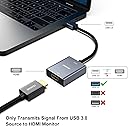
The BENFEI USB 3.0 to HDMI Adapter transforms your USB 3.0 port into a high-definition HDMI output, supporting up to 1080P@60Hz resolution on Windows 7 to 11. Featuring a Fresico Logic 2000 chip, nickel-plated connectors, and an aluminum heat-dissipating case, it delivers stable, lag-free video transmission. Ideal for professionals needing an easy, reliable second-screen solution, it comes backed by an 18-month warranty and responsive customer support.


| ASIN | B09KXZFS5Z |
| Best Sellers Rank | #200 in DVI-HDMI Adapters #1,848 in Audio & Video Connectors & Adapters |
| Brand | BENFEI |
| Color | grey |
| Compatible Devices | Projectors, PC, Monitors, Laptops |
| Connector Type | HDMI |
| Current Rating | 1 Amps |
| Customer Reviews | 4.2 out of 5 stars 6,986 Reviews |
| Finish | Hdmi,Projector |
| Finish Type | Hdmi,Projector |
| Input Voltage | 20 Volts |
| Item Weight | 0.05 Kilograms |
| Manufacturer | BENFEI |
| Mfr Part Number | 000334grey |
| Model Number | 000334grey |
| Number of Items | 1 |
| Number of Ports | 3 |
| Package Quantity | 1 |
| Power Plug Type | No Plug |
| Smart Home Compatibility | Not Smart Home Compatible |
| Specific Uses For Product | Monitor,Projector,Tv |
| Unit Count | 1.0 Count |
| Warranty Type | Limited |
D**N
Product worked and was easy to use
I bought this as my new laptop did not support video output from the usb c port so I could not use a usb c docking station to add a 2nd monitor. This worked and the driver flash was easy to find when I plugged it into the usb port. The only thing I would point out to anyone buying this that has a relatively new computer is that the output only supported 1680x1050 resolution. I almost thought it didn't work as the screen was black even though the system recognized a third monitor. Once I changed the resolution from 1920x1080 to the next one down of 1680x1050 the picture came on and looks great. I suppose it probably isn't going to work if you are looking for super high resolution gaming or graphic design, but perfect for what I want. Easy to use and the driver is right there in the device when you plug it in. Just click on the driver you want to install (I am running windows 10, so I can't vouch for the Mac driver) in file explorer and restart your computer and then plug in your monitor.
R**I
Problem solver
I just bought a new PC with a GeForce GPU. To my dismay I discovered that my BenQ monitor was incompatible with all GeForce type Gpu's. I decided to give this dongle a try. It did not work at first because I did not read the instructions which were you have to download the driver from the Benefei website. After doing that this dongle worked FLAWLESSLY! My monitor runs with no problems and no lagging at 1080P. It sure is nice when a product works as advertised.
L**T
Amazing
Amazing
W**L
Accomplished the purpose I bought it for
This was used to add a 4th monitor to my work-from-him setup. I keep my email on it all day, so nothing graphics intensive or too exciting. It works. The only real issues I have are after using it elsewhere, putting it to sleep, and then waking it redocked. The driver freaks out and doesn’t know what to do. Sometimes it reverts to USB 2.0 SVGA mode (800x600), and sometimes it just doesn’t work. Also, I can’t use it with my thunderbolt dock. It must be connected through the USB port right on my laptop, or it has a weird issue with constant blinking.
T**S
Terrible Connection
These are terrible. I bought 2 to use at work with my 2 monitors. First it made me install a driver (which i've never had to do with HDMI-USB adapters). Once i downloaded the driver and restarted my computer i could not get them to work. I checked all the connections multiple times. Sometimes one screen would come on but it had black lines all over the screen like the connection was bad. I would disconnect that adapter and the other screen would come on but with terrible resolution. I never got both to work at the same time and when one did work, the monitor was not clear at all.
Y**E
almost made it a year
This worked well, until it stopped. I did notice that it got overly warm when I had my system up and running most of the day. The past month of its life, the monitor would flicker until it stopped working. I do keep my system up for long periods of time, so maybe I should look into a more heavy duty version of this?
J**E
Very good device!
I was looking at a few other devices just like this one because I only have one HDMI port on my laptop but needed something so I can have the other vertical monitor plugged in, The other devices I was looking at told you to turn off your anti virus software and firewall in order to install the drivers and run them which is a big red flag. I stumbled upon this device and it mentioned nothing about having to turn those things off so I bought this. When I got it I plugged it in and my anti virus said the device was safe and when I installed the drivers it said it was also safe. The device works amazingly for what I’m using it for. Would recommend.
J**R
Plug it in - use your second monitor!
This device comes with instructions along with a little CD with drivers on it. However - - - You do NOT need the CD! Simply plug in the device and then open Windows File Explorer. You'll see a small "drive". Double click on it, and the install files are there! NOTES: 1) Plug this device into a USB 3 socket only! (look for the "SS" next to the socket. If you do not do this, you will be stuck with 800x600 resolution which is terrible). The instructions will tell you this, but not until the end. 2) Open Windows File Explorer and click on the little drive to open the driver. 3) Let the driver install, and then restart your laptop/computer for the changes to take effect. All the above took me 5 minutes and now my Dell Inspiron (i5) laptop is driving 2 Dell 27 inch high def monitors. One screen is connected directly with HDMI. The second screen is connected using this device: USB 3 port on laptop to HDMI plug from monitor. Screen resolution is awesome.
K**I
Excellent Quality
The item works perfectly! Just note you need to install the drivers from the cd (which is also included in the packaging) before the device works. takes less than a minute to install. No quality loss on the 2nd monitor, so you won't be disappointed.
M**M
Jedyny działający. Pracuje bez problemu 1080p 60hz
Jeden jedyny który pracuje beż problemu. Po zainstalowaniu dołączonych sterowników działa 1080p 60hz. Przetestowane wcześniej od innych producentów powodowały klatkowanie albo zero obrazu. Benfei USB-HDMI numer jeden.
F**R
Funktioniert wie erhofft!
Ich habe mir den Adapter gekauft, weil mein Laptop nach irgendeinem Update über HDMI keinen Ton mehr am Sony Fernseher ausgegeben hat. Nach langer, erfolgloser Fehlersuche, habe ich mich entschieden diesen Adapter zu bestellen und - voila - funktioniert einwandfrei - sogar bei Anschluss über einen USB 3.0 Hub. Bin sehr zufrieden!
R**X
Works perfectly on Dell AIO777 Windows 11 desktop
I wanted to add a 3rd screen to my Dell All-In-One desktop (Windows 11). I tried a different USB C to HDMI adapter (no software drivers) and it did NOT work. However, the other adapter worked fine on my LG laptop, so my Dell USB C port apparently does not support video. So, I ordered this adapter based on reviews and thinking that a software driver handling video over high speed USB A seemed plausible. It works PERFECTLY. Drivers come on a CD and are on the device itself, which also appears as a USB drive, so if you don’t have a CD drive just install from the device itself…or download from their website. I installed the driver before plugging in the adapter. I’m not sure about gaming, but everything I do (email, browser, spreadsheets, photo editing, YouTube, Netflix, etc) works 100%.
A**H
It works but...
First of all the important bit.. yes it works when I connected USB3.0<>HDMi and also USB3.0<>HDMItoDVIadapter<>DVI. The picture resolution is full HD and perfect quality. I have actually got 3x monitors so 2 of them are on the card (Dsub, DVI) and this third monitor is on USB3.0. Everything was working fine and I was thinking about leaving a 5 star review because there are very few products of this class which actually works... But... here comes the but... I have connected it to my Desktop/Server system where I do lot of work including work on virtual machines so I do not turn off my PC for weeks even months because I don't want to waste time spinning up all VMs and opening all docs and browser pages etc. I normally send it to sleep before going to bed or the PC automatically goes to sleep/hibernate after 2 hours or so... after the installation of this adapter I went away for few hours and when I came back all my monitors were blank and PC was on. No matter what I tried the PC didn't come to life until I did a hard reboot and it all came back with a clean slate. So all work was gone! I then tried to manually hibernate it from start>shutdown>sleep and it went well, all monitors went to sleep but within 2 mins PC restarted! I tried different combination of cables, even shutdown power saving for USB port but it will restart every time if I put it in sleep mode (manually) or it will just hang if system goes to sleep after set duration. As soon as I removed the box the sleep functionality started working as normal. So, for some very odd reason, this box does not work for SLEEP/HIBERNATE mode. If you are a person like myself who does not want to turn off his PC then just consider above issue otherwise the device is fine. = = = I have had a detailed discussion about this issue with Benfei customer services and they have been very helpful in determining the issue and sending me another product to test. The new item they sent did work well with no issues at all (on Windows 10) so I think the previous item may have some issues which was causing the problem. Based on their response and excellent customer services I am elevating the rating from 3 to 5.
Trustpilot
1 week ago
3 days ago