Buy anything from 5,000+ international stores. One checkout price. No surprise fees. Join 2M+ shoppers on Desertcart.
Desertcart purchases this item on your behalf and handles shipping, customs, and support to Poland.
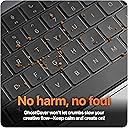
โจ Protect your MacBookโs vibe without missing a keystroke!
The GhostCover Original Premium Ultra Thin Keyboard Cover Protector offers a barely-there 0.12mm TPU shield designed specifically for 2021-2026 Apple Silicon MacBook Pro, Air, and Neo models. It maintains full Touch ID functionality, preserves keyboard backlighting with crystal-clear transparency, and is fully washable and reusableโperfect for professionals who demand protection without compromise.


| ASIN | B09LVWTDWN |
| Additional Features | Reusable |
| Best Sellers Rank | #1 in Computer Keyboard Skins |
| Brand | UPPERCASE |
| Color | Clear |
| Compatible Devices | MacBook Air 13" with M2/M3/M4/M5 (A2681 A3113 A3240 A3449), MacBook Air 15" with M2/M3/M4/M5 (A2941 A3114 A3241 A3448), MacBook Neo 13" with Touch ID (A3404), MacBook Pro 14" with M1/M2/M3/M4/M5 Pro/Max (A2442 A2779 A2918 A2992 A3185 A3401 A3112 A3427 A3426 A3434), MacBook Pro 16" with M1/M2/M3/M4/M5 Pro/Max (A2485 A2780 A2991 A3186 A3403 A3429 A3428) Compatible Devices MacBook Air 13" with M2/M3/M4/M5 (A2681 A3113 A3240 A3449), MacBook Air 15" with M2/M3/M4/M5 (A2941 A3114 A3241 A3448), MacBook Neo 13" with Touch ID (A3404), MacBook Pro 14" with M1/M2/M3/M4/M5 Pro/Max (A2442 A2779 A2918 A2992 A3185 A3401 A3112 A3427 A3426 A3434), MacBook Pro 16" with M1/M2/M3/M4/M5 Pro/Max (A2485 A2780 A2991 A3186 A3403 A3429 A3428) See more |
| Compatible Phone Models | MacBook Pro 14" with M1/M2/M3/M4 Pro/Max (A2442 A2779 A2918 A2992), MacBook Pro 16" with M1/M2/M3/M4 Pro/Max (A2485 A2780 A2991), MacBook Air 13" with M2/M3 (A2681 A3113), MacBook Air 15" with M2/M3 (A2941 A3114) Compatible Phone Models MacBook Pro 14" with M1/M2/M3/M4 Pro/Max (A2442 A2779 A2918 A2992), MacBook Pro 16" with M1/M2/M3/M4 Pro/Max (A2485 A2780 A2991), MacBook Air 13" with M2/M3 (A2681 A3113), MacBook Air 15" with M2/M3 (A2941 A3114) See more |
| Customer Reviews | 4.4 out of 5 stars 4,102 Reviews |
| Enclosure Material | Thermoplastic Polyurethane |
| Finish | Glossy |
| Item Weight | 25 Grams |
| Manufacturer | UPPERCASE Designs |
| Material | Thermoplastic Polyurethane |
| Pattern | Solid |
| Size | M1/M2/M3/M4/M5 Pro/Max MBP 14/16 and MBA 13/15 |
| Special Feature | Reusable |
| Unit Count | 1.0 Count |
R**7
BEST CASE FOR YOUR M1 MB PRO RIGHT NOW
First I would like to say thanks to the UPPERCASE customer support. I initially bought the keyboard cover for my butterfly keyboard 2019 MB pro and was pleased with how it worked for me over the years and so when I got this new M1 pro MB I came straight to ghostcover for this laptop as well. Initially I purchased it from this same listing and when I got it I was not satisfied. The edges around the individual keys felt very rigid and curved and I was having an ABSOLOUTELY TERRIBLE typing experience. I checked the other reviews here and I saw I wasn't the only one who was feeling this way. So I reached out to the customer service and told them I was not satisfied with their product this time around as I was with the 13 inch MP pro. They explained that the keys on the new MB Pro were slightly curved by default and that they aren't flat like the butterfly keyboard so the cover is also slightly curved to fit the keys but still sent a replacement from their warehouse which I got in three days to see if I will have a better typing experience. I would like to say that this new one feels PERFECT. Its everything the one before wasn't. It's a perfect fit. It doesn't wobble when typing. I tried tilting the laptop upside down it doesn't fall off unless u try really hard to make it fall. I blow air to remove tiny dust around the laptop and the 2019 cover sometimes used to come off. This time it doesn't even move. Most importantly, the edges of the keys are NO LONGER RIGID OR CURVED/RAISED. Really great typing experience and I am extremely satisfied. But if u want the best typing experience then I would still recommend no cover at all. These new keyboards are no longer butterfly keys and sometimes trying to protect your laptop too much comes in the way of your luxury experience that this expensive machine has to offer since MBs are made of quality materials that feel amazing to the touch. But if u must get one, this is the one. Go for it!
T**I
Perfect Fit, Keeps Keyboard Clean protected Without Interference
This keyboard cover is perfect for keeping my computer clean while still allowing full use of the keyboard. Itโs sturdy but ultra-thin, so it doesnโt interfere with typing at all. I can still clearly see the keys, and the cover doesnโt affect responsiveness. It fits well and stays in place, providing good protection from dust, crumbs, and everyday wear without feeling bulky. Overall, it does exactly what itโs supposed to do and works great. Iโm very happy with this purchase and would definitely recommend it if you want to protect your keyboard without changing how it feels or functions.
W**R
Don't buy cheap -- buy THIS!
I ordered this "clear color" protector for my Macbook Air M4 13" laptop. Also ordered others from another popular manufacturer that were less expensive. Compared to the others, this GhostCover Premium Ultra Thin Keyboard protector was just that -- premium quality and ultra thin! Don't even know it's on the keys. Aligns perfectly with the keys and is pretty much invisible other than making the keys appear slightly less black. I read complaints about some who described it as "stiff plastic." Pretty sure they simply placed the (also clear) HOLDER of the cover right onto their keyboard and never bothered to peel the actual thin cover OFF of the holder it was shipped in! Because of this, I was tempted to give this a 1-star rating so that people (like me) who generally only read the 1-star ratings when making purchases would more likely dismiss the inaccurate evaluations. The keys seem to have no loss in sensitivity when typing. I could detect absolutely no evidence that the cover failed to close any less than without the keyboard cover. Surprisingly, following many closures of the laptop cover I can''t even see any keyboard patterns leaving smudges on the screen. Despite this being the thinnest protector I could find online, I suspect with many days of use I may start to see "impressions" on the screen from the oils on my fingers. Periodic cleaning of the keyboard cover would be easy enough to prevent such an issue should it arise. Others have suggested taking off your keyboard cover whenever you close the laptop -- a suggestion I find impractical and unnecessary for this product. I will edit this review after long term use if I find otherwise but I expect the durability and appearance to remain exceptional. Others have warned about overheating possibilities caused by keyboard covers. After hours of use, my battery is at 75ยฐF. I don't see the problem.
J**N
Perfect Fit, Protects Keyboard, Slows Typing, Screen Protector Compatibility WARNING
This is my first keyboard cover. I purchased it for a brand new M4 and have been using it daily for FIVE months. It works well for me and I purchased several more (buy 3, save 15%) today to have on hand. The keyboards on my last few MacBooks looked terrible after a few years of daily use. When I peel off this cover, my M4 keys look brand new! The cover itself is NOT perfect though. If you want this badly enough, you can make it work for you. Here are the details... This keyboard cover is a perfect fit for my 2024 14-inch MacBook Pro M4 (US Keyboard). Be aware you may need a different version of the cover if you have a different keyboard layout. This keyboard cover has a short break-in period. I am a 100+ WPM touch-typing software developer. Huge impact and adjustment the first week, but this cover DOES soften up over time. Just took a Typing Racer test and scored 99 WPM 100% accuracy with this keyboard cover. Many reviews mentioned the cover leaving marks and dirt on the screen. I can see why. The keyboard cover collects oils and debris (instead of the keyboard), which is what I want. The center of each key that I use most frequently now has a bubble in the cover. I imagine those raised bubbles would also leave marks on my keyboard. I tried to avoid this by adding the following screen protector: Supershieldz MBP 14 M4 Tempered Glass Screen Protector http://amazon.com/dp/B09P8VW85B WARNING: This keyboard cover is NOT compatible with the screen protector listed above when used on a 2024 MBP 14-inch M4. After I installed BOTH products together, I discovered that my MacBook would TURN OFF when the lid was closed and the laptop was in my backpack. I determined that the screen protector and keyboard cover were pushing down on the power button enough to shut off the laptop. I could probably cut out the keyboard cover for the power button to resolve this, but I prefer to keep all keys covered. Instead, I take two sheets of letter-sized paper, fold them in half, and drape the folded sheets over the top of my screen before I close my screen. Folding and draping keeps the paper near the outer edge of the screen (furthest from the screen hinge). Two pieces of paper between the screen and the keyboard still allow the MacBook to fall asleep while completely eliminating the accidental power off issue. While this hack goes against everything Mac, so does adding a keyboard cover and a screen protector. I'll keep using the folded paper method until I come up with a better option. The glare took getting used to, but the screen protector itself does work well. The combination of this keyboard cover and that screen protector work for me as long as I'm willing to use the folded paper hack. I might look for a think palm protector instead. The extra thickness could potentially help keep the screen from closing far enough to push down on the keyboard cover and power button? HTH and Good luck! Jason
S**N
Great Item - Repeat Buy
Great product at a great price. I purchased this for the second time. I had the first one for almost 3 years. I replaced it because portions of the cover over frequently used keys were wearing thin and getting too dirty to clean. This cover provides a better keyboard feel than others I've used in the past. You hardly know it's there because it has a great texture that your fingers don't stick to. I suggest you clean your cover periodically with dish washing soap to remove oils from your fingers. Oily residue can leave marks on your screen when your laptop is closed. I highly recommend this item.
S**Y
Easy to use and sticks well.
Keyboard dust cover is great! Sticks well and easy to place on computer. Keeps all the dust and grime away from keys. Fits my Mac well.
J**B
Works and fits just fine on a 15-inch MacBook Air M3
If you work or use your laptop in a dusty environment, and if you're very particular about keeping as much of that as you can out of the keys, then this is probably what you want. Some caveats and things to know up front (speaking only to how it fits on a 15-inch MacBook Air M3): - Yes, it changes how it feels to type on the keys... because it's a cover that goes over the keys. After a month, I've gotten used to it, but you need to weigh your tolerance/adaptability for this versus how badly you want to keep out dust. - There's no "break-in" period where the thing gets softer or more pliable because that doesn't make sense -- the TPU (i.e., material its made of) isn't going to change properties on its own. - If you value the original feel of how it is to type on a MacBook keyboard more than anything, then this isn't for you. I didn't bother using the adhesive stickers that came with it; the cover stays pretty well on its own and I'm not sure what other people are doing where they're having it slide off in the middle of typing (e.g., rolling your fingers when hitting the keys? What?) There's no trick to installation; you simply lay it on the keys and it stays in place. Also remember this: Apple says "remove [any sort of keyboard cover] before closing your display to prevent damage to your display". That said, I've closed the lid with it on plenty of times -- it closes just fine -- and I haven't seen any marks on the screen. I also wipe off the cover with a slightly damp cloth to get rid of any surface oil or dust, and I don't bash the laptop about, or press on the lid, or pretty much do anything that would mash the glass against the keys in the first place. Washing it is easy. Just gently press your finger on one of the corners, like the 'esc' key', drag the finger a bit, and the cover lifts up easily. Rinse it, let it dry, and you're done. Overall, I give it five stars: it does exactly what it's supposed to do, and it's sturdy enough that it doesn't flop about. It absolutely does change how it feels to type, and that's a tradeoff you need to decide is worth or not.
S**S
Fits Perfectly, But Is Very Hard To Type With!
I recently started working as a Software Engineer and I was given a new laptop. I wanted to keep it in pristine condition, and I also wanted to avoid getting it too greasy with crumbs under the keys. So, I bought this keyboard cover, and it fits nicely over the keyboard! This gives the illusion that there's no cover at all, because the color of the material blends so well with the color of the keyboard. I found that I didn't need to use the included adhesion kit because it worked straight out of the box. It's also very thin, but even with this, I find it very, very hard to type. Because your fingers are essentially pressing into an elastic material, there will some resistance against pressing a key. That makes it more laborious to actually type, and in fact, I find it unbearable to use. Sometimes, I just remove the cover altogether so I can get a smoother typing experience. Don't get me wrong: this cover is thin, fits over the keyboard perfectly, and is resistant to finger stains and crumbs, but it just makes the typing experience very difficult and like a workout. Maybe if it were more thin, the typing experience wouldn't be so comprised. In the end, it's an okay product, but not something I would use for the long term.
F**E
Protetor de teclado excelente.
Produto excelente, nรฃo limita a digitaรงรฃo e protege o teclado contra manchas.
R**L
JUST BUY IT!
My partner and I share a macbook pro and I have very oily fingers -- which results in an oily keyboard and damage that is difficult to get rid of ultimately. For the last little while I've had to use a bluetooth keyboard on the macbook pro, to minimize oiliness on the keyboard, but that has not been particularly pleasant; not only that, but it's not practical to carry a keyboard everywhere I go. I was excited to find this keyboard cover. I am even more excited now that I have tried it. What can I say? it TRULY lives up to its NAME. It protects the keyboard while still maintaining more or less the feel of the macbook keyboard. It is so thin and translucent/transparent, that you can barely notice it is there -- you'd have to look HARD to realize it is still on. The fit is PERFECT on my 14" macbook pro. I am just amazed at the quality of this cover and if I could offer it more stars than 5, I would have. The packaging in which it came was beautiful and minimalist. I just LOVE this keyboard cover for saving my laptop and for saving me the hassle and discomfort of typing on the bare keyboard at times, because I forgot the external keyboard or it was just not convenient to use it when sitting on the couch.
E**R
Saudi Arabia
Satisfied
ใฌ**ใข
ในใชใ โ๏ธ3
ใใใฎใใชใใฎใใใใใฎ่ใใงไฟ่ญทใงใใ๏ผ
P**D
Cheap, Thin, Invisible.
Exactly what I was looking for. Thin and good fitment. You can barely see it's on. Does interfere with the typing experience however I'll take that over a shiny worn keyboard anyday.
Trustpilot
1 day ago
2 weeks ago