Buy anything from 5,000+ international stores. One checkout price. No surprise fees. Join 2M+ shoppers on Desertcart.
Desertcart purchases this item on your behalf and handles shipping, customs, and support to Poland.
💡 Light up your life, your way—smart, stylish, and always connected.
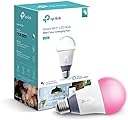
The TP-Link LB130 is a Wi-Fi enabled smart LED bulb offering 800 lumens brightness, full color spectrum control, and adjustable white temperature from 2500K to 9000K. Compatible with Alexa, Google Assistant, and Cortana, it supports voice commands and remote control via the Kasa app. With scheduling, scenes, and a 25,000-hour lifespan, it delivers customizable, energy-efficient lighting for modern smart homes.


| ASIN | B01HXM8X88 |
| Accepted Voltage Frequency | 100 to 120 Volts and 60 Hertz |
| Additional Features | color |
| Best Sellers Rank | #239,692 in Industrial & Scientific ( See Top 100 in Industrial & Scientific ) #9,238 in LED Bulbs |
| Brand | TP-Link |
| Brand Name | TP-Link |
| Bulb Base | E26 |
| Bulb Shape Size | A15 |
| Color | Dynamic - Multiple Color Options |
| Color Rendering Index | 16 |
| Color Temperature | 9000 Kelvin |
| Connectivity Protocol | Wi-Fi |
| Connectivity Technology | Wi-Fi |
| Control Method | Voice |
| Controller Type | Amazon Alexa, Android, Google Assistant, Vera, iOS |
| Customer Reviews | 4.3 out of 5 stars 1,152 Reviews |
| Efficiency | High Efficiency |
| Global Trade Identification Number | 00845973096038 |
| Incandescent Equivalent Wattage | 60 Watts |
| Included Components | Smart Wi-Fi LED Bulb LB130, Quick Installation Guide |
| Indoor Outdoor Usage | Indoor |
| Item Dimensions W x H | 3.11"W x 6.73"H |
| Item Weight | 7 Ounces |
| Light Color | multicolor |
| Light Output Maximum | 800 Lumens |
| Light Source Operating Life | 25000 Hours |
| Light Source Type | LED |
| Light Source Wattage | 11 Watts |
| Light Type | LED |
| Manufacturer | TP-Link |
| Manufacturer Part Number | LB130 |
| Manufacturer Warranty Description | 2 years. |
| Material Type | Plastic |
| Model Name | Dimmable LED WiFi Smart Bulb |
| Model Number | LB130 |
| Number of Items | 1 |
| Package Quantity | 1 |
| Power Consumption | 60 Watts |
| Power Source | AC |
| Shape | A19, E26 Fitting |
| Smart Home Compatibility | Smart Home Compatible |
| Special Feature | color |
| Specific Uses For Product | Lamp |
| Style Name | California Unavailable |
| UPC | 845973096038 |
| Unit Count | 1 Count |
| Voltage | 120 Volts |
| Wattage | 60 watts |
| White Brightness | 1000 Lumens |
C**1
Awesome lights, great company, pick your own white, dimmable!
I HIGHLY recommend these bulbs (and TP-Link/Kasa in general). The best part of this bulb is not that it can be any color you want it to be or that it is Wi-Fi enabled, it's the ability to "choose your white" that is most useful. It allows you to set your white anywhere from 2500K to 9000K.. giving you the ability to chose the color that most suits you and your environment.. no more living with trying to pick a color up front which, in my case, I usually just find out I don't like it. Colors vary so much from manufacturer to manufacturer, it's impossible to see what a company's interpretation of, say 3000K is going to look like. Some push more the orange while others push more towards the blue. With these bulbs, you can find EXACTLY the color you want.. VERY easily! These lights are great for lamps because they don't seem to make dimmable plug-in Wi-Fi adapters and are excellent at dimming to just a few percent.. something wall controllers can have problems with when you use LEDs. It does require the Kasa app loaded for setup but then is fully compatible with the Echo running the Kasa skills.. making it very robust when running more than one at a time. Echo is NOT required to control these lights.. they will run completely with the Kasa app or with Google Home.. plus many more. TP-Link has been making great products for decades.. mostly in the computer world until now. I have relied on their products for years and have been disappointed.. and these bulbs are no exception! The fact that they can be any color is just a bonus to me. Theses bulbs are well worth the price.. they will outperform more expensive bulbs! NOTE TO ECHO USERS: Sometimes you will see it stated that you have to tell Alexa to tell Kasa to turn the light on. This is NOT true. Once you set the light up (or group, in my case), it appears to the Echo like any other device. You do not have to use the word Kasa in your commands..
A**N
Love these bulbs!
These smart bulbs have been a game-changer in our house. I initially bought a few for lights that my hubby would often leave on after getting into bed. It was so nice to be able to turn them off, from my bed, using the friendly Kasa app or through Alexa voice control. We also love being able to set our lights on soothing colors at night when watching tv, or resting before going to sleep. I now have these bulbs throughout the house and have spent some time getting things set up with groups, special scenes and schedules. I love that certain lights will now go on at dusk and auto turn off at my desired time, and also have a few bulbs that are on all night on very dim, soft colors — they don’t bother me when I’m sleeping but provide just enough light if I need to get up to use the bathroom. My husband even began playing with IFTTT and has set certain lights to turn on automatically when he enters our neighborhood, which I can see being extremely useful for people who live alone. One thing that made a huge difference in how useful these bulbs were for me was discovering the default state setting. I always set up the bulbs so that if I turn on a light from the switch (instead of via app or voice), the light will be white and at 100% brightness. This is also useful when we have guests as the lights will work in ways they are expecting and used to. I recently bought another less expensive smart bulb and there is no capability to set a default setting — I couldn’t believe it because that is such an important feature. I’ve now had the TP Link bulbs in our home for two years (or more) and haven’t had any failures. Every once in a while a bulb may become disconnected from the network (easy to fix), but it hardly happens anymore. Possibly firmware updates have addressed that. All in all, this is a great product, especially if you take the time to really set it up! Just make sure that if you buy another brand, you get one that does have the ability to set a default for when the light is turned on at the switch!
C**S
Less customization than competitors--but with less commitment
I've wanted to try smart bulbs for awhile now. It's so convenient to have a light that operates on a schedule. I have it set to wake me up int he morning with the circadian setting, and when it gets to be near time for bed, I have it auto-shut off as my cue to go to sleep. It's a great aid for my sleep schedule. Pros: The colors are all pretty accurate. The bulb is fairly bright throughout the color range, and the lighting is even. Works with Google Assistant. Cons: The Kasa app. It's a bit bare-bones, and not all that intuitive. I got the hang of it after a day or so, though, so don't let that dissuade you. There's no easy way to have it slowly light up. The circadian setting is the closest option without programming it to light up 2% every minute. While the light isn't too bright when it comes on with the circadian setting, it's certainly bright enough to immediately wake you up, as opposed to waking you up more gently. That, however, seems like something they can add later with an update, and wouldn't be a problem, I think, if I got up before sunrise. Price is the other big concern, but this is one of the most affordable 60w-equivalent RGB smart bulbs that doesn't require a hub, but combined with the other cons, I think I have to take a star off. All in all, I'm very pleased. I could have gotten the more feature-rich competitor, but I'm happy I chose this instead. I only needed one bulb, and wasn't keen on having a hub. This is the best hubless RGB smart bulb you can buy.
U**K
Stable operation even after a year. Easy operation and useful circadian mode.
Pros: I've had this bulb for a year, and only a couple of times in hundreds of Alexa and phone-based operations have I had anything go awry. Simple to setup and operate, and then it "just works" as a smart-device should. I have it in Circadian mode by default to set and adjust the appropriate color temperature, and then I use Alexa commands or the app to further adjust. I have various timers set up for various days, and everything seems to work fine. Cons: * Circadian mode is overly literal and I wish it were more adjustable. I use the bulb to help me wake up, but when it's winter and you're waking up in the dark, a dim orange glow isn't expecially helpful in that regard. (Of course, it can be overridden buy setting a timer and specific color temperature if you get up at the same time every day.) * There was some glitch (probably Alexa's) for a couple months where Alexa seemed not to know what "warmer" and "cooler" meant with the regards to the bulb, but now it seems to work again. Summary: Great bulb. Only 60w equivalent, though. If they offered versions with higher lumens I'd buy more.
J**Z
Awesome product if you know what you are doing.
I feel like every bad review is becasue people are to lazy to "try" to make it work. This works amazing with Alexa. You just need to put in the time to setup the initial stuff and boom. Works wonders. I think most problems I have seen is people saying it's not connecting. That's probably because they keep using a physical switch cutting off the power. And then when you put power back on, that bulb has to reconnect back to the Wi-Fi. Right there is the problem. When it reconnects back to the Wi-Fi, depending how long its off, the Router will assign the smart bulb a new IP Address, kinda like changing your house address and now your Alexa's have to find it. Depending how your Wi-Fi is setup, this can take a few seconds to a some minutes. The best course of action is to setup your router so that your bulb has a permanent IP address. That will fix so many problems down the road. I use my bulb without ever touching a physical switch and it works flawlessly. Its now turned into a habit where I just walk in to the house and ask Alexa to turn on the lights. Overall, this is a great product with good lighting and brightness, to great connectivity, depending how good your network is setup.
A**Y
doing some research and assesing my needs I settled on TP-Link because of the variety of Smart products they offered
I made the jump to a "Smart Home" a little over a month ago after Alexa joined our family. After talking to some friends, doing some research and assesing my needs I settled on TP-Link because of the variety of Smart products they offered, no requirements for a Hub, the lower cost and the ability to control everything from one simple app on my Smart phone and Amazon"s Alexa. I have not been disappointed. After a very short learning curve, I surprisingly found the installation and set-up of all the TP-Link Smart devices extremely easy and intuitive. I have installed several different Smart devices including three different bulbs (LB-100, 120 & 130) depending on the area, as well as, Smart Switches (HB-200) and Smart Plugs. All of it has installed, programed and worked with few problems. The only criticism I have is the Kasa App. I have found it to be a bit bugy at times, but since I use it primarily for programming and setting up new devices and scenes, rather than operationally, it has not been an issue since Alexa handels most of that work. So far, in the six weeks my Smart Home has been in operation I have only had one problem where Alexa and the Kasa app lost communication with most of (but not all) of my TP-Link devices. But after a bit of head scratching I was able to restore communication. So here's a tip to remember: I first tried rebooting the devices by cycling the power breaker, but that didn't work. Probably due to multiple devices signaling simultaneously and overloading Kasa. But, powering each device down for a few seconds then back up, and testing it before moving on ro the next one worked without a problem. I also recommend using a different control application. I only have experience with Amazon Alexa, but it also interfaces with Google Home among others. I have found that controlling scenes from Kasa not to be reluable for some reason, while issuing the scene commands to Alexa works 90% of the time, with repeating the command becoming necessary about 10% of the time. But even with an occasional repeated command being necessary, TP-Link devices respond extremely well through Alexa's control. Plus Alexa is able to easily "group" multiple devices so you can control areas with a single command, or program macro activities that Alexa can perform with a single command. Capabilities Kasa does not have. This is another deficiency of the Kasa app. Without the ability to group devices or run macro routines, it relies on programmed scenes which are very limiting for operational control. So another controlling app like Alexa or Home is essential to the TP-Link Smart Home system. For me, because I have Alexa for operational control, both at home and away, these short comings in the Kasa app are non-issues. But if I didnt have this capability I think I would look to a different Hub controlled platform for my Smart Home lighting and device control. LB-130 Smart Bulb: I first bought the multicolored Smart bulb for my porch light to enhance my Holiday decorations, but I liked it so much I got 4 more for lamps in my living room to set mood and night light scenes for parties, movie/TV watching and minimal light settings for overnight guests. I love the lighting effects you can create with these Smart bulbs so easily with just a few commands, or program a complex scene in minutes that is ready to execute with a single command to Alexa or a single touch of the Alexa app remotely.
T**H
This is a great idea but in implementation
This is a great idea but in implementation, it's not quite there, at least as far as the integration with Alexa. The Kasa app (required) works pretty well, but Alexa has twice already lost connectivity with the bulb (even as Kasa continues to work on my Android phone). I have had to reset the bulb twice now to factory defaults, reconnect to my WiFi, and add it back to Alexa as a new device to get it to work. Also (minor beef) the Kasa auto-discover does not work and so each time I have had to specifically connect to the bulb's WiFi, manually enter my home WiFi credentials, and only then was it found. Finally, Alexa does not recognize the color change commands that are shown in the instructions, although it works fine with Kasa. Maybe a firmware update will fix some of these issues, but until then I will probably not order another one. Update 9/26/20: Not long after I wrote the last review one of the colors inside the bulb quit working- so I would ask for green, but get red. A few months ago the bulb quit responding to Alexa commands. I finally had time to play with it, and the Wifi connection has failed completely, and although I can connect to it, the Kasa App cannot find it, even after multiple factory resets. So while this is a cool idea, it is poorly implemented and was a complete waste of money. TPlink- you owe me $55!
P**D
Not good. performance not stable.
This review will include all the stuff that I installed since Dec. Will come back later for a long-term update. All of them installed on a managed network. 10 TP link Kasa Switches Single Pole 2 TP Link Kasa Smart Plug Mini Outlet 10 TP Link Kasa LB 110 (2700K) 3 TP Link Kasa LB 120 (2500-9000k) 1 TP Link Kasa LB 130 (Color) 6 LIFX Mini White 800L (2700K) 3 LIFX A19 (Color) Initial Installation: I have zero trouble on installation, zero connecting issue or losing connection issue. I guess most of the complains are from older review and the new firmware fixed the problem. Both brands have a very simple straight forward installation. First you down load the app, next you install the bulb, then you click ADD device and follow the screen instruction then voila. Bear in mind that at first the device is trying to connect to your phone/tablet DIRECTLY to initiate the process, so stay close to it and make sure both device on the same network 2.4ghz. After you enter the Wi-Fi info on screen, they will switch back to connect to the Wi-Fi instead of each other, so give it some time to do that. From that point everything should be smooth sail and you and proceed to update the firmware and finish the installation. Performance: Both TP Link and LIFX performs really well on the white bulb, both are nice and bright and providing about the same amount of light but the LIFX has a way better dimming performance. The TP link dim at 1% is not really 1%, is at least 20% I would say, where the LIFX dim is really at 1%. If dim to 1% is important for you, I will forget about TP link, it can't go below 20% IRL even it is showing at 1%. If dimming to 1% is not that important to you then I will say both are good and it will be depending on the price point. I got both at $14.99, no complains there. On the color bulb, the LIFX A19 will blow the TP Link LB130 away. LIFX A19 is rated at 85W and the LB130 is only at 60W, the brightness on the LIFX A19 is just pure awesome especially in color mode. Overall the LB130 is just weak, not bright at all on color and the one I have is kind of limping and became very dim on 3rd day so I end up returned it. On the switch and the plug. They are awesome, zero hick up at all and very responsive to command, is like instant on and off no delay there, very solid product and the price is good too. I am glad that they are one of the cheapest but performing very good. If you are putting 2 switches together, this is a perfect fit cover to use https://www.amazon.com/gp/product/B01D0Q81YW/ref=ppx_yo_dt_b_asin_title_o05__o00_s00?ie=UTF8&psc=1 If your recess base is too small for the bulb base to go through, this is a good adapter to use but beware of the depth of your recess, it might stick out. DiCUNO E26 to E26 Socket Extender, E26/E27 to E26/E27 Lamp Bulb Socket Extension, Lamp Holder Adapter (10-Pack) I wasn't going to do that before because the price was crazy. $40 regular bulb? You are kidding me. But at $14.99 a white bulb, I think is more doable now and I pulled the trigger, that's pretty much the same price when GE first came out the led bulb to replace filament decades ago.
D**Z
excelente equipo
facil de instalar y compatible con Alexa, son focos que trabajan de manera independiente sin depender de un Hub como los de philips, la calidad es de lo mejor, el precio es un poco elevado pero creo que lo vale llego ya más de 6 meses en uso el ahorro se ve reflejado en mi recibo de luz, recomendable!!
E**.
Excelente producto!
Es un foco muy versátil, pues en primera instancia cumple con iluminar tu hogar con el tipo de luz de tu preferencia (luz cálida a fría), se agrega la opción de poder cambiar el tono y color, lo tengo en mi comedor que es donde principalmente está encendida la luz la mayor parte del tiempo y sin problema alguno, se pueden configurar horarios( en mi caso se enciende y se apaga todos los días a la misma hora, si se llega a ir la energía no se borran los ajustes (eso si al regresar la luz se queda encendido hasta que lo apagues, espero con alguna futura actualización se corrija eso, puedes crear distintos horarios y salir de tu casa y la gente pensará que hay alguien debido a los horarios que programes, muy útil la verdad, valió cada peso!
N**R
Bien
Buen producto, ha funcionado muy bien, lo único malo es que cada vez que se va la luz se prende automáticamente cuando regresa la luz, pero independientemente a eso hace bien su función
E**R
Excelente Compra
Tengo varios focos de estos en mi casa y han sido excelentes, me sorprendió lo fácil que ha sido sincronizar y utilizar con la app. Los utilizó junto con Alexa y puedo prender y apagar los incluso cuando no estoy en mi domicilio. La calidad de la Luz es excelente, en lo personal me gusta más la luz cálida y creo que e un poco más amarill que un foco convencional y la luz fría es demasiado blanca opaca que otros focos, pero con el ajuste he encontrado la tonalidad e intensidad que más me gusta.
F**O
Well done
El precio un poco elevado, he probado otras marcas de luces inteligentes y me quedo con tplink. Fácil de instalar, su app es super sencilla y fácil de usar. Cero problemas para configurar con alexa
Trustpilot
2 months ago
1 day ago