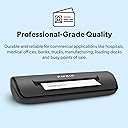
🚀 Scan Smarter, Work Faster, Stay Ahead
The Ambir Technology PS667 Simplex A6 Card Scanner is a compact, USB-powered device designed for rapid, high-quality scanning of IDs, insurance, and credit cards. Weighing just 8.6 ounces, it fits effortlessly into any workspace and delivers professional-grade durability. With a quick 3-second scan time, Citrix Ready certification, and built-in AmbirScan software supporting multiple cloud platforms plus Zapier automation, it’s engineered to streamline document capture and supercharge productivity for busy professionals.


| ASIN | B0018POCW8 |
| Batteries | 1 Product Specific batteries required. |
| Best Sellers Rank | #59,748 in Office Products ( See Top 100 in Office Products ) #1 in Business Card Scanners |
| Customer Reviews | 3.5 3.5 out of 5 stars (111) |
| Date First Available | May 1, 2008 |
| Is Discontinued By Manufacturer | No |
| Item Weight | 8.6 ounces |
| Item model number | PS667-AS |
| Manufacturer | Ambir |
| National Stock Number | 0 |
| Product Dimensions | 7.5 x 2 x 1.6 inches |
G**R
Excellent Product
I had done a fair amount of research before purchasing this scanner, and I had come across mixed reviews. However, I went ahead and ordered this model as it seemed to meet my needs based on the description. I received the scanner several days earlier than expected, which was great. The installation was very clearly explained in the enclosed documentation, and went smoothly. As I was installing the software on my Windows 7 PC, I called the customer service number to ask if the device would be compatible with Windows 8. A real person answered the phone with minimal wait, and he was very polite and knowledgeable about the product. The scanner is compatible with Windows 8 according to the company - if I have any issues after upgrading I will update the review. I then plugged in the device, opened the software, and calibrated the machine. This took only a couple of minutes, and it was ready to go. The program is very easy to use, just check all your settings and set it up the way you want. I will be using it to scan IDs at a medical office, and it generates good color images. It only scans one side at a time, which is fine for me, but it does give you the option to scan additional images into the same file in case you need the front and back of a card together, for example. You just need to feed the card through twice, very easy. Overall, setup was pain-free and the scanner works perfectly. I am very impressed, strongly recommend.
A**Y
Defective Product
Ordered twice. Had to return both. Product is defective. Does not scan and make a loud whirring sound. I gave 1 star for ease of return and replacement however it was replaced with another defective scanner.
J**R
Easy to use and good image
Good scanner. Easy to use and train. Software is a bit clicky: scan, save as, select name, delete. Good image quality on IDs and insurance cards. Feeder is not totally reliable, I have to hold the card in place with gentle pressure to get it to start feeding.
J**R
Works very well.
Works very well in my Dental office for scanning insurance cards. We also use this to scan driver's licenses and crop the scanned image to use as patient photos. Very easy and efficient.
R**L
Great So Far - ***Key Tip for Calibration***
I've only had this product a few days, but it does what it is supposed to do. Downloading the drivers and ambirscan software was simple enough. Scanning is intuitive, and the results are satisfactory for getting usable copies of drivers licenses, id cards, business cards, etc. Much better/easier than using a copy machine or flatbed scanner. ***Calibration Tip***: The software factory defaults to "continuous-scan mode", making calibration impossible. When you click on the calibration utility in the software, it asks for you to insert the included calibration paper, but when you stick it in, the paper just runs through before the software even recognizes it's there; then the software just crashes. ¯\_(ツ)_/¯ To fix this, in the Settings tab (see pic), ***deselecting*** the "continuous scan mode" and "start in auto-scan mode" options, then restarting the software will allow you to successfully complete the calibration steps without trouble. I learned this via trial and error, not because it's documented anywhere I could find. Once successfully calibrated, scans were even better, more color and brightness accurate. Otherwise, it's a great little product, and I expect this will serve my needs for years to come.
D**B
Doesn't work on Windows, no drivers for other OS
Pure cr*pola. Latest software/driver W10 and scanner can't be found, by scanning software or windows device manager. Avoid this product at all cost. Only works (supposedly) with Windows, not Mac or Linux, so I have a $168 paperweight
R**N
office manager
The Ambir card scanner works like a charm. We are going paperless. The scanner records the cards very clearly. Very happy with it.
G**A
It is okay
It works okay, the software could use some tweaking to capture difficult cards. Not good if you have thousand of business cards like I do. Each card scan takes a good 20 seconds. Pass on to my nephew whom has is getting started, thus better for him.
Trustpilot
1 week ago
5 days ago