Desertcart purchases this item on your behalf and handles shipping, customs, and support to Poland.
🎮 Elevate your desk game with RGB power and wireless freedom!
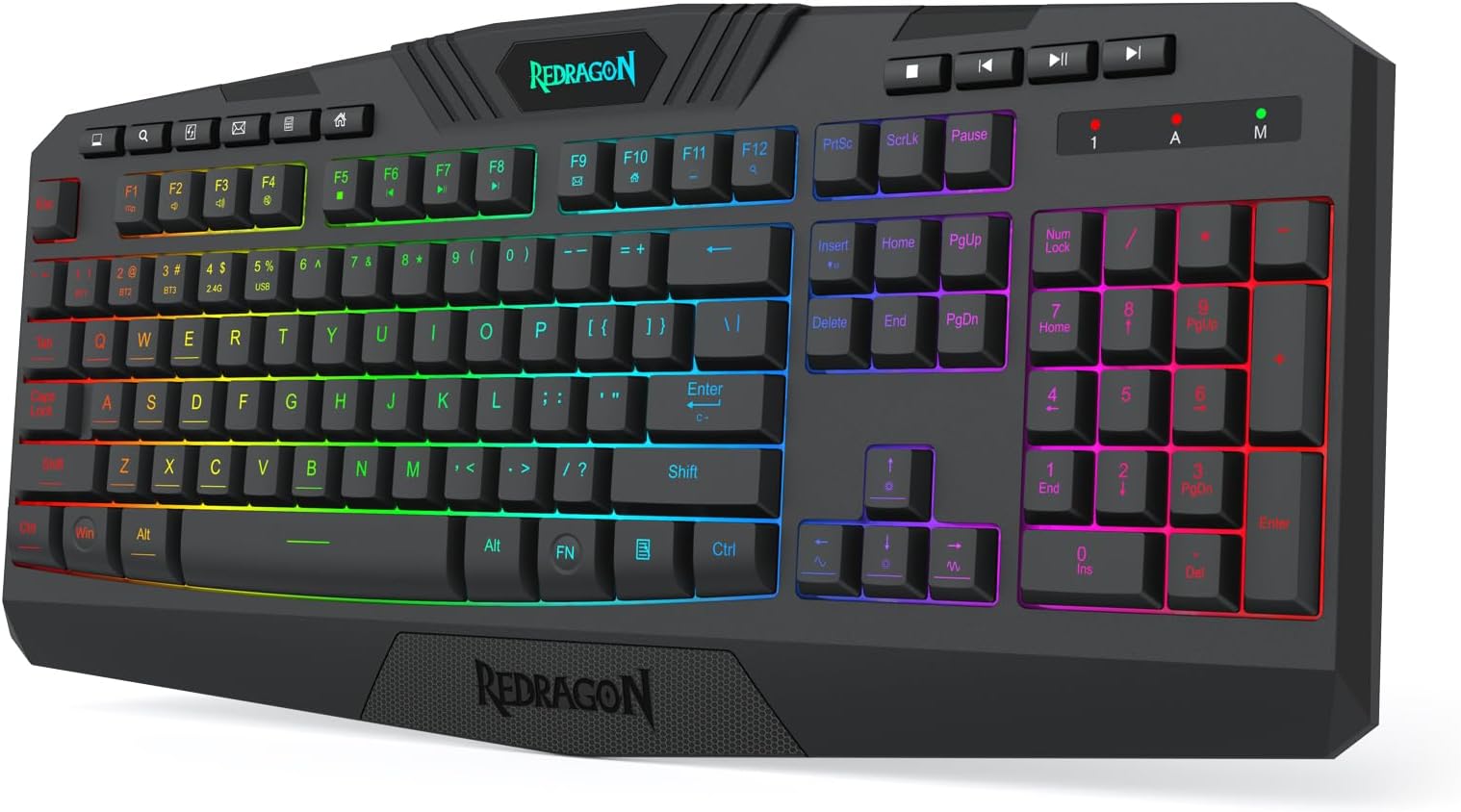
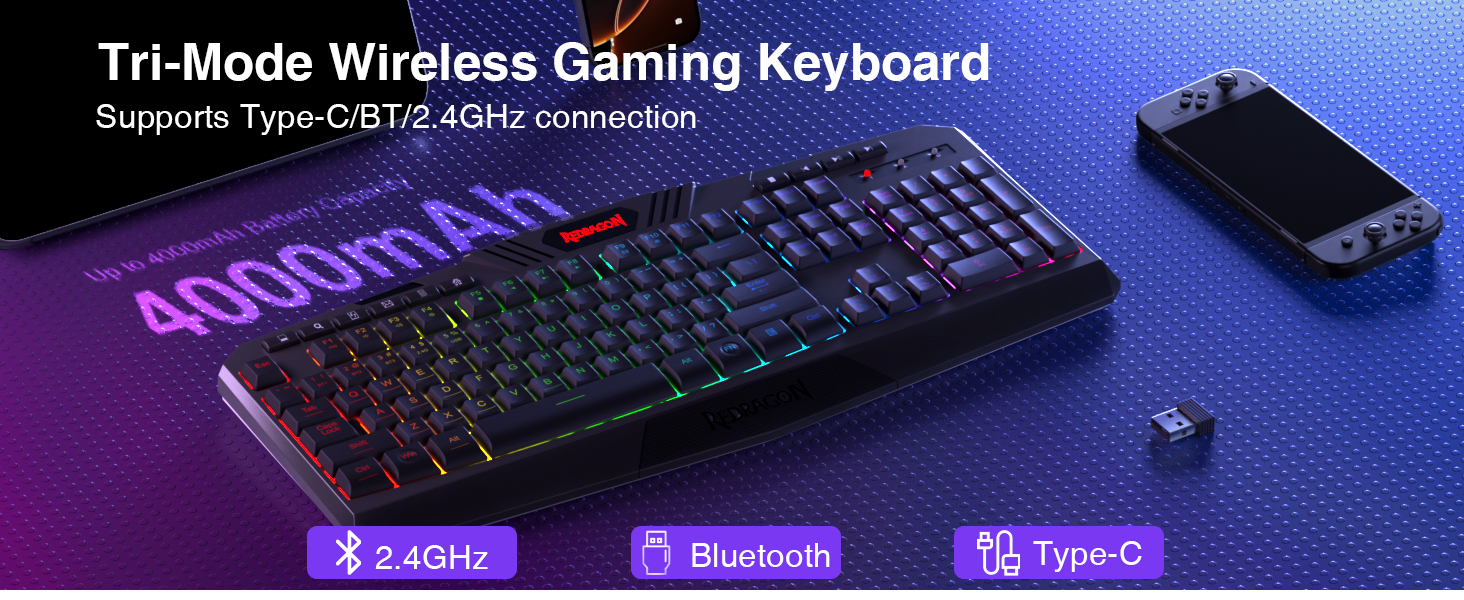
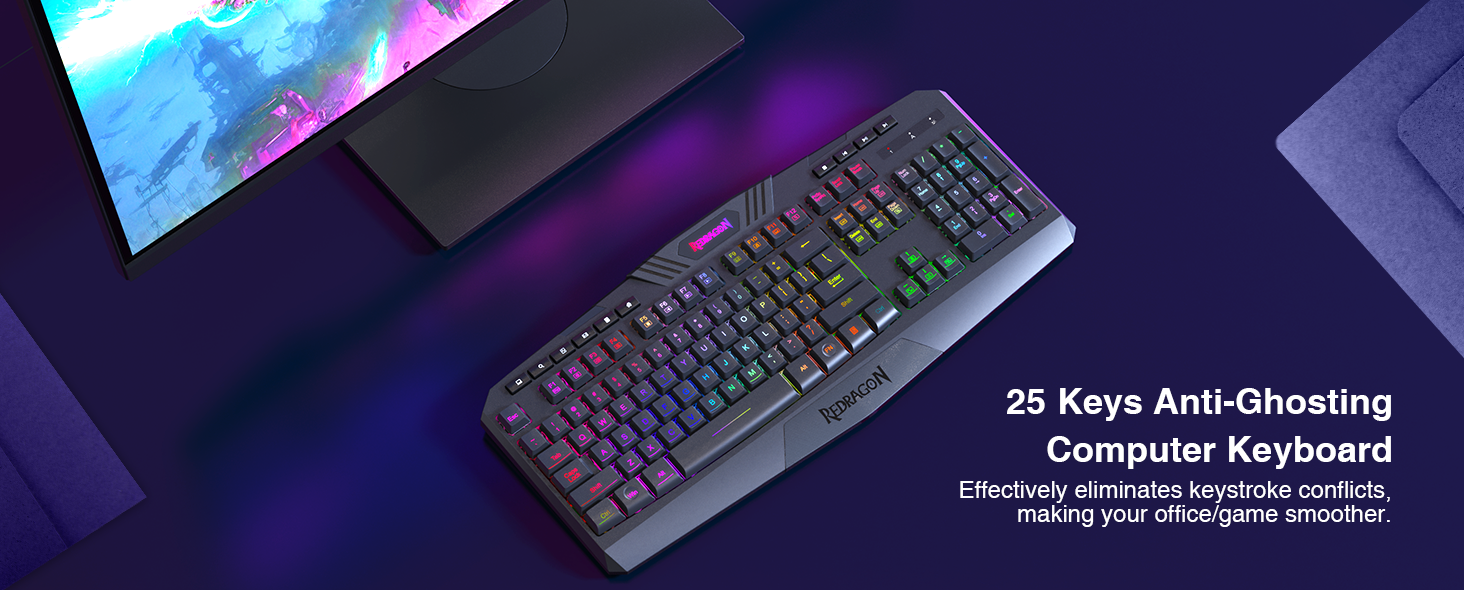
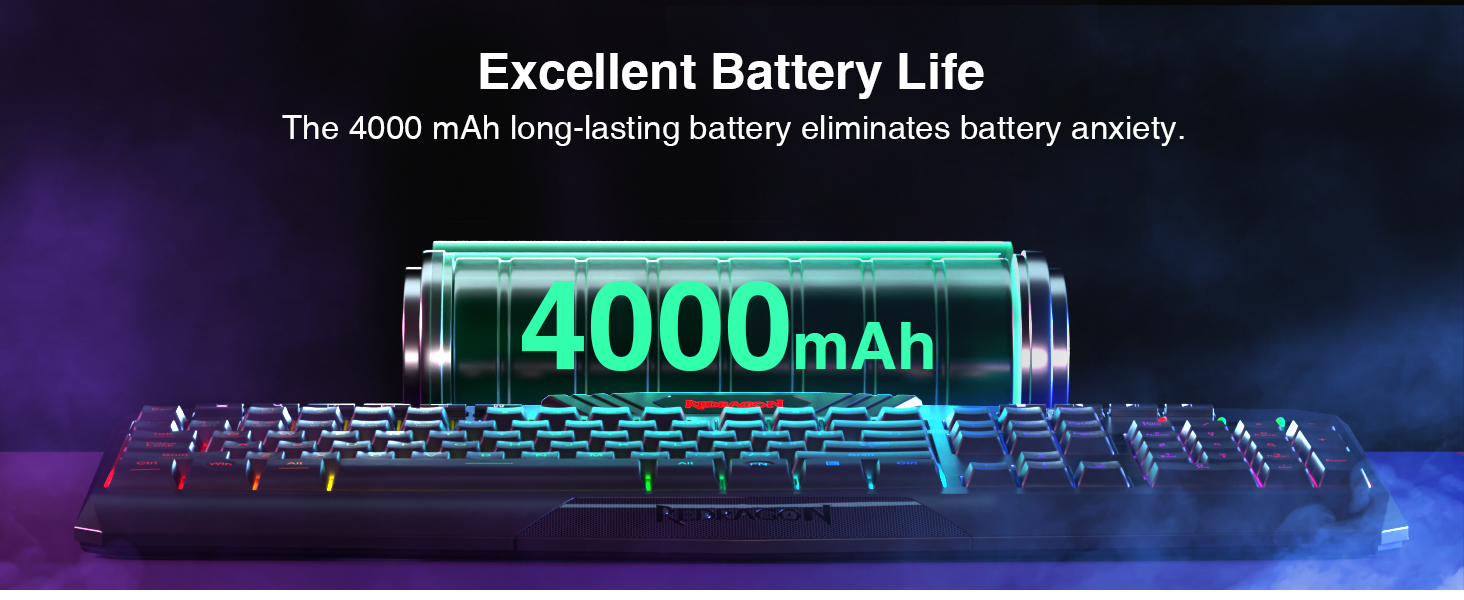
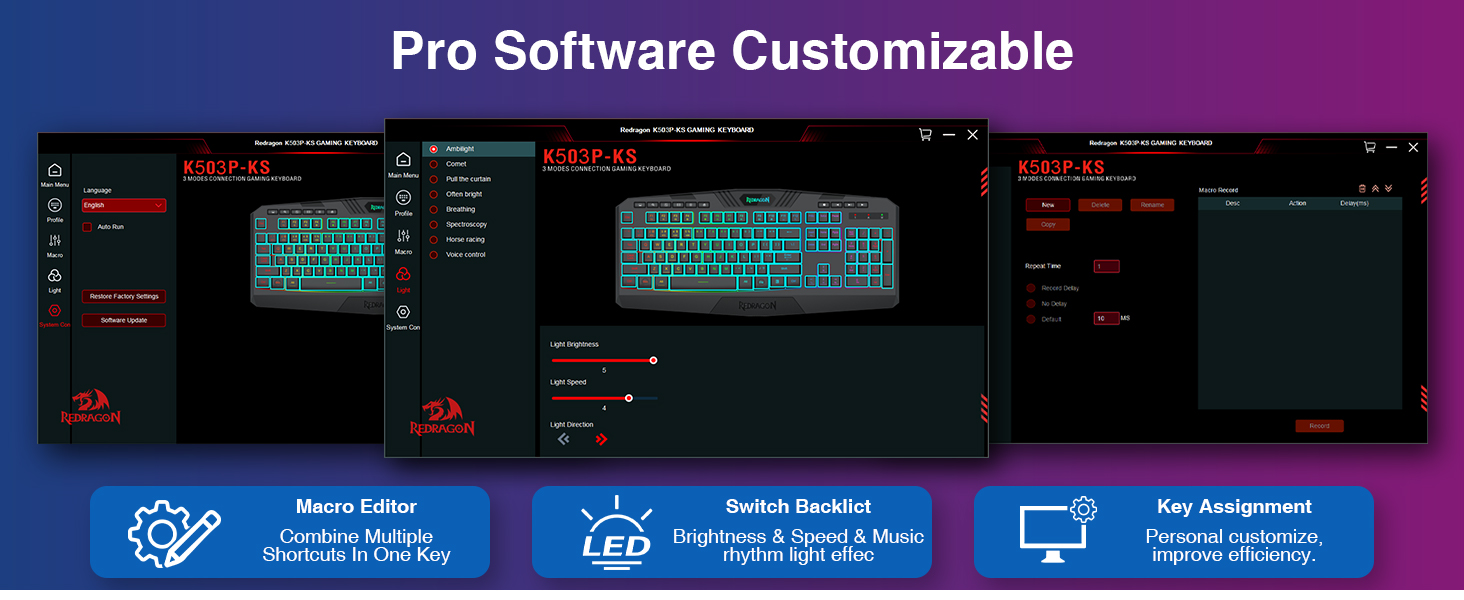
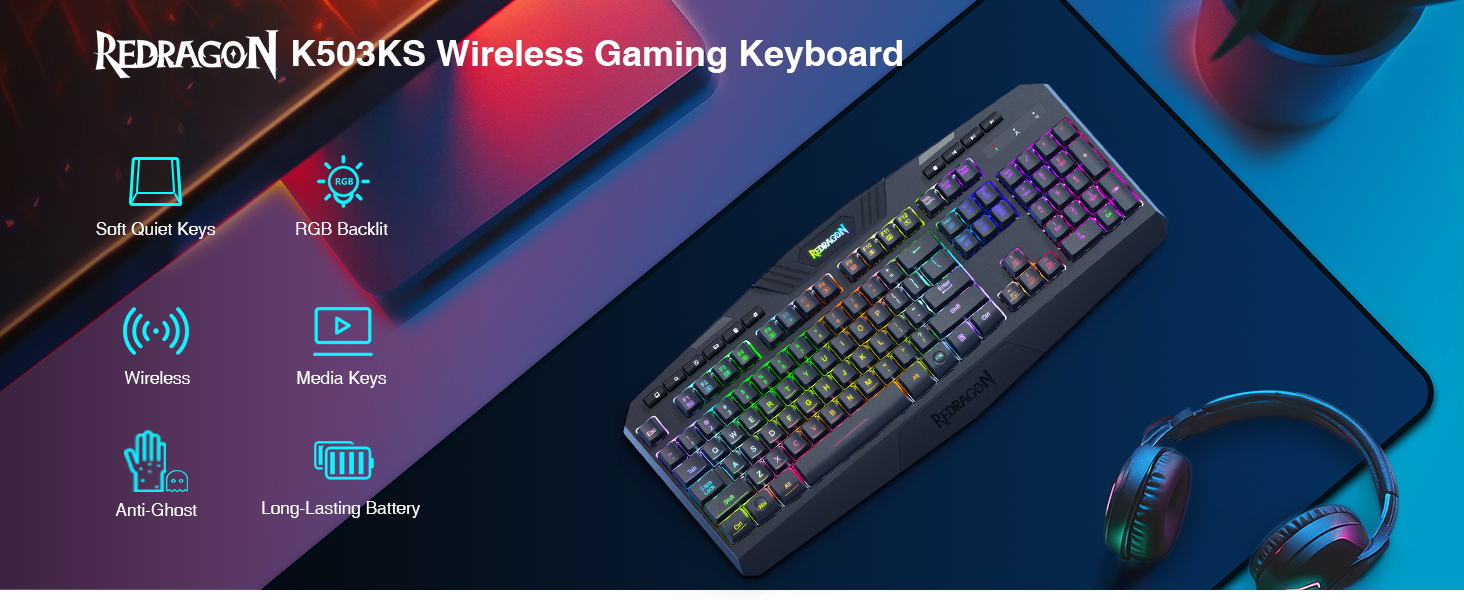
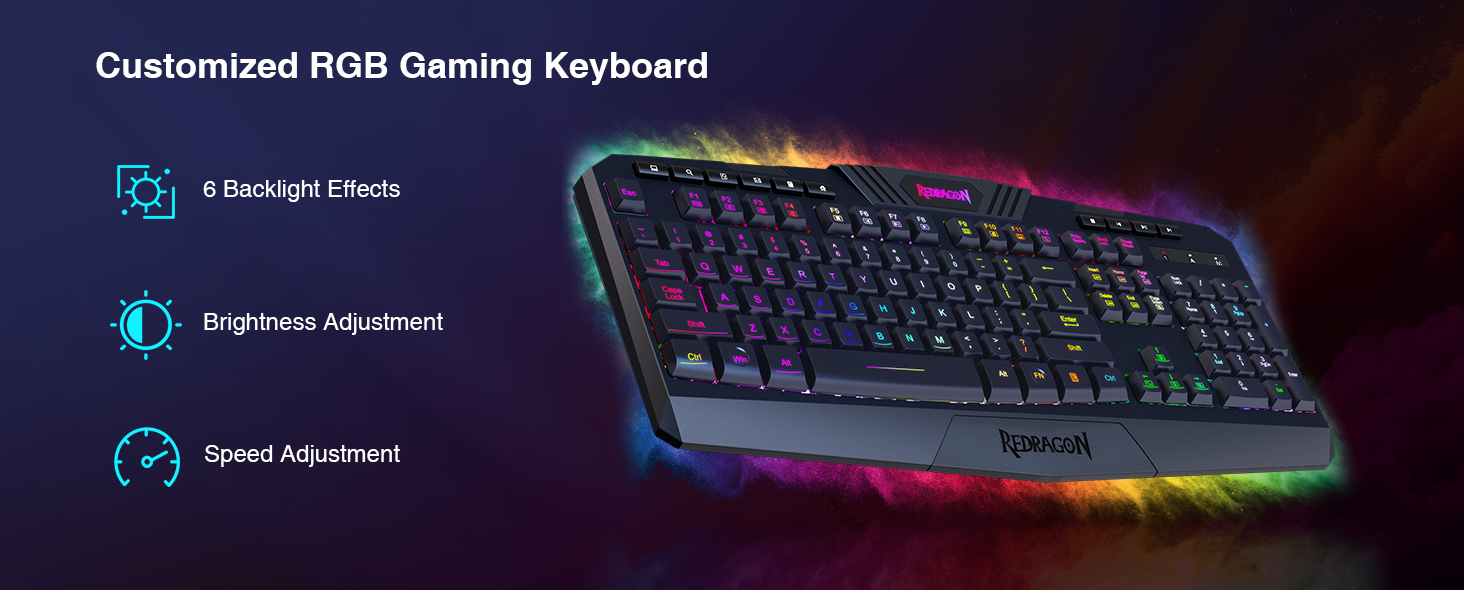
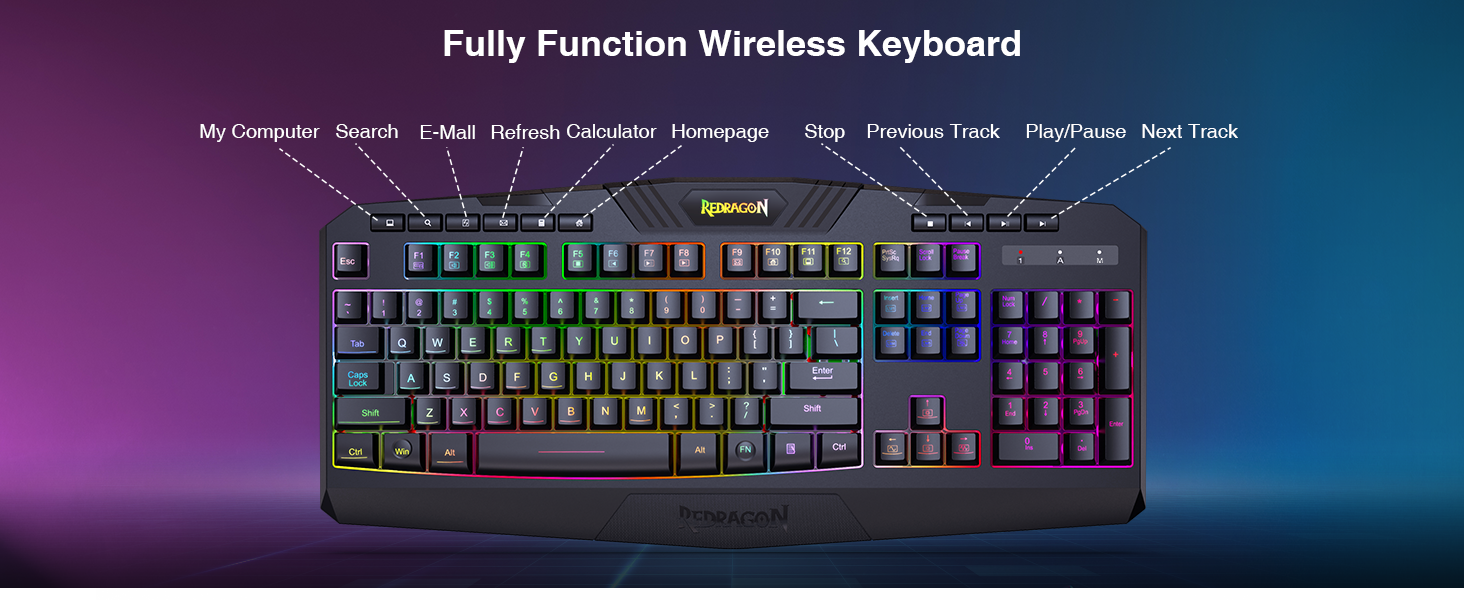
The Redragon K503 is a versatile wireless gaming keyboard featuring tri-mode connectivity (Bluetooth, 2.4G wireless, USB wired), a robust 4000mAh rechargeable battery, and true RGB backlighting with 6 customizable modes. Designed for professionals and gamers alike, it offers fully programmable keys, anti-ghosting technology, multimedia shortcuts, and ergonomic comfort with a wrist rest. Compatible across Windows and Mac, it blends high performance with sleek style to keep you productive and connected without compromise.


| ASIN | B08CFPXPB7 |
| Additional Features | RGB Backlighting |
| Antenna Location | Gaming |
| Best Sellers Rank | #98 in Video Games ( See Top 100 in Video Games ) #4 in PC Gaming Keyboards |
| Brand | Redragon |
| Built-In Media | USB Cable |
| Button Quantity | 114 |
| Color | Blue-Black |
| Compatible Devices | Computer/Laptop |
| Compatible Operating System Family | MacOS, Windows |
| Compatible Tablet Computer Models | AAUB P30 |
| Connectivity Technology | USB, USB-C |
| Customer Reviews | 4.4 out of 5 stars 11,306 Reviews |
| Enclosure Material | Acrylonitrile Butadiene Styrene |
| Hand Orientation | Ambidextrous |
| Item Dimensions L x W x H | 17.5"L x 7.9"W x 1.18"H |
| Keyboard Backlighting Color Support | RGB |
| Keyboard Description | Gaming |
| Keyboard Layout | QWERTY |
| Manufacturer | Redragon |
| Mfr Part Number | K503-KS |
| Minimum Required Operating System Version | Windows 10 |
| Model Name | K503KS |
| Model Number | K503KS |
| Number of Keys | 114 |
| Number of Packs | 1 |
| Number of Sections | 3 |
| Power Source | Battery Powered |
| Processor Count | 1 |
| Recommended Uses For Product | Gaming |
| Series Number | 503 |
| Special Feature | RGB Backlighting |
| Style Name | K503KS |
| Switch Type | Membrane |
| Theme | gaming |
| Unit Count | 1 Count |
| Water Resistance Level | Water Resistant |
P**L
Love the Colors - Matched My Home Office Perfectly!
I've only had this keyboard for a few days, but so far I'm very happy with it. One of the main reasons I chose it was the color scheme, light blue, navy blue, and white, which matches my home office perfectly. The RGB lighting is a nice bonus, and I especially love that I was able to set it to blue to complement my workspace. The keyboard connected without any issues and has been very responsive while typing. The keys were a little clickier than I prefer out of the box. While they weren't excessively loud, I wanted a softer typing experience, so I switched out the switches. Now the keyboard is much quieter (soft touch), which is exactly what I was looking for. Another thing I noticed right away is the weight. This keyboard feels solid and substantial, and it stays in place on my desk while typing. I got the unit with 108 keys because I type often and needed a full-size keyboard. As for the price, it was reasonable for the color options because I've seen some keyboards that were over $199 in basic black. I'm usually a Logitech customer, and my last Logitech keyboard lasted six years, so I was hesitant to try a different brand. However, this keyboard had the colors I wanted and seemed to come from a reputable company. So far, it has exceeded my expectations. If it holds up as well as my Logitech did, I'll be extremely pleased. Based on my experience so far, I would definitely recommend it.
J**Z
Love this keyboard! Comfortable and super convenient
I absolutely love this keyboard! The keys feel soft and comfortable when typing, and I really like the overall design. One of my favorite features is the wireless connectivity. I can easily switch and use it with my laptop without having to move cables around. It has three connection options — wired, 2.4G wireless, and Bluetooth — which makes it really convenient for switching between devices. So far, everything about this keyboard has been great, from the way the keys feel to how easy it is to connect. I’m very happy with my purchase! 🥰
G**G
nice key board for cheap price
I am extremely happy with this purchase. The product worked exactly as expected and exceeded my expectations in both quality and performance. It was easy to use, well-made, and delivered excellent results. Everything arrived in great condition, and it has performed flawlessly since I started using it. I would definitely recommend this product to others and would not hesitate to purchase it again
M**.
Second time's the charm
I'm updating this review, the original is below. I'm really surprised that anyone on Windows 10 gives this a 5-star review. The 553-RGB does not "support" Windows 10 as claimed in the product description. You need to manually change the driver to get the keyboard to work. And, as I discovered this morning, there are large Windows Updates that will also reset the driver, which means you'll have to manually change the driver again. Also, if you make the mistake of plugging the device into a USB hub, you'll have to manually change the driver again. Although manually changing the driver only take about 20 seconds, it's really surprising that the keyboard isn't compatible or that the manufacturer doesn't just create a downloadable driver that fixes the problem permanently. But, once you get past that, this is a great keyboard for the money. I'm on my second unit, as my first one was defective (see review, below). The new one is rock solid and level. The keys feel and sound great. And since they're standard Cherry-sized keycaps, I've swapped the caps out with some from another key set for even more customization. I also bought a pack of red O-rings. These really help the 553 feel like a premium keyboard. They cut down on the bottom-out noise quite a bit and give a little bounce at the end of the key travel. I'd highly recommend them. If Redragon could fix the annoying driver issue, I'd give this a 5-star rating. Or, if they even provided warning on the product description I would at least them credit for it. But, buyer-beware, if you're using Windows 10 you should look up the driver fix before you get this plugged in. ***Original Two Star review*** I'm fairly certain I got a defective unit. Still, I'm writing this review now because some of the issues I experienced have happened to other people, so I want to give fair warning. First of all, my unit was *not* plug & play. I plugged the 553 into every USB port on my PC, and it didn't work at all. After searching around on the internet, I found out that you have to manually update the ND-tech USB Adapter driver in your Device Manager on Windows 10. I found multiple websites that explained how to fix this, so this device is clearly not compatible with all builds of Windows 10 (at least, not in the sense that it "plug & play"). To be fair, it's a really simple fix if you google "Redragon 553 not typing," but this keyboard should have a disclaimer that it is not plug & play on Windows 10. Second, when my PC comes out of sleep, the keyboard doesn't illuminate. I can manually illuminated it by pressing FN+[appropriate key]. Or, if I unplug the USB cable and plug it back in, it will illuminate. I think this is a defect because I haven't seen anyone else who has this problem. Will update when my replacement gets here. Third, my unit is not level. The packaging was undamaged, but the unit must have a very slight bend because when I put it on the same surface that I've put two other keyboards, it's tends to wobble. This wasn't a terrible wobble (I fixed it with a thin piece of cardboard), but it was noticeable until "fixed." Fourth, the space bar seems to sit just a little lower than normal. I tried typing for a few minutes and quickly got used to the location, but it did throw me off for a minute. These three things: The hassle of having to manually update some random driver, the failure of the keyboard to illuminate, and the fact that it has a slight bend in it, are enough for me to dock it down to two stars. I'm also returning it as defective, and hopefully the next unit is better. That being said, there's a lot to like about this keyboard. It's light and compact. The switches feel crisp. This is advertised as having Cherry Green clones, but they feel exactly like my Cherry Blue keyboard. They have the same level of loudness and tactile bump, and it feels like a very similar actuation force. The lights are great. In the custom mode, you can assign one of seven colors to each individual key. So, I assigned the very bright green to WASD and the arrow keys. I assigned the more subtle blue to the FN and Volume Control keys (I use volume control a lot). Everything else, I left the rather nice red. It makes glancing at your keyboard really intuitive. The only thing that would be better is if you could save multiple custom profiles. I'm really hopeful that the replacement I ordered will fix these the failure to illuminate and the level issue. If so, I'm looking forward to updating my review.
J**M
Feels and sounds great!
Disclaimer: I'm not a gamer! I wanted a durable keyboard for work that had a backlit option, swappable keys, and a fairly quiet profile. I tried the Redragon K668 first, but its clicking sounds were too pronounced for my shared workspace. This one still has clicking noises, but the layers of sound dampening make a noticeable difference. I love the lighting options and that I can easily modify them, and the key feel is smooth and very responsive. If you're looking for a quieter-but-not-silent keyboard, I recommend this one!
B**Z
finally a keyboard that looks like it came in a set with my mouse.
aside from the cable being dinky it is a very nice keyboard. love the feel of the keys and ease of use. wish it had media controls but it is worth losing for this form factor. lighting is pretty cool and i see myself leaving it on default.
T**T
Bought 2 of these keyboards. Both stopped working 5-6 weeks after purchase.
When I purchased the first Redragon K509 keyboard, I also purchased a Redragon S107 keyboard and mouse combo at the same time. The keyboard in that S107 combo looks identical to this K509 keyboard. It even has the exact same instructions, looks identical, and behaves exactly the same. This K509 keyboard appeared to be a good value. I felt the quality was good for the price. The LED's were not fixed colors (which is good), and the LED's could be set in many colors, in "breathing mode" and constant brightness. However, when set to constant brightness, the lights dim a significant amount. I could live with that. I would give this K509 model a fairly high rating, but after 6 weeks, the first keyboard stopped working. Windows would no longer recognize the device. I tried plugging it into different USB ports, but that made no difference. I tried using the keyboard on 2 other PC's, and they had the same trouble recognizing the device. I figured I just had bad luck, and ordered a second, exact same keyboard. After 5 weeks, this second keyboard started having the exact same trouble. Windows would no longer recognize the device. It couldn't even tell it was a keyboard. Again, I tried this keyboard different USB ports and on two other PC's. It would not work no matter which port or PC I plugged it into. Other devices, including other keyboards, work on each of the USB ports I tried on the 3 different PC's. I also have a Redragon S107 Keyboard that is part of the Redragon S107 Keyboard/Mouse combo. That keyboard still works great, and looks and behaves identical to the K509, except for the label underneath the keyboard. The S107 keyboard (not this KB) works just fine on all 3 PC's, and I still use it without trouble, to this day. I have contacted the manufacturer and attempted to get support for this product, multiple times, and they said that it was a problem with the USB port, and to plug into another port. I had tried this, as well as trying the keyboard on multiple USB ports on two other PC's. The manufacturer would not admit that the problem was with the keyboard. I was given instructions how to remove the unrecognized device in the Windows "Device Manager", and let windows recognize the device again. This had no effect. After the problems began, each time I plug in the keyboard, it would light up for a few seconds, the PC would make the typical "USB device attached" sound, then the light would turn off. Two or three seconds later, it would light up, PC makes the sound again, and lights turn off. It would repeat this for various number of times, before the keyboard would eventually have the lights stay ON, and look as if it was working, but none of the keys would respond. When I check Windows 10 "Device Manager", I would see the keyboard listed as "Unknown USB Device (Device Descriptor Request Failed)" The Device Status read as, "Windows has stopped this device because it has reported problems. (Code 43) A request for the USB device descriptor failed." I like this keyboard. I would purchase another, but I worry that there may be a design or manufacturing flaw, causing an increased chance of the device failing to be recognized by the PC. I have only tried two of these keyboard, so I cannot be sure. But 0 out of 2 is not a record that would inspire the confidence for me to recommend this keyboard to anyone. I get this exact same behavior and error on all 3 PC's... an HP desktop, a Dell/Alienware desktop, and a Microsoft Surface Pro 4 Tablet PC. My Redragon S107 Keyboard and mouse combo continues to work just fine. I have an older USB keyboard being used instead of the two Redragon K509 keyboards. Neither K509 keyboard was damaged, dropped, or misused in any way. They get plugged in, and remain in a fixed position from that point forward. No food or drink is consumed near them, because they are located around other sensitive equipment. I should have attempted a product return on Amazon, but it was already outside the window of time I could return or exchange the product. That is on me. However, the manufacturer still would not admit that the keyboard was defective in any way, in spite of the obvious evidence to the contrary.
A**O
Full RGB backlit, mech TKL metal base keyboard for <$70? Hell, yeah!
UPD: The listing has changed since I made the purchase. My review is for the RGB version of this keyboard, item currently sold under this listing seems to be a plain red backlight version. I still enjoy my keyboard and it works perfectly. /UPD I love, no, LOVE this keyboard. * Small (TKL is the way to go, how often do you use the numbers block, really?) * Solid build quality. Metal base adds perfect look and ensures your keyboard won't slide by adding some weight as well. * Rubber pads on all 4 corners. AND on the extended legs. * Perfect click sound and feel. I'm not too picky on this regard but the cherry mx keyboards I've tried before are of a comparable feel and quality, even though this keyboard sports some "custom switches", in my case looks like outemu blues but I'm not 100% sure. * Fully customizeable and actually nice looking RGB backlight. It has built in memory for your programmed configuration and some cute looking presets that I think I actually will use without fear of having a christmas tree in front of me. Most built-in presets that have some sort of movement have configurable speed so that you can slow it down to a comfortable level. I enjoy setting it to full rotation through the colors and slowest speed so that the change is imperceptible if you look at the keyboard but if you glance at it every once in a while it will be different color each time :) * Standard changeable keycaps. Don't like black caps or the font on the supplied ones? Buy any other caps you like. * Did I mention the satisfying click? * For under $70 this is likely the best mechanical keyboard with so many features. There are even cheaper chinese knock-offs but none come close in terms of feature set and many reviews are mentioning quality issues (as expected). The only con I had is that it didn't work on Windows 10 out of the box, which I'm guessing is on windows, not on redragon. They don't even advertise win 10 support, however it works perfectly on 10 if you do the following: (I found this solution by googling for it in about 10 seconds, this was in amazon review of a similar redragon keyboard, authored by Engr. Jay Mendoza) WINDOWS 10 SOLUTION ▶ If you are using Windows 10, it may require a bit more work. This is what you have to do: 1. Open Device Manager. (Press Windows Key, type "Device Manager", press Enter) 2. Look for to "Universal Serial Bus controllers", and expand it (click the '>' button). 3. Look for "ND-tech USB adapter" created by the keyboard. (If there are more than one, reinsert they keyboard to see which one.) 4. Right-click on that and choose "Update Driver software" 5. Choose and click "Browse my computer for driver software." 6. Choose and click "Let me pick from a list of device drivers on my computer." 7. Choose "USB composite device" and click Next and proceed from there. 8. You should see two entries under Keyboards called "HID Keyboard Device". 9. Congratulations. Enjoy your new keyboard. Thanks to "Skyhawk0123" for pointing this solution (which was from "Sebastian J." on Amazon UK).
D**3
Me agradá en general, ha sido resistente (lo uso mucho)
Me agradó la sensación de respuesta, ya llevó usándolo algo de tiempo y se mantiene bien, sin despintarse y encendiendo todas la teclas, por el precio me parece que ofrece buen valor. Tiene varias opciones de iluminación, puedes desactivarla la luz entre otras.
A**D
Blue switches, not red switches
Title says red switches. But keyboard has blue switches.
J**É
Dureza
Excelente teclado, todas sus teclas son red switch y suenan genial, su construcción se siente solida y rígida
J**N
Bigger than I thought, but real amazing quality
I bought this keyboard for work to use in the office. I already have a Ducky One 2 Mini at home for gaming and wanted something similar but on a budget for working as I am a developer and prefer typing on a mechanical keyboard than anything else. I read the reviews and didn't doubt the quality. Receiving it, it also didn't fail me on that. I received it today, ordered it last night so it came quick. I ordered the red switches, which I think will take some time to get used to as I'm used to Cherry MX Browns but thats not a problem. When I received the keyboard, the packaging was solid. It reminded me of when I bought my Ducky One 2 Mini, the box is high quality and it's amazing for the price. The one thing I noticed was how heavy the box was, which said to me that this keyboard would be solid. The box was also sealed which I appreciated. The keyboard in the box was wrapped in bubble wrap which was hella thoughtful. For a $50 keyboard, there's alot of work put into it and I totally appreciate that especially for those who are just starting out using mechanical keyboards, this is a great starter. The keyboard itself is hella solid. It was alot heavier than I thought it would be but i Love that because that means the keyboard won't move easily. It's a thick base, and is amazing for the price. It's very comfortable to use too. It was also a bit bigger than I thought it would be but I think I just got used to my Ducky One 2 Mini too long lol. Theres even little adjusters on the back of the board to raise it if flat doesnt work for somebody (like me). I bought this keyboard for one of those reasons. Also, the box came with a instruction mini booklet which is nice because nowadays with budget buys, you dont get those kinds of things that explain how the product works. Also, it came with a red dragon sticker which i was completely stoked about. It also came with a keycap remover, I already have one but an extra one will be handy. Theres 9 backlight options and they're all sick. super easy to change too. I'm just a steady RGB kinda gal so I didn't really care about the options too much but if you do, the options are great. cool part I love about this keyboard too is the arrow keys. My Ducky One 2 Mini doesn't have that and I don't really care but for developing, those can come in handy, so i'm stoked. Red switches are relatively quiet, it's not super loud but it's got a nice click to it. I'll update for long term use at some point, but I dont think i'll be disappointed. Overall, do I recommend this? Yeah. 100%. For the price, its a hella good deal. Great budget buy, great starter mechanical keyboard, and wicked solid itself.
D**L
@i.m_deep33 and Redragon Dyaus K509 is an excellent choice
@i.m_deep33 : The Redragon Dyaus K509 is an excellent choice for gamers seeking the perfect balance between affordability and performance. Despite being a membrane keyboard, it offers a **semi-mechanical feel**, providing tactile feedback and a satisfying keystroke that closely mimics the feel of mechanical switches. This makes it ideal for both gaming and typing, delivering a responsive and comfortable experience. One of its standout features is the **vibrant RGB lighting**, with numerous color modes and dynamic effects that add flair to any setup. The low-profile, ergonomic keys ensure minimal fatigue during extended sessions, while the build quality is impressive for the price. If you're looking for a budget-friendly keyboard with a **mechanical-like typing experience**, customizable RGB, and reliable performance, the K509 is one of the best options available.
Trustpilot
1 week ago
5 days ago