We remain fully operational. Our teams are working around the clock to ensure your deliveries continue safely.

DOWNLOAD THE APP


Customer Services
Copyright © 2025 Desertcart Holdings Limited
DOWNLOAD THE APP

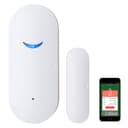


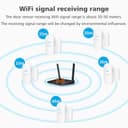
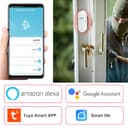
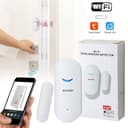
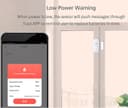

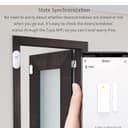
🚪🔔 Stay one step ahead—secure your space with smart alerts that never sleep!
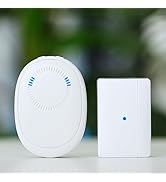
The 3 Pack WiFi Door Sensor Detector offers real-time open/close alerts directly to your smartphone, compatible with Alexa and Google Assistant. Easy to install with 3M adhesive and no hub required, it supports Android and iOS apps for seamless monitoring. Low battery notifications ensure uninterrupted security, making it an essential smart device for home or business protection.





| ASIN | B08JZ3GG68 |
| Battery Description | Alkaline |
| Best Sellers Rank | #2,024 in Home Security Systems |
| Brand | SEHOMY |
| Color | White -3 Pack |
| Compatible Devices | Home Security System, Smartphone |
| Control Method | App |
| Customer Reviews | 3.6 3.6 out of 5 stars (1,684) |
| Item Dimensions L x W x H | 2.83"L x 0.75"W x 1.18"H |
| Manufacturer | LifeDecorDirect |
| Mounting Type | Door Mount |
| Power Source | Battery Powered |
| Sensor Technology | Contact Sensor |
| Unit Count | 1 Count |
| Voltage | 1.5 Volts |
R**N
Easy to install, works as intended
You can't beat this sensor for the price! Prior to installation, I had to split my wireless gateway to reflect 2.4ghz and switch from the 5ghz on my phone over to that one. Once installed, I was able to reconnect my phone to the 5ghz connection and the door sensor still works just fine. Overall very easy installation and I'm notified within seconds on my phone and Samsung smart watch if my front door opens. The only thing that will probably be annoying is the sticky tape when it's time to replace the batteries because I'll have to pull it from the wall with no guarantee it'll restick. Thin Velcro would probably be a smarter option for when I have to take it down and reattach it. Very happy with my purchase
P**H
Mixed bag...problems with setup, and issues with Alexa
My rating is based on 2 main areas: problems with setup and problems with Alexa integration. Setup - I used both suggested apps, and neither would work with the wifi mode, on any of the 4 units. I was about to give up, but then tried the 2nd mode, and had success. The only way I could do this is to try the first mode, let attempt to connect for 2 minutes, fail, and then the button would appear to try the other mode. Pain in the booty for 4 units, I could not find any way to directly jump to the second mode. Alexa - If you're reading this, you likely read multiple other reviews with Alexa integration issues. Initially, I was able to set up routines easily, and I quickly had all 4 set up to do a variety of things including notifications in the Alexa app, voice announcements at specific Alexa devices, and turning on lights. Tested them all, all worked; thought I was one of the lucky ones. Then an hour or two the problems appeared; I started getting periodic false notifications on the balcony door unit. The SmartLife app was fine, no recorded openings, but it was Alexa giving notifications, without opening/closing the door, without notifications in the SmartLife app history (it nicely keeps a history of times and status as it registers an opening/closing). Then, the next day the front door unit started giving false readings. It's now the 3rd day, and I estimate I'd have 15-20 false notifications from the Alexa app, on 2 of the 4 units, both of which have near full batteries, and excellent wifi connection (closest ones to my wifi hub). If you're buying these based on the idea of using them to set up with Alexa routines, I'd give them a pass. If you just want SmartLife app notifications and history, they're a maybe. As long as the SmartLife app continues to work consistently (gives me correct notifications when doors open/close, keeps the history, etc.) then I'll keep them, even if I'm disappointed I can't trust them to work with Alexa. Edit - reducing rating by another star, as now on the 4th day of use one unit completely fails to register opening at all, it always shows closed in both Smartlife and Alexa. Batteries still in good shape, about 80% full.
S**G
This thing works perfectly
I initially scored this product a 1. The problem that I had was that I have a dual band router. This device only works on 2.4 GHz. I turned off my 5.0 GHz and tried to connect the device. It works. I then turned back on my 5.0 GHz band. It still works because it is connected to the 2.4 GHz. An excellent device !!!
M**S
App and Device works as advertised. Have issues in the Alexa App.
I was able to successfully connect the sensor device to the Smart Life app. It took several tries, yet it was successful. I set the app to message me when the door opens or closes. I verified multiple times the device is communicating to the App. I was able to successfully link the Smart Life app to the Alexa app in Skills. I was able to add the device to the Alexa app, named “Pantry.” When I open the pantry door, I can the device change state, Open and Close. I created a routine to turn on a light (my pantry light) when the device opens. A separate routine when the door closes. The intent is to turn on the pantry light on/off when the door opens/closes. The routine does not work. The door opens/closes, nothing happens. I verified the device is being recognized in the Alexa app, no issues. I continue to see the device repot open/closed as expected. However, the routine is not working. In my opinion, the device works as expected, the Smart Like app recognizes the device and acts accordingly. The issue, in my opinion the Alexa app has a bug. Working with Alexa tech support did not resolve the issue. Not sure what I am going to do at this point.
W**E
Works when it works
These are easy to install and easy to get working. The Integration with Alexa was easy, making it easy to get messages when the status of a sensor changes. The only problem I had was that when one of them stopped working, I didn't know about it. The battery went dead, but the app showed 44%. Another sensor that is used regularly is still at 61%, so I didn't expect one on a door that rarely opens to have dead batteries despite the app showing me that the batteries are good. These show up as connected to WiFi when they need to show that something opened or closed, and then almost immediately after that, the device disconnects. I don't know if the app uses battery data that it gets sent when something opens or closes and a signal needs to be sent, or whether the device wakes up on its own every now and then to report its battery status. If it's not the latter, it would explain why the app never knew that the batteries were dead and never told me that it hadn't gotten any data from the device. If the system can't determine that it lost contact with the device for an extended period, and there's no timestamp from when the battery was last checked, you can't rely on these. If the timestamp is supposed to be the one from when something last opened or closed, that's worthless because it effectively means no reporting at all for a door or window that is almost never opened.
J**S
Useless. Doesn’t work.
Trustpilot
3 days ago
2 weeks ago