Buy anything from 5,000+ international stores. One checkout price. No surprise fees. Join 2M+ shoppers on Desertcart.
Desertcart purchases this item on your behalf and handles shipping, customs, and support to Poland.
🚀 Elevate your MacBook game—dock smarter, work cooler, and own your desk space!
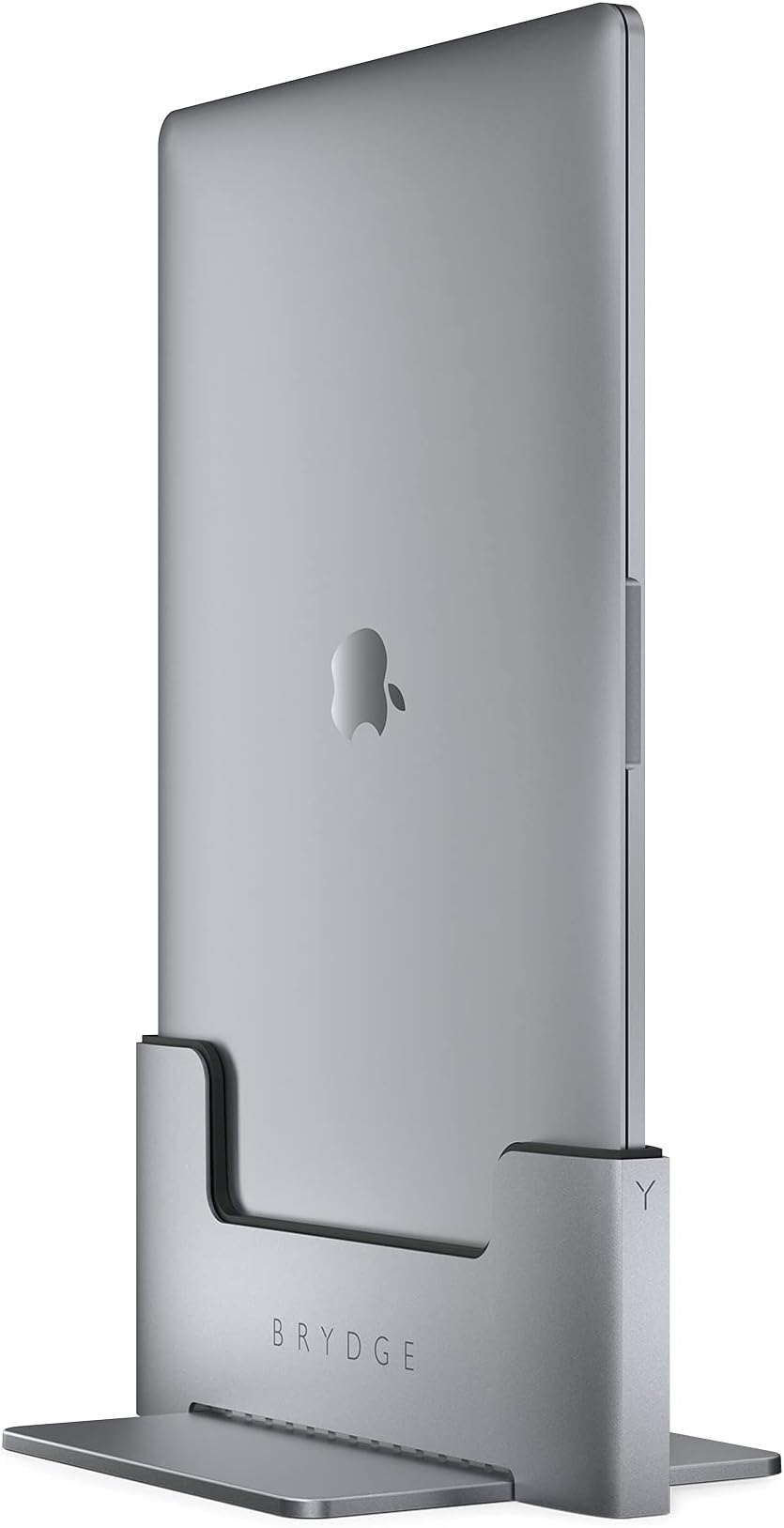
The Brydge Space-Saving Laptop Stand is a premium vertical docking station designed exclusively for the 15-inch MacBook Pro (2016-2019). Featuring dual Thunderbolt™ 3 ports, it enables seamless connection to dual external displays and peripherals with one-handed docking. Its solid metal chassis in space grey not only complements your MacBook’s design but also optimizes desk space. Integrated cooling vents ensure efficient heat management during intensive use, making it an essential upgrade for professionals seeking a sleek, functional, and high-performance workspace solution.


| ASIN | B089XXYY4L |
| Best Sellers Rank | 151,116 in Computers & Accessories ( See Top 100 in Computers & Accessories ) 1,105 in Docking Stations |
| Brand | Brydge |
| Brand Name | Brydge |
| Colour | Grey |
| Compatible Devices | MacBook Pro 15" (2019-2016) with Touch Bar |
| Compatible devices | MacBook Pro 15" (2019-2016) with Touch Bar |
| Customer Reviews | 3.9 out of 5 stars 749 Reviews |
| Hardware Interface | Thunderbolt, USB |
| Hardware interface | Thunderbolt , USB |
| Item Dimensions L x W x H | 25.2L x 15.9W x 12.4H centimetres |
| Item Weight | 1.9 Kilograms |
| Manufacturer | brydge |
| Manufacturer Part Number | BRY15MBP |
| Model Number | Macbook Vertical Dock |
| Number of Ports | 2 |
| Product Warranty | Registered Brydge-branded products and will be covered by a 1-year Manufacturer's Warranty from the date of purchase. |
| Product dimensions | 25.2L x 15.9W x 12.4H centimetres |
| Total USB Ports | 2 |
| Total USB ports | 2 |
| UPC | 787790154846 |
| Unit Count | 1.0 count |
A**.
Form and function
I had become unhappy with my WFH setup, and looked into options for a dock for my MacBook Pro M1. The lack of dual screen support for the M1 is a known issue, so I was looking for something to save some desk space and move to wireless keyboard mouse setup. I have been very pleased with the Bridge dock - it looks nice, is of high quality, and does what it says in terms of functionality. I have one of the UCB-C cables to my monitor, and the other to USB hub to power my external webcam and charging devices. Operating in clamshell mode is fine on the whole. I was a bit nervous of the docking/undocking process, and whilst I wouldn't want to do it multiple times a day, it is fine as long as don't slam the MacBook in and out.
R**R
Great stand
Really sturdy stand, good weight and feels great quality. Securely holds the MacBook and easy to dock and undock, great value for money compared to others on the market.
R**Y
JUNK!
This dosn't fit the Mac book advertised! This is total junk.
C**E
Lovely looking easy to use macbook dock and desk tidy
The Brydge Vertical dock works perfectly with my MacBook Pro M1 13” notebook and my LG 5K Superfine monitor. The design of the dock is very nice; and has a nice even finish in the aluminium. The look is a nice dark grey aluminium and black plastic finish. On my desk it slips comfortably behind my monitor (i have pulled it out for the photos.) It means when I want to use it I just need to press the laptop into the dock; wait for it to click and then waggle my mouse to wake my computer up. If you are using bluetooth peripherals you do need to turn on wake on bluetooth for the waking up to work. I don’t have a wired keyboard so I’m not sure if there is anything needed to enable that. The dock doesn’t include any power bricks or cables. If you want dual monitors one of them will need t send power down the USB-C cable to power up your laptop. Otherwise you could use one of the two ports to plug in the power adaptor and drive a monitor with the other. There are only two sockets on the outside; this isn’t a USB hub or dock like you might get from pluggable; its a very well designed desk tidy. If you like a clutter free desk it does a nice job; I also like that it makes it easier to plug my computer in as its just line the sockets up and press and I am away. Once you are done pressing down a little lifts the laptop up and you cant slip into your bag. (You can see the lifting pot cover in one of the images as the black plastic is the mechanism. The Brydge is a lovely desk tidy; it has a nice stable design and lets you pretend your macbook is a desktop. You are clearly paying for the build and design; the box is lovely and the polystyrene inside it has a slot for the small screwdriver you need to put it together. The price is paying for the small touches and design.
A**A
Excellent Product
Product came as ordered, came on time and was what was advertised. Unfortunately did my fit my device and I was asked to keep the product with my full refund in progress. Would recommend for anyone who has a 15inch macbook
M**.
The reason the phrase "Style over substance" even exists!
The build of the product feels sturdy, its solid and I wouldnt want to drop it on my foot. It certainly looks the part on my desk - reduced the amount of space my Mac took up and was a nice talking point. However, having used it for a month now, the issues became apparent, not just with the product but also the Brydge customer service. First up, if you turn your Mac off every night, you must undock every day - open it and then re-dock it. Annoying, but thats an Apple flaw not the dock. Something to be aware of for sure though. My issue was with the audio - initially it was fine, but then I started getting reverb through the dock. Pressing gently on the top corner of the Mac or plastic lip on the dock solved this - sometimes all day, sometimes for 5 minutes. The issue seems to be that the side of the Mac with no ports to connect, doesnt stay sat flush in the dock and rises ever so slightly over time. Quick email to Brydge support - thinking they'll be able to help........... well, after being ignored initially I chased. Not their issue apparently - should buy a speaker or use headphones! Well, imagine my surprise, silly me....I have looked through their website and not one piece of literature regarding the hub nor any of the lovely marketing pictures show anyone else using a set of speakers to accommodate this problem...hmmmmm. When I pointed out how I was solving the issue, that it wasnt continuous and suggested it may be a design flaw I was batted back. I chased support for a solid answer for a month, but no dice. Amazon, as always, have been excellent. So back this goes as its only worth buying is you need an expensive paperweight or you want to throw down on speakers as well as the dock....shame
S**E
Perfect fit
I’ve always wanted a docking system like this since first seeing it on a YouTube video. Since the Brydge is well priced I thought I’d give it a go. The build quality of the dock is fantastic, it feels solid, strong and similar in style to the actual MacBook it will hold. The colour match is near identical to the Apple finish which is really impressing. The dock feels solid and like it won’t tip over even when a laptop is docked in it. The dock is easy to setup and allows you the means to seamlessly swap for a mobile solution to a full desk setup by just dropping it into the slot. As a mobile photographer in my spare time this is fantastic as it allows me to take my laptop with me for reviewing shots but then I can dock up once home for editing. A very good docking solution and we’ll worth the money.
L**E
Seriously Dissapointed!
So I did look at a lot of the reviews before buying, which is mixed! some good, some bad. I decided to give it a go because it looks the part! it would fit perfectly into my new home office set up (see image) Issues I have had: The plasitc casing is cheap and nasty, it doesnt hug the machine and it moves about freely inside the dock (you can move the macbook by a good 15 Degrease eather way in the mount) when i type on my keyboard (I type farily hard on the keys) the mac is moving about in the dock. I have 2 monitors connected via a Belkin connectivity dock (High end dock cost 2x the cost of the Brydge dock) and the screens will randomly turn off and back on and some times I need to take the computer out of the mount and back in for it to register on the screens. this is intermittent and happens sporadically for example today it has happend at least 4x times. The computer is randomly turning itself off, this only happens with the computer is in the dock, I think this has something to do with the fact that I am needing to push the computer down into the dock as it slowly rises up from time to time. I genuinly wanted this dock to be better than it is, on the surface it looks like an official Apple product. the reality is completley different and it is a real shame. I think they are 85% there with it! they need to improve the inner plastic sleeve and the spring mechanism. Maybe click in and click out mechanism would be a good suggestion.
Trustpilot
2 months ago
4 days ago