We remain fully operational. Our teams are working around the clock to ensure your deliveries continue safely.

DOWNLOAD THE APP


Customer Services
Copyright © 2025 Desertcart Holdings Limited
DOWNLOAD THE APP
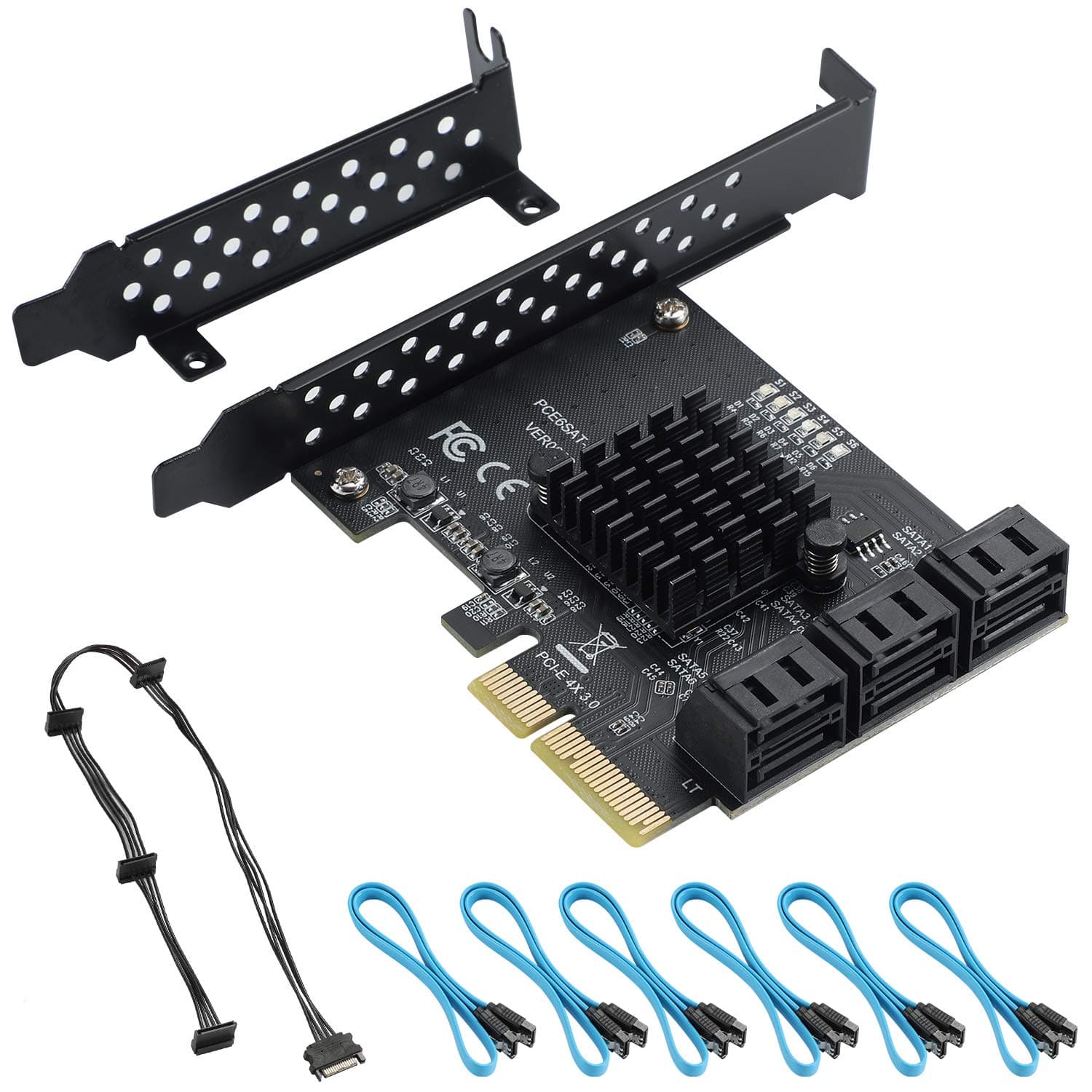


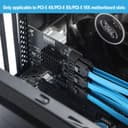
🚀 Unlock pro-level storage speed & scale like a boss!
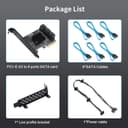
The BEYIMEI PCIe 4X to 6 SATA Expansion Card delivers six SATA III 6Gbps ports via a PCIe 3.0 x4 interface, supporting up to 8GB/s bandwidth. Compatible with PCIe x4/x8/x16 slots and major OS platforms including Windows and Linux, it features LED indicators for drive status and comes with all necessary cables and brackets for easy installation. Ideal for professionals seeking scalable, high-speed storage expansion with software RAID support.
| ASIN | B08DFK4LZ7 |
| Brand | BEYIMEI |
| Color | 4X 6SATA |
| Customer Reviews | 4.3 4.3 out of 5 stars (211) |
| Date First Available | July 23, 2020 |
| Item Weight | 8.4 ounces |
| Item model number | PCIE-4X 6SATA |
| Manufacturer | BEYIMEI |
| Operating System | Linux, Ubuntu, Windows |
| Package Dimensions | 6.38 x 5.2 x 1.85 inches |
R**N
Easy install and it works with Windows 11 Pro.
I gave it 5 stars on the benefit of the doubt because it works but I have not tested it to see how well. I'm sure my HDD speed will be the limiting factor, not the card. It's mounted on a Z890 Tomahawk with a 265K. I plugged in an 18TB WD Red Pro and the connection was instantaneous. the 4 MB SATA slots are used on 2 ASUS BlueRay drives, another WD Red Pro 18 TB, and a Kingwin front panel. Running Windows 11 Pro.
K**N
Worked with no configuration required in Proxmox 8.4 (Debian)
I've never bought one of these, so I don't have much to compare it to, but i shoved it into a 16x slot, plugged some drives in with the included cables (medium length compared to my others), rebooted, and the drives were recognized. I've been using it for a couple of days, and no weird errors, transfer speed is same as when attached to motherboard. It's bright with blue lights, which might throw of your decor if you are into that, but otherwise I see no issues.
D**K
Works with Dell XPS 8940 with a BIOS Update
Well it took some time to figure out how to make this PCIe 4X SATA Card work in a Dell XPS 8940 using Windows 10. On a good note, the seller was very responsive trying to make the card work, but unfortunately their solutions did not work. Instead I leveraged the Dell forum. There were several responses directly from Dell support, but eventually another person (Ron) provided the solution. Here's what you need to do to make this card work when the booting with RAID On. 1) Open CMD prompt as administrator and paste 'bcdedit /set {current} safeboot minimal' and the PC will restart in Safe Mode. 2) Change SATA Operation from RAID to AHCI, then save & reboot, which will start in Safe Mode. 3) Open CMD prompt again and paste 'bcdedit /deletevalue {current} safeboot' to turn off Safe Mode. 4) Reboot & Windows 10 will automatically start with AHCI drivers enabled. 5) Shut down PC. 6) Install PCIe 4X SATA Card and Reboot. Hopefully this solution will help others. The card is very fast using a new WD 8TB Gold Enterprise HD; see CrystalDiskMark image. Cannot say enough thank you's to Ron (RoHe) on Dell Support Forum.
M**A
It worked fine untill I bought a new PC
I had this device for a few years and it always very good. It was fast (PCIE 4.0 helped a lot), safe and reliable. Then I bought a new PC in july 2023. It was a brand new gaming desktop I built myself with a ASRock X670e steel legend motherboard. So, when I was still building it I decided to boot my system for the first time and it wouldn't post. I thought it was some bad connection, maybe a dead GPU (please, no!). Then, after several hours banging my head I decided to remove this device, and then the system posted like nothing ever happened. I searched online for some people who perhaps had a similar issue, but nothing really concrete came up. Since then I've been weary of using this device again, and I could really use a few extra sata ports. I have 6 HDDs but my mobo has only 4 ports (my bad on the choice, I guess). So be mindful, if you have an older PC like I did before, then this device is amazing. But if you're using a brand new PC with DDR5 gen gear on it, you may want to research compatibility with your motherboard first.
Z**I
Has been working great for 2+ years in my Unraid NAS system!
I've been using this BEYIMEI 6-port SATA Expansion Card in my Unraid NAS system for the past two years, it has been rock solid from the beginning. I would definitely purchase it again. I typically experience about 150 MB/s for sustained file transfer speed between drives, but these may be limited by the drives or something else. My system case at the time (and still currently) was a Jonsbo N3, which has support for 8 drive bays in the front, which makes for easier drive swapping without opening up the whole case. Because the case was limited to 8 hard disk drives, I went with this expansion card which added support for 6 more drives (in addition to the SATA ports on the motherboard). If I were purchasing again, I might opt for a bigger version of an expansion card in case I decided to upgrade to a bigger capacity case - if the price difference wasn't too much. In the past few weeks I've experienced my first drive failure and am in the process of swapping drives now. I am glad I went with that case and this expansion card made the drive swapping process seamless. Initially, the first drives I used in the system (which were connected directly to this Expansion Card) were 2x 6TB WD WD60EZRZ (these are the ones that failed, after 10 years of use in multiple computers) and 2x 18TB Seagate ST18000NM002J drives (I'm still using these). I've now removed the 2x 6TB drives and added 1x 22TB Seagate ST22000NM000C drive. Again, this Expansion Card had no problems working with any of the drives. Note: these were all CMR drives (as recommended to use in a NAS, vs SMR drives which have performance downsides with sustained file transfers). Unraid detected all drives immediately and without issue, and so this expansion card functioned as expected. So far, I have not tried hot swapping drives - I have always been powering down my system before making drive changes. But the product description says hot swapping is supported by this expansion card, and Unraid supports hot swapping so I might just try it that way next time. I believe the guideline is just to stop the array (take the array off-line) but the system can remain powered on.
G**.
Interface worked perfectly
Perfect size and format for my use. I updated and HP Prodesk Mini to connect to a 6 bay 2.5 disk caddy to pit into extra drive bay i the computer.
H**B
Ideale Ergänzung für jene, die ein AM5 Mainboard gekauft haben und merken mussten, dass darauf veraltete SATA-Controller (ASM1061) mit miesem Datendurchsatz von max. 400MB/s verbaut sind (z.B. ASUS ROG Strix B650E). Mit dieser PCIe 3.0 x2 (elektrisch x2, mechanisch x4) Karte hat meine SATA-SSD wieder den vollen Durchsatz von 560MB/s. Angeschlossene Laufwerke (HDD, SSD, BluRay-RW) wurden automatisch vom BIOS und Windows 11 erkannt ohne zusätzliche Einstellungen oder Treiber. Zu bedenken ist, dass je nach Platzierung der Laufwerke und der PCIe-Karte das Kabelmanagement etwas leiden kann (z.B. PCIe karte im untersten Slot und Laufwerk im oberen 5,25" Schacht), da man hier an die Grenzen der Kabellängen stößt.
L**N
Cette carte PCI SATA me sert à brancher 6 disques durs supplémentaires dans un NAS maison sous TrueNAS Scale, super fiable les cables sont également de bonne qualité, le PCB est noir (c'est juste cool) Evidemment la machine est sous tension 24/24 et jamais eu de soucis de deconnxion ou de latence meme utilisée avec tout les slots, c'est du bon matos pour le prix très satisfait !
W**4
Great bit of kit. Fast speeds, easy to install and works well currently using 4x out of the 6 ports.
C**E
tutto perfetto, riconosciuta su ubuntu server senza bisogno di fare nulla e funziona perfettamente
K**D
Funkar bra. Helt OK överföringshastighet. Inga issues med data transfers vare sig i kortet eller nån av kablarna som medföljer. Har provöverfört >100TB data och testat för datafel. Sitter i en dedikerad Raid Z2 maskin och gör allt jag förväntar mig.
Trustpilot
2 weeks ago
2 months ago