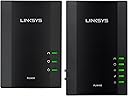
⚡ Power up your network, no wires left behind!
The Linksys Powerline AV Wireless Network Extender (PLWK400) leverages your home’s existing electrical wiring to deliver up to 500 Mbps wired speeds while simultaneously broadcasting a reliable Wi-Fi signal. Featuring a 4-port Ethernet adapter and easy WPS setup, it effortlessly extends your network’s reach without complex installation—ideal for gamers, streamers, and multitasking millennials craving seamless connectivity everywhere at home.


| ASIN | B0087O6AQE |
| Best Sellers Rank | #564 in Powerline Network Adapters |
| Brand | Linksys |
| Customer Reviews | 4.0 4.0 out of 5 stars (1,008) |
| Date First Available | May 31, 2012 |
| Is Discontinued By Manufacturer | No |
| Item Dimensions LxWxH | 3.27 x 9.49 x 6.65 inches |
| Item Weight | 8.8 ounces |
| Item model number | PLWK400-NP |
| Manufacturer | Linksys |
| Product Dimensions | 3.27 x 9.49 x 6.65 inches |
| Wireless Type | 802.11a, 802.11b, 802.11g, 802.11n |
S**R
Works Great! UPDATED
I have been dealing with networking in our household for years, and I think this is the very FIRST product that simply worked right out of the box--no configuration necessary. I had considered getting a wireless network extender (Linksys RE1000), but decided against it, given the uneven user reviews it received. Since I really only needed to get better network connectivity in one small area, this alternative made sense. I connected the one piece of the PLSK400 to my Linksys E4200 at one corner of our house and plugged the other piece into an electrical receptacle at the opposite corner on a different floor. My son's Xbox connection is now much improved, even better than the wireless connection he experienced playing it in the same room as the router. Now he can keep his Xbox with the big screen TV and get great performance. And since I bought the model that has four ports, I can also connect the Wii and the Blu-Ray player as well, with one more port left for something else in the future. I don't usually review stuff, but felt compelled to submit a positive review for a product that made it so easy to extend my network to the furthest corner of our house. EDIT: I built a new computer, and wanted to put it down in our family room, where I also had placed the 4-port portion of the kit. Unfortunately, the desk is in a part of the room where I can't connect to the 4-port powerline adapter I'm using to connect the Xbox. I searched for information on whether buying another kit would extend the powerline network using the same unit that was hooked up to my router. After not finding anything, I finally just decided to go ahead and purchase the Linksys Powerline AV 1-Port Network Adapter Kit (PLEK400), which is the same as this kit but with only 1 port in each of the two units. I couldn't find any source where I could simply buy one unit alone. After receiving the PLEK400 kit, I plugged one of the units (they seem to be identical) into an outlet near my new computer, hooked up the computer, and it connected to my existing unit next to my router with no problem. Since the kit came with 2 1-port units, I use the other 1-port unit to connect my laptop from a different area, when I don't feel like using the wireless network. All worked flawlessly together, again with no configuration necessary! Now that I have owned both the PLSK400 and the PLEK400 kits for several months, I can again affirm that these have worked beautifully for our family. However, I have found that every once in a while (maybe every 2 weeks or so?), I need to unplug them and replug them to "reboot" the powerline network. The powerline network seems to slow way down or quit working altogether if it hasn't been restarted for a while. Instead of waiting for that to happen, though, I usually simply restart it (by unplugging and replugging all units) when I find it necessary to restart our router and cable modem. The router or the cable modem need to be restarted more often than the powerline units, so the slowdown that sometimes had occurred never happens anymore. Because this is easy to do when the rest of the network needs to be restarted anyway, I don't feel this should detract from my initial 5-star rating.
B**E
Efficiency at it's best when Wireless can become a problem.
I'm a voice and telepresence engineer by trade so I hope that has some credibility to make this review worth reading. For years I have always preferred ethernet cabling versus wireless. At some point I got tired of running cables to every device and went wireless. My wife's computer, my Roku, my PS4, ipad, laptops, everything started to use wireless. My only wired connection was the desktop that I am writing this review on. Well here enters my problem. The Playstation 4 is notorius for having super crappy wifi adapters with them. Some work great others like me barely get 1-5 Mbps download and 1 Mbps up. Before some of you start trying to think that it was my wireless network, it isn't. Again, I do this stuff for a living. I scanned my house with a program you have to pay for to check for any noise/interference and could find nothing of significance to cause a signal strength of 70% on the ps4, especially since it was about 10 feet away from my modem. Channel 1 on the wifi was the clearest for me so I use that. Speed tests on all devices show about 35-40 Mbps wireless but the Ps4 in all its glory just plain sucks for some reason. I moved the PS4 close and still no dice. I turned it off and did a speed test with my phone and ipad and got about 35-40 Mbps, so yes the PS4 is at fault here. My wife's desktop has a wireless module and sits at the other end of the house with no issue. No major blockages other than one wall. This is what led me here. For one device I decided to try this. You plug one end into a wall outlet near your router and then proceed to plug the Ethernet cable into the mode/router and the other end with the 4 ports or single port where you want to plug in your wireless device. They will synchronize together and then you plug the ethernet cable near your 4 port/1 port plug into your wireless device that you want hard wired into the network. From here it is like a normal wired connection using the 120/240 volt AC power of your home. It uses a specific frequency set to find the other device and transmit the data in that fashion. I am now getting 50 Mbps (give or take obviously) off of my PS4 which is what I am currently paying for from my ISP. This device works like a charm and sets up in minutes, the longest part is unpackaging. Linksys has done it again with a fantastic device that takes your home network to a whole different level.
A**N
on the same electric panel. Just a great product , wifi hotspot without passing cable.
C**N
Pensaba solo comprar un extensor de rango simple pero esos solo funcionan si está cerca del módem o router inalámbrico. A parte la mayoría son de distintas marcas y la verdad linksys en este tipo de aparatos es la mejor (aunque cuesta un poco más cara pero lo vale). En fin, recomiendo tanto el producto como la marca para ampliar el rango del internet. Lo único malo es que no tiene un manual de instalación sencillo y en español y no hay videos en línea pero siguiendo las instrucciones en inglés, se vuelve sencillo instalarlo una vez que conoces cómo funciona.
N**L
I dont have words to describe this product. I wonder why is it not popular in India already. Those who are looking to extend the range of their wifi, Those who have big houses (lucky you) will find this supercool. The only drawback was its size. Could have been smaller.
S**N
Awesome. Could install it in no time. Working Excellently!
J**N
El producto sirve. Lo uso von mi co sola ps4 y todo bien.Lo unico malo es que no sirve con windows 10
Trustpilot
2 weeks ago
3 weeks ago