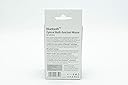
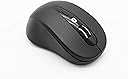
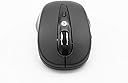
Looking for a quality but cost-effective Bluetooth(tm) enabled mouse for your computer or notebook? The new CP-BT415 is a new generation, Bluetooth(tm) enabled wireless mouse using the new low-power, Bluetooth(tm) version 3.0 chipset which warrants both low power usage together with a more robust, low latency wire-free connection up to around 10 metres. Ideal for Bluetooth(tm) enabled Windows(tm), Apple(tm), Linux(tm) and other compatible computers, no drivers are needed - just pair the device and your ready to go. Accurate, optical tracking is of course standard with a selectable resolution of up to 1600DPI, ideal for general gaming as well as business and educational applications. 6 on-board individual buttons and scroll-wheel are featured so that you have full control of your applications at all times. Review: Easy to connect, easy to use - Does everything I want it to do. It works well and connected to my Kindle very easily. Review: Better than a wired connection. - Great but easier to drop but it does not help it to survive.
| ASIN | B07TK4FCRM |
| Antenna Location | Office,Home,Gaming |
| Are Batteries Included? | Yes |
| Are Batteries Required | No |
| Best Sellers Rank | 253,628 in Computers & Accessories ( See Top 100 in Computers & Accessories ) 4,419 in Mice |
| Brand Name | Compoint |
| Button Quantity | 6 |
| Colour | Black |
| Compatible Devices | Laptop, Personal Computer |
| Country of Origin | China |
| Customer Reviews | 3.6 3.6 out of 5 stars (55) |
| Hand Orientation | Ambidextrous |
| Hardware Platform | Personal Computer |
| Manufacturer | COMPOINT |
| Manufacturer Part Number | CP-BT415 |
| Movement Detection | Optical |
| Network Connectivity Technology | Bluetooth |
| Number of Batteries | 2 AAA batteries required. (included) |
| Operating System | Linux |
| Power Source | Battery Powered |
| Product Features | Wireless |
| Style Name | Modern |
| Unit Count | 1.0 count |
L**T
Easy to connect, easy to use
Does everything I want it to do. It works well and connected to my Kindle very easily.
D**M
Better than a wired connection.
Great but easier to drop but it does not help it to survive.
S**A
Goes in sleep mode in few seconds!
It's a nice little bluetooth mouse, but has two major inconveniences. 1. No light flashing when in pairing mode. 2. Goes in power saving mode (sleep) in only few seconds, which is extremely annoying if you have work to do. So the first click it's to wake it up and then you can use it again. If you do this every 10 seconds or less that's not fun when you have work to do! I wouldn't buy it again and I wouldn't recommend it to a friend.
P**Y
Once paired...........
It'sa beautiful little mouse. Set you device to be visible to be paired Then press the THREE buttons on the mouse top - left, right and wheel - pairing should be not a problem
J**I
Hard to get going, but lovely when working
Its a shame this mouse came without instructions. It is a lovely mouse and I have ordered another as a gift. After opening I was sure that the mouse was faulty/ dead. I persisted and looked online for help. I spent maybe 20 mins before I literally saw a glimmer of light. The battery insertion is strange, plus there is a tiny on/off switch underneath, top right when the mouse is turned over. What worked for me: in Win10 go to Control Panel\All Control Panel Items\Devices and Printers Add a device. Turn the mouse over with battery lid off Left hand 3 fingers can now comfortably press L+R buttons + scroll wheel simultaneously. Turn on microswitch (top right base, toward batteries is ON.) fiddle with battery and the optical LED came on and Windows recognised the BT30 mouse. I recommend the seller prints a small insert with instructions to save disappointment /returns. Would have given 5 stars if it hadn't been fiddly to get going
B**E
Poorly instructed
The mouse came really fast. That was good. Then when I came to actually connect it. There was no dongle like others said and no instructions. Had to do research on how to connect it. So if anyone is struggling also. Hold down the left right and middle scroller down together for about 5 seconds and it should appear. Once you get it working it's good
R**.
Description false "Batteries : 2 AAA batteries required. (included)", NOT SO.
S**1
Lack of instructions but good item
Hard to start using due to lack of instructions. Bought for IPad. To connect you have to turn the mouse on press and hold the left, scroller and right keys for 10 seconds (hold them down one after the other not at the same time) to get the mouse into pairing mode. Once set up worked well.
Trustpilot
1 month ago
2 weeks ago